

Messages: Text SMS Home App
- 86.00
- 4.1
- Installs
- 50.00K
- Price
- Free

Screenshots
Analysis by Reviewed
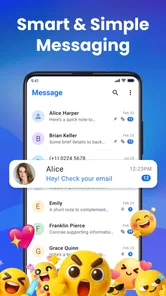
I tested Messages: Text SMS Home App as a practical communication tool rather than treating it like just another replacement for the default texting screen. Developed by Ant Utilities, it is a free Android messaging app built around quick access to SMS, unwanted-message blocking, and personalizing the way the inbox feels. That combination makes it most interesting in a household where one phone may be used by different people at different times, or where a user wants a simpler route from the home screen to a text conversation.
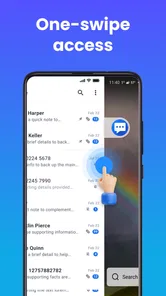
My first impression was that its value depends less on adding a completely new way to communicate and more on reducing small points of friction. If your current messaging app already feels comfortable, the change may seem unnecessary. If opening a conversation, finding the right thread, or dealing with unwanted texts feels messy, the launcher-focused approach is easier to appreciate. I found it most useful when I wanted texting to be immediately available without turning the phone into a broader social or media hub.
How Messages: Text SMS Home App fits a shared household phone
A realistic example is a household phone kept in a common area for practical coordination. One person might use it to text a relative, another might send a quick message about shopping, and someone else might need to check whether a delivery has arrived. In that situation, a direct SMS launcher can be more approachable than a crowded communication app filled with extra tabs, calls, stories, or account prompts. The emphasis stays on opening messages and getting a short text sent.
That simplicity has an important boundary: this is still a personal communication app, not a household dashboard. I would not treat it as a shared inbox where every resident should freely browse every conversation. SMS threads can contain private details, verification codes, addresses, and sensitive family discussions. The app can make texting easier to reach, but it does not change the need for a clear agreement about who may use the device and which conversations are private.
For a shared device, I would begin by deciding whether the phone is genuinely communal or merely used by one main owner with occasional help from others. On a communal phone, the launcher position and visible conversation previews deserve attention. A message that appears on screen can reveal more than intended. The practical solution is not to assume that a new messaging interface creates separation; it is to keep the device in a suitable place, use the phone’s existing screen-lock habits, and avoid leaving sensitive threads open.
That is one of the app’s less obvious trade-offs. A prominent texting shortcut is excellent for speed, but convenience also makes the communication area easier for another person to reach. I see this as a strength for a trusted household and a reason for caution in a mixed or temporary-use environment. The app helps with access, not with defining account boundaries between people.
Setup is simple, but the first decisions matter
Before making it the everyday texting app, I would spend a few minutes checking how it fits into the phone’s existing messaging routine. The important question is not only whether the interface looks pleasant. It is whether you can identify the correct conversation quickly, recognize a legitimate sender, and return to the same workflow without confusion. A family member who is comfortable with the phone’s original app may need a short introduction, especially if the home-screen arrangement changes.
More From Our News Desk

 Gmail
GmailGmail in a Busy Inbox: Who Benefits Most?
From first account to crowded workday, Gmail earns its place through dependable search and flexible sorting—but its best fit depends on how much inbox maintenance you can tolerate.

 Prime Video
Switching to Prime Video: What Changes in Your Viewing Routine
Prime Video can make a compelling second home for streaming, but switching means learning a different catalog, rental layer, and route from browsing to playback.

 Universal TV Remote Control
Universal TV Remote Control Works Best as a Reliable Backup
A phone remote earns its place through quick setup and reliable habits. Here is how to get more from Universal TV Remote Control—and where its limits show.

 Weather - By Xiaomi
Weather by Xiaomi Review: Clear at a Glance, Less Clear Up Close
Xiaomi’s weather app makes everyday forecasts quick to scan, but its calm surface can leave useful details and recovery paths harder to find than they should be.

 X
XX Under Pressure: Can It Recover When Posting Goes Wrong?
A resilience-focused review of X, examining setup, mistaken posts, interruptions, weak connections, and the gaps that matter when recovery needs to be dependable.

 Clash of Clans
Clash of Clans Is Won Between the Battles
Its raids are quick; its community is a long-term project of coordination, teaching, rivalry, and shared responsibility—with all the friction that entails.
Latest News



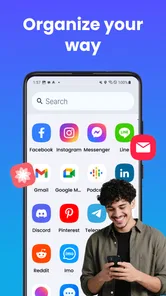
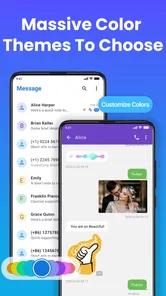
The customization angle is useful here. A household can make the messaging entry point visually distinct from games, shopping apps, and social networks, which helps someone who only needs to send or read ordinary texts. I would keep the design restrained rather than constantly changing it. On a common phone, predictable placement is more valuable than a decorative layout that looks different every week.
I also recommend agreeing on a basic rule for message handling before several people use the device. For example, decide whether a person should open only messages addressed to them, whether important threads should be left unread for the owner, and who is responsible for removing obvious junk. These are human rules, not features to assume from the interface. Messages: Text SMS Home App can support a tidy routine, but it cannot decide which family member is entitled to see a conversation.
The app runs on Android version 8.0 and later, which makes it relevant for older phones that may not support newer communication software. Its current version is 2.3.74. I would still check the phone’s general responsiveness before handing it to a less technical user, because the age of the operating system is only one part of the experience. An older device may have limited storage, a worn battery, or a cluttered home screen, and those issues can make any messaging app feel less immediate.
Fast texting is most useful when the message is routine
In everyday use, I think the strongest case is short coordination: “I’m on my way,” “Please pick up milk,” “The appointment moved,” or “Call me when you arrive.” These messages benefit from a direct route and do not require a full social network or a separate account system. A person who sends this kind of SMS throughout the day may appreciate having the communication tool close at hand.
The launcher concept also changes how I think about interruptions. If the phone is used by several people, a clear messaging entry point can reduce the temptation to search through unrelated apps. That matters for an older relative who wants to reach a contact without navigating a busy screen, or for a child using a supervised household phone for a pre-agreed practical purpose. I would keep the contact list familiar and explain that the app is for texting, not a guarantee that every recipient will respond immediately.
There is a useful workflow for shared coordination: keep the home screen focused, use consistent contact names, and reserve pinned or prominent access for the conversations that genuinely matter. Then review older threads periodically so the inbox does not become a confusing archive. The app’s value grows when the surrounding phone habits are organized; it cannot compensate for duplicate contacts, vague names, or dozens of abandoned conversations.
Another practical point is choosing SMS for the right kind of communication. Texting is convenient when the recipient has a mobile number and the message is brief. For long discussions, group planning, documents, or conversations that need richer media and synchronized history, a dedicated chat service may be better. I would not install this app expecting it to replace every communication channel. Its role is narrower and, for that reason, easier to explain to another household user.
Spam blocking helps, but it should be used carefully
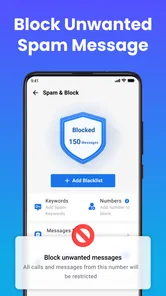
The unwanted-message blocking feature is one of the more meaningful reasons to try it. A busy inbox can become difficult to scan when promotional texts and suspicious messages sit beside genuine family conversations. Separating attention from noise is especially helpful on a shared phone, where another person may not recognize which messages are safe to ignore.
My advice is to treat blocking as a deliberate tool rather than an automatic substitute for judgment. A legitimate business, school, clinic, or delivery service may use a number that is unfamiliar. Before blocking or dismissing a sender, check the wording and context. If a message asks for urgent payment, a password, or a code, the safest response is to verify through a known channel instead of tapping a link or replying in a hurry. The app can reduce clutter, but no blocker should be treated as a complete defense against deception.
For a household, this is where age and trust become important. A younger user may need a simple rule: do not answer an unfamiliar sender without asking an adult or the device owner. An older user may benefit from knowing that a blocked message is not automatically proof of fraud, just as an apparently familiar name is not proof that the message is genuine. The best setup combines the app’s filtering convenience with a short, repeated safety conversation.
I would also avoid using the blocking function as a way to control another person’s relationships. On a shared phone, one user should not quietly block contacts that another user needs. If the device serves multiple people, changes to blocked senders should be visible and agreed upon. That boundary is easy to overlook because the feature feels like housekeeping, yet it can affect whether an important message gets through.
Age rating and trust in a shared environment
The app is rated for Everyone, which makes its basic communication purpose suitable for a broad audience. That rating should not be confused with a complete family-safety system. SMS itself can bring unknown contacts, misleading offers, private material, and requests for personal information. A child using the app still needs an adult-defined contact list and clear instructions about what to do when a message feels strange.
This distinction matters because the app’s simplicity can create confidence. A clean texting screen may look safe, but the people sending messages remain outside the app’s control. For a child, I would use it only on a device and phone number that an adult manages appropriately, with a conversation about privacy and permission. For an older relative, I would demonstrate how to identify a known contact, how to pause before responding, and how to ask for help with suspicious requests.
Trust also works in the other direction. If several adults share a phone, each person should know whether messages are visible to the others. I would not recommend installing it on a device where the owner expects private communication but other people regularly pick it up. The app makes the SMS area more accessible, and accessibility is not the same as confidentiality.
One advantage for less experienced users is that the purpose is easy to describe: this is where you send and read text messages. That narrow explanation is more approachable than introducing a large communication platform with many unrelated functions. The limitation is that anyone who needs separate profiles, parental controls, or strict work-and-personal separation should look for a solution designed specifically around those boundaries rather than expecting a launcher to provide them.
Where it stands beside the usual alternatives
The most obvious alternative is the messaging app already installed on the phone. Staying with that option is sensible if it provides a comfortable inbox, reliable notifications, and enough control over unwanted messages. Switching adds another layer to learn, so I would only make the change when the direct launcher, customization, or blocking approach solves a problem you actually have.
Compared with internet-based chat apps, this app is better suited to straightforward SMS communication with people who may not share the same service. It is less appropriate when your household depends on read indicators, large group conversations, file sharing, desktop access, or a synchronized history across several devices. In those cases, a dedicated chat platform may offer a more complete coordination experience, although it can also require accounts and internet access that ordinary texting does not.
Compared with a minimalist launcher, Messages: Text SMS Home App is more focused. A general launcher can simplify the entire phone, while this app concentrates on the messaging route. That makes it a better fit when texting is the main pain point, not when every part of the device feels overwhelming. I would choose the broader launcher for someone who struggles with calls, settings, and app discovery across the board; I would choose this app when the problem is specifically reaching SMS quickly.
Its free availability lowers the barrier to testing it, but the app includes in-app purchases ranging from $4.99 to $14.99 per item. I would try the basic experience first and decide whether the added value justifies spending money. For a shared household phone, paid customization is unlikely to be the deciding factor. Better organization, clear expectations, and careful handling of private messages will matter more than making the interface look distinctive.
What I would check after a week
After several days, I would judge the app by a few practical questions. Can each regular user reach the right thread without asking for help? Are unwanted messages easier to identify without hiding legitimate ones? Does the customized home-screen access remain understandable when someone else picks up the phone? And does the app fit the phone’s existing habits instead of creating a second place where people look for conversations?
I would also watch for accidental privacy problems. If previews appear where visitors can see them, change the phone’s broader notification behavior rather than assuming the launcher solves it. If two people keep opening the same conversation, establish a device rule. If someone repeatedly mistakes a promotional message for a family text, teach a verification habit. These observations tell you more about whether the app belongs on a shared phone than its visual appeal does.
The app has reached a modest audience, with over 50 thousand installs, an average rating of 4.1 from 219 ratings, and 52 written reviews. Those figures suggest that people are finding a use for it, while also reminding me not to treat it as a universally proven replacement for every default messenger. I would read the experience as promising for a specific need: making SMS more immediate and manageable, particularly for users who value a focused home-screen route.
My household verdict
I would recommend Messages: Text SMS Home App to someone who wants a dedicated, customizable path to ordinary texting and would genuinely use spam blocking to keep the inbox calmer. It can work well on an older Android phone, for routine family coordination, or for a less technical user who benefits from a clear communication destination. The strongest result comes when the phone has one main purpose and the people using it understand the privacy rules.
I would skip it for a household that needs separate user accounts, robust parental management, or a private workspace for each person. I would also stay with the default messenger if it already handles SMS cleanly and nobody is struggling with access or clutter. Installing another app simply because it promises a new look is not enough reason to change a familiar workflow.
My final view is that this is a focused communication app with a useful household angle, provided its limits are respected. The best reason to install it is not novelty; it is the combination of quick SMS access, practical customization, and a clearer way to deal with unwanted texts. Use it as a front door to messaging, not as a replacement for common sense, device privacy, or agreed boundaries between family members.
Messages: Text SMS Home App Frequently Asked Questions
Will Messages: Text SMS Home App work on my Android phone?
Messages: Text SMS Home App is an Android communication app that requires Android 8.0 or later. Check your device’s operating system before downloading; if it meets that requirement, you can install the app and explore its messaging tools. It is developed by Ant Utilities and is intended for everyday SMS use, including sending and receiving texts.
Can I customize the look and feel of the messaging experience?
Customization is part of the app’s appeal: its store summary describes it as a smart SMS launcher with customization. This can make it worth considering if you want a messaging experience that feels more personal than a basic inbox. The exact options available may depend on the app version and your device, so you can explore the controls after installing it.
What is Messages: Text SMS Home App used for?
Messages: Text SMS Home App is designed to manage everyday text communication from one place. It can be used to send and receive SMS messages, organize conversations, search through message history, and access common messaging tools. Depending on your device and Android version, some features may require setting the app as the default SMS application before they work correctly.
Is Messages: Text SMS Home App free to download and use?
The app is free to download, while optional in-app purchases range from $4.99 to $14.99 per item. Standard carrier charges for sending SMS or MMS messages can still apply, so users should check their mobile plan before using the app extensively. You can begin with the free download and decide whether any optional purchases suit your needs.
Does the app require access to my contacts and text messages?
Yes, a messaging application normally needs permission to access SMS conversations, contacts, phone functions, and notifications in order to provide its main features. These permissions allow it to display conversations, identify contacts, send messages, and alert you when new texts arrive. Review the requested permissions carefully and only enable access you are comfortable granting.
Pros
- Clean home-screen design with quick access to conversations.
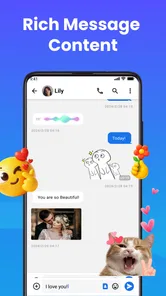
- Supports standard SMS and MMS messaging features.
- Simple layout is easy for first-time users to understand.
- Useful notification options help you notice incoming texts promptly.
- Lightweight experience that generally feels responsive on basic devices.
Cons
- Requires carrier support for SMS and MMS charges may apply.
- Limited value if most of your contacts use internet messaging apps.
- Advanced backup and message-transfer tools may be unavailable.
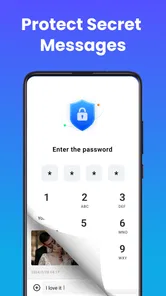
- Privacy features may not match those of encrypted messaging services.
- Some features can vary depending on your Android version and device.











