Meno Pro
- 1.00
- 4.4
- Installs
- 10.00K
- Price
- Free

Screenshots


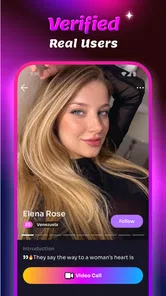


Analysis by Reviewed
I approached Meno Pro as a first-time user looking for a simple way to meet people through video rather than another text-heavy social feed. It is a free lifestyle app from SOMEET TECHNOLOGY LIMITED, built around video conversations with new friends. The idea is easy to understand, but the experience depends heavily on how comfortable you are with spontaneous interaction, camera use, and the boundaries that come with meeting strangers online.
The app’s store message points toward cheerful video chat, and that gives a useful clue about its intended mood: this is not a productivity tool, a dating guide, or a conventional messaging client. It is aimed at people who want social contact in a more immediate format. I found that distinction important from the beginning, because someone expecting a carefully organized community platform may find the experience less predictable than expected.
What to expect before your first conversation
Meno Pro sits in the lifestyle section, but its practical role is closer to a casual social discovery app. You install it because you want interaction, not because you need to manage tasks or consume a fixed library of content. The central appeal is the possibility of moving from browsing to a live video exchange quickly, which can feel more personal than sending messages back and forth for hours.
That immediacy is also the main trade-off. Text-based social apps let me think before replying, edit what I say, and leave a conversation quietly. Video removes much of that distance. Facial expressions, background noise, lighting, and timing all become part of the experience. I would recommend starting with modest expectations: treat the first session as an introduction to the app’s social rhythm rather than assuming every interaction will become a meaningful friendship.
The app is free to install, while in-app purchases range from $4.99 to $99.99 per item. That matters before you become invested in the social flow. A free download does not necessarily mean every part of continued use will feel cost-free, so I would pay attention to any purchase prompts and avoid spending simply because a conversation feels exciting in the moment. If you prefer services with no paid layer at all, a standard messaging app with existing contacts may be a better fit.
The audience should also take the mature age label seriously. Meno Pro is marked for users aged 17 and over, which is consistent with the fact that live conversations with unfamiliar people require judgment. I would not treat the age label as a substitute for personal safety habits. It is still wise to avoid sharing your address, school, workplace details, financial information, or private account credentials with someone you have just met.
The current version is 1.1.0, and the app has reached over 10K installs with a 4.4 average from 119 ratings. Those figures suggest that it has attracted an early audience, but they do not tell me that every conversation will be equally active or suitable. A small social network can feel friendly when the right people are online, yet quiet or uneven at other times. That variability is normal for a service based on live participation.
More From Our News Desk

Weather by Xiaomi Review: Clear at a Glance, Less Clear Up Close

X Under Pressure: Can It Recover When Posting Goes Wrong?

Clash of Clans Is Won Between the Battles

Android Auto Makes the Case for Quieter Car Software

MobiOffice: Transforming Mobile Productivity with Seamless Integration

EA SPORTS FC™ Mobile Soccer: Redefining Mobile Sports Gaming
Who will probably enjoy it
I can see Meno Pro working well for someone who wants low-pressure social discovery and is comfortable speaking to people without a long introduction. It may appeal to users who find text chat repetitive, people who have recently moved and want casual contact, or anyone who enjoys practicing conversation with people outside their usual circle.
It is less suitable for someone who dislikes being on camera, needs extensive profile information before starting a conversation, or wants a tightly moderated environment with a clearly defined shared interest. If your goal is to find language partners, gaming teammates, professional contacts, or local activity groups, a specialized service will usually give you better context than a broad video-chat app.
My most useful mental model is to think of the app as a doorway, not a complete friendship system. It can help create the first moment of contact, but it cannot guarantee compatibility, trust, or a lasting connection. That responsibility remains with the people using it.
Getting through setup without overcommitting
For a first session, I would install the app when I have a few uninterrupted minutes rather than opening it while commuting or multitasking. Video interaction is much easier when I can check my surroundings, use a stable connection, and decide in advance how much time I want to spend. This small preparation reduces the chance of accepting a conversation while distracted or revealing more of my environment than intended.
Before starting, I would choose a neutral background and check what appears behind me. A plain wall or a tidy corner is enough; there is no need to show family photographs, documents, work materials, or anything that identifies where I live. This is one of the less obvious advantages of treating setup as part of privacy rather than as a cosmetic step. The other person learns only what I intentionally place in view.
I would also decide on a simple opening line before entering the social area. Something like “Hi, how is your day going?” gives the conversation a gentle start without forcing a personal question. Having one prepared sentence is surprisingly useful because the first seconds of a live call can feel awkward, especially when neither person knows what the other expects.
Pay attention to the difference between exploring the interface and committing to a conversation. If the app presents profiles, prompts, or discovery choices, read each screen instead of tapping through automatically. The most important habit is to understand what action you are taking before you take it. This is especially relevant when an app includes paid items: do not assume that a button connected to social discovery is merely a free navigation step.
I would keep notifications limited to what I actually want. Live social apps can become distracting when every possible interaction feels urgent. If you are trying Meno Pro during a workday or before sleep, turning off unnecessary alerts at the device level can help you keep control of the experience. The goal is to use the app when you are ready to talk, not to feel obliged to respond whenever it calls for attention.
Making the first successful connection
A successful first action does not need to be a long conversation. For me, the better goal is a short, respectful exchange that ends comfortably. Start with a greeting, ask a broad question, and notice whether the other person responds with similar effort. If the conversation feels one-sided after a few attempts, leaving politely is more useful than trying to rescue it.
Keep the first exchange general. Talk about hobbies, films, music, travel preferences, or how you usually spend a free evening. These topics provide enough material to discover common ground without exposing sensitive information. I would avoid giving a new contact my full name, personal social handles, phone number, or exact location until trust has developed over time.
One practical technique is to use a three-step rhythm: introduce yourself briefly, ask one open question, then share a small related detail about yourself. For example, I might mention that I enjoy walking in the evening, ask what the other person does to relax, and then respond to their answer instead of immediately switching subjects. This makes the exchange feel mutual and helps reveal whether the conversation has natural momentum.
Video calls can make silence feel more uncomfortable than text messages, but a pause is not automatically a problem. Give the other person a moment to answer, particularly if the connection is unstable or they are also new to the app. At the same time, do not interpret every delay as a reason to keep waiting indefinitely. Your time matters too.
Ending well is part of a successful first session. A simple “It was nice talking with you, but I’m going to go now” is clear and polite. If someone reacts badly to a reasonable goodbye, that is useful information about the interaction. You do not owe continued access to anyone you meet through the app.
Small habits that improve the experience
Use the app when your energy matches the kind of interaction it encourages. If I am tired, irritated, or in a hurry, I am less patient and more likely to accept a conversation that does not suit me. Choosing a calm moment gives me better judgment and makes the other person’s experience better as well.
Another helpful habit is to evaluate the quality of a connection by behavior rather than by charm. Someone may be entertaining during the first few minutes but still ignore boundaries, pressure you to move elsewhere, or ask for personal details too quickly. A friendly tone is not proof of trustworthiness. I would look for consistency, respect, and willingness to accept a “no.”
It is also worth remembering that the camera changes how people present themselves. Good lighting and confidence can create a strong first impression, but neither tells you whether a person is reliable. I would keep the first interaction short enough that I can reflect on it afterward instead of making decisions while caught up in the excitement of live conversation.
If you are using Meno Pro to reduce loneliness, give the app a defined place in your routine rather than letting it become your only social outlet. A short session followed by a message to a trusted friend, a walk, or an offline activity creates a healthier balance. The app can open a door to contact, but it should not replace every other form of connection.
Common points of confusion and where the friction appears
The first likely confusion is the difference between a free app and a completely free experience. Meno Pro costs nothing to download, but paid items are available inside it. Before confirming any purchase, I would check exactly what the screen is offering and whether I genuinely need it. If the social value of the app depends on spending more than you planned, stop and reassess rather than treating payment as the price of belonging.
A second issue is the expectation of instant compatibility. Video discovery can feel faster than traditional social apps, but speed does not create shared interests. You may encounter conversations that end quickly, people who are not a good match, or moments when there is little activity that interests you. That is not necessarily a technical failure; it is a consequence of relying on a changing pool of people.
Some users may also wonder whether Meno Pro is a replacement for familiar messaging apps. In my view, it is not. Messaging services are usually stronger when you already know who you want to contact, need reliable ongoing communication, or want to share files and plans with an established group. Meno Pro makes more sense at the discovery stage, when the point is meeting someone new through live video.
Compared with text-first social platforms, its advantage is immediacy. I can get a better sense of conversational energy much sooner than I can from a profile or a few typed messages. The disadvantage is reduced control: I have less time to compose replies, and a camera exposes more of my surroundings and mood. Compared with highly specialized communities, its advantage is openness, while its weakness is the lack of a built-in shared purpose between strangers.
Safety is another area where new users should slow down. If someone pressures you to reveal private information, send money, buy something for them, or continue after you have said no, end the interaction. I would also be cautious about moving immediately to another platform. Keeping the first conversations within the app gives you more distance while you decide whether the person deserves further contact.
Do not use the app while driving, walking through traffic, or handling anything that requires attention. That sounds obvious, but live video encourages people to respond immediately. A missed conversation is harmless; a distracted moment in a dangerous setting is not.
There is also a social trade-off in presenting yourself live. You cannot carefully polish every sentence, and that can be refreshing, but it may make shy users feel exposed. If you are nervous, begin with a short session and treat awkwardness as normal rather than as evidence that you are bad at meeting people. If the format continues to feel stressful after several attempts, a text-based alternative may suit you better.
When another option is the smarter choice
I would choose a conventional messaging app when I already have a trusted contact list. It offers more predictable communication and avoids the uncertainty of meeting strangers. I would choose a community platform when I want conversations organized around a specific interest, because a shared topic gives both people an easier starting point.
I would also skip Meno Pro if I am looking for formal professional networking, structured learning, or a carefully filtered local group. The app’s strength is casual video-based discovery, not a specialized purpose. Using it outside that strength may lead to frustration because the people I meet are not necessarily there for the same reason I am.
On the other hand, I would return to it when I want a spontaneous social break and feel prepared to interact respectfully. The best sessions are likely to come from users who understand that not every contact needs to become a friendship. A brief pleasant exchange can still be worthwhile.
My next-step recommendation for a new user
After installation, I would begin with one short session, a neutral background, and a clear personal limit on time and spending. I would aim for one ordinary conversation rather than trying to collect contacts or force a memorable result. That approach makes the first experience more reassuring and gives me a realistic sense of whether the format suits my personality.
If the first interaction goes well, continue slowly. Notice whether the person respects boundaries, listens as much as they speak, and accepts a natural pause or goodbye. A second conversation should be based on those observations, not just on the excitement of having found someone available. Trust is built through repeated behavior, not a single enjoyable call.
If the first session is disappointing, I would not immediately conclude that the entire app is useless. Try again at a different time or with a clearer idea of the type of conversation you want. However, repeated discomfort, unwanted pressure, or a need to spend more than expected are valid reasons to stop using it. No social app deserves unlimited patience.
My overall view is that Meno Pro offers a straightforward route into casual video conversations, and its free entry makes it easy to test without a commitment at installation. Its strongest quality is the immediacy of speaking with someone new; its weakest point is the uncertainty that comes with that same openness. The mature audience label, paid items, and live format all call for thoughtful use rather than automatic trust.
I would recommend it to adults who enjoy spontaneous conversation, understand online boundaries, and want something more personal than text chat. I would point more private, structured, or purpose-driven users toward a different kind of service. Used with realistic expectations, Meno Pro is best treated as a low-pressure opportunity to start a conversation, not a promise that every conversation will become meaningful.
That distinction is what makes the first-time experience manageable. Prepare your setting, protect your information, begin with a simple question, and leave whenever the interaction no longer feels right. If the app helps you find one respectful and enjoyable conversation, it has done what it is designed to do; the rest depends on the people on both sides of the screen.
Meno Pro Frequently Asked Questions
Who develops Meno Pro, and what kind of app is it?
Meno Pro is a Lifestyle app developed by SOMEET TECHNOLOGY LIMITED. Its short description is simply “Meno Pro,” while its summary introduces Meno as a way to have video chats with new friends. That gives the app a social focus rather than the menopause education and symptom-tracking purpose described in some older information about it. If you are considering downloading it, keep that distinction in mind and look at the current app presentation before deciding whether it suits you.
What should I know about Meno Pro’s age rating and device compatibility?
Meno Pro is rated Mature 17+, so it is intended for an adult audience rather than younger users. The app requires Android 7.0 or later, which means it may not install on devices running an older version of Android. Checking your device’s operating system before downloading can help avoid compatibility surprises. The age rating and minimum OS are useful starting points, but your experience may also depend on your device and the app version available to you.
What is Meno Pro and who is it designed for?
Meno Pro is a women’s health and wellness app focused on supporting users through perimenopause and menopause. It generally brings together educational content, symptom tracking, lifestyle guidance, and tools for monitoring changes over time. It may be useful for people looking for a convenient way to understand symptoms and prepare for discussions with a healthcare professional, although it should not replace medical diagnosis, treatment, or personalized clinical advice.
What features can I expect when using Meno Pro?
After installing Meno Pro, users can typically expect resources related to common menopause symptoms, personal tracking tools, wellness recommendations, and information intended to make hormonal changes easier to understand. Depending on the current version and subscription plan, some features may include daily check-ins, progress summaries, reminders, articles, or tailored suggestions. Review the app’s latest store listing to confirm exactly which tools are available on your device.
Is Meno Pro free to download, or does it require a subscription?
Meno Pro is free to download, but it offers in-app purchases priced from $4.99 to $99.99 per item. Some content, advanced tracking tools, personalized programs, or premium resources can require an in-app purchase or recurring subscription. Before starting a trial, carefully check the pricing, billing frequency, renewal terms, and cancellation instructions shown in the Google Play Store or Apple App Store. Availability and prices can also vary by country and platform.
Pros
- Simple interface makes workout tracking quick and easy.
- Supports structured training plans for different fitness goals.
- Progress tracking helps users monitor performance over time.
- Useful exercise guidance can improve workout consistency.
- Suitable for both beginners and more experienced users.
Cons
- Some advanced features may require a paid subscription.
- The exercise library may feel limited for specialized routines.
- Personalization options could be deeper for experienced athletes.
- Requires regular manual input for accurate progress tracking.
- Some features may depend on an internet connection.











