Maps Driving Directions
- 79.00
- 4.7
- Installs
- 5.00M
- Price
- Free
Screenshots
Analysis by Reviewed
Ever found yourself in a new city, clueless about the streets and the best route to your destination? Well, that's where Maps Driving Directions comes to the rescue. This app is like having a personal GPS right in your pocket, making navigation a breeze whether you're driving, biking, or walking.
Getting Started with Maps Driving Directions
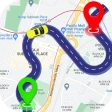
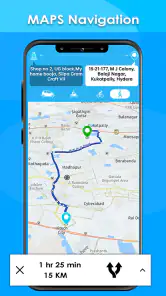
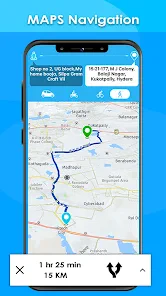
The first thing you'll notice about Maps Driving Directions is its user-friendly interface. Trust me, you don’t need to be a tech wizard to get started. Just fire up the app, and you're greeted with a clean map view of your current location. It's as simple as entering your destination, and voila, you get a list of routes to choose from.
Features That Stand Out
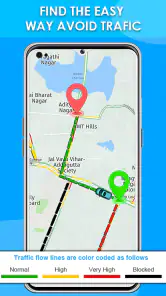
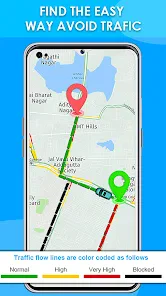
One of the standout features of this app is the real-time traffic updates. Imagine being stuck in traffic and getting live updates about which routes are jammed and which are clear. It's like having a traffic cop guiding you to the fastest route, saving you precious time.
Another cool feature is the voice-guided navigation. No more taking your eyes off the road to check your phone. Just listen to the calming voice directing you turn by turn. Plus, if you're anything like me and sometimes struggle with driving while navigating, this is a game-changer.
Exploring More
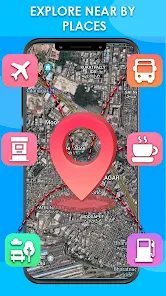
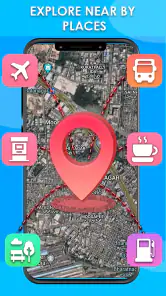
Beyond just getting you from point A to point B, this app lets you explore nearby attractions, restaurants, and gas stations. I found this particularly helpful when I was on a road trip and needed to find a quick snack stop.
And let’s not forget the offline maps feature. Going through areas with patchy internet? No problem. Just download the maps in advance, and you can navigate without any data connection.
Maps Driving Directions also supports multiple languages, which is a huge plus if you're traveling internationally. It's like having a global map that speaks your language.
Final Thoughts
Overall, Maps Driving Directions is a must-have app for anyone who travels frequently. It's reliable, packed with features, and incredibly easy to use. Whether you're commuting to work, on a road trip, or exploring a new city, this app has got you covered.
So next time you hit the road, make sure you've got this trusty app installed. It's like having a personal navigator, ensuring you get to your destination smoothly and efficiently.
Pros
- User-friendly interface
- Real-time traffic updates
- Offline map availability
- Multiple route options
- Voice-guided navigation
Cons
- Consumes high battery
- Requires internet for updates
- Ads in free version
- Occasional GPS lag
- Limited customization options
- Category
- Maps & Navigation
- Version
- 8.9.3