

Makeup Tutorial step by step
- 94.00
- 4.0
- Installs
- 1.00M
- Price
- Free
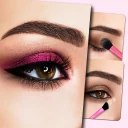
Screenshots
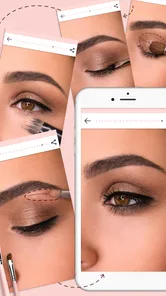
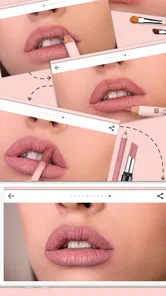
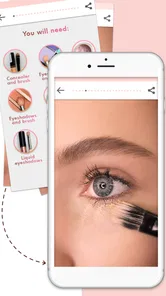
Analysis by Reviewed
At home, makeup advice often gets passed around casually: one person is getting ready while someone else asks how they made their eyeliner even. I like the idea of keeping beginner-friendly guidance close at hand, and Makeup Tutorial step by step is aimed at that sort of learning. It is a free beauty app from Piu Piu Apps, with an Everyone age rating, so it can be a straightforward starting point for exploring makeup techniques together or on your own.
A shared screen, separate routines
On a shared phone or tablet, the app can work as a visual reference while each person practices with their own products and preferences. I would treat it as a guide to follow together rather than assume it keeps separate profiles or remembers who is using the device. A useful household habit is to agree on whose turn it is, then leave the device in a neutral place so another person can continue from the tutorial they need.
That arrangement is especially handy when one person is learning a basic look and another wants to compare a different technique. It also helps keep the experience low-pressure: pause between steps, discuss what seems clear, and practice separately instead of treating one person’s result as the standard. The app can supply a visual prompt, but the real coordination comes from sharing the screen and making room for different tastes.
Getting Started: A Beginner's Best Friend
When I first opened the Makeup Tutorial step by step app, I was greeted with a clean and intuitive interface. This app is like having a beauty guru right in your pocket. Whether you're a total newbie or someone who just wants to refine their skills, this app caters to all levels. The initial walkthrough made me feel right at home, guiding me through the basics of makeup application before delving into the more advanced stuff.
Explore the Features
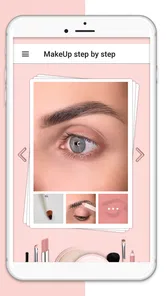
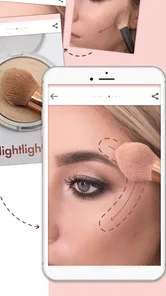
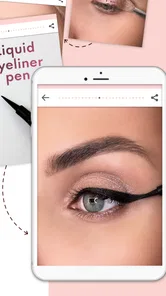
Let me take you through some of the features that really stood out to me. First off, the app offers a comprehensive library of tutorials ranging from everyday looks to glam party makeup. Each tutorial is laid out in easy-to-follow steps, complete with pictures and video demonstrations. It's almost like having a one-on-one session with a makeup artist.
One thing that really caught my attention is the app's personalized recommendations. Based on your skin type, color, and preferences, the app suggests looks and products that would suit you best. It's like having a customized beauty plan at your fingertips!
Learning at your own pace
A practical way to use a step-by-step lesson is to look through the whole sequence before starting, then gather only the items you already own. That small pause can prevent the familiar mid-routine scramble for a brush or shade. If a result looks different on your face, I would use the images as technique references rather than exact promises; lighting, products, and individual features can change how a look turns out.
More From Our News Desk

 Gmail
GmailGmail in a Busy Inbox: Who Benefits Most?
From first account to crowded workday, Gmail earns its place through dependable search and flexible sorting—but its best fit depends on how much inbox maintenance you can tolerate.

 Prime Video
Switching to Prime Video: What Changes in Your Viewing Routine
Prime Video can make a compelling second home for streaming, but switching means learning a different catalog, rental layer, and route from browsing to playback.

 Universal TV Remote Control
Universal TV Remote Control Works Best as a Reliable Backup
A phone remote earns its place through quick setup and reliable habits. Here is how to get more from Universal TV Remote Control—and where its limits show.

 Weather - By Xiaomi
Weather by Xiaomi Review: Clear at a Glance, Less Clear Up Close
Xiaomi’s weather app makes everyday forecasts quick to scan, but its calm surface can leave useful details and recovery paths harder to find than they should be.

 X
XX Under Pressure: Can It Recover When Posting Goes Wrong?
A resilience-focused review of X, examining setup, mistaken posts, interruptions, weak connections, and the gaps that matter when recovery needs to be dependable.

 Clash of Clans
Clash of Clans Is Won Between the Battles
Its raids are quick; its community is a long-term project of coordination, teaching, rivalry, and shared responsibility—with all the friction that entails.
Latest News



The app is a better fit for someone who wants a guided starting point than for someone seeking a full professional course. Compared with short social-media clips, a structured sequence can be easier to follow in order; compared with an in-person lesson, it cannot watch your hand position and correct it in the moment. If you already know the basics and want detailed feedback on your technique, a makeup artist or a focused tutorial from a creator may be more useful.
Practice Makes Perfect
What I love about this app is the practice mode. You can actually take a photo of yourself and use the app’s tools to try on different makeup styles. This virtual makeover feature is not only fun but also a great way to experiment with different looks without the mess. Plus, I can finally see what I'd look like with that bold red lipstick without committing!
Making it work in an ordinary morning
Imagine getting ready for a family celebration with limited time: I would check a tutorial the night before, choose a look that matches the occasion, and use the steps as a checklist while applying makeup the next morning. That makes the guidance more useful than browsing randomly when the clock is already ticking. For a shared device, it also means a younger learner can watch alongside an adult without needing to borrow anyone’s makeup or make an account of the activity.
Virtual try-ons are best treated as a preview, not a final shopping decision. Screen colors and real products can differ, so I would use the photo tools to narrow down styles—such as whether a bold lip feels comfortable—then test an actual product when possible. That is a helpful way to explore without a messy first attempt, but it does not replace trying makeup in person.
Age, trust, and expectations
The Everyone rating makes the app broadly suitable from an age-classification standpoint, but that is not the same as a personal recommendation for every child. I would still choose age-appropriate lessons together and talk about makeup as creative practice rather than a requirement to change how someone looks. Adults sharing a device may also want to keep their own photos and products in mind when taking turns, since the most sensible boundary is not to assume that a shared screen means shared preferences.
The app is free, and its average rating is 4.0 from around 5,800 ratings, with more than a million installs. Piu Piu Apps released it on November 8, 2018; the current version is 1.2.3 and it runs on Android 5.1 or later. Those details make it accessible to many Android users, though I would still check that the device meets the system requirement before planning a shared practice session.
Join the Community
Another exciting aspect is the community feature. You can connect with fellow makeup enthusiasts, share your looks, and get feedback. It’s a supportive space where you can learn from others, share tips, and even participate in makeup challenges. It’s like having a bunch of makeup-loving friends cheering you on!
For a household, community interaction is a different kind of use from following a lesson side by side. I would keep participation optional, especially for younger users, and make sure everyone is comfortable before sharing a photo or look. Someone who prefers private practice can still focus on tutorials and experimentation; someone looking for a highly moderated social network should choose a service whose community rules and controls they have checked carefully.
Overall, the Makeup Tutorial step by step app has been a game-changer for me. It’s not just about putting on makeup; it’s about learning how to express yourself through beauty. Whether you’re prepping for a big event or just want to feel your best every day, this app is your go-to beauty companion. So go ahead, download it, and start your makeup journey. You might just discover a new side of yourself!
Who I would recommend it to
I would point a curious beginner toward this app when they want a visual prompt, a way to compare looks, or something to explore with a friend or family member. It is less compelling for a person who needs individualized correction, product testing that reflects real-life color precisely, or a clearly separated household account setup. The strongest use is relaxed practice: choose a look, follow the sequence, and adapt it to the face and products in front of you.
My household verdict is that it can make a shared beauty routine more approachable, as long as everyone treats the device and any photos thoughtfully. It offers an easy entry into makeup learning, while its limits are worth keeping in view: an app can demonstrate and inspire, but it cannot replace personal judgment or hands-on coaching. For casual practice and idea-finding, that is a trade-off I find reasonable.
Makeup Tutorial step by step Frequently Asked Questions
Is Makeup Tutorial Step by Step free to download?
Yes. Makeup Tutorial Step by Step is free to download, so you can explore its beauty tutorials without paying upfront. The app is presented as an easy way to learn makeup step by step, which may suit people who want guidance before trying new looks. Keep in mind that free access does not necessarily mean every feature or piece of content is available without ads or optional purchases.
What is Makeup Tutorial Step by Step app?
Makeup Tutorial Step by Step is a comprehensive beauty guide that helps users learn and master various makeup techniques. It offers a wide range of tutorials covering everything from basic makeup application to advanced techniques like contouring and highlighting. The app is designed for both beginners and seasoned makeup enthusiasts looking to enhance their skills. Its focus is on easy, simple tutorials presented step by step.
Is Makeup Tutorial Step by Step app suitable for beginners?
Yes, the Makeup Tutorial Step by Step app is perfect for beginners. It provides easy-to-follow tutorials that cover the basics of makeup application in a simple, step-by-step manner. The app also includes helpful tips and tricks, making it an excellent resource for anyone new to makeup who wants to learn at their own pace. More experienced users can also use it to revisit familiar techniques or explore new looks.
Does the app require an internet connection to use its features?
While some features of the Makeup Tutorial Step by Step app may require an internet connection, such as accessing new tutorials or updates, many of the core features can be used offline. This makes it convenient for users to practice and learn without needing to be constantly connected to the internet. If you plan to browse for fresh content, connecting beforehand is a sensible way to get the most from the app.
Are there any in-app purchases or advertisements in the app?
The Makeup Tutorial Step by Step app may include advertisements and offer optional in-app purchases. These purchases typically provide access to premium content, additional tutorials, or an ad-free experience. However, the app offers plenty of free content, making it accessible to users who prefer not to make purchases. If you are comfortable with a free, ad-supported experience, you can still use it as a learning resource.
Pros
- Easy-to-follow instructions enhance user experience.
- Wide range of styles for all occasions.
- Includes tips from professional makeup artists.
- User-friendly interface with intuitive navigation.
- Regular updates with new trends and techniques.
Cons
- Requires internet connection for full functionality.
- Some tutorials require in-app purchases.
- Ads can interrupt the tutorial flow.
- Limited offline content available.
- May consume significant device storage.











