

Live Satellite View GPS Map
- 834.00
- 3.6
- Installs
- 10.00M
- Price
- Free

Screenshots
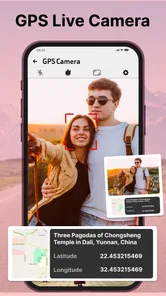
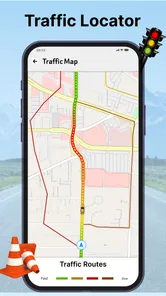
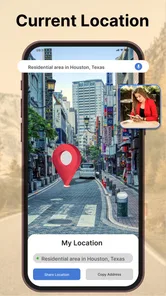
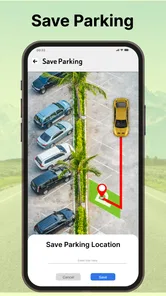
Analysis by Reviewed
I often use satellite maps for a simple reason: a street name rarely tells me what a place actually looks like. Live Satellite View GPS Map brings that overhead view to a phone, making it easy to browse locations and check where I am. It is a free Maps & Navigation app from Appscourt, and its appeal is mainly visual exploration rather than replacing every tool I rely on to get around.
What free access is worth
The app is free to download, with in-app purchases listed at $9.49 per item. That makes it easy to try without paying upfront, but I would treat any paid option as a separate decision: the price alone does not tell me what an item unlocks or whether I would use it. I’d first test the free experience for the places and tasks that matter to me, then decide whether a purchase offers enough extra value.
Its reach is substantial, with over 10 million installs, though that does not guarantee the imagery or navigation will suit every location. The app is rated for Everyone, runs on Android 6.0 or later, and its current version is 20.9.3. I’d check that my phone meets the requirement before installing, especially if I keep an older device in daily use.
Exploring the Features
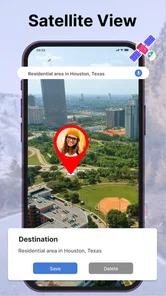
One of the standout features of the Live Satellite View GPS Map is its ability to provide real-time satellite imagery. It’s like having your very own spy satellite! You can zoom in on any location and see it as if you were hovering in a helicopter above it. The details are surprisingly sharp, and the images are frequently updated, so you’re always looking at the most recent views available.
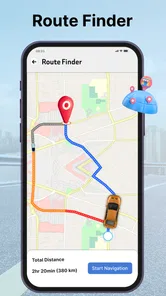
Another cool aspect of this app is its GPS functionality. You can track your current location and navigate to any place in the world. It’s like having a world map in your pocket, but way cooler because it’s alive! Plus, the app integrates seamlessly with your phone’s GPS, making it super easy to find directions or just explore new places.
How I use the map before heading out
The satellite layer is most useful to me when I want to understand the shape of a destination before I arrive. Suppose I am meeting a friend at a park that has several entrances. I can inspect the broad layout, spot the surrounding roads, and choose a side of the area to aim for. That kind of preview can make the destination feel less abstract, even though I would still check signs and local instructions once I get there.
I also find this visual approach helpful when an address alone leaves me unsure whether I am looking at a cluster of buildings, a stretch of open land, or a landmark beside a major road. Instead of treating the map as proof of what is happening on the ground, I use it to form a rough picture and then confirm important details with reliable local information. The practical value is preparation, not certainty.
More From Our News Desk

 Weather - By Xiaomi
Weather by Xiaomi Review: Clear at a Glance, Less Clear Up Close
Xiaomi’s weather app makes everyday forecasts quick to scan, but its calm surface can leave useful details and recovery paths harder to find than they should be.

 X
XX Under Pressure: Can It Recover When Posting Goes Wrong?
A resilience-focused review of X, examining setup, mistaken posts, interruptions, weak connections, and the gaps that matter when recovery needs to be dependable.

 Clash of Clans
Clash of Clans Is Won Between the Battles
Its raids are quick; its community is a long-term project of coordination, teaching, rivalry, and shared responsibility—with all the friction that entails.

 Android Auto
Android Auto Makes the Case for Quieter Car Software
The car interface is no longer judged by how much it can do, but by how quietly it helps. Android Auto shows what drivers now expect—and what still gets in the way.

 MobiOffice: Word, Sheets, PDF
MobiOffice: Transforming Mobile Productivity with Seamless Integration
MobiOffice: Word, Sheets, PDF is redefining mobile productivity with a surprising blend of functionality and innovation.

 EA SPORTS FC Soccer Mobile 26
EA SPORTS FC™ Mobile Soccer: Redefining Mobile Sports Gaming
Dive into EA SPORTS FC™ Mobile Soccer, where immersive gameplay and strategic depth transform mobile sports gaming.
Latest News



User Experience
Using the app is a breeze. The interface is user-friendly, with intuitive controls that make navigation straightforward. Even if you’re not tech-savvy, you’ll find yourself getting the hang of it in no time. The loading times are quick, which is a huge plus because nobody likes to wait around while images buffer, right?
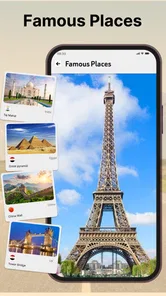
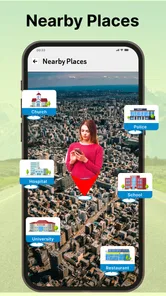
Another thing I love about this app is its versatility. Whether you’re planning a trip, checking out your neighborhood, or just wandering virtually, it offers a unique perspective. The educational potential is enormous too. Imagine being able to show kids real-time images of geographical landmarks – it’s like bringing the classroom to life!
What satellite imagery can and cannot tell you
The word “live” can set an expectation that the map is showing a current street scene. I would not plan around that interpretation. An overhead image is a way to examine a place, not a dependable view of what traffic, construction, weather, or access looks like at this moment. If a decision depends on present conditions, I would check a current source rather than infer them from the satellite view.
A useful habit is to switch mentally between two questions: “What is the area’s layout?” and “What is happening there now?” This app’s visual appeal fits the first question better. It can help me recognize nearby open areas or see how roads relate to a destination, but it cannot replace a direct check of opening arrangements, temporary barriers, or local guidance. That distinction keeps the map helpful without asking it to do more than an image can do.
When a satellite view helps—and when it doesn’t
I find the overhead map most useful before setting out, not while making a complicated series of turns. For example, if I’m meeting someone at a large park, I can look at the surrounding streets and see how the area is laid out before leaving. That can help me choose a sensible approach and recognize nearby open spaces. Once I’m on the move, I’d still want a familiar turn-by-turn navigation app for spoken directions and quick route changes; satellite imagery is a different strength from road-focused guidance.
A practical tip is to use the map as a planning aid rather than treating every image as a live camera feed. Satellite imagery can be useful for understanding the shape of an area, but it should not be relied on to confirm what is happening on a street right now. I also avoid making decisions based only on how a road or entrance appears from above: a map view cannot replace signs, current local guidance, or a direct check when access matters.
Value depends on the task
Compared with conventional navigation apps, this one is more appealing when I want a visual sense of a location than when I need the fastest, clearest route instructions. Standard road maps are often easier to scan for turns and named streets; satellite imagery gives a different perspective that can make unfamiliar surroundings easier to picture. For a trip, I might use both: inspect the destination here, then follow a route with whichever navigation tool I already trust.
It is also a handy option for armchair geography or showing a child how a landmark sits within its surroundings. I would not use it as a substitute for specialist mapping when accuracy has serious consequences, or as my only navigation aid on a time-sensitive drive. Anyone who mainly wants dependable directions may get more value from a dedicated navigation app, while someone who enjoys exploring places visually has a clearer reason to try this one.
Planning a visit without over-relying on the map
For a realistic everyday workflow, I would open the app at home, search or browse to the destination, and use the overhead view to get a feel for its surroundings. If I were going to a sports field, for instance, I could look at how the grounds sit within the nearby streets and decide which general side makes sense as an arrival point. I would then use a conventional directions app for the actual journey and follow signs when I get close.
This two-step approach is more useful than trying to make one map serve every purpose. It reduces the chance that I will confuse a visual clue with a confirmed entrance or assume the image reflects current access. For a casual outing, that extra context can make planning easier; for an appointment where being late matters, I would prioritize a dedicated route tool and treat the satellite view as optional background.
Choosing it alongside familiar map apps
Most people already have a default map app for addresses and route guidance. I would keep that familiar option for spoken directions, turn-by-turn decisions, and time-sensitive travel, then open this app when an overhead perspective answers a different question. That is a more realistic comparison than calling it a complete replacement: its main appeal is how a place looks from above, while road-focused apps are generally easier when the immediate task is simply getting from one point to another.
If I were comparing options before a trip, I would ask what I need to know. If the question is “Which road should I take next?”, a standard navigation tool is the sensible choice. If it is “How does this destination sit within the surrounding area?”, a satellite map may be more revealing. People who want a single all-purpose navigator may find the distinction inconvenient, while curious users who already switch between maps for different jobs may appreciate having another perspective.
Small habits that make exploration more useful
I get more from a satellite map when I browse with a specific question instead of zooming aimlessly. I might look for the relationship between a landmark and nearby roads, compare the shape of an open area with its surroundings, or orient myself before visiting a neighborhood. These simple prompts turn casual exploration into something practical without encouraging me to assume that every visible detail is current or precise enough for a consequential decision.
It also helps to keep the phone’s role clear. The GPS view can orient me to my position, but I would not let a dot on a screen override street signs or common sense. If I am walking, driving, or coordinating with someone, I would check the screen while stopped and use a navigation tool designed for the route itself. The visual map works best as a companion for context, not as a distraction or a substitute for paying attention to the real surroundings.
Who is likely to get value
I can see this being a good fit for people who enjoy exploring places visually, want a broad preview of a destination, or like using maps to learn how landmarks relate to their surroundings. It is also approachable for someone who wants to try satellite browsing without an upfront download cost. The 3.6 average from around 39,000 ratings and 834 reviews points to a mixed response, so I would approach it with realistic expectations rather than assume every user will find it equally useful.
I would steer away from relying on it as my only choice if I needed precise, consistently clear directions, dependable live road conditions, or mapping for a high-stakes task. A dedicated navigation app is a better fit for spoken guidance and route changes, while specialist tools make more sense when accuracy requirements are unusually demanding. If satellite imagery is only a novelty for you and you rarely inspect places from above, even free access may not add enough to your routine to justify keeping another app.
User Experience
Using the app is a breeze. The interface is user-friendly, with intuitive controls that make navigation straightforward. Even if you’re not tech-savvy, you’ll find yourself getting the hang of it in no time. The loading times are quick, which is a huge plus because nobody likes to wait around while images buffer, right?
Another thing I love about this app is its versatility. Whether you’re planning a trip, checking out your neighborhood, or just wandering virtually, it offers a unique perspective. The educational potential is enormous too. Imagine being able to show kids real-time images of geographical landmarks – it’s like bringing the classroom to life!
Questions I would settle before paying
The free download gives me a straightforward way to judge whether the map fits my habits, but I would not buy an in-app item simply because it appears in the app. At $9.49 per item, the listed purchase price is meaningful enough that I would first look at the purchase screen and decide whether its specific offer solves a problem I actually have. The key question is not whether a paid option exists; it is whether I would use what it provides often enough to make the cost worthwhile.
I would also test a few locations that matter to me before forming a view of the imagery. A map can feel useful in one familiar area and less helpful in a place I visit less often, so checking both a routine destination and a planned outing is a better trial than judging it from a single glance. If I need reliable directions, I would separately test my regular navigation app rather than assume this one will cover that role. That simple trial answers the practical questions of fit, usefulness, and whether free access is enough for me.
Ending Thoughts
In conclusion, the Live Satellite View GPS Map is an exciting app for anyone who loves to explore. It’s not just an app; it’s a window to the world. Sure, it might not replace the experience of physically traveling to a place, but it’s a fantastic alternative when that’s not possible. Whether you’re a geography enthusiast or just someone looking for a fun way to pass the time, this app is worth a download.
So, why not give it a try? Who knows what fascinating places you’ll discover from the comfort of your couch. Happy exploring!
My verdict is to start with the free version and judge it by one specific need: checking a destination’s layout, browsing the globe, or getting a broad sense of your current surroundings. If that visual perspective is what you want, it may earn a place alongside your usual map. If your priority is consistently precise directions, or you expect a satellite layer to show live street conditions, I’d choose a more purpose-built navigation option instead. The 3.6 average from around 39,000 ratings and 834 reviews suggests a mixed reception, so I’d keep expectations practical and decide from my own use rather than assuming it will suit everyone.
Live Satellite View GPS Map Frequently Asked Questions
Can Live Satellite View GPS Map help me search for a place before I travel?
The app’s description focuses on navigating street view with an earth map and finding locations with a GPS camera, so it may be useful when you want to explore a place or check a location on a map before setting out. Its Maps & Navigation focus makes it relevant for location-based browsing, though you should make sure its features suit the way you plan to navigate.
Does Live Satellite View GPS Map provide turn-by-turn directions?
Live Satellite View GPS Map is a Maps & Navigation app, and its description highlights street view navigation and location tools. That makes it oriented toward exploring maps and places, but those features should not automatically be taken as a promise of turn-by-turn guidance. If spoken or step-by-step directions are essential for your trip, check the app’s available navigation options before relying on it.
Is Live Satellite View GPS Map suitable for planning outdoor activities?
The app may be useful for looking at maps and exploring locations with GPS-oriented features, which can help when preparing for an outdoor outing. Still, map imagery and location functions are not a substitute for careful route planning, suitable equipment, or awareness of local conditions. Check that the app works for your intended area and keep another way to navigate if connectivity may be limited.
Does Live Satellite View GPS Map need internet access to show maps?
The app is designed for maps and navigation, with a store summary that highlights navigating street view and finding locations with a GPS camera. Map imagery and location features may depend on an internet connection and your device’s location settings, so it is sensible to check connectivity before setting out. If you expect to travel somewhere with limited service, review the app’s available options before relying on it.
What is Live Satellite View GPS Map and how does it work?
Live Satellite View GPS Map is an application that allows users to view real-time satellite imagery of any location on Earth. By utilizing GPS technology, the app provides detailed maps and live satellite views, making it easy for users to navigate and explore different areas. The app is useful for travelers, outdoor enthusiasts, and anyone interested in geography or location-based exploration.
Pros
- High-resolution satellite imagery
- Real-time location tracking
- User-friendly interface
- Offline maps available
- Frequent updates
Cons
- Consumes a lot of data
- Limited features in free version
- Ads can be disruptive
- Occasional lag in loading maps
- Requires constant GPS access











