

Live Earth Map Satellite View
- 111.00
- 3.8
- Installs
- 1.00M
- Price
- Free
Screenshots
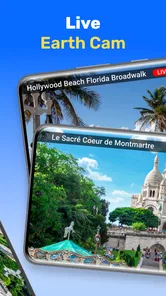

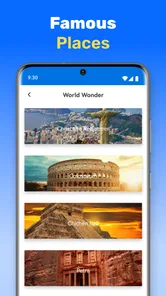
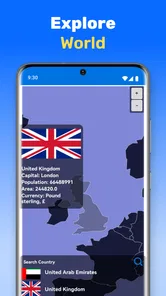
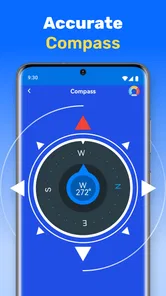
Analysis by Reviewed
I see Live Earth Map Satellite View as a visual way to satisfy curiosity about places, rather than a dependable replacement for a dedicated navigation app. Its appeal is simple: opening a map and moving from a familiar neighborhood to distant terrain makes the world feel approachable. If you enjoy exploring from your phone, planning a trip visually, or helping someone make sense of geography, it has an inviting idea. I’d treat it as a companion for looking around, though, not as the tool to trust for turn-by-turn directions or time-sensitive travel decisions.
A useful way to explore before you go
The best way to get value from a globe-viewing app is to start with a question, not just zoom at random. Before visiting a new city, I’d look at the broad layout first, then zoom toward the area I plan to visit and switch map styles to understand the surroundings. Terrain and street views can offer different perspectives, while the 3D presentation helps make hills, coastlines, and landmarks easier to picture. That sequence is more useful than assuming a single satellite image will explain everything.
For example, if I were choosing between two places to stay, I could use the map to get a sense of whether each sits near a coastline, a large green area, or a dense street grid. I would still check an up-to-date route and local details elsewhere before making plans, but this kind of visual comparison can help me ask better questions. It is also a practical way to show a child where a relative lives or trace how a mountain range relates to nearby cities.
Where it fits among map apps
Galaxy studio apps makes this free Maps & Navigation app, which is aimed more at broad exploration than the everyday job of getting from A to B. A conventional navigation app is usually the better choice when I need a route, live traffic guidance, or precise instructions while driving. A standard street map can also be quicker when all I want is an address or nearby business. This app’s stronger use case is the visual overview: seeing places in satellite, terrain, street, or 3D form and switching between those perspectives.
That distinction matters because a striking view can feel more current or more precise than it actually is. I wouldn’t use a satellite image to judge whether a road is open today, whether a business is operating, or whether a walking route is safe. For those decisions, I’d confirm details with a navigation or local-information service. Used alongside those tools, rather than in place of them, the map can make planning more intuitive.
Who will get the most from it
I’d recommend it to curious travelers, students, teachers, and anyone who enjoys looking at the shape of places. The educational angle is especially convincing when a lesson is about scale or location: comparing a river basin with a city, for instance, is easier to grasp when you can move around the map yourself. It can also help an architecture enthusiast notice how a city’s layout changes between a dense center and its outskirts, though it is a visual starting point rather than a professional planning tool.
On the other hand, I’d skip it if my main need were reliable offline navigation, detailed local listings, or a route I could follow without checking another source. The app requires a stable internet connection, so a remote trip with weak service is a poor moment to depend on it. That’s a meaningful limitation for a travel companion: explore at home or while connected, then use an appropriate offline map or navigation option for the actual journey.
More From Our News Desk

 Weather - By Xiaomi
Weather by Xiaomi Review: Clear at a Glance, Less Clear Up Close
Xiaomi’s weather app makes everyday forecasts quick to scan, but its calm surface can leave useful details and recovery paths harder to find than they should be.

 X
XX Under Pressure: Can It Recover When Posting Goes Wrong?
A resilience-focused review of X, examining setup, mistaken posts, interruptions, weak connections, and the gaps that matter when recovery needs to be dependable.

 Clash of Clans
Clash of Clans Is Won Between the Battles
Its raids are quick; its community is a long-term project of coordination, teaching, rivalry, and shared responsibility—with all the friction that entails.

 Android Auto
Android Auto Makes the Case for Quieter Car Software
The car interface is no longer judged by how much it can do, but by how quietly it helps. Android Auto shows what drivers now expect—and what still gets in the way.

 MobiOffice: Word, Sheets, PDF
MobiOffice: Transforming Mobile Productivity with Seamless Integration
MobiOffice: Word, Sheets, PDF is redefining mobile productivity with a surprising blend of functionality and innovation.

 EA SPORTS FC Soccer Mobile 26
EA SPORTS FC™ Mobile Soccer: Redefining Mobile Sports Gaming
Dive into EA SPORTS FC™ Mobile Soccer, where immersive gameplay and strategic depth transform mobile sports gaming.
Latest News



Exploring the World from Your Couch
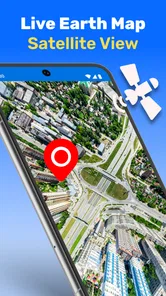
First things first, the app’s interface is super user-friendly. As soon as you open it, you're greeted with a crisp, high-resolution satellite view of Earth. You can zoom in and out with ease, and the level of detail is seriously impressive. I spent a good chunk of my afternoon exploring the bustling streets of Tokyo and then hopped over to the serene beaches of the Maldives. All without leaving my couch!
What I love most is how intuitive the navigation is. You can swipe, pinch, and tap your way around the globe. It’s as if you’re physically moving the Earth with your fingertips. Plus, the app loads quickly, so you’re not left staring at a spinning wheel of doom while trying to explore. This makes it incredibly satisfying to use, especially if you're as impatient as I am.
Features That Stand Out
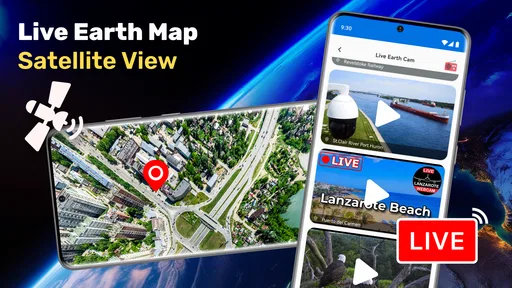
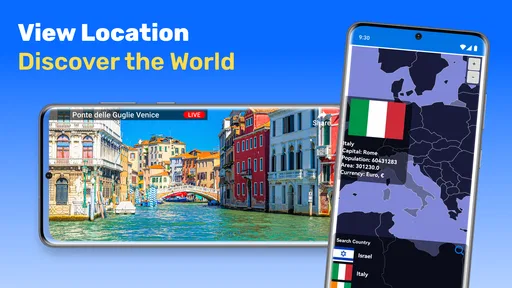
The app isn’t just about pretty pictures. It packs a punch with a bunch of cool features. For one, you can switch between different types of maps, including terrain and street views. This is perfect if you’re planning a trip and want a sneak peek of your destination.
Another neat feature is the 3D view. Imagine tilting and spinning around iconic landmarks like the Eiffel Tower or the Statue of Liberty in three dimensions. It’s pretty mind-blowing. There’s also a weather layer, so you can check out real-time weather conditions anywhere in the world. Handy if you’re planning a getaway and want to avoid getting drenched by unexpected rain.
Why It’s Worth Your Time
Now, let’s talk about why the Live Earth Map Satellite View app deserves a spot on your phone. For starters, it's not just for thrill-seekers or travel buffs. It's an educational tool. Teachers and students can utilize it to make geography lessons engaging and interactive. Imagine learning about the Amazon Rainforest while virtually hovering over it. Way cooler than just reading about it in a textbook!
Moreover, it's a fantastic resource for anyone interested in urban planning or architecture. You can easily view how cities are structured, and even compare urban designs from around the world. It's like having a comprehensive atlas, but way more interactive and fun.
Room for Improvement
No app is perfect, right? While the app is pretty amazing, there are a couple of things on my wishlist. Sometimes, in remote areas, the satellite imagery isn’t as detailed, which can be a tad disappointing if you're exploring off-the-beaten-path locations. Also, while the app is free, there are ads that pop up occasionally. They aren't intrusive, but hey, who loves ads?
Another thing to keep in mind is that it requires a stable internet connection. So if you’re out in the wild without Wi-Fi, you might hit a snag. Just something to consider if you're planning to use it on the go.
Practical limits and expectations
One small habit makes this sort of exploration more rewarding: zoom in gradually. I’d first orient myself at a regional scale, then move closer only when I know what I’m trying to inspect. Jumping straight to a tiny landmark can make it harder to understand the surrounding geography, and satellite detail varies by location. If an area looks soft or indistinct, switching to another map view may help with context, but it won’t turn every remote place into a crisp close-up.
I’d also separate visual discovery from live decision-making. A weather layer can be useful for a quick broad check, but for deciding whether to leave now or pack for a specific forecast, I’d consult a dedicated weather source. Likewise, the map’s imagery is best treated as a way to understand the shape and setting of a place, not proof of current conditions. That caution makes the app more useful, not less: it keeps its strengths in perspective.
Everyday value and cost
In a realistic week, I might open it at home after a friend mentions a coastal town, explore the shoreline, then compare its terrain with the nearby city before choosing what to research next. That is a low-pressure use case where the app’s visual approach shines. For a commute, finding a shop, or navigating unfamiliar streets in real time, I’d reach for a purpose-built navigation option instead. The choice depends less on which app is “best” overall and more on whether I need to explore a place or get somewhere.
The app is free to start, and its Everyone age rating makes it suitable for general audiences. It has a 3.9 average from around 7.8 thousand ratings, with over 1 million installs. Galaxy studio apps has released version 18.0.1, and optional in-app purchases range from $0.99 to $99.99 per item. I’d look at those purchase prompts carefully and decide whether any paid option adds value to how I personally use the map, rather than assuming I need to spend money to browse the world.
Choosing the right moment to open it
It works best when I have a little time to look around rather than a deadline to meet. If a friend shares the name of a neighborhood, I can trace its position in relation to a river, hills, or the edge of a city, then use a conventional map to check the practical details. That two-step habit is more reliable than expecting one view to answer every question: this app helps me form a mental picture, while a navigation tool handles the journey.
For a family outing, I’d use it before leaving to give everyone a sense of where the destination sits and what the surrounding landscape looks like. With a child, that can turn a place name into something easier to imagine; with an adult travel companion, it can help narrow down what to investigate next. I wouldn’t use the imagery to infer whether a path is accessible or a beach is open, but it can make the planning conversation more concrete.
Small habits that make exploration clearer
When a place looks unfamiliar, I’d compare the same area in more than one view instead of treating the satellite layer as the whole story. Aerial imagery is good for broad shapes and visible land patterns, while street or terrain views can make the setting easier to interpret. This is especially helpful around dense city centers, where rooftops and tightly packed blocks can be difficult to read from above. Switching views is not a substitute for current local information, but it can prevent a misleading first impression.
I’d also keep my exploration focused. Rather than hopping between faraway points without context, I’d follow one geographic thread—a coastline, a river, or the transition from a city center to its outskirts. That simple approach makes the map more educational and helps me notice relationships that a quick search for a single landmark might miss. If my goal is only to find an address, though, that extra visual wandering is unnecessary; a standard map search will usually be more direct.
Who should look elsewhere
This is not the app I’d choose for a driver who needs dependable directions at every turn, or for someone preparing to travel through an area with unreliable connectivity. In those situations, route guidance and offline access matter more than an appealing overhead view. I’d also choose a dedicated local-search service when I need current opening information or nearby services, since visual context alone cannot settle those questions.
Its best audience is someone who enjoys browsing places and is comfortable treating the map as a visual aid. Students, teachers, armchair travelers, and people comparing the broad layout of destinations have a clear reason to try it. If you rarely explore maps for curiosity and only open one when you need to reach an address, the extra perspective may not justify keeping another app on your phone.
Final Thoughts
All in all, this is a fun and approachable tool for anyone curious about the world. Whether you’re planning your next adventure, educating yourself, or simply satisfying your wanderlust, it offers a satisfying way to look around. Its satellite, terrain, street, and 3D perspectives give the experience more purpose than simply spinning a globe, while the need for internet access and uneven detail in remote areas keep it from being an all-purpose travel solution.
If you haven’t already, give it a whirl. I’d recommend it most to people who enjoy visual exploration and understand that a map view is a starting point, not a guarantee of current on-the-ground conditions. For dependable routes, offline use, or decisions that need fresh local information, pair it with a dedicated alternative. Used for what it does best, it can turn a spare moment into a genuinely engaging look at somewhere new.
Live Earth Map Satellite View Frequently Asked Questions
Who develops Live Earth Map Satellite View, and who might find it useful?
Live Earth Map Satellite View is a Maps & Navigation app from Galaxy studio apps. Its focus on exploring places through a 3D world map and locating cities and mountains makes it suited to people who enjoy looking around the globe as well as users planning to explore unfamiliar locations. The app is rated for Everyone, so its content is intended for a broad audience.
What features does the Live Earth Map Satellite View app offer?
The Live Earth Map Satellite View app provides high-resolution satellite images, real-time GPS navigation, 3D street views, and detailed maps of locations worldwide. Users can explore landmarks, track routes, and even check weather conditions. The app aims to offer an immersive experience for travelers and geography enthusiasts alike.
Is the Live Earth Map Satellite View app free to use?
The app is free to download, and in-app purchases are available, priced from $0.99 to $99.99 per item. The app offers a free version with basic features, but for access to premium features like ad-free browsing, enhanced image quality, and offline maps, users can opt for a subscription. The pricing varies depending on the chosen plan, and there may be periodic promotions or trial periods available.
How accurate is the GPS navigation in the Live Earth Map Satellite View app?
The GPS navigation in the app is highly accurate, providing real-time updates and turn-by-turn directions. It uses advanced algorithms and regularly updated satellite data to ensure precision. However, its accuracy can be affected by factors like internet connectivity and GPS signal strength in certain areas.
Can I use the Live Earth Map Satellite View app offline?
Yes, the app allows users to download maps for offline use, which is particularly useful when traveling in areas with limited internet access. Offline maps are available through a premium subscription and ensure that users can access essential navigation features without an active internet connection.
Pros
- High-resolution satellite imagery available.
- Real-time location tracking feature.
- Interactive user interface for ease of use.
- Multiple map views including terrain and street.
- Fast loading times for quick access.
Cons
- Requires a stable internet connection.
- Ads can be intrusive during navigation.
- Limited offline functionality.
- Battery consumption is relatively high.
- Some features require in-app purchases.













