Litchi for DJI Drones
- 1.46K
- 4.5
- Installs
- 100.00K
- Price
- $26.99

Screenshots
Analysis by Reviewed
I see Litchi as a planning-and-control tool for DJI drone owners, not a general photo app. Its appeal is strongest when I want to shape a flight before takeoff and repeat a camera move, rather than simply point the aircraft somewhere and take a quick picture. That extra control can make aerial photography feel more deliberate, but it also asks me to prepare, check compatibility, and stay attentive. It is most worthwhile when the flight plan is part of the creative work.
What planned flights change in practice
The appeal is clearest when I want a flight to follow a plan rather than depend on steering every turn by hand. A route can be prepared before takeoff, which gives me more time to think about framing and less need to improvise while watching the aircraft. For a repeatable view of a building, a stretch of shoreline, or a broad landscape, that change in approach can matter more than adding another editing effect afterward.
There is a practical trade-off: automation does not make a flight effortless or remove the need to pay attention. I would still check the surroundings, keep an eye on the aircraft and its camera, and be ready to take control. A planned route is a creative aid, not permission to ignore obstacles, people, changing conditions, or local flying rules. I would not rely on it as a substitute for basic piloting judgment.
Taking Your Drone Flights to the Next Level
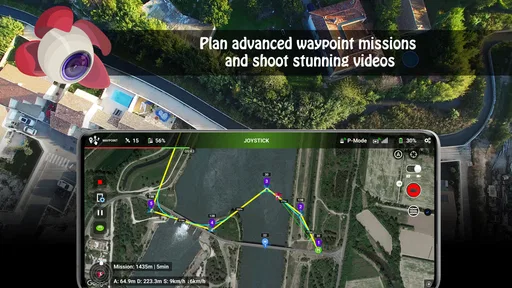
So, you know how flying a drone is usually about trying to get the perfect shot? With Litchi, it feels like you’ve suddenly got a whole film crew in your pocket. The app has this incredible feature called "Waypoints" which lets you pre-plan your flight path with crazy precision. Imagine being able to set exactly where you want your drone to go, adjusting the altitude, speed, and even the gimbal pitch for each point. You can literally map out your entire shoot before even taking off!
Planning footage that can actually be used
For a small property shoot, I would plan the route around the shot I actually need: choose a clear start and finish, keep the camera movement simple, and avoid adding points just because the map allows it. That makes the flight easier to review and gives me a better chance of getting footage that cuts together cleanly. If I wanted several angles of the same place, I would save each route separately rather than trying to make one complicated mission do everything.
This is also where I would be deliberate about altitude and speed. A route that looks smooth on a screen may feel rushed when the camera is moving, while a slower pass can make a scene easier to watch. I would check the planned path against the real location before takeoff; a map cannot tell me everything about wires, trees, temporary activity, or other hazards. That bit of preparation is part of using automation well, not a flaw unique to this app.
Camera tools and the limits of automation
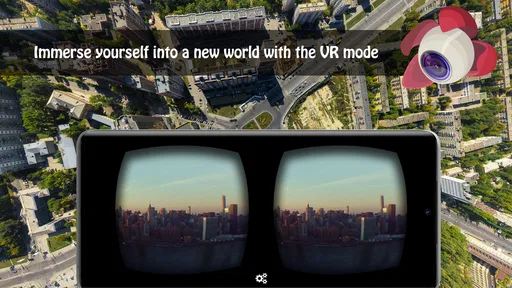
One of my favorite things about Litchi is its compatibility with various DJI drone models. Whether you’re using a Phantom, Inspire, or even a Mavic, this app’s got you covered. The real icing on the cake, though, is the "Virtual Reality" mode. If you’ve got a VR headset, you can pop it on and see through your drone's camera in real-time. It's like being on a personal aerial tour, and trust me, it's as awesome as it sounds.
More From Our News Desk

 Gmail
Gmail in a Busy Inbox: Who Benefits Most?
From first account to crowded workday, Gmail earns its place through dependable search and flexible sorting—but its best fit depends on how much inbox maintenance you can tolerate.

 Prime Video
Switching to Prime Video: What Changes in Your Viewing Routine
Prime Video can make a compelling second home for streaming, but switching means learning a different catalog, rental layer, and route from browsing to playback.

 Universal TV Remote Control
 Works Best as a Reliable Backup
A phone remote earns its place through quick setup and reliable habits. Here is how to get more from Universal TV Remote Control—and where its limits show.

 Weather - By Xiaomi
Weather by Xiaomi Review: Clear at a Glance, Less Clear Up Close
Xiaomi’s weather app makes everyday forecasts quick to scan, but its calm surface can leave useful details and recovery paths harder to find than they should be.

 X
X Under Pressure: Can It Recover When Posting Goes Wrong?
A resilience-focused review of X, examining setup, mistaken posts, interruptions, weak connections, and the gaps that matter when recovery needs to be dependable.

 Clash of Clans
 Is Won Between the Battles
Its raids are quick; its community is a long-term project of coordination, teaching, rivalry, and shared responsibility—with all the friction that entails.
Latest News



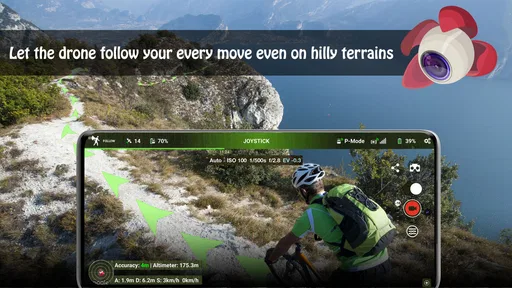
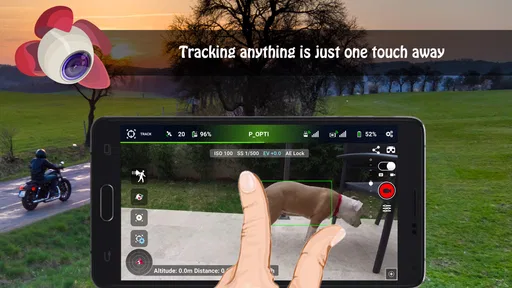
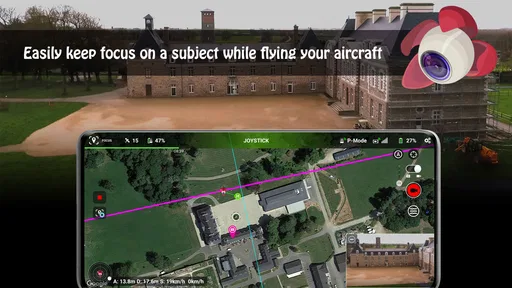
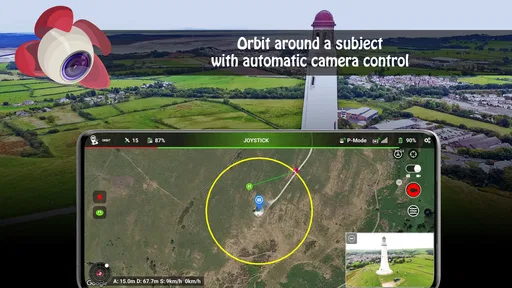
For those of you who love getting those cinematic shots, the "Focus" mode is a game-changer. This feature allows the drone to automatically keep a camera focus on a selected subject, ensuring you get that smooth, professional look with minimal effort. Honestly, it feels like having your very own Hollywood-grade equipment in the palm of your hand.
How it compares with ordinary photography apps
Compared with the usual camera and photography apps, Litchi is built around controlling a DJI drone in the air, not editing pictures once they are taken. That makes it a poor substitute for a phone editor, but a more relevant choice when the hard part is repeating a camera move or coordinating the aircraft with a subject. If I only wanted to take occasional manual flights and make simple snapshots, I would start with the controls already available for my drone rather than pay for an additional app.
Before buying, I would check that the particular drone and controller combination I use works with the app and that my phone meets its Android requirement. Compatibility is the first practical question, not a detail to discover at the field. The app is listed at $26.99, so I would consider whether planned routes, subject-focused filming, or the other flight tools fit my regular use. If those are occasional needs, the extra cost may be hard to justify; if they solve a repeated filming problem, the purchase makes more sense.
Learning the workflow without overcomplicating it
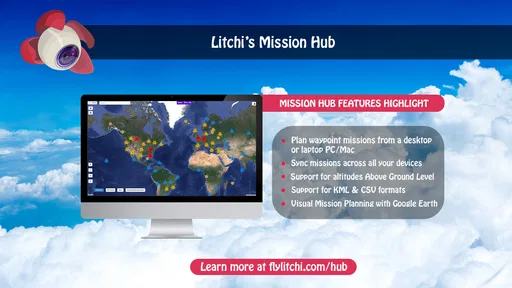
Now, I’m not the most tech-savvy person, and I’ve got to say, the user interface on Litchi is pretty straightforward. Even if you’re new to drone flying, the way everything is laid out makes it easy to navigate. The app includes a flight log that tracks all your flights and a handy mission hub where you can save and access your favorite routes. It’s all about making your flying experience smooth and enjoyable.
For a first attempt, I would build a short, uncomplicated mission somewhere familiar instead of making my first automated flight the most ambitious one. Saving a route is useful when I want to revisit a location, but I would still review it before reusing it: the setting may have changed, and a saved plan should not be treated as a guarantee that the same flight is safe every time. That small habit helps keep convenience from turning into complacency.
On top of that, the app’s developers are pretty active, continually rolling out updates and improvements. It’s nice knowing that they’re listening to feedback and making an already great app even better. Plus, there’s an active community of Litchi users, so you can always find tips, tricks, or even just share your flight experiences with fellow enthusiasts.
A realistic reason to plan ahead
One everyday use that makes sense to me is revisiting a location to document gradual changes: for example, returning to a family property or a familiar stretch of coast and wanting a similar perspective each time. I would use a saved route as a reference, then check the current surroundings and adjust the plan if anything has changed. The value is not that every pass will be identical, but that a repeatable starting point makes comparisons and later editing more manageable.
For a one-off outing, I would take a different approach. If I arrive at a scenic spot with only a few minutes to spare, setting up an elaborate sequence may distract from the basic job of flying safely and getting a still image. In that moment, the drone’s regular controls are likely the simpler choice. Litchi makes more sense when there is enough time to think through the shot and when that preparation pays off across multiple passes or visits.
Who will get the most from it
I see the strongest fit for drone owners who film the same subject more than once, want a planned camera move, or enjoy preparing a flight before arriving at a location. A hobbyist revisiting a favorite landscape can use a saved route as a starting point for a new pass, while someone recording a property can think through the camera’s path before the aircraft leaves the ground. The benefit is control over the shot plan, not a promise that every flight will look polished without practice.
I would be more cautious if I were a beginner who had not yet learned safe manual control, or if my main goal were simply to take a quick photo and return home. The added planning tools may feel like extra work in those cases. Litchi is a photography app from VC Technology Ltd, rated for Everyone, and its current version is 4.28.0-g; it first appeared on March 28, 2015. It has an average rating of 4.5 from around 14,000 ratings, with about 1,400 written reviews and over 100,000 installs. Those figures suggest a substantial audience, but I would still make the decision based on my own drone compatibility and flying habits.
Questions worth settling before a flight
Would I use it with any DJI setup without checking first? No: I would verify the specific drone and controller combination, then confirm that my phone meets the Android minimum of version 5.0. That is a small check before purchase, but it can prevent a frustrating discovery at the launch site. The app is designed for DJI drone control, so it is not the right choice for someone looking for a camera tool that works independently of that equipment.
Do saved routes mean I can simply repeat a mission later? I would treat them as plans to inspect, not autopilot promises. Trees can grow, temporary obstacles can appear, and a familiar area can be busy on a different day. I would check the route and conditions again, keep the aircraft in view as appropriate, and be prepared to intervene. That cautious approach is especially important when a flight is automated, because attention should shift toward monitoring rather than disappear.
Is the price justified for casual use? For occasional snapshots, probably not in my view; the regular drone controls may be enough. For someone who repeatedly needs a planned camera movement, wants to save missions, or expects to make several passes with a consistent approach, the cost has a clearer purpose. The best test is to name the specific flight problem the app would solve before buying, rather than assuming that more controls automatically produce better footage.
My final recommendation
In conclusion, if you’re serious about drone flying or even just looking to have some fun, Litchi for DJI Drones is an app worth checking out. With its robust features and user-friendly interface, it really does enhance the flying experience, whether you’re capturing stunning landscapes or just enjoying the view from above. So, if you’ve got a DJI drone and haven’t tried Litchi yet, what are you waiting for? Take your flights to new heights with this impressive app!
My recommendation is specific: choose it when planning and repeating aerial camera work is part of the enjoyment, and skip it if you want the simplest possible way to take an occasional drone photo. I would begin with a modest route, check every setting and the real-world space, and only then build more involved shots. Used with that care, it can make a DJI flight feel more intentional; used without it, the extra controls are unlikely to improve the experience.
Litchi for DJI Drones Frequently Asked Questions
Can I use Litchi to plan a drone flight before I take off?
Yes. Litchi is designed to help DJI drone users plan and carry out automated flights, including waypoint missions. This can be useful when you want a repeatable route or a more deliberate camera path rather than steering every movement manually. Review the mission carefully before launch, and stay attentive while the drone is in the air.
Does Litchi offer camera or immersive flying tools?
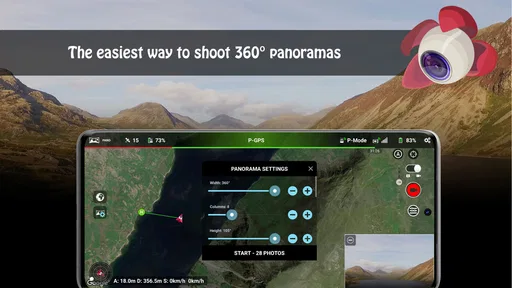
Litchi includes photography and flight tools such as Panorama mode, Focus mode, and VR mode, along with real-time video feed and advanced camera settings. These options can make it easier to frame shots or explore a more immersive view, depending on your drone and setup. Take time to learn each mode on the ground before using it during a flight.
Can Litchi replace my DJI drone’s standard flying app?
Litchi is a third-party app built for DJI drone users, offering its own mission-planning and flight-control features. Whether it can serve as your regular flying app depends on your drone model and the functions you rely on. Check compatibility before switching, and become familiar with Litchi’s controls before using it for a flight you cannot easily repeat.
What does Litchi cost, and what should I know before downloading it?
Litchi is a photography app from VC Technology Ltd, with a listed price of $26.99. It is rated for Everyone and has an average rating of 4.5 from around 14,000 ratings, with about 1,400 written reviews and over 100,000 installs. Before downloading, make sure your device meets the app’s operating-system requirement and consider whether its drone-focused tools fit the way you fly.
Which devices can run Litchi?
Litchi requires Android 5.0 or later. The app’s current version is 4.28.0-g, and it has been available since March 28, 2015. Check the app’s compatibility details for your device and operating system before installing, then consider your drone model as well: device compatibility alone does not guarantee that every Litchi feature will work with every DJI drone.
Pros
- Intuitive user interface
- Advanced waypoint settings
- Real-time video feed
- Compatible with many DJI models
- Offline map support
Cons
- Limited free features
- Occasional connectivity issues
- Battery drain concerns
- Requires DJI account
- No offline video processing