Kiki: Chat, Flirt, People Near
- 470.00
- 4.3
- Installs
- 100.00K
- Price
- Free

Screenshots







Analysis by Reviewed
I approached Kiki: Chat, Flirt, People Near as a casual social app rather than a traditional messaging service. Its main idea is simple: help me discover conversations nearby, meet people, and take part in chats that can feel more spontaneous than the usual contact-based platforms. That makes it appealing when I want to talk without first building a network of existing friends, but it also means the quality of the experience depends heavily on who is active around me and how carefully I manage each interaction.
Developed by KikiHub ™, this free Lifestyle app is aimed at mature users and carries a Mature 17+ content rating. It has reached over 100 thousand installs and holds a 4.3 average from around 5.7 thousand ratings, which suggests that many people find the concept worthwhile even though it will not suit every personality or situation. I would describe it as a place for lightweight discovery and conversation, not as a replacement for private messaging with people I already know.
What Kiki feels like when you first open it
The most important expectation to set is that this is not simply another inbox. The appeal comes from proximity, anonymity, and the possibility of finding an interesting exchange without needing a long introduction. That can make the first few minutes feel more open-ended than apps built around a fixed list of contacts. I found that mindset useful because it encouraged me to browse patiently instead of expecting an immediate, perfectly matched conversation.
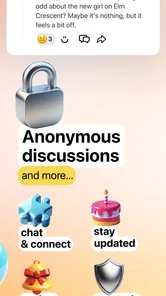
The store summary presents the service as a way to chat and have fun nearby, meet friends, talk anonymously, and explore the people next door. In practical terms, those ideas point toward a social environment where discovery matters as much as direct communication. If you enjoy short conversations, playful exchanges, or seeing what kind of social activity is happening around you, the format has a clear attraction.
At the same time, nearby does not automatically mean compatible. Someone close to me may have a completely different reason for using the app, a different communication style, or no interest in continuing a conversation. I think first-time users will have a better experience if they treat proximity as a starting point rather than a promise of friendship, dating, or immediate chemistry.
The anonymous angle is also worth understanding before joining a conversation. Anonymity can lower the pressure of introducing yourself and make it easier to start talking. It can also remove some of the social accountability found in a profile-based network. I would therefore keep early exchanges light, avoid sharing personal details too quickly, and judge the conversation by behavior rather than by how friendly the opening message sounds.
Kiki is free to install, which makes it easy to test without committing money at the beginning. There are in-app purchases ranging from less than a dollar to nearly one hundred dollars per item, so I would not assume every part of the experience is equally cost-free. My advice is to explore the basic experience first and decide whether the app is genuinely useful to you before considering any optional spending.
More From Our News Desk

Weather by Xiaomi Review: Clear at a Glance, Less Clear Up Close

X Under Pressure: Can It Recover When Posting Goes Wrong?

Clash of Clans Is Won Between the Battles

Android Auto Makes the Case for Quieter Car Software

MobiOffice: Transforming Mobile Productivity with Seamless Integration

EA SPORTS FC™ Mobile Soccer: Redefining Mobile Sports Gaming
Who is likely to enjoy it
I see the strongest fit for adults who like meeting unfamiliar people, prefer casual conversation over carefully constructed profiles, and are comfortable with some unpredictability. It may also suit someone who has recently moved, wants a low-pressure way to see whether local social activity exists, or simply enjoys browsing conversations outside an established friend group.
It is less suitable for a person looking only for dependable, private communication. If your main goal is to message family, coordinate work, or maintain a small circle of known contacts, a conventional messenger is more focused. Likewise, anyone who dislikes anonymous interaction or feels uncomfortable with conversations that may end suddenly should approach this format cautiously.
Getting started without making the first session awkward
The first setup should be approached with a clear purpose. Before I begin chatting, I decide what I actually want from the session: a quick conversation, a chance to meet people nearby, or a relaxed way to pass time. That small decision prevents the common mistake of opening a social discovery app with an unrealistic expectation that it will immediately deliver a close friend or romantic connection.
I also recommend taking a moment to think about boundaries before interacting. Decide in advance which subjects are off-limits, how much personal information you are willing to reveal, and what behavior will make you leave a conversation. This is especially important in an app that includes anonymous talk and carries a Mature 17+ rating. A clear boundary is easier to follow when it is chosen before the conversation becomes emotionally engaging.
When browsing people or conversations, I would focus on the tone of the exchange rather than trying to decode a minimal introduction. A respectful opening is a better sign than an exciting claim. If somebody pushes for private details, tries to move the conversation too quickly, or ignores a simple boundary, there is no benefit in trying to rescue the interaction. Ending early is a sensible use of the app, not a failure.
One useful workflow is to treat the first session as a short test rather than an evening-long commitment. Spend a little time learning how nearby discovery feels, start one or two low-stakes conversations, and then close the app while your impression is still clear. This helps separate genuine interest from the temporary excitement of seeing new people for the first time.
Turning browsing into a meaningful first interaction
The first successful action does not need to be dramatic. For me, success would mean finding one person who responds naturally and having a conversation that lasts long enough to learn something harmless and relevant. A simple opener works better than a generic attempt to impress: mention the shared local context, ask about a casual interest, or respond directly to something the person has already said.
That approach is more effective than sending the same message to many people. Mass outreach can make the app feel like a numbers exercise, while a thoughtful opening gives the other person an easy way to answer. If the response is short or absent, I move on without treating it as a personal judgment. The nearby social pool changes, and not every available conversation is meant for me.
A practical first-session routine is to browse briefly, choose one conversation that feels comfortable, send a specific but non-personal message, and wait for a natural reply. If the exchange develops, keep the first topic easy. Local food, entertainment, hobbies, or everyday observations are safer starting points than questions about home, work location, finances, or family circumstances.
The best early result is a comfortable conversation, not the fastest possible connection. That distinction matters because anonymous social apps can reward impulsive behavior in the moment but leave users disappointed afterward. A slower start gives me a better chance to notice whether the other person listens, respects limits, and contributes equally.
A realistic everyday scenario
Imagine I have just moved to a new area and do not yet know anyone nearby. I open Kiki after work, browse the local social activity, and look for a conversation that feels relaxed rather than intense. I send a short message about a general interest, receive a reply, and spend a few minutes discussing something ordinary. That may not become a lasting friendship, but it can still make the area feel less unfamiliar and show me whether the app is useful in my routine.
Another realistic use is a short break when I want human interaction without calling someone I already know. In that case, I would set a time limit and avoid treating every conversation as a commitment. The app works best as an optional social window: open it when I have the energy to interact, leave when the exchange becomes repetitive or uncomfortable, and return later only if the experience added something worthwhile.
Where first-time users may get confused
The word “nearby” can create the wrong assumption that every person shown will be physically close, available, and interested in the same kind of interaction. I would read it as a discovery theme, not as a guarantee of a face-to-face opportunity. Even when someone is local, online conversation should not be treated as proof that meeting in person is safe or appropriate.
The anonymous element can also be misunderstood. It may make opening a conversation easier, but it does not make every interaction harmless. I would avoid sending identifying information, personal documents, financial details, or anything that could be used to locate me. If a conversation turns manipulative, sexual in a way I did not invite, threatening, or simply unsettling, the right next step is to stop engaging and use any available safety controls rather than arguing with the person.
Another possible source of friction is the difference between free access and optional purchases. Because the app is free, I would begin by learning what I can do without spending. If a purchase prompt appears, I would check what it unlocks and whether it solves a problem I actually have. The listed purchase range extends from $0.49 to $99.99 per item, so accidental or impulsive spending is something worth avoiding.
Users should also remember that a social app can feel quiet at certain times or in certain places. A lack of immediate replies does not necessarily mean the service is broken or that the idea has no value. It may simply mean the nearby audience is small, inactive, or not aligned with my interests at that moment. I would try again at a different time before deciding, but I would not keep refreshing indefinitely.
Making the experience safer and more useful
My strongest practical tip is to separate conversation from trust. A pleasant chat is a good reason to continue chatting, not a reason to disclose more than I normally would. Keep early details broad, notice whether the other person respects a “no,” and be especially cautious when someone creates urgency or asks for money. These habits are useful precisely because the app is designed to make meeting unfamiliar people feel easy.
I would also keep expectations proportional to the format. Anonymous conversations can be enjoyable because they are temporary and low-pressure, but that same quality can make them inconsistent. Some exchanges will end without explanation. Rather than chasing every disappearing conversation, I would focus on the few interactions where both people show curiosity and courtesy.
A third tip is to use the app for a defined purpose. If I want local conversation, I look for that. If I want casual entertainment, I keep the interaction light. Mixing a search for friendship, flirting, emotional support, and immediate plans into one conversation can create confusion for both sides. Being clear with myself makes it easier to communicate honestly without turning the first message into a formal introduction.
The app’s current version is 1.1.43.1 and it supports devices running Android 8.0 or later. That makes compatibility fairly approachable for people using older supported Android phones, although the quality of any social experience still depends on the device, connection, and activity available around me. I would keep the app updated through the normal platform process so that I am using the current release available for my device.
How it compares with familiar alternatives
Compared with a standard messenger, Kiki is more exploratory. A messenger begins with people I already know and gives me dependable control over who receives a message. Kiki reverses that order by making discovery part of the experience. That is its main advantage when I want novelty, but it is also its main weakness when I need certainty and privacy.
Compared with a conventional dating app, the nearby and flirt-oriented possibilities may feel more immediate, while the anonymous side can make the interaction less formal. However, users looking for detailed profiles, carefully stated intentions, or a structured matching process may prefer a dedicated dating service. Kiki makes more sense when I am open to conversation first and do not need every interaction to be categorized from the start.
It also differs from large public social networks. Those platforms usually revolve around profiles, feeds, followers, and visible identity. Kiki’s appeal is narrower and more direct: finding people to talk with in a nearby social context. That can reduce the pressure of maintaining a public persona, but it also gives me less background for deciding who deserves my trust.
For someone who wants a calm, controlled community, a moderated interest group may be a better choice. For someone who wants spontaneous local discovery and can handle uneven conversations, this app has a stronger case. The right decision depends less on whether Kiki is universally good and more on whether its uncertainty matches the kind of social experience I am seeking.
When I would spend money, and when I would not
I would not make an in-app purchase during the first session. The free entry point is enough to determine whether nearby discovery feels relevant, whether conversations are comfortable, and whether I would return. Spending before answering those questions risks paying for convenience in an app that may not have enough activity in my area.
If I eventually considered an optional item, I would first identify the exact friction it addresses and set a personal limit. The wide purchase range means the difference between a small experiment and a substantial expense can be significant. I would also avoid buying anything to pressure a conversation forward; no paid option can create mutual interest or make an unsafe interaction worthwhile.
My recommendation after using the concept as intended
Kiki is worth trying if you want a free, casual way to discover conversations near you and you are comfortable with the unpredictability of anonymous social interaction. Its strongest quality is the low barrier to starting something new: I do not need to arrive with an established group or a carefully prepared public identity. The experience can be refreshing when I want a little spontaneity.
I would skip it if you need reliable communication, detailed identity checks, or a tightly organized path toward a specific relationship. I would also be cautious if anonymous conversations tend to make you anxious or if you find it difficult to disengage from people who ignore boundaries. In those situations, a known-contact messenger or a more structured community platform is likely to be a better fit.
For a first-time user, my suggested path is straightforward: install it, decide what kind of interaction you want, explore without spending, start with one respectful and low-personal-detail message, and judge the result by the quality of the exchange rather than by how quickly someone replies. Keep your boundaries visible to yourself, and leave conversations that feel wrong.
Overall, I see Kiki as a social discovery tool with a clear niche. It is not a guaranteed route to friendship or romance, and it should not be treated as one. Used with realistic expectations, it can provide an easy way to see who is around and begin a casual conversation. The developer’s focus is apparent in the app’s simple social premise, while the 4.3 average indicates that the idea resonates with a substantial audience. My recommendation is positive for curious adults who want nearby, low-pressure interaction, provided they value caution as much as spontaneity.
Kiki: Chat, Flirt, People Near Frequently Asked Questions
What should I know about Kiki: Chat, Flirt, People Near before downloading it?
Kiki: Chat, Flirt, People Near is a lifestyle app for chatting and discovering people nearby, with options to meet friends and talk anonymously. It is intended for mature users, so it is not suitable for children or younger teens. Consider whether you are comfortable with location-based social discovery and conversations with people you have not met before before installing it.
What is Kiki: Chat, Flirt, People Near used for?
Kiki: Chat, Flirt, People Near is a social discovery and dating-style app designed to help users meet people nearby, start conversations, and explore potential friendships or romantic connections. After creating a profile, you can browse other members, show interest, and use the available chat features. The experience depends heavily on your location, profile quality, and the number of active users in your area.
Is Kiki: Chat, Flirt, People Near free to download and use?
The app can generally be downloaded without an upfront charge, but some features may be limited or connected to optional in-app purchases or premium services. Depending on the current version, users may encounter restrictions involving messaging, profile visibility, matching, or extra discovery tools. Before subscribing, carefully review the pricing, renewal terms, and cancellation options shown in the app store or inside the application. Optional purchases range from under a dollar to nearly a hundred dollars per item, so check the displayed price before confirming any transaction.
Is Kiki: Chat, Flirt, People Near safe for meeting new people?
Kiki can be useful for discovering nearby users, but it should be treated like any online social or dating platform rather than a guaranteed safe meeting service. Avoid sharing your home address, financial information, passwords, or private documents. Keep early conversations inside the app, watch for suspicious requests, block or report uncomfortable accounts, and arrange any first meeting in a busy public place.
Does Kiki require location access, and can I control my privacy?
Because Kiki focuses on people near you, location access may be important for showing relevant profiles and local discovery results. You can usually manage this permission through your Android or iOS privacy settings, choosing options such as approximate location, limited access, or no access where supported. Review the app’s privacy policy and profile settings to understand what information is visible to other users.
Pros
- Quick way to discover and chat with people nearby.
- Profile browsing makes finding shared interests simple.
- Flirt-focused features keep conversations casual and engaging.
- Clean interface is easy to navigate for new users.
- Useful filters help narrow down potential connections.
Cons
- Many useful features may require in-app purchases or subscriptions.
- Location-based matching can raise privacy concerns for some users.
- The quality of profiles and conversations may vary considerably.
- Some matches may be inactive or slow to respond.
- Users should stay alert for fake profiles and unwanted messages.











