JustAnswer: Ask for help, 24/7
- 3.63K
- 3.7
- Installs
- 1.00M
- Price
- Free

Screenshots

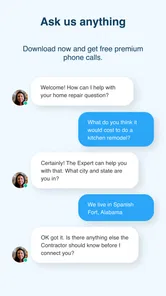
Analysis by Reviewed
I turn to JustAnswer when I have a question that feels too specific for a quick search but not urgent enough to justify arranging an appointment straight away. This free lifestyle app from JustAnswer, LLC is built around connecting people with professionals such as doctors, lawyers, vets, and other specialists. After spending time with it, I see its main value less as a replacement for a formal service and more as a convenient first conversation when I need direction.
JustAnswer: Ask for help, 24/7 is available to everyone and has passed the one-million-install mark, which gives it a substantial user base for this kind of advice app. Its average rating sits at 3.7 from around eleven thousand ratings, so the reception is useful but clearly mixed rather than universally enthusiastic. That matches my impression: the concept is practical, yet the experience depends heavily on the question, the professional category, and how clearly I explain the situation.
How the app feels when I need an answer quickly
The first thing I notice is that the service is designed around reducing the distance between a question and an informed response. Instead of opening several browser tabs, comparing general articles, and trying to decide which detail applies to me, I can describe the situation in one place. That makes the app appealing during those awkward moments when I need a sensible next step rather than a long research session.
Perceived speed is naturally tied to the subject. A straightforward question with useful context is easier to handle than a complicated legal, medical, or veterinary situation that needs follow-up. I would not judge the app solely by how quickly the first response appears, because a fast but shallow answer is less useful than a careful exchange. In my experience, the real time-saving benefit comes from having a professional help narrow the problem instead of leaving me to interpret broad online information alone.
There is also a difference between “available at any time” and “instantly finished.” The app’s around-the-clock positioning makes it attractive when ordinary offices are closed, but difficult questions can still require clarification. I get better results when I treat the opening message as a briefing, not as a one-line search query.
Writing the first message makes a noticeable difference
My strongest practical tip is to prepare the question before sending it. I include what happened, when it happened, what I have already tried, and what kind of answer I need. For a pet concern, that might mean describing the animal’s age, visible symptoms, and recent changes. For a legal question, I would explain the general situation and location while avoiding unnecessary personal details. This gives the professional something usable immediately and reduces the chance of a slow back-and-forth caused by missing basics.
I also separate facts from assumptions. Saying “the device stopped working after a power cut” is more useful than saying “the device is probably damaged.” That small distinction helps the professional assess the issue instead of spending the first response correcting my interpretation. The same approach works across the app’s different advice areas.
More From Our News Desk

Weather by Xiaomi Review: Clear at a Glance, Less Clear Up Close

X Under Pressure: Can It Recover When Posting Goes Wrong?

Clash of Clans Is Won Between the Battles

Android Auto Makes the Case for Quieter Car Software

MobiOffice: Transforming Mobile Productivity with Seamless Integration

EA SPORTS FC™ Mobile Soccer: Redefining Mobile Sports Gaming
The app is fastest when I use it to frame a problem, not when I expect it to complete a complex case in one message. That is an important expectation to set before relying on it.
Where heavy use can become frustrating
The most demanding moments are not necessarily technical. They happen when I need several rounds of explanation, when the topic is emotionally stressful, or when I am trying to compare possible actions. In those situations, the conversation can feel less efficient than a focused appointment with someone who has the full background in front of them.
For example, if I were worried about a pet late at night, I could use the app to describe symptoms and ask what level of urgency seems appropriate. That could help me decide whether to contact an emergency clinic immediately or gather more information first. However, I would not use a chat response to delay urgent care when the animal is in serious distress. The app can support a decision, but it cannot physically examine the pet.
A similar trade-off applies to health questions. I find value in getting help understanding what information matters and what questions to raise with a clinician. I would be cautious about treating a remote exchange as a diagnosis, especially when symptoms are severe, rapidly changing, or potentially life-threatening. The convenience is real, but convenience should not become false reassurance.
Legal questions have their own complication. A professional may help me understand the general shape of an issue, but legal outcomes can depend on jurisdiction, documents, deadlines, and details that are difficult to summarize in a chat. I would use the app to organize my thoughts and identify sensible next steps, not as permission to ignore formal legal advice when the stakes are high.
Reliability depends on the quality of the conversation
Stability and reliability are separate from the quality of an answer. An app can open normally and still feel unreliable if the advice does not match the question. My approach is to judge the response by whether it addresses the facts I supplied, acknowledges important uncertainty, and gives a practical next step. A confident answer that skips those things would concern me more than a cautious answer that asks for clarification.
I also keep important information organized outside the chat. If the discussion involves dates, symptoms, names of documents, or a sequence of events, I make my own short record. That makes it easier to continue the conversation accurately and gives me something useful to take to a doctor, lawyer, vet, or another appropriate professional.
One underappreciated strength is that the app can help me turn vague worry into a structured question. I may begin with “something is wrong,” but after writing down the timeline and visible details, I often understand the situation better myself. Even when the final answer is that I need an in-person service, that preparation can make the next appointment more productive.
At the same time, I would not assume every response carries the same weight. The app covers several professional areas, and the right standard for a general household question is different from the standard I would expect for a serious medical, legal, or financial decision. I read the response as informed guidance within a conversation, then consider whether the situation calls for direct local help.
Device limits and everyday practicality
The current version is 2.3.16 and supports devices running Android 8.0 or later. That makes the compatibility requirement fairly approachable for many Android users, although anyone using an older phone should check the operating system before planning around the app. I would also keep some free storage and a stable connection available, since advice conversations are not very useful if the exchange is interrupted.
Resource demands matter most when I use the app alongside other tasks. A short question-and-answer session should fit comfortably into ordinary phone use, but longer conversations with attached context or repeated follow-ups can feel more demanding simply because they require attention and network access. I would not open it expecting a completely passive experience; the quality comes from participating carefully.
On a smaller or older device, the main constraint is likely to be readability and typing comfort rather than the idea of professional help itself. Detailed questions are easier to compose on a device with a responsive keyboard and a clear display. If I am dealing with a long timeline, I draft the key points in a notes app first, then paste or summarize them. That reduces accidental omissions and makes the conversation easier to follow.
Recovery is another practical consideration. If I lose my train of thought, I can recreate the question from my notes, but I would not rely on memory for sensitive details. I save a simple timeline before starting a serious conversation and avoid sending more personal information than the professional needs to understand the issue. This is especially helpful when I am tired, worried, or asking about someone else.
Who gets the most value from it
I think the app suits people who want a second perspective before deciding what to do next. It is useful for a parent trying to understand whether a child’s situation deserves prompt attention, a pet owner looking for sensible questions before calling a clinic, or someone facing an unfamiliar legal problem and needing help sorting the facts. It can also help people who are uncomfortable searching for a sensitive topic in public forums.
It is particularly good for preparation. I can use a conversation to build a checklist for an appointment, identify documents to gather, or learn which details are relevant. That is a more realistic strength than expecting the app to replace every professional service. The best outcome may be a clearer plan, not a final solution delivered through the phone.
I would skip it when I already know I need immediate physical care, emergency intervention, or formal representation. I would also choose a direct local provider when the situation depends on an examination, an official inspection, a physical repair, or access to records the app cannot independently verify. In those cases, adding a chat step may only delay the right help.
How it compares with ordinary alternatives
The usual alternative is a search engine, and that remains better when I need a broad explanation, official instructions, or a simple definition. Search is also useful when I want to compare several sources independently. JustAnswer becomes more appealing when the problem is personal enough that generic pages keep sending me in different directions.
Public forums offer another comparison. They can provide many opinions and real-world experiences, but the quality is uneven and the answer may not fit my circumstances. A professional conversation feels more targeted, although I still need to explain the situation accurately and use judgment about the advice I receive.
A scheduled appointment is usually the stronger choice for ongoing care, formal assessment, or anything requiring examination and documentation. The app’s advantage is the gap before that appointment: it can help me decide how urgent the issue is, what to ask, and what information to bring. I see it as a bridge rather than a universal substitute.
The free download also lowers the barrier to trying the service, but I would still read the service details carefully before committing to an extended exchange or treating it as a complete professional engagement. “Free” makes installation accessible; it does not change the responsibility to understand how I plan to use the advice.
My performance verdict after regular-style use
From a performance perspective, I find the app most convincing when I need focused guidance without spending time assembling an explanation from scattered sources. Its perceived speed comes from directness, while its biggest slowdown comes from incomplete questions and complicated situations. I would describe it as practical rather than effortless.
Its stability is best judged by whether it supports a clear, recoverable conversation. I keep my own notes for important exchanges, prepare the timeline first, and treat follow-up questions as part of the process. Those habits make the experience more dependable and also protect me from overestimating what a remote answer can establish.
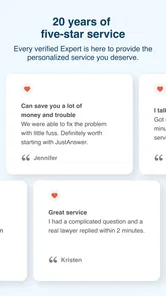
JustAnswer has a 3.7 average across around eleven thousand ratings and roughly three thousand six hundred written reviews, which feels consistent with a service that can be genuinely useful but is not equally satisfying for every need. The app has also reached over one million installs, so it is clearly more than a niche experiment. Still, popularity does not remove the need to choose the right use case.
My final view is positive with firm boundaries. I would keep it available for late questions, preparation, and situations where I need help deciding what to do next. I would not use it to replace emergency care, an examination, or formal professional work. If you approach it as a fast way to organize a problem and obtain informed direction, it can earn a place on your phone. If you expect one chat to settle a complex case completely, the experience is likely to disappoint.
For me, that distinction is the whole review: JustAnswer is most valuable as a practical first step between uncertainty and the appropriate real-world help.
JustAnswer: Ask for help, 24/7 Frequently Asked Questions
Which kinds of questions can I ask through JustAnswer?
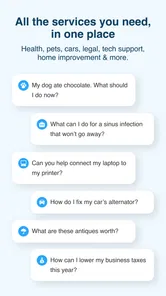
JustAnswer is intended for questions across a range of topics, including health, legal matters, pets, home repairs, vehicles, and technology. The app’s summary describes access to doctors, lawyers, vets, and other professionals, so it may be useful when you need guidance in one of these areas. Choose the category that best fits your concern and explain the situation clearly when you start.
What is JustAnswer: Ask for help, 24/7, and how does it work?
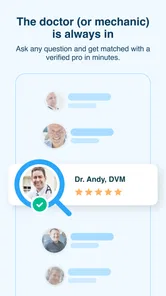
JustAnswer is an online service that connects users with verified professionals in areas such as legal advice, health, home repairs, vehicles, technology, pets, and more. After describing your question or problem in the app, you are matched with an expert who can respond through text chat and, depending on the category and plan, may offer additional communication options. The service is designed for convenient guidance rather than replacing in-person professional care.
Is JustAnswer free to download and use?
The JustAnswer app can generally be downloaded without an upfront charge, but asking questions and continuing a conversation with an expert may involve fees. Pricing can vary according to the subject, introductory offers, membership terms, and the type of assistance requested. Before confirming payment, carefully review the displayed price, trial conditions, renewal schedule, and cancellation policy so you understand exactly what you will be charged.
Does JustAnswer provide reliable and qualified experts?
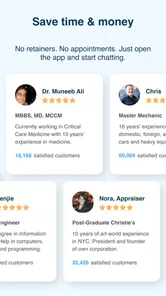
JustAnswer states that it screens and verifies experts before they answer customer questions, and profiles commonly show a professional’s name, field, credentials, ratings, and experience. However, the quality and usefulness of advice can differ between experts and categories. Treat responses as general guidance, verify important information independently, and seek an appropriate local professional whenever the situation requires an examination, inspection, official representation, or hands-on service.
Can I use JustAnswer for medical, legal, or emergency problems?
The app may be useful for general information and initial guidance about medical, legal, financial, or other specialized concerns, but it should not be used for emergencies or as a complete substitute for professional services. For urgent medical symptoms, contact local emergency services immediately. Legal and financial answers may depend on your location and circumstances, so consult a licensed local professional before making an important decision or signing documents.
Pros
- Get answers from verified professionals across many categories.
- Available around the clock
- including nights
- weekends
- and holidays.
- You can ask follow-up questions to clarify the original advice.
- Supports text
- photo
- and document sharing for better context.
- Useful for quick guidance before deciding on in-person services.
Cons
- Membership and consultation fees may be difficult to understand at first.
- Response quality can vary depending on the professional you reach.
- Not a replacement for emergency medical
- legal
- or safety services.
- Some specialists may take longer to respond than expected.
- Automatic membership renewal requires careful attention when subscribing.











