Human Design: Stella
- 2.52K
- 4.6
- Installs
- 500.00K
- Price
- Free

Screenshots
Analysis by Reviewed
I came to Human Design: Stella looking for a fresh way to reflect on my habits, not a system that could make decisions for me. That distinction matters: I found it most useful as a prompt for curiosity, especially when I treated its interpretations as ideas to consider rather than facts about who I am.
What to expect from a first session
The app is a free lifestyle app from Viyatek, with optional in-app purchases ranging from $2.99 to $119.99 per item. It’s rated for Everyone, and its 4.7 average from around 11,000 ratings suggests that many users enjoy the experience. I’d still approach the subject with an open but thoughtful mind: Human Design is a framework for self-reflection, not a substitute for professional advice or evidence-based guidance.
Entering birth details is the starting point for the personalized chart, so I’d have those details ready before sitting down to explore. If you’re unsure about an entry, it’s better to check than to guess; the chart is built around that information. I also recommend reading one section at a time instead of trying to absorb every term immediately. That keeps the first session approachable and makes it easier to notice which ideas actually resonate.
How it fits into an ordinary day
A practical way to use the chart is to connect an idea to a real choice. For example, before agreeing to take on an extra task, I might pause and ask whether I’m responding thoughtfully or simply saying yes out of habit. The app doesn’t make that decision for me; its value is giving me a vocabulary for examining it. A brief note about what I tried and how it felt can make the reflection more useful than repeatedly rereading a description.
The affirmations can work as a small morning prompt, while the glossary is handy when a term interrupts your reading. For a more careful look at compatibility, I’d compare designs only with someone who is comfortable sharing the relevant details, then use the result to start a conversation rather than label either person. That’s a better fit for real relationships than treating a chart as a verdict on whether two people will get along.
Speed, sustained use, and reliability
I would set expectations around reading and reflection rather than instant answers. The personalized chart gives you a place to begin, but understanding its terminology takes attention. If you open the app for a quick decision and expect a simple instruction, the interpretive nature of Human Design may feel slower than a conventional checklist or journal prompt.
Longer sessions are likely to involve moving between chart explanations, glossary entries, affirmations, and compatibility material. That can be rewarding if you enjoy following related ideas, but it may also leave you with more concepts than you can apply at once. I’d choose one question before browsing and stop when I have a useful point to think about; this keeps exploration from turning into an endless search for the perfect explanation.
More From Our News Desk

Weather by Xiaomi Review: Clear at a Glance, Less Clear Up Close

X Under Pressure: Can It Recover When Posting Goes Wrong?

Clash of Clans Is Won Between the Battles

Android Auto Makes the Case for Quieter Car Software

MobiOffice: Transforming Mobile Productivity with Seamless Integration

EA SPORTS FC™ Mobile Soccer: Redefining Mobile Sports Gaming
I’d also keep personal judgment in the loop. A description that feels accurate can be a helpful starting point, but it can also encourage confirmation bias: we notice examples that fit and overlook those that don’t. Comparing an interpretation with specific experiences, including times it does not fit, is a more grounded way to use the app. If a reading makes you anxious or pushes you toward a major choice, step back and talk it through with someone you trust.
Who may get the most from it
The app is a better match for people who enjoy symbolic systems and guided self-reflection than for anyone looking for a scientifically validated personality assessment. Compared with a standard journal, it supplies a ready-made structure and specialized vocabulary; compared with a conventional astrology app, it brings together several traditions in one Human Design approach. The trade-off is that users who prefer plain, evidence-led exercises may find the terminology too elaborate and get more from a simple journal or a practical coaching resource.
It may suit someone who wants conversation starters for personal growth, or a couple of friends who are curious about how they approach decisions differently. It is less suitable as a tool for diagnosing mental health, settling arguments, or predicting compatibility. The app’s age rating is Everyone, but I’d still use discretion when sharing birth information or personal interpretations, particularly with people who may take the readings too literally.
Discovering Your Unique Blueprint
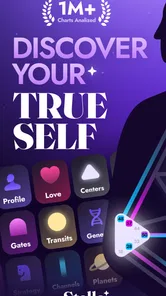
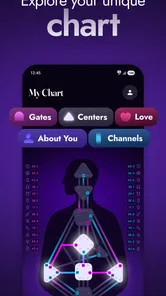
So, I dived into the Human Design: Stella app with a mix of curiosity and skepticism. At its core, this app is all about helping you discover your unique human design blueprint. You start by entering your birth details, and voila! The app generates a personalized chart that’s supposedly a map of your energetic makeup. Sounds a bit mystical, right? But stay with me here.
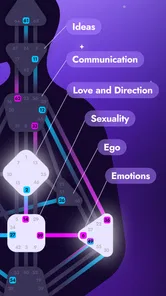
What I found fascinating is how the app blends elements from astrology, the I Ching, Kabbalah, and the Chakra system to create this chart. It’s like having a personal user manual for yourself! The app then breaks down the chart into different aspects, including your energy type, strategy, authority, and profile. Each of these elements is explained in detail, and trust me, it’s like reading an eerily accurate description of yourself.
Navigating Through the Features
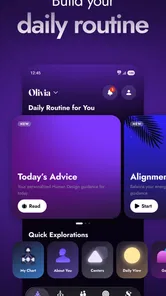
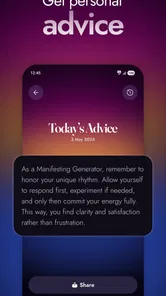
The interface is pretty sleek and user-friendly, so you won’t find yourself lost even if you’re a newbie like me. I especially appreciated the glossary section, which helps demystify all the jargon. The app also provides daily affirmations tailored to your design, which I found to be a nice touch for starting the day on a positive note.
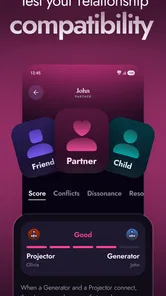
One feature I kept coming back to is the compatibility analysis. It’s not just about understanding yourself but also about how you interact with others. You can compare your design with friends and family, and it gives insights into how you can improve your relationships. It’s like having a cheat sheet for harmonious interactions!
Putting It to the Test
Now, I’ll be honest, I was a bit skeptical about how all this would translate into real life. But I decided to put some of the strategies into practice. For example, my design suggests that I’m a “Projector,” which means I should wait for invitations before diving into new projects. Initially, it felt counterintuitive, but after giving it a shot, I noticed a significant reduction in stress and more alignment with my goals.
Another aha moment was when I realized how important it is to follow my “authority,” which in Human Design terms is about trusting your gut feelings. It’s like having a direct line to your intuition, and when I followed it, decision-making became a lot easier.
Turning a reading into a useful experiment
I get the most from this kind of material when I test one idea in a small, reversible way instead of trying to reshape my whole routine around a chart. If a description suggests a different way to approach decisions, I might try pausing before a low-stakes choice and then notice whether the pause helped. This turns an abstract interpretation into something I can evaluate against my own experience.
A useful habit is to write down the situation before reading for an answer, then note what the app’s language brings to mind afterward. That order matters: it gives me a chance to record my own instincts before a polished description influences how I remember the moment. I can then revisit the note later and see whether the idea was genuinely helpful or simply sounded persuasive at the time.
This approach also helps with the app’s broad vocabulary. Rather than trying to master every part of a chart in one sitting, I’d keep a short list of unfamiliar terms and look them up only when they connect to the question I’m exploring. The glossary is more useful as a reference beside a specific reading than as a collection of concepts to memorize.
Sharing charts without turning them into labels
Compatibility material is easiest to use well when both people are curious and treat it as a conversation aid. For example, two friends planning a shared project could compare how they describe their own decision-making, then use the reading to ask what each person needs before committing. The practical value is in making those preferences easier to discuss, not in assigning one person a fixed role.
I would avoid sending someone a chart as an explanation of their personality unless they have asked for it. Even a lighthearted reading can feel intrusive when it is based on personal birth details or presented as a conclusion about someone else. If a friend wants to explore it, I’d let them read their own material and decide which parts they want to discuss.
That restraint is especially important in close relationships. A compatibility result should not outweigh what I know from actual conversations, boundaries, and behavior. If the app’s interpretation conflicts with lived experience, I’d trust the lived experience rather than trying to force the two to match.
When a simpler alternative works better
Stella’s structured chart gives self-reflection a distinctive lens, but it is not the quickest route to every kind of insight. A blank journal is better when I want to capture an unfiltered reaction without fitting it into a framework. A basic checklist is better for a practical task with clear steps, and professional support is the right choice when I need help with a serious personal or health concern.
That distinction makes the app easier to place among lifestyle tools. It is for exploring a symbolic system, rather than tracking habits in a measurable way or offering a clinical assessment. If you enjoy guided interpretation, the structure may give you more to work with than an empty page. If the terminology feels like a barrier, there is no need to push through it just because the chart is personalized.
In everyday use, I’d treat the app as an occasional companion rather than something that must be checked constantly. A short visit when a question is on my mind feels more purposeful than opening it from habit and searching for a new meaning each day. The affirmations can provide a small prompt, but they are not a replacement for choosing a concrete action or following through on it.
Final Thoughts
In conclusion, Human Design: Stella has been more than just an app; it’s been a guide in understanding myself on a deeper level. Whether you’re a skeptic or a believer in the mystical, this app offers practical insights that can genuinely enhance your life. It’s like having a personal coach in your pocket that’s always available to offer guidance.
So, if you’re ready to embark on a journey of self-discovery, I’d definitely recommend giving this app a go. Just remember, it’s not about rigidly following what the app says but using it as a tool to understand and navigate your unique path in life.
Before installing and making it a habit
Stella has reached over 500,000 installs, and the current version is 4.0.1. It requires Android 7.0 or later, so an older device may not be able to run it. The app’s free entry point makes it possible to explore without paying upfront, but some purchases are available; I’d look closely at what is offered in the app and decide whether it adds enough value before spending. You don’t need to turn a first visit into a commitment: a short trial of the chart and glossary is enough to tell whether this style of self-inquiry suits you.
For performance, I would not expect the experience to feel like a game or a tool built around rapid actions. Most of the work is reading, comparing concepts, and reflecting. On a compatible phone, that kind of use should be judged by whether navigation and text feel comfortable in your own sessions; I can’t promise identical speed or stability across devices. If a long reading feels tiring, taking a break is more useful than trying to push through every section at once.
A grounded way to decide
One helpful experiment is to pick a low-stakes situation—a routine choice about how to organize your day, for instance—and see whether a Human Design idea gives you a useful question to ask. Keep what helps, ignore what doesn’t, and avoid using a reading to make consequential health, work, or relationship decisions on its own. This small test shows whether the app’s framework supports your thinking without handing control over to it.
My overall recommendation is for curious readers who like reflective systems and are willing to interpret them for themselves. If you want quick factual answers, clinical support, or a straightforward habit tracker, a journal or a specialist resource is likely a better fit. For someone who enjoys exploring a personal chart at an unhurried pace, Stella offers a distinctive starting point—provided you keep its guidance in perspective and let your own experience have the final say.
Human Design: Stella Frequently Asked Questions
Who develops Human Design: Stella, and what kind of app is it?
Human Design: Stella is a lifestyle app developed by Viyatek. Its focus is exploring Human Design, with the store summary inviting users to “Discover Your True Self with Human Design.” It may appeal to people curious about self-reflection and personal insight, whether they are new to the subject or already familiar with its concepts.
Is Human Design: Stella suitable for all ages, and what devices can run it?
The app is rated for everyone, so its stated age classification makes it suitable for a broad audience. It runs on Android devices with Android 7.0 or later. Before downloading, check that your device meets this requirement and has enough available space for installation. Human Design: Stella is a lifestyle app, so its content is centered on personal exploration rather than gameplay.
What is the primary purpose of the Human Design: Stella app?
The Human Design: Stella app is designed to help users explore and understand their unique human design profiles. It integrates astrological data, the I Ching, Kabbalah, and the Chakra system to provide insights into your personality, decision-making processes, and life path. Users can gain a deeper understanding of themselves and how they interact with the world around them.
How do I get started with the Human Design: Stella app?
To get started with Human Design: Stella, you need to download the app from the Google Play Store or Apple App Store and create an account. Upon signing up, you'll be prompted to enter your birth details, including date, time, and location. This information is crucial for generating your human design chart, which forms the basis of your personalized insights.
Is the Human Design: Stella app free to use, or are there any costs involved?
The Human Design: Stella app is free to download, and it also offers in-app purchases priced from $2.99 to $119.99 per item. The available purchase options may suit users who want to explore paid features alongside the free experience. Check the purchase details in the app before choosing anything, and make sure the option fits what you want from the app.
Pros
- User-friendly interface
- Comprehensive resources
- Personalized insights
- Regular updates
- Engaging design
Cons
- Requires internet connection
- Subscription for full features
- Occasional bugs
- Limited offline access
- Steep learning curve











