Hatch Sleep
- 6.58K
- 4.0
- Installs
- 1.00M
- Price
- Free

Screenshots
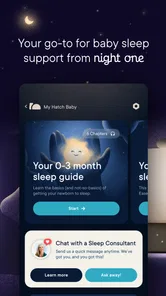
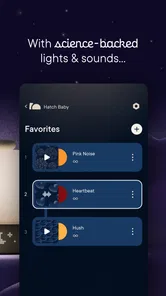
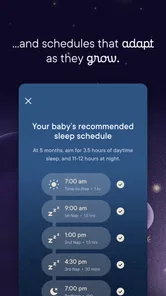

Analysis by Reviewed
I’d approach Hatch Sleep as a way to make bedtime feel more intentional, rather than as a magic fix for restless nights. It’s a free lifestyle app from Hatch Sleep, rated for everyone, and it has an average rating of 4.0 from around 24,000 ratings. More than a million people have installed it. Those figures make it a familiar option, but what matters most is whether its routine-based approach fits your evenings.
What to expect from a sleep routine app
Sleep apps range from simple sound players to detailed trackers and meditation libraries. Hatch Sleep aims to bring several bedtime and wake-up tools together, with an emphasis on shaping the whole transition into and out of sleep. I’d consider it when I want a repeatable evening ritual, not when I’m looking for a clinical assessment or a replacement for medical advice.
It may suit someone who has trouble switching off after work, or who wants a calmer alternative to scrolling in bed. It is less compelling if you already have a sound app and a dependable alarm that do exactly what you need. The benefit here is having sleep-related elements in one place; the trade-off is that a combined experience can feel like more than you need if you only want a basic timer and a single background sound.
Making the first night feel straightforward
For a first-time user, I’d keep setup deliberately simple. Choose one sound or meditation you already find relaxing, then try it at roughly the same point in your evening for a few nights. Don’t start by building an elaborate routine with lots of steps. A smaller routine is easier to remember, and it gives you a clearer sense of whether the app is helping you settle.
A realistic first use might be finishing the dishes, putting your phone aside, and starting a short wind-down session while you get ready for bed. If you tend to stay mentally busy, a guided meditation can give your attention somewhere to go; if spoken audio distracts you, a steady soundscape may be a better first choice. The useful test is not whether you fall asleep instantly, but whether the routine makes it easier to stop carrying the day into bed.
Setting Up Your Sleep Sanctuary
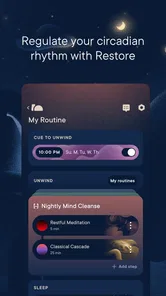
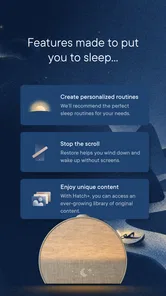
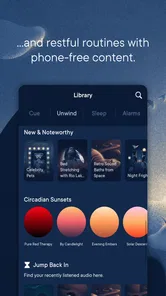
The first thing I noticed about the app is how user-friendly it is. Setting up your personalized sleep routine is a breeze. You can choose from a variety of soothing sounds like rain, ocean waves, or even the gentle hum of a fan. If you’re into meditation, there are several guided sessions available to help you unwind.
One of my favorite features is the ability to mix and match different sounds to create your perfect sleep soundtrack. Feeling stressed? Try combining some soft piano music with a gentle rainfall. Trust me, it works wonders.
More From Our News Desk

Weather by Xiaomi Review: Clear at a Glance, Less Clear Up Close

X Under Pressure: Can It Recover When Posting Goes Wrong?

Clash of Clans Is Won Between the Battles

Android Auto Makes the Case for Quieter Car Software

MobiOffice: Transforming Mobile Productivity with Seamless Integration

EA SPORTS FC™ Mobile Soccer: Redefining Mobile Sports Gaming
A practical way to find a sound that works
Mixing sounds is appealing, but I’d change only one element at a time. If you layer several new sounds together on the first night, it can be hard to tell which one feels soothing and which one keeps catching your attention. Start with a familiar sound, then add another only if the first feels too plain. That small experiment makes personalization more useful than simply making a richer soundtrack.
It’s also worth thinking about the room, not just the audio. A sound that feels gentle through a phone speaker may feel different at a lower volume or in a quiet bedroom. I’d set things up before getting under the covers, so choosing tracks doesn’t become another reason to keep looking at the screen. If you share a room, consider whether your chosen audio and wake-up approach will work for the other person too.
Sunrise Alarm: Waking Up Gently
Now, let’s talk about the sunrise alarm. This feature is a game-changer. Instead of being jolted awake by a blaring alarm, the app gradually brightens your room with light and sound, simulating a natural sunrise. It’s a much more pleasant way to start the day, and I found myself feeling more refreshed and ready to go.
When a gentler wake-up is useful
A gradual wake-up can be especially appealing if a sharp alarm leaves you feeling startled, or if you want the end of your routine to feel as considered as the beginning. I’d still keep a dependable backup alarm when waking on time is essential, particularly while you’re learning how the setup fits your mornings. That isn’t a knock on the feature; it’s a sensible way to try a new wake-up habit without adding pressure.
The approach also has a practical limitation: a light-based wake-up makes most sense when the room and your morning routine allow you to benefit from it. If you need an alarm that works independently of a bedroom light or you prefer a simple sound-only alert, a standard alarm may be the more straightforward choice. The gentler style is an option, not a requirement for using the rest of the app.
Why It Stands Out
What really sets Hatch Sleep apart from other sleep apps is its holistic approach. It’s not just about falling asleep; it’s about creating an entire sleep experience. The app encourages you to reflect on your day, set intentions for tomorrow, and practice gratitude—all things that contribute to a more restful night.
Compared with a basic white-noise player, this broader routine can help if you want a prompt to slow down as well as something to listen to. Compared with a dedicated meditation app, its appeal is the connection between winding down and waking up, rather than meditation alone. That combination is useful for people who like a guided structure, while someone who wants complete freedom to assemble tools from different apps may prefer that modular approach.
Understanding what the app can and can’t tell you
Plus, the app doesn’t just leave you hanging once you’re asleep. It tracks your sleep patterns and offers insights into how you can improve. It’s like having a sleep expert in your pocket.
I’d treat those insights as prompts for noticing habits, not as a diagnosis or a definitive explanation for a bad night. A useful way to engage with them is to make one modest change at a time—such as keeping the same wind-down cue—and see whether the routine feels more consistent. If sleep problems are persistent or affecting your health, an app’s observations are not a substitute for professional care.
Costs, version, and everyday trade-offs
The app is free to install, though in-app purchases range from $4.99 to $99.99 per item, so I’d check what is included before committing to a paid option. Some premium features require a subscription, which might not be for everyone. I’d first see whether the basic experience supports the routine I actually want, rather than paying in the hope that more content alone will fix a difficult sleep pattern.
Hatch Sleep was released on January 25, 2017, and the current version is 6.7.3, with Android 10 as the minimum operating system. That makes compatibility worth checking before you plan a routine around it. A few users have mentioned that the app could be a bit more customizable in terms of sound options and meditation lengths. If you need very precise control over session duration or a highly specific audio selection, that friction may matter more than the all-in-one convenience.
Room for Improvement
While I’m a big fan of Hatch Sleep, it’s not without its quirks. Some of the premium features require a subscription, which might not be for everyone. But if you’re serious about improving your sleep, it could be worth the investment. Also, a few users have mentioned that the app could be a bit more customizable in terms of sound options and meditation lengths.
Who I’d recommend it to
I’d suggest trying it if your main obstacle is an inconsistent bedtime routine, if you enjoy calming audio, or if a softer wake-up sounds more appealing than a sudden alarm. It is also a reasonable fit for someone who wants bedtime and morning tools to feel connected instead of piecing together separate apps. For a first attempt, pick one evening cue and one morning preference, then give yourself enough ordinary nights to judge the habit rather than expecting an instant transformation.
I’d skip it if you only want a no-frills alarm, dislike guided audio, or don’t want to explore paid options. It may also be the wrong fit if you expect sleep tracking to explain every restless night or if you need highly customized content. In those cases, a basic sound player, a standalone alarm, or a meditation app focused on one task could be a better match.
Making the routine fit an ordinary week
A routine is easiest to keep when it doesn’t depend on having a perfect evening. I’d choose a short, repeatable cue that still works after a late dinner or a busy day: for example, start the same calming audio once the kitchen is tidied, then leave the phone alone while it plays. On nights when you have more time, add a meditation or another step only if it feels helpful. This keeps the app from turning bedtime into another checklist to complete.
For households with different schedules, the sound and light choices deserve a little extra thought. A partner may not want the same audio, and a light-based wake-up may affect someone who gets up later. In that case, test the arrangement on a low-pressure morning and adjust the routine around the room you actually share. A sleep tool is only useful if it fits the people and habits around it, not just the ideal routine on screen.
Questions worth settling before you commit
Do you need a Hatch device to make the app worthwhile? The app’s routine and audio tools are the main reason I’d try it, while the sunrise-style wake-up is most relevant when your setup supports gradual light. I’d decide which part matters to you before building expectations around the whole package. If you mainly want a bedtime sound, start there; if you’re choosing it for a gentler morning, make sure the physical environment can support that experience.
Will it work if you don’t want to pay? Since the app is free to install and also offers in-app purchases, I’d begin with what is available without buying anything and check the terms of any option before selecting it. You can then judge the routine itself rather than assuming a paid tier is necessary. And if your key question is whether it can identify the cause of persistent insomnia, I wouldn’t rely on any app’s sleep observations for that; seek professional advice instead.
Final Thoughts
In a world where we’re constantly on the go, taking the time to prioritize sleep is crucial. Hatch Sleep offers a simple yet effective way to do just that. With its combination of soothing sounds, guided meditations, and a gentle wakeup call, it’s a comprehensive tool for anyone looking to enhance their sleep quality.
So, if you’re like me and could use a little help catching those elusive Z’s, give Hatch Sleep a try. Who knows, it might just become your new best friend at bedtime.
Hatch Sleep Frequently Asked Questions
Is Hatch Sleep suitable for someone who only wants a sleep app and does not own a Hatch device?
Hatch Sleep is designed to work with a Hatch sleep system, and the app is described as syncing with the device to shape a sleep environment. If you are considering it without owning a Hatch device, keep in mind that its controls and routines are tied to that setup. Check whether the app’s available functions fit what you want before downloading.
Can I use Hatch Sleep as part of a family bedtime routine?
Hatch Sleep is rated for Everyone, and its stated aim is better sleep for everyone. Its personalized routines, sound options, and light features may be useful when setting up a consistent bedtime experience at home. Because sleep preferences vary, consider which sounds and settings suit each person, and remember that the app is a lifestyle aid rather than a substitute for professional advice.
Is Hatch Sleep free to download, and are there optional purchases?
Hatch Sleep is a free Lifestyle app, so you can download it without paying upfront. It also offers in-app purchases, with options ranging from a few dollars to higher-priced items. Those purchases are separate from downloading the app, so consider what you want to use before buying anything. The app is rated for Everyone, making its stated audience broad.
What devices and operating systems can I use Hatch Sleep on?
Hatch Sleep is available for Android and iOS devices, so you can use a compatible phone or tablet to access the app. The minimum supported operating system is version 10. Before downloading, check that your device is running a supported version and that you have access to the relevant app store. The app is developed by Hatch Sleep.
What is Hatch Sleep, and how does it work?
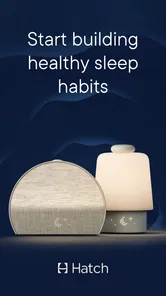
Hatch Sleep is a smart sleep system designed to help users improve their sleep quality through personalized routines. It combines soundscapes, meditation, and light therapy to promote relaxation and restful sleep. Users can customize their sleep experience via the Hatch Sleep app, which syncs with the device to create an optimal sleep environment.
Pros
- Easy to set up and customize routines.
- Wide range of soothing sounds and lights.
- User-friendly interface for quick access.
- Integrates well with smart home devices.
- Offers personalized sleep insights and tips.
Cons
- Some features require a subscription.
- Limited color options for night lights.
- App updates can occasionally be buggy.
- Requires constant internet connection.
- May drain battery if not plugged in.











