Greenlane - Fuel Smarter
- 217.00
- 4.3
- Installs
- 10.00K
- Price
- Free

Screenshots
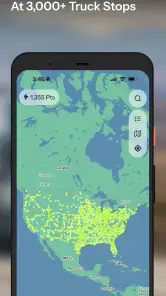
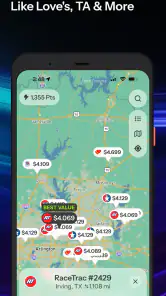
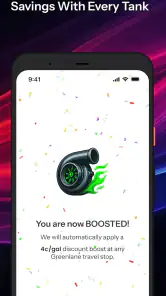
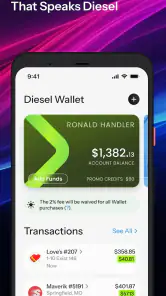
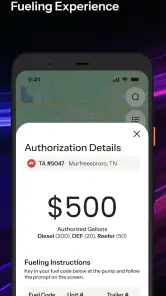
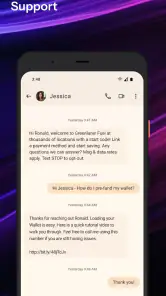
Analysis by Reviewed
I found Greenlane - Fuel Smarter most useful as a planning companion for truck drivers who care about the price of diesel as much as the location of the next stop. It is a free Maps & Navigation app from Greenlane.ai, built around finding diesel savings at truck stops rather than trying to replace every navigation tool on a driver’s phone. That distinction matters: I see it as a fuel-cost assistant, not a complete route planner.
My overall impression is positive because the app focuses on a very practical problem. Long-haul drivers, owner-operators, and small fleets can lose meaningful money when they refuel without checking nearby alternatives. Greenlane gives that decision its own place in the driving workflow. It is rated an average of 4.3 by around 630 users, with over 10K installs, so it has a modest but real user base rather than feeling like an entirely untested experiment.
How Greenlane fits into a real driving day
I use Greenlane most effectively before a drive or during a proper break, when I can compare a fuel option with the route rather than react to it in a hurry. That makes the app a planning aid, not something I would keep checking on the move. It also clarifies the decision that matters next: whether its focused approach suits the way you choose stops, or whether another kind of tool fits better.
A focused approach to diesel stops
When I open the app, I think less about “where can I drive?” and more about “where should I buy diesel?” That narrower purpose is its main strength. Conventional map apps are excellent at showing roads, businesses, traffic, and general directions, but fuel-price decisions can become buried among unrelated results. Greenlane puts the truck-stop question first, which makes it easier to compare a refueling choice before committing to it.
The app’s central promise is access to deep diesel discounts at more than 3,000 truck stops. I would not treat that as permission to stop at the first result blindly. The useful habit is to check Greenlane before the tank is nearly empty, compare the available options with the route already planned, and then decide whether the saving justifies the extra distance or time.
That workflow is more valuable than simply searching for “diesel near me.” A nearby station may be convenient, but the cheapest stop can be farther along the route or slightly away from the main road. The app encourages a driver to think in terms of total fuel cost rather than the first visible station. For someone driving a heavy vehicle over long distances, that is a sensible change in routine.
Why the app works best beside a normal navigation app
I would use Greenlane alongside a familiar navigation service, not instead of one. A full navigation app remains better for turn-by-turn directions, road conditions, route changes, and the broader journey. Greenlane’s value is in identifying a financially attractive fueling point; the other app can then handle the actual trip to that stop.
More From Our News Desk

Weather by Xiaomi Review: Clear at a Glance, Less Clear Up Close

X Under Pressure: Can It Recover When Posting Goes Wrong?

Clash of Clans Is Won Between the Battles

Android Auto Makes the Case for Quieter Car Software

MobiOffice: Transforming Mobile Productivity with Seamless Integration

EA SPORTS FC™ Mobile Soccer: Redefining Mobile Sports Gaming
This two-app setup may sound less elegant than an all-in-one solution, but it reflects how many drivers already work. Navigation and fuel purchasing are related decisions, yet they are not identical. Separating them can make the fuel comparison clearer. I can plan the route first, check Greenlane at suitable points, and avoid allowing a cheap stop to dictate an impractical detour.
The trade-off is that switching between apps adds friction. If I am already moving, I do not want to study several screens or make a complicated decision. Greenlane is therefore most helpful during a planned pause, before departure, or when approaching a known refueling window. It is less appealing as a tool for rushed, last-second choices.
A realistic use case for owner-operators
Imagine an owner-operator preparing for a long day on the road. The route is already known, the truck has enough fuel to reach several possible stops, and the driver wants to avoid paying the highest available diesel price. Before leaving, the driver can review likely truck-stop options in Greenlane, identify a promising place near the route, and keep that stop in mind while driving.
The important detail is timing. Checking too early may lead to a plan that no longer suits the actual day, while checking only after the warning light appears leaves little room to compare. I would make the decision during a break or pre-trip planning session, then confirm the route in the primary navigation app. That approach turns Greenlane into a budgeting step rather than another distraction behind the wheel.
For a small fleet, the benefit is slightly different. A dispatcher or driver can use the app as part of a consistent fuel-checking routine, especially when several trucks travel similar corridors. It could help encourage more deliberate stop selection, although the app alone does not replace fleet accounting, fuel-card controls, or a company’s own operating rules. The savings decision still needs to fit the wider business process.
What I consider the strongest evidence of its usefulness
The strongest case for Greenlane is its specialization. Many general map tools show fuel stations, but a dedicated diesel-discount app speaks more directly to the needs of commercial drivers. The emphasis on truck stops is important because a truck is not simply a larger car: access, stop suitability, and the economics of each fill-up can all matter.
I also like that the app is free. A driver can test it without adding another subscription decision to an already crowded collection of road tools. That makes experimentation easy: use it on a few trips, compare the results with your usual fuel-search routine, and keep it if it genuinely improves your choices.
The age rating is Everyone, which matches the straightforward nature of a fuel-finding utility. The app was released on June 16, 2023, and the current version is 1.0.112. Those details suggest a product that has moved beyond its initial release, but I would still judge it by how smoothly it fits into my own routes rather than assuming that a version number guarantees a perfect experience.
Small habits that make the app more useful
My first practical tip is to compare the saving with the detour, not just the displayed fuel price. A cheaper stop is not automatically cheaper overall if reaching it costs extra fuel, adds a long delay, or disrupts a delivery schedule. Greenlane can support the comparison, but the driver still has to apply common sense to the route.
My second tip is to check several possible stopping points before the tank becomes low. This creates a fallback plan. If the preferred truck stop is busy, inconvenient, or no longer suitable, I am not forced into the nearest expensive option. The app becomes more useful when it helps me prepare alternatives instead of making me chase one apparently perfect result.
My third tip is to treat the displayed opportunity as a prompt for verification at the moment of purchase. Fuel prices and availability can change, and a planned stop may not work exactly as expected. I would use Greenlane to narrow the choices, then confirm that the stop fits the vehicle, the route, and the current situation. That extra check protects against overvaluing a discount that is difficult to use in practice.
A fourth useful habit is to separate personal convenience from business value. If I am driving a private car, a small price difference may not justify a detour. If I am operating a truck over a long route, the calculation can be different. Greenlane is aimed much more naturally at the second situation. The app’s usefulness increases with fuel volume, route length, and the frequency of refueling decisions.
The meaningful weakness: it is not a complete driving system
The main limitation is also the clearest boundary: Greenlane is specialized. Anyone expecting full navigation, comprehensive trip planning, or a complete driver-management platform may find it too narrow. I would not install it as my only road app. Its job is to improve the fuel-stop decision, and that means other parts of the journey remain elsewhere.
That narrowness can also create mental overhead. A driver may need to check Greenlane for the fuel option, a navigation app for directions, and perhaps another tool for traffic or work scheduling. For experienced drivers, that division may be manageable. For occasional users, it can feel like another step in an already busy routine.
There is also a practical trade-off between the lowest price and the best stop. The cheapest diesel location may not be the most convenient location for a particular truck, schedule, or break. I would be cautious about treating discount depth as the only selection criterion. A slightly less attractive price at a stop that aligns with the route and planned rest can be the better decision.
Another point is that Greenlane’s value depends on the quality and usefulness of the options it presents for a specific journey. An app can be conceptually excellent while still being less helpful on a route with few suitable truck stops or limited alternatives. That is not a reason to dismiss it, but it is a reason to evaluate it across your regular corridors rather than after one isolated search.
Who should use it, and who should skip it?
I would recommend Greenlane to long-haul truck drivers, owner-operators, and drivers who regularly make fuel decisions across unfamiliar routes. It is especially well suited to people who already plan their stops and want a dedicated way to look for diesel savings before pulling in. Small operators may also appreciate having a simple fuel-checking step that can be added to pre-trip planning.
It is less compelling for someone who rarely drives long distances, always uses a fixed fuel network, or receives fuel through a company arrangement that leaves no room to choose another stop. In those cases, the app may not change the decision enough to justify adding another tool. It is also not the best match for a user who wants one application to handle every navigation need.
Drivers should also skip it if they are likely to inspect fuel options while moving. No discount is worth unsafe phone use. The sensible pattern is to check before departure or while parked, choose a reasonable option, and let the main navigation tool guide the actual drive. Greenlane works as part of a disciplined routine, not as an invitation to make live comparisons in traffic.
What to expect before installing
Greenlane is free to download and is available for devices running Android 9 or later. That makes it accessible to many drivers using older but still serviceable Android phones. I would still make sure the device is comfortable to use in a vehicle and that the driver has a safe way to interact with it while parked.
The developer is Greenlane.ai, and the app’s 4.3 average from around 630 ratings gives it a reasonably encouraging first impression. I would read that rating as evidence that many users find the core idea worthwhile, not as a guarantee that every route or stop will produce the same result. Fuel planning is highly dependent on location and circumstances.
The app’s Everyone content rating also makes it uncomplicated from an audience perspective. There is no need to think of it as a specialist tool reserved for a narrow professional group, even though commercial drivers are the people most likely to gain substantial value from it. A curious road-tripper can try it, but the savings case is strongest for repeated diesel purchases.
My final verdict
Greenlane - Fuel Smarter succeeds because it concentrates on a costly, easily overlooked decision: where to buy diesel along a working route. I like its focused purpose, free access, and suitability for planning truck-stop purchases before the tank becomes urgent. The app can make a general navigation routine more financially deliberate without pretending to replace the tools that handle directions.
My recommendation comes with a clear condition: use it as a companion, not as your entire driving setup. Check it while parked, compare the potential saving with the detour, keep a backup stop in mind, and confirm that the chosen location fits the truck and schedule. If you drive long distances and pay close attention to diesel costs, this is a practical app worth testing on your regular routes. If you only need occasional directions or cannot choose where to refuel, a standard navigation app may be the simpler choice.
Greenlane - Fuel Smarter Frequently Asked Questions
Who is Greenlane - Fuel Smarter intended for?
Greenlane - Fuel Smarter is aimed at drivers who want to find fuel stops and compare options while planning a journey. Its focus on diesel discounts and truck stops may make it particularly relevant to people driving trucks, though anyone looking for fuel information may find the navigation tools useful. How much value it offers depends on the availability of station information in the places you travel.
What is Greenlane - Fuel Smarter, and what does it do?
Greenlane - Fuel Smarter is designed to help drivers make more informed decisions about refueling. The app can be used to find fuel stations, compare available prices where data is provided, and plan stops more efficiently. Its usefulness depends on the coverage and freshness of local fuel information, so users should treat displayed prices and availability as guidance rather than a guaranteed real-time record.
Does Greenlane - Fuel Smarter show live fuel prices and station availability?
Greenlane may provide fuel-price and station information, but the accuracy and update frequency can vary by location, fuel provider, and available data sources. Before driving to a station, it is sensible to confirm the price on-site, especially when the displayed information appears old or incomplete. The app should be considered a convenient comparison and planning tool, not an official guarantee of current prices or stock.
Can Greenlane help me save money on fuel?
Greenlane can potentially reduce fuel expenses by helping you compare nearby stations and identify more favorable prices before filling up. However, savings depend on how many stations are covered in your area, how current their prices are, and whether driving farther would use additional fuel. In practice, the best results come from combining the app’s suggestions with your normal route, vehicle consumption, and current traffic conditions.
Does Greenlane - Fuel Smarter require location access?
Location access is generally important for an app focused on nearby fuel stations and route-related recommendations. If permission is granted, Greenlane can more easily identify your position and show relevant options around you. Users who prefer not to share their location may still have limited access to some features, such as manually searching for an area, but the experience may be less convenient and less personalized.
Pros
- Helps compare nearby fuel prices before you stop to refuel.
- Useful for planning fuel purchases during daily commutes or road trips.
- Simple interface makes key station information easy to scan.
- Can help identify potentially cheaper stations in unfamiliar areas.
- May reduce unnecessary detours by showing fuel options around your route.
Cons
- Price accuracy depends on how recently station data was updated.
- Coverage may be limited in some regions or smaller towns.
- Savings can disappear if a cheaper station requires a long detour.
- Location access may be needed for the most useful nearby results.
- Fuel prices and station details can change before you arrive.
- Category
- Maps & Navigation
- Version
- 1.0.112











