GPS Voice Map & Route Finder
- 153.00
- 4.2
- Installs
- 500.00K
- Price
- Free

Screenshots
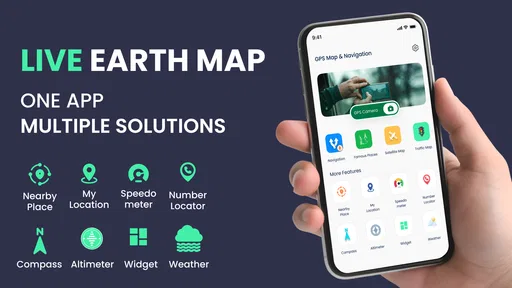
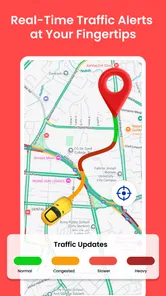
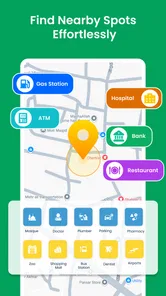
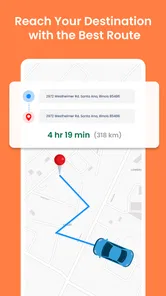
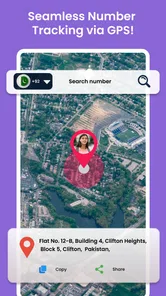

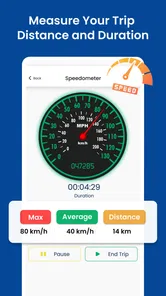
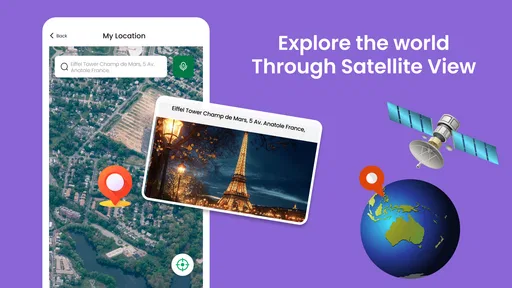
Analysis by Reviewed
I would approach GPS Voice Map & Route Finder as a straightforward navigation option to try when I want help getting from one place to another without turning the trip into a project. It is a free Android app from Softo Apps, listed in Maps & Navigation, and its central appeal is easy to understand: map directions paired with voice guidance. For a first-time user, that simplicity is welcome, but it is worth treating any unfamiliar navigation app as a tool to check before relying on it for a time-critical journey.
Who may find it useful, and who may not
I can see this app working well for someone who mainly wants basic route guidance for errands, familiar commutes, or an occasional trip to an unfamiliar address. It may also suit a passenger who wants to follow a route aloud while the driver concentrates on the road. The key question is not whether it can replace every navigation tool, but whether its voice-and-map approach fits the trips you actually make.
I would be more cautious if I depended on specialized information, such as detailed restrictions for a particular vehicle or extensive planning across several stops. In that situation, I would choose a navigation service known to handle the specific details I need, rather than expecting a simple route finder to cover them. The same applies if I routinely travel where losing access to a dependable route would create a serious problem.
What to expect from the app
The name GPS Voice Map & Route Finder sets a practical expectation rather than promising a full travel-planning suite. I would use it to get a route and follow spoken directions, especially when I would rather listen than keep glancing at a screen. That can be useful on a familiar commute, while walking through an unfamiliar area, or when a passenger is helping with a drive.
Softo Apps presents it as a navigation app, and its store summary emphasizes directions and routes intended to help avoid delays. I would read that as a reason to compare the suggested route with the road conditions I can actually see, not as a guarantee that every route will be the quickest. Traffic, closures, and local restrictions can change what makes sense, so the safest habit is to review the route before moving.
The app has a 4.2 average from around 1,100 ratings, and it has been installed more than 500,000 times. Those figures suggest it has found an audience, but they do not tell me whether its guidance suits my particular phone, neighborhood, or driving habits. I would test it on a short, low-pressure trip before making it my only navigation option.
It is rated for everyone and is free to install. The current version is 1.77, and the stated minimum Android requirement is 7.0. There are in-app purchases, with listed item prices ranging from $3.99 to $99.99, so I would check any purchase screen carefully rather than assuming every part of the experience is included at no cost.
More From Our News Desk

Weather by Xiaomi Review: Clear at a Glance, Less Clear Up Close

X Under Pressure: Can It Recover When Posting Goes Wrong?

Clash of Clans Is Won Between the Battles

Android Auto Makes the Case for Quieter Car Software

MobiOffice: Transforming Mobile Productivity with Seamless Integration

EA SPORTS FC™ Mobile Soccer: Redefining Mobile Sports Gaming
Start with a low-stakes destination
After installing, my first move would be to choose somewhere easy to recognize, such as a nearby shop or a familiar public place. That makes it much easier to notice whether the route begins in the right direction and whether spoken prompts are clear enough for me. I would avoid making the first test a long drive, an airport run, or a route with a strict arrival time.
Before starting, take a moment to make sure the destination is the one you mean. Similar place names and nearby branches can lead to a plausible but wrong result. If the app presents route choices, compare the shape of each route with your own knowledge: a shorter-looking path can still involve awkward turns or roads you would rather avoid.
I also recommend checking the phone’s sound level before setting off. Voice guidance is only helpful if it can be heard over the surroundings, and raising the volume while driving is an avoidable distraction. If you are travelling with someone else, let them handle the screen and route changes; if alone, make adjustments while stopped.
Make the first successful trip deliberately simple
A useful first run is a short journey with one or two turns. Start navigation while parked, listen for the initial instruction, and confirm that the map position and direction of travel make sense once you begin. This small check catches the most frustrating early mistake: following a route before noticing that the selected destination or starting point is not what you intended.
Voice directions are most valuable when they reduce screen checking, not when they encourage you to stop paying attention to the road. I would treat each spoken prompt as advance notice, then use road signs and ordinary judgement to make the actual decision. If a direction sounds late, unclear, or inconsistent with what is in front of you, slow down safely and reassess rather than making a sudden turn.
For an everyday example, imagine leaving a new café during a busy afternoon and heading home through streets you do not know. I would enter the destination before pulling away, glance over the route, and let spoken prompts handle the routine turns. If the app suggests a route that looks inconvenient, I would pause before departure and choose a better option if one is available. That workflow keeps the phone in a supporting role instead of letting it dictate a risky last-second manoeuvre.
Where first-time users can get confused
One common source of confusion is the difference between a route that appears shorter and one that feels easier to drive. A navigation app can draw a direct line through a complicated street pattern, but the route may still require several turns or pass through a place you do not want to enter. I would inspect the route at a wider map scale before setting off, particularly in a city centre or around a large junction.
Another is assuming that voice guidance means the phone can stay out of sight and out of mind. Spoken prompts help, but they do not remove the need to watch signs, pedestrians, and changing road conditions. If the voice is hard to understand, or if it gives an instruction that does not match the road, stop somewhere safe before checking the map. A passenger can also be useful for handling a reroute without distracting the driver.
It is also sensible to distinguish navigation from live traffic expertise. The app’s route-finding focus may help you plan a journey, but I would not assume every delay or closure will be reflected immediately. On a routine trip, that may be a minor concern; when a missed arrival would matter, compare the route with another trusted source before leaving and keep a backup plan in mind.
Finally, a free install does not mean there are no paid items. Since in-app purchases are available, I would avoid tapping through a purchase prompt without reading what it offers and whether it is optional. If all you want is basic turn-by-turn help, first try the ordinary route workflow and decide whether anything beyond it is actually useful to you.
How it fits beside familiar navigation choices
Compared with the map app already on many phones, GPS Voice Map & Route Finder is worth considering if you want a dedicated voice-map experience and a simple way to request directions. The familiar default app may still be the better choice if you already rely on its saved places, learned routes, or other tools. Switching is worthwhile only if this app makes a real part of your routine easier.
Compared with a paper map or asking someone for directions, voice prompts can be more convenient when the route has repeated turns. But the convenience depends on the phone’s location and audio working well in the moment. For a rural drive, a weak-signal area, or a journey where getting lost would have serious consequences, I would check route details in advance and keep another navigation option available. I would not assume offline maps or a particular network behaviour without checking the app itself.
The best use case is a person who wants uncomplicated route guidance and is willing to review directions sensibly. It is less compelling for someone who needs a proven specialist tool for complex road restrictions, detailed trip planning, or an essential long-distance journey. In those cases, a familiar navigation service with the specific information they depend on is the safer fit.
A few habits that make route guidance easier to trust
When using a new route finder, I find it helpful to separate two decisions: whether the destination is correct and whether the proposed path is comfortable. Confirming the destination first prevents a misplaced address from being mistaken for a poor route. Then look for the parts that matter to you, such as a difficult turn or an unfamiliar stretch, rather than trying to memorize every instruction.
If you use the app as a pedestrian, the same cautious approach applies in a different way. Check the route before you start, then pay attention to crossings and signs instead of following the screen while moving. Spoken guidance can be useful when you are carrying bags or navigating a busy area, but it is not a substitute for noticing what is around you.
For a driver who often shares navigation duties, agreeing that the passenger will handle destination changes can remove a common source of distraction. The driver can focus on the road while the passenger checks whether a prompt makes sense or whether a different route is needed. When travelling alone, I would make those decisions before departure or after stopping somewhere safe.
Build confidence before depending on it
Once the short test works, try a slightly less familiar destination and notice how the app behaves when you miss a turn or need to reconsider the route. Do this when there is no pressure to arrive at a precise time. The point is not to manufacture a difficult test, but to learn how the interface responds before you need it in a stressful situation.
I would also make a habit of checking the start and end points each time, especially when leaving from a large building, parking area, or a place with multiple entrances. A route can look reasonable while beginning from the wrong side of a complex location. Confirming those points before moving is a small step that can prevent unnecessary detours.
Softo Apps’ offering is best judged by that practical test: does it get you oriented, provide understandable voice guidance, and make a familiar kind of trip less fiddly? If it does, it can be a useful option to keep installed. If its route choices or instructions do not suit your area, there is little reason to force a switch from a navigation app you already trust.
My recommendation for a first-time user
I would recommend giving GPS Voice Map & Route Finder a careful try if you want a free-to-install Android navigation app and your main need is spoken directions for ordinary journeys. Start with a short route, check the destination and path while parked, and treat the voice as a helpful prompt rather than an authority that overrides the road in front of you.
Its clearest strength is the approachable idea of combining a map route with voice guidance. Its trade-offs are the usual ones that matter in navigation: route suggestions need a human sense-check, audio must be clear, and paid items deserve attention before purchase. For casual local trips, those are manageable if you build a careful routine. For demanding travel or situations where accuracy is critical, I would compare it with the navigation option I already know before depending on it.
Overall, I see it as a reasonable app to test rather than an automatic replacement for every map tool. If its directions make one everyday journey simpler, keep using it and learn its quirks on familiar roads. If you find yourself repeatedly second-guessing its route or struggling to hear its prompts, choose a better-fitting alternative instead.
GPS Voice Map & Route Finder Frequently Asked Questions
What is GPS Voice Map & Route Finder used for?
GPS Voice Map & Route Finder is designed to help users plan trips and navigate to destinations using map-based directions and spoken guidance. Depending on the features available in your version, it may also offer route information such as distance or estimated travel time. Check the app listing and its on-screen settings to confirm which navigation tools are included, since features can differ by version, device, and region.
Does GPS Voice Map & Route Finder provide turn-by-turn voice navigation?
The app’s name indicates that voice guidance is a central feature, but the exact navigation options may vary. Before setting off, choose a destination and review the route, then check that voice guidance is enabled and your device’s volume is audible. Test the instructions while stationary rather than while driving. Do not rely on the app alone where road signs, local rules, or changing conditions provide safer or more accurate guidance.
Does GPS Voice Map & Route Finder work without an internet connection?
Offline availability depends on whether the app provides downloadable maps and whether those maps have been saved to your device in advance. Some map and route functions may require mobile data, particularly when searching for places or receiving updated traffic information. Check the app’s settings and test the route before traveling. If you expect limited connectivity, prepare an alternative map or directions and keep your device charged.
What permissions and personal information might GPS Voice Map & Route Finder require?
A navigation app commonly needs location access to determine your position and guide you along a route. It may request other permissions for features such as notifications or voice output, depending on how the app is built. Review each permission prompt and the app’s privacy information before granting access. You can usually manage permissions in your phone’s settings, though restricting location access may prevent live navigation from working properly.
Is GPS Voice Map & Route Finder free, and what should I check before downloading?
Pricing and included features can vary by platform, country, and app version, so check the current Google Play or App Store listing for the cost, in-app purchases, subscriptions, and advertising disclosures. Also confirm that the app is compatible with your device and that its developer and privacy details meet your expectations. Download it from an official store, and review recent user feedback for information about reliability and support.
Pros
- Voice-guided navigation helps you keep your eyes on the road.
- Route planning can make unfamiliar journeys easier to manage.
- Useful for finding nearby places while on the move.
- Map-based directions provide a clear visual route overview.
- A practical option for everyday trips and exploring new areas.
Cons
- GPS access is needed for location-based features.
- Navigation accuracy can vary with GPS reception and map data.
- Voice directions may be difficult to hear in a noisy vehicle.
- Using GPS continuously can drain your phone battery.
- Some features or map details may require an internet connection.











