GPS Navigation, Map Directions
- 876.00
- 3.9
- Installs
- 5.00M
- Price
- Free
Screenshots
Analysis by Reviewed
When I judge a navigation app, I care about more than whether it draws a route: I want to know how much I can rely on it, what I can check before following its suggestions, and whether it suits the way I actually travel. GPS Navigation, Map Directions is a free Maps & Navigation app from ShamiTech Apps. It has a 3.9 average from around 17,000 ratings and more than 5 million installs, so it has found a sizeable audience, though that reach alone cannot tell me whether its directions fit every town or trip.
What I would check before depending on it
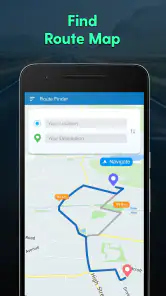
The app’s appeal is its straightforward purpose: getting directions, looking for a short route, finding nearby places, and checking weather information. Those are useful jobs to have close together when planning a drive, but they are also different kinds of information. I’d treat a suggested route as a starting point and check that the destination and roads make sense before setting off, especially somewhere unfamiliar.
One practical question is whether it can be used without mobile data. The published review describes offline maps, but I would still test the exact area I plan to visit before relying on that in a place with weak reception. Download or prepare anything the app makes available while connected, then check whether the map remains usable with connectivity turned off. That small test is more dependable than discovering a limitation halfway through a rural drive.
Privacy is part of the route-planning decision
Navigation involves sensitive moments because a destination can reveal where someone lives, works, or spends time. I make a habit of checking an app’s permission prompts and the privacy information shown in its store page before granting access. I only allow a permission when its purpose is clear for the task I’m doing, and I revisit device settings if I no longer need that access.
I would also avoid entering a precise personal destination while casually exploring the app. For a quick trial, a public landmark is a sensible test point; it lets me see how route planning feels without beginning with a private address. Before a longer journey, I’d review any available account or location controls and choose only the options I’m comfortable with. The app is rated for Everyone, and it runs on Android 6.0 or later, but an age rating is not a substitute for an adult checking privacy choices on a child’s device.
Easy Set-Up and User-Friendly Interface
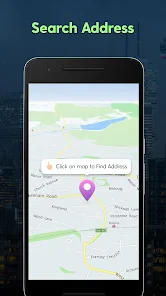
Right off the bat, downloading and setting up the GPS Navigation, Map Directions app was a breeze. The interface is super intuitive, which is a huge plus for those of us who might not be tech-savvy. You won't find yourself fumbling around trying to figure out how to input an address or set a destination. Everything is laid out clearly, making it easy to get started on your journey.
Real-Time Traffic Updates
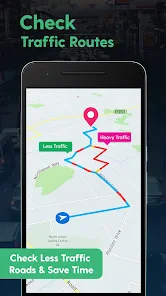
One of the standout features is the real-time traffic updates. The app constantly updates to provide you with the fastest route possible, which is a lifesaver when you're running late for an appointment or trying to dodge rush hour traffic. I loved how it alerted me in advance about potential delays and offered alternative routes. Trust me, this feature alone can save you a lot of stress and time.
You May Like

Clash of Clans Is Won Between the Battles

Android Auto Makes the Case for Quieter Car Software

MobiOffice: Transforming Mobile Productivity with Seamless Integration

EA SPORTS FC™ Mobile Soccer: Redefining Mobile Sports Gaming

How Microsoft OneDrive Became a Mobile Productivity Giant

How Google Translate Breaks Language Barriers Effortlessly
Detailed Map Directions
Now, let’s talk about the directions themselves. The app provides extremely detailed instructions, not just the usual "turn left" or "turn right." It gives street names, landmarks, and even lane guidance, which is incredibly helpful when driving in unfamiliar areas or busy city streets. I found myself feeling confident even in areas I'd never driven before.
Offline Maps for Uninterrupted Guidance
Another fantastic feature is the ability to download maps for offline use. This is perfect for those times when you're driving through areas with spotty internet connections, like rural roads or mountainous regions. I tested this feature on a weekend getaway, and it worked seamlessly without a hitch. It’s like having a pocket-sized map that never lets you down.
Additional Features Worth Mentioning
Apart from the core navigation features, the app also includes some nifty extras like speed limit notifications and points of interest along your route. These little bonuses make the app not just a navigation tool but a comprehensive travel companion. Plus, the app supports multiple languages, which is great for international travelers.
Where it fits into an everyday routine
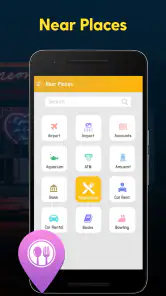
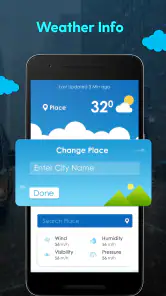
I can see the app being most useful when I already know roughly where I’m going but want help comparing a direct route with a shorter alternative, or when I need to find a nearby stop without opening a separate search tool. For example, if I’m heading across town after work and remember I need fuel or a place to eat, nearby-place search can help me plan a stop before I leave rather than make a last-minute decision at an intersection. Weather information is another reason to check the route before departure, although I’d still use a dedicated forecast when conditions could affect safety.
For a first drive in an unfamiliar area, I’d enter the destination while parked, scan the route, and note a couple of major turns before moving. That is a useful habit even when navigation is clear: it gives me context if a voice prompt is missed or traffic makes me reconsider the route. I would not try to handle searches or settings while driving. A passenger can help, or I can pull over safely before changing plans.
Choosing between this and familiar navigation tools
Compared with the usual map apps, this one sounds attractive if I want route guidance and nearby places in a simple, focused setup. A broader mapping service may be the better choice when I depend on extensive local business details, frequent map updates, or a particular ecosystem I already use. I would compare the actual route options in my area rather than assume one app is universally quicker: road coverage and the usefulness of traffic information can vary by location.
The app is currently version 3.58, and it is free to install, with optional in-app purchases listed at $2.49 per item. I’d start with the free experience and only consider a purchase if I understand exactly what it adds and expect to use it. That is especially sensible for occasional navigation; frequent drivers may have different priorities, but paying is not a reason by itself to assume a route will be more accurate.
Who I’d recommend it to
I’d suggest giving it a careful try if you want a simple navigator for familiar commutes, errands, or occasional trips and like having route planning, nearby places, and weather together. It may be less suitable if you need navigation you have already verified for remote travel, want a specific privacy arrangement, or rely on specialized routing. In those cases, test it alongside a map you trust before making it your only guide.
In conclusion, the GPS Navigation, Map Directions app truly stands out in a crowded field of navigation tools. Its user-friendly design, real-time updates, and offline capabilities make it a reliable choice for everyday commutes and adventurous road trips alike. So, if you're on the lookout for a trusty navigator that’s got your back 24/7, this app might just be your new best friend on the road.
GPS Navigation, Map Directions Frequently Asked Questions
Does GPS Navigation, Map Directions require an internet connection to find routes?
GPS Navigation, Map Directions is described as offering routes, the shortest path, nearby places, and weather updates. These functions may rely on different location and data services, so consider your connection while planning a trip, especially if you expect to use weather information or look up places along the way. Check the app’s available settings before relying on it for a journey.
Is GPS Navigation, Map Directions suitable for everyday travel and unfamiliar areas?
The app is aimed at people looking for navigation and location-related tools, with its summary highlighting route finding, shortest-path options, nearby places, and weather updates. Those features may be useful both for familiar commutes and when exploring somewhere new. As with any navigation app, review the route it presents and stay attentive to road signs and local conditions while traveling.
Is GPS Navigation, Map Directions free to download?
GPS Navigation, Map Directions is free to download, with in-app purchases available for $2.49 per item. The app is in the Maps & Navigation category and is developed by ShamiTech Apps. Before making a purchase, review the price and details shown for that item in the app so you can decide whether it suits the features you want.
What does GPS Navigation, Map Directions offer?
The app’s short description is “GPS Navigation,” and its store summary highlights getting routes, finding the shortest path, discovering nearby places, and checking weather updates. Those are useful starting points for people who want navigation and location-related tools in one app. Its audience rating is Everyone, making it broadly accessible to users looking for a maps and navigation app.
How accurate is the GPS Navigation in this app?
The GPS Navigation app is designed to provide highly accurate real-time location tracking using advanced satellite technology. However, the accuracy can vary depending on the user's device, signal strength, and surrounding environment. Under optimal conditions, users can expect precision within a few meters. Additionally, the app regularly updates maps to ensure the most current navigation data.
Pros
- Accurate real-time traffic updates.
- User-friendly interface for easy navigation.
- Offline maps available for remote areas.
- Voice-guided navigation for hands-free use.
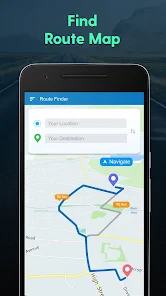
- Multiple route options to avoid congestion.
Cons
- Consumes a lot of battery power.
- Occasional GPS signal loss.
- Frequent ads in free version.
- Limited features without premium subscription.
- Requires large storage space for offline maps.
- Category
- Maps & Navigation
- Version
- 3.58