Govee Home
- 5.26K
- 3.9
- Installs
- 5.00M
- Price
- Free

Screenshots




Analysis by Reviewed
Have you ever wished for a seamless way to control all your smart home devices right from your smartphone? Well, that’s exactly what the Govee Home app promises to deliver! As a smart home enthusiast, I decided to give it a whirl, and here’s my take on it.
Getting Started with Govee Home
First things first, installing the Govee Home app is a breeze. Available for both Android and iOS, you can grab it from the Google Play Store or the App Store, depending on your device. Once you’ve got it installed, setting up your Govee devices is as simple as pie. Just follow the on-screen instructions to add new devices, and you’re good to go!
Interface and Usability
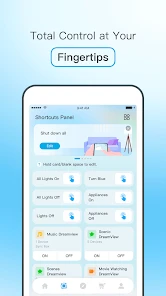
I must say, the interface of the app is quite intuitive. It’s neatly organized with a sleek design that doesn’t overwhelm you with options. You can easily access all your connected devices from the main dashboard. Whether you’re controlling your LED lights, humidifiers, or any other Govee smart devices, it’s all at your fingertips.
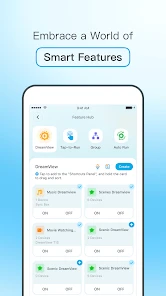
One feature I particularly enjoyed is the ability to create groups for different devices. This means you can control multiple devices with a single tap! Imagine turning off all your living room lights at once without having to go through them individually. Pretty neat, right?
Features Galore!
The app is packed with features that are both practical and fun. You can set schedules for your devices, ensuring they operate only when needed, which is a great way to save on energy bills. The app also offers customizable scenes and automation, allowing you to create the perfect ambiance for any occasion.
And for those who love a bit of fun, the app allows you to sync your lights with music. Yes, you heard that right! Your lights will dance to the rhythm of your favorite tunes, making it perfect for parties or just jamming out at home.
Performance and Reliability
In terms of performance, the app is generally reliable. I found the response time to be quite swift, with minimal lag when controlling devices. The connection stability is also commendable, though it largely depends on your Wi-Fi quality. However, there were occasional hiccups where the app would freeze or crash, but these were few and far between.
Final Thoughts
All in all, the Govee Home app is a fantastic tool for anyone looking to manage their smart home devices efficiently. It’s user-friendly, packed with features, and mostly reliable. While there are minor bugs that could be addressed, they don’t detract much from the overall experience.
If you’re venturing into the world of smart home devices or looking to enhance your current setup, I’d definitely recommend giving this app a try. It’s like having a universal remote for your smart home, and who wouldn’t want that?
Pros
- Intuitive user interface
- Wide range of compatible devices
- Customizable lighting scenes
- Easy scheduling and automation
- Regular firmware updates
Cons
- Limited third-party integrations
- Requires stable internet connection
- Occasional app crashes
- Limited support for older devices
- Some features locked behind paywall

- Category
- Tools
- Version
- 7.2.21











