

Get SMS Code: Receive Online
- 28.00
- 4.5
- Installs
- 10.00K
- Price
- Free

Screenshots
Analysis by Reviewed
I tried Get SMS Code: Receive Online as a communication app for one narrow but increasingly common task: receiving a verification message when a service allows registration through a virtual number. It is free to install, aimed at everyone, and developed by APPSTER LTD. The idea is simple, but the practical value depends heavily on what you are signing up for, how important the account is, and whether that service accepts temporary or online numbers.
My first impression is that this is not a replacement for a normal messaging app, a second SIM, or a permanent business line. It is better understood as a utility for account activation. That distinction matters. If I only need to pass a one-time SMS check for a low-risk service, an online number can be convenient. If I am protecting banking access, a work account, a recovery address, or anything I may need to access months later, I would be much more cautious.
How the app feels in its current first release
The current version is 1.0, and the app was released on February 24, 2026. That places it at the beginning of its product life rather than in a mature, long-established phase. I see that as both an advantage and a limitation: the purpose is easy to understand, but the experience still needs to prove that it can be dependable across different services and countries.
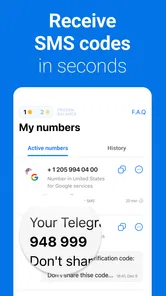
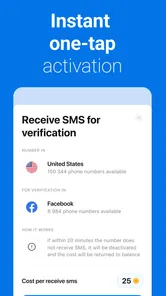
The store summary focuses on activating accounts and receiving codes through virtual numbers, while the short description reduces the promise to “Get SMS Code.” In practical terms, I would expect the main workflow to be direct: choose an available number or service, wait for an incoming message, and copy the code into the registration screen. The usefulness is in reducing the need to buy another SIM card for a single verification step.
That narrow focus is refreshing. I did not approach it expecting chats, contact management, voice calls, or a full communications inbox. People who install it should think of it as a temporary bridge between an online registration form and an SMS message. The less important the account, the more sensible that bridge becomes.
The app has an average rating of 4.5 from around 1.2 thousand ratings, with 28 written reviews and over 10 thousand installs. Those figures suggest that people are interested in the problem it addresses, but they should not be treated as proof that every verification request will work. SMS delivery is controlled by several parties: the app, the number provider, the destination service, and sometimes regional carrier rules. A good rating cannot remove those variables.
The workflow I would use
For a low-stakes registration, I would begin by checking the target service’s rules before spending anything. Some platforms reject virtual numbers, some accept them only in certain regions, and others may allow the first code but later request a different form of verification. This is the most important practical step because a failed code is not always an app failure.
More From Our News Desk

 Gmail
GmailGmail in a Busy Inbox: Who Benefits Most?
From first account to crowded workday, Gmail earns its place through dependable search and flexible sorting—but its best fit depends on how much inbox maintenance you can tolerate.

 Prime Video
Switching to Prime Video: What Changes in Your Viewing Routine
Prime Video can make a compelling second home for streaming, but switching means learning a different catalog, rental layer, and route from browsing to playback.

 Universal TV Remote Control
Universal TV Remote Control Works Best as a Reliable Backup
A phone remote earns its place through quick setup and reliable habits. Here is how to get more from Universal TV Remote Control—and where its limits show.

 Weather - By Xiaomi
Weather by Xiaomi Review: Clear at a Glance, Less Clear Up Close
Xiaomi’s weather app makes everyday forecasts quick to scan, but its calm surface can leave useful details and recovery paths harder to find than they should be.

 X
XX Under Pressure: Can It Recover When Posting Goes Wrong?
A resilience-focused review of X, examining setup, mistaken posts, interruptions, weak connections, and the gaps that matter when recovery needs to be dependable.

 Clash of Clans
Clash of Clans Is Won Between the Battles
Its raids are quick; its community is a long-term project of coordination, teaching, rivalry, and shared responsibility—with all the friction that entails.
Latest News



Once a number is selected, I would keep the registration page open and avoid requesting repeated codes too quickly. Many services impose cooldowns after several attempts. If the first message is delayed, repeatedly pressing the resend button can make the situation worse by creating multiple active codes or triggering a temporary block. A patient, single-request workflow is more reliable than treating the app like an instant message inbox.
When a code arrives, I would copy it immediately and finish the registration while the session is active. I would also record which number was used and whether the account depends on it later. That small note can prevent a common problem: forgetting that an account was created with a temporary number and then discovering that the same number is needed for recovery.
The best use of this app is one-time access, not long-term identity. That is the line I would keep in mind before entering any payment details or personal information on a service connected to a virtual number.
What the early release gets right
The strongest part of the concept is convenience. A person testing a new service, separating a secondary registration from a personal phone number, or creating a short-lived account may not want to obtain another physical SIM. An online number can make that first step quicker and keep a personal number out of a registration form.
It can also help with compartmentalization. For example, I might use a separate number while evaluating a newsletter platform, trying a community site, or registering for a temporary project. If the account later becomes unimportant, I have not tied it directly to my everyday mobile number. That does not make the account anonymous or automatically private, but it does reduce one kind of contact sharing.
Another useful scenario is testing a service before recommending it to someone else. Developers, reviewers, and support teams sometimes need a separate registration path to reproduce an onboarding issue. A virtual number may be more practical than using a personal number repeatedly, although I would still avoid using it for accounts that contain sensitive customer or company information.
The free entry point also lowers the barrier to trying the workflow. The app is listed as free, while optional in-app purchases range from 49 cents to $19.99 per item. I would treat that pricing structure as a reason to test the service carefully before committing to a larger purchase. First confirm that the destination accepts the number type and that messages arrive in the region you need; only then consider paying for additional access.
Where it differs from the usual alternatives
The obvious alternative is using your regular mobile number. That option is usually better for accounts you intend to keep because you control the number directly and can normally receive future recovery messages. The downside is that your personal number becomes attached to another service, and some people may not want that exposure.
A second alternative is purchasing a spare SIM or adding a second line through a carrier. That tends to be more suitable when you need continued access, repeated verification, or a number that you can keep for months. It involves more setup and may cost more over time, but the ownership is clearer. I would choose this route for a small business account, a recurring marketplace profile, or any login that could become important.
Another option is an authenticator app or passkey, when the service offers one. Those methods are generally more appropriate after the initial account setup because they do not depend on waiting for an SMS. Get SMS Code: Receive Online is relevant only where SMS is the available verification method. It does not replace stronger sign-in methods, and I would move an important account to a passkey or authenticator as soon as possible.
Email verification is also often more dependable for long-term recovery, provided the email account itself is secure. An online SMS number may solve the immediate registration hurdle but leave you with a weak recovery path. Before using it, I would check whether the service lets me add an email address, authenticator, backup codes, or a passkey immediately after activation.
Important trade-offs before paying
The first trade-off is permanence. A temporary number may be available now and unavailable later. If another person eventually receives that number, relying on it for account recovery could create confusion or expose the account to unwanted verification attempts. I would never use an online number as the only recovery method for a valuable account.
The second trade-off is acceptance. A service may distinguish between mobile numbers, landlines, recycled numbers, and virtual numbers. Even if the app provides a number successfully, the destination may reject it or refuse to send a code. This is why the free starting option should be treated as a compatibility test rather than a guarantee.
The third trade-off is timing. SMS delivery can be immediate, but it can also be delayed by network routing or the destination’s own queue. If I am registering for an event, sale, deadline, or time-sensitive service, I would not wait until the last minute. A physical number or an established account with another verification method would be safer.
The fourth trade-off involves privacy expectations. Keeping a personal number private is useful, but a virtual number does not automatically make the entire registration private. The destination service can still collect device, email, payment, IP, or account information. I would use the app to limit unnecessary phone-number sharing, not as a promise of complete anonymity.
What existing users should know about the release
Because the app is at version 1.0, current users are effectively adopting its initial form. There is no long upgrade history to compare, so I would judge it by how clearly it handles the basic sequence: selecting a number, requesting a code, recognizing arrival, and finishing the registration without confusion. A simple interface is valuable here, but simplicity should not come at the cost of clear status information.
For someone already using the app, the most useful habit is to keep a small record of active registrations. Note the service, the date, the selected region if relevant, and whether the number is needed again. This is especially important when several temporary registrations are being handled in one sitting. Without that record, it is easy to lose track of which account is linked to which number.
I would also avoid treating a successful first use as evidence that every future use will work. Different services apply different filters, and a number that works for one registration may fail for another. Existing users should evaluate each request independently and avoid repeatedly cycling through numbers when the destination itself may be blocking the attempt.
The current release is therefore most convincing as a focused utility, not as a complete account-management solution. Its success will depend on consistent delivery, understandable feedback, and sensible handling of numbers that are no longer available. Those are the areas I would watch as the product develops.
Who should use it, and who should skip it
I would recommend trying it if you need a temporary number for a low-risk signup, want to keep a personal number out of a short-term registration, or are testing whether a service supports online SMS verification. It may also suit people who occasionally need a separate registration identity without the commitment of another carrier line.
I would skip it for banking, healthcare, employment platforms, primary email, password managers, government services, or any account where losing access would be expensive or stressful. I would also skip it when the service explicitly requires a personal mobile number, when I need reliable recovery over a long period, or when a physical second line is available and the account matters.
Parents and less technical users should be especially careful with the age rating of Everyone. That label describes the app’s general audience classification, not the safety of every service someone might access through it. The destination website may involve purchases, public communication, or personal data, so the app’s age rating should not be used as a substitute for judging the registration itself.
What I would watch as it evolves
For a young app like this, I would look for clearer guidance around number lifespan, failed verification attempts, and account recovery. Users need to know whether a number is intended for a single code, a short session, or repeated access. Clear explanations would reduce the biggest practical mistake: assuming that receiving one message means the number can safely support the account forever.
I would also watch how the app handles unsuccessful requests. A useful service should help distinguish between a delayed message, a rejected virtual number, an expired session, and a destination that has stopped sending codes. Those situations require different responses, and simply offering another number can waste money without solving the underlying problem.
Another area worth watching is the balance between free testing and paid use. Since individual purchases can reach $19.99, I would want the selection process to make the expected cost easy to understand before confirmation. A small, transparent trial is more useful than encouraging users to buy several options blindly.
Finally, I would look for signs that the app remains focused. Adding unnecessary communication features would not automatically improve it. For this product, dependable SMS reception, clear number status, and responsible guidance are more valuable than a crowded feature set. Its future quality will be measured by whether it makes a narrow task predictable.
My recommendation after testing the idea
Get SMS Code: Receive Online is worth considering when the problem is specific: I need an online number to receive a verification message, and the account is not important enough to justify a permanent second line. The free installation makes it easy to test, and the communication category is a fair description of its role even though it is not a conventional messaging app.
My recommendation comes with a firm boundary. I would use it as a temporary registration tool, then immediately add a permanent recovery method wherever possible. I would not spend on multiple numbers until the target service has accepted one, and I would not assume that a successful code guarantees future access.
APPSTER LTD has released a focused first version with a clear everyday purpose. Its current appeal is convenience rather than depth. If you understand the limits of virtual numbers and choose low-risk situations, it can save time and keep your personal number separate. If you need ownership, continuity, or dependable recovery, a second SIM, carrier line, authenticator, or passkey remains the better choice.
Get SMS Code: Receive Online Frequently Asked Questions
Does Get SMS Code: Receive Online work on my device?
Get SMS Code: Receive Online is listed for devices running Android 6.0 or later, so check your operating system before downloading. It is a communication app from APPSTER LTD, with a free download and in-app purchases. The app is intended for receiving SMS verification codes through online numbers; it does not replace your device’s own mobile number or messaging service.
Who is Get SMS Code: Receive Online intended for?
The app may be useful if you need an online number to receive a verification text while registering for an account, testing a service, or keeping a personal number separate from a particular sign-up. Its content rating is Everyone, but the usefulness of any number depends on the destination country, the service being verified, and whether that service accepts virtual numbers.
What is Get SMS Code: Receive Online used for?
Get SMS Code: Receive Online is designed to provide access to online phone numbers that can receive text messages, usually for account registration, verification, or temporary communication. After selecting an available number and service, users can check incoming messages inside the app. Availability depends on the country, service, and number pool, so not every verification request is guaranteed to work.
Is Get SMS Code: Receive Online free to use?
The app is free to download, but it also offers in-app purchases priced from $0.49 to $19.99 per item. Receiving verification messages may require a purchase, depending on the number, destination, and feature selected. Before confirming a request, review the displayed price, expiration period, and refund conditions so you understand the cost and terms for that particular number.
Can I use these numbers for WhatsApp, Telegram, or other services?
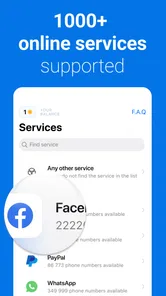
The service may support verification for various websites and messaging platforms, but compatibility is not guaranteed. Some services block virtual, shared, recycled, or temporary numbers, while others may reject numbers that have already been used too many times. The app normally indicates supported services, but successful verification ultimately depends on the third-party platform.
Pros
- Quick access to temporary numbers for receiving verification SMS.
- Useful for testing apps without exposing your personal phone number.
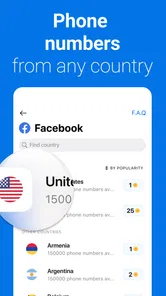
- Supports multiple countries and international number options.
- Simple interface makes finding and using a number straightforward.
- Can help keep your primary inbox and messages separate.
Cons
- Many numbers are public
- so received messages may not be private.
- Some services block temporary numbers during account registration.
- Number availability can change quickly or disappear without warning.
- Free options may receive messages slowly during busy periods.
- Using temporary numbers may prevent future account recovery.











