Gaia for TV
- 13.00
- 3.8
- Installs
- 100.00K
- Price
- Free

Screenshots
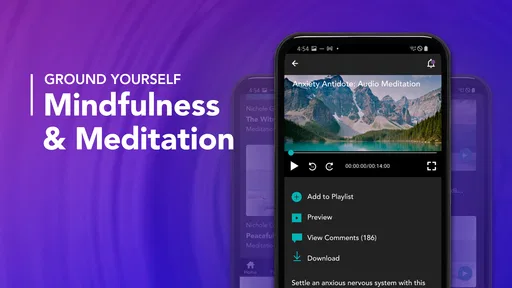
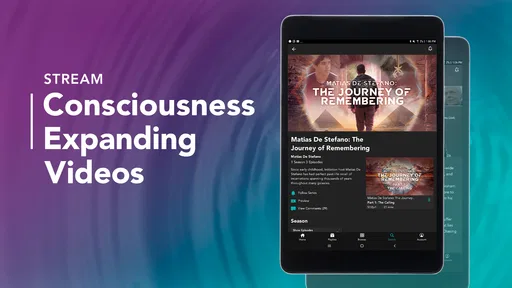


Analysis by Reviewed
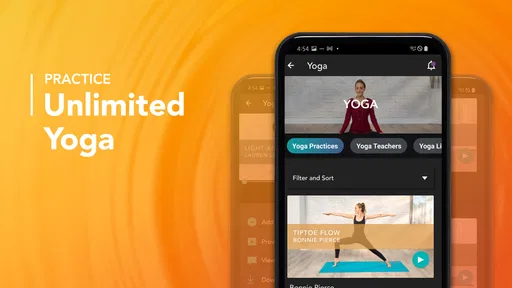
I opened Gaia for TV expecting a simple way to bring Gaia’s subject matter into a living-room setting, and that is still the best way to understand it. This is a free Lifestyle app from Gaia, Inc., aimed at people who want to explore yoga, meditation, and spiritual topics through a larger screen rather than keeping everything on a phone. My experience was less about quick, isolated exercises and more about creating a viewing routine that feels intentional.
The important distinction is that this is not a general-purpose fitness tracker, a replacement for a dedicated meditation timer, or a broad streaming utility. Its appeal comes from combining movement, relaxation, and reflective content in one place. That makes it interesting for a quiet evening or a planned home practice, but less convincing if you only want a short, highly focused workout with no browsing.
From a busy evening to a calmer viewing routine
My most useful test started with a familiar situation: I had finished the day mentally tired, did not want to scroll through unrelated entertainment, and wanted something that would help me slow down without demanding a complicated setup. A phone could have handled the same basic need, but the television format changed the atmosphere. Sitting farther from a small display made the session feel less like checking an app and more like choosing an activity.
I would describe the audience as adults and older teenagers who are comfortable exploring wellness and spiritual subjects at their own pace. The content rating is Teen, so families should still make their own judgement rather than assuming every topic will suit younger viewers. Someone looking specifically for structured athletic training may find the experience too broad, while a curious beginner may appreciate having yoga, meditation, and spirituality together instead of installing several unrelated apps.
The app has been available since late 2018 and has built a modest public presence, with more than one hundred thousand installs and an average rating of about 3.8 from roughly four hundred ratings. Those figures suggest a real but not universally enthusiastic audience. I read that as a reason to approach it with realistic expectations: it can fit a particular routine well, but it is not automatically the best wellness app for everyone.
Choosing the right starting point
The first decision is not simply whether to watch something. It is deciding what outcome I want from the session. If my body feels stiff, yoga is the logical entry point. If my attention is restless, meditation makes more sense. If I am looking for ideas, explanations, or a wider perspective, the spirituality side becomes the better starting place.
That small decision prevents one of the common frustrations with content libraries: opening the app without a plan and spending the available time browsing. I found it more useful to define a narrow intention before picking up the remote. “I want gentle movement,” “I need to settle down,” and “I want something thought-provoking” lead to very different choices, even though they live inside the same app.
More From Our News Desk

Weather by Xiaomi Review: Clear at a Glance, Less Clear Up Close

X Under Pressure: Can It Recover When Posting Goes Wrong?

Clash of Clans Is Won Between the Battles

Android Auto Makes the Case for Quieter Car Software

MobiOffice: Transforming Mobile Productivity with Seamless Integration

EA SPORTS FC™ Mobile Soccer: Redefining Mobile Sports Gaming
This is also where the television format has a trade-off. A large screen is comfortable for following visual instruction, but it can make browsing feel slower than using a phone or tablet. I would not start a session while already impatient. I would decide the general direction first, then use the app to refine the choice.
Following the session from selection to finish
Once I chose a theme, I treated the experience as a sequence rather than a single video. I prepared the room, moved the screen into a comfortable viewing position, and kept the remote nearby without constantly reaching for it. That sounds minor, but it matters for meditation and reflective material: interruptions make the session feel like ordinary screen time again.
For yoga, the television presentation is most useful when I place myself where the instructor remains visible without forcing me to turn my head. I would not assume that every session suits every ability level, so I would begin conservatively and stop if a movement feels wrong. The app can guide a routine, but it cannot see my alignment, balance, breathing, or physical limitations. That makes personal judgement part of the workflow.
For meditation, I found the larger display helpful before the practice began, but less important once I had settled. The screen gives the session a clear starting point, while the actual benefit depends on whether I can stop watching and pay attention. This is a subtle weakness of any television-based meditation experience: the device remains visually present, so a dark or less distracting room can make a meaningful difference.
Spiritual content works differently again. I approached it as something to consider rather than something to consume passively. A useful routine is to watch a segment, pause, and write down one idea that connects with a current concern. Without that pause, longer-form reflective material can blur together, especially when I am tired. The app becomes more valuable when I treat it as a prompt for thought instead of background noise.
Where the handoffs become important
The handoff from app to body is the first major test. A yoga video may be easy to start, but the real outcome depends on whether I have enough floor space, a stable surface, and the willingness to adapt. The app supplies the visual direction; I supply the safe environment and the decision to modify or stop. That division of responsibility is easy to overlook when the content is presented smoothly on a television.
The handoff from screen to attention is even more important for meditation. I would avoid leaving other entertainment running nearby and would silence avoidable distractions before beginning. If I use the session while checking messages, the app has effectively become audio decoration. Its format works best when I make a deliberate transition away from multitasking.
There is also a handoff from one session to the rest of the day. After yoga, I might continue with a short quiet period instead of immediately opening another app. After a spiritual program, I might note a practical question rather than trying to absorb another episode. These choices are not automated achievements; they are ways of turning viewing into a repeatable personal routine.
For households, the handoff involves other people. A shared television means someone else may want the screen, the room may not be quiet, or different viewers may have very different interests. I would treat the app as a scheduled household activity only when everyone agrees on the purpose. Otherwise, a phone-based alternative may be more practical because it does not require control of the main screen.
What the app does better than common alternatives
Compared with a basic yoga app on a phone, Gaia for TV offers a more room-oriented experience. I do not have to prop a small device near the mat or repeatedly look down at my hand. That makes the format particularly suitable for following movement while standing or lying on the floor. The benefit is not advanced tracking; it is reduced dependence on a handheld screen.
Compared with a dedicated meditation timer, it is broader but less minimal. A timer is better when I already know what I want and need almost no visual guidance. Gaia is better when I want meditation to sit alongside yoga and reflective viewing in the same environment. The choice depends on whether discovery is useful or distracting.
Compared with ordinary television entertainment, the app gives the evening a more purposeful direction. That does not mean every session will feel profound. Some days I may prefer a familiar show, and forcing myself into a wellness routine can feel like another obligation. Its advantage appears when I want a guided change of pace, not when I want effortless distraction.
Compared with free, single-purpose videos found elsewhere, the app’s value depends on how much I appreciate having related subjects gathered together. If I only need one beginner routine, a focused alternative may be quicker. If I want to move between physical practice, meditation, and spiritual exploration without changing services, this app has a clearer reason to stay installed.
Practical questions before committing to a routine
The app itself is free to install, but the overall financial decision needs attention because in-app purchases range from $15.99 to $299.99 per item. I would not assume that installing it means every part of the experience is included. Before building a long-term routine around particular material, I would check what is available without payment and read the purchase terms carefully. The wide range means the cost can be significant depending on the option selected.
Device compatibility is another straightforward consideration. The current version is 6.3.3 (5196)PR and requires Android 6.0 or later. That makes it accessible to many older Android devices, but compatibility is still worth checking on the specific television or Android-based setup before planning a shared household routine. A free app is not useful if the intended screen cannot run it comfortably.
I would also ask whether the television is really the right destination. If I travel often, practice in different rooms, or want privacy, a mobile experience may suit me better. If I have a stable living-room setup and prefer not to hold a phone during yoga, the TV format has a genuine advantage. The best choice is determined less by the subject matter than by where and how I actually practice.
Small workflow changes that improve the experience
My first useful adjustment was to choose the goal before opening the library. This avoids turning a ten-minute intention into a long browsing session. I also learned to separate “movement” from “watching”: once a yoga session begins, I focus on the body rather than judging the production or looking for the next option.
A second adjustment was to make the room part of the setup. I leave enough space to extend my arms, reduce glare, and position myself so the screen is visible from the floor. These details are more important than they sound because a poorly placed television can turn simple instructions into repeated pauses and awkward neck movement.
A third adjustment was to use reflective content in smaller portions. Instead of treating every viewing session as something to complete, I stop when I have a useful idea and give it time to settle. That approach is especially helpful for people who become overwhelmed by broad spiritual topics. It also makes the app feel less like an endless catalog and more like a tool for intentional exploration.
Finally, I keep a realistic fallback. If I am too tired to follow instructions safely, I do not force a yoga session just because the app is open. I choose rest, a simpler practice, or nothing at all. This is an important limitation: the app can support a habit, but it cannot create motivation or replace professional advice for health concerns.
Where the flow breaks down
The biggest friction is the gap between a polished viewing environment and the messy reality of home practice. A television may be shared, the room may be noisy, and the remote may be inconvenient once I am on the floor. These problems are not dramatic, but they can be enough to break concentration, particularly during meditation.
Browsing can also weaken the result. A broad mix of yoga, meditation, and spirituality is attractive when I am curious, yet it can feel unfocused when I need one clear answer. Someone who wants measurable progress, detailed training plans, or close technical correction should probably choose a more specialized service. This app is strongest as a guided content environment, not as a personal coach.
The purchase structure may be another stopping point. Because the app is free while individual in-app purchases can be expensive, I would make no assumptions about long-term value until I understand which material I can use and what requires payment. The right question is not simply whether the download costs anything; it is whether the accessible content and any chosen purchase justify the routine I expect to build.
The Teen rating also means I would be selective when using it around younger family members. The content may be suitable for many older viewers, but a shared television does not automatically make every topic a family activity. I would preview the subject and decide whether it fits the people in the room.
The result: a useful living-room companion for the right viewer
After using the app as part of a complete evening workflow, I see its strongest result as a change in how I approach the screen. It can turn the television from a source of passive distraction into a starting point for movement, quiet, or reflection. That result is most convincing when I begin with a clear intention, prepare the room, follow one session without multitasking, and leave a little space afterward.
I would recommend Gaia for TV to someone who wants a home-based mix of yoga, meditation, and spiritual material and values the comfort of a larger display. It is especially appealing if phone-based practice feels cramped or too easy to interrupt. I would be more cautious recommending it to someone seeking athletic progression, clinical guidance, precise tracking, or a completely free experience.
My final judgement is positive but conditional. The app’s breadth is its main strength, while that same breadth can make it less direct than a specialist alternative. The television format improves physical follow-along sessions, but it also introduces shared-screen and attention problems. With the right expectations, it can become a calm, repeatable part of an evening. Without a plan, it risks becoming another library I browse without reaching the outcome I wanted.
Gaia, Inc. has made a free entry point for a particular kind of lifestyle viewing, and the current release keeps that purpose clear. I would install it when I wanted one place to explore these subjects on a television, then judge its lasting value by my actual routine rather than by the size of the catalog. The best reason to try it is not novelty; it is the chance to create a deliberate handoff from screen time to personal practice.
Gaia for TV Frequently Asked Questions
Can I use Gaia for TV with my existing Gaia account?
Gaia for TV is designed to bring Gaia’s viewing experience to a television, so signing in with your Gaia account is the natural way to access your membership and continue watching. If you are new to Gaia, you can explore the app and decide whether its conscious-living focus suits you. Account access and available features can depend on your device and platform.
What devices and operating systems are compatible with Gaia for TV?
Compatibility depends on the television or streaming device you plan to use. The app requires Android 6.0 or later on supported Android devices, but smart-TV platforms and streaming hardware can have their own requirements. Before downloading, check that Gaia for TV appears in your device’s app store and that your device software is up to date; this helps avoid installing an app your television cannot run.
What is Gaia for TV, and what type of content does it offer?
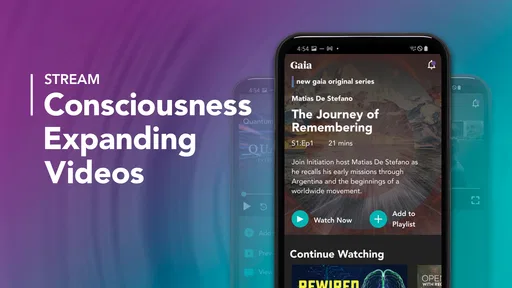
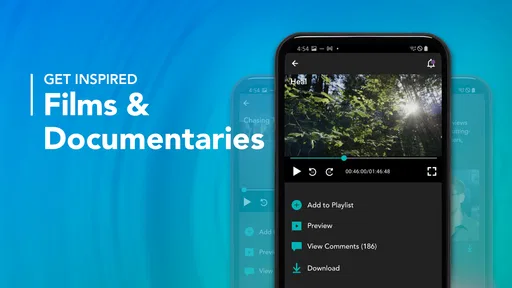
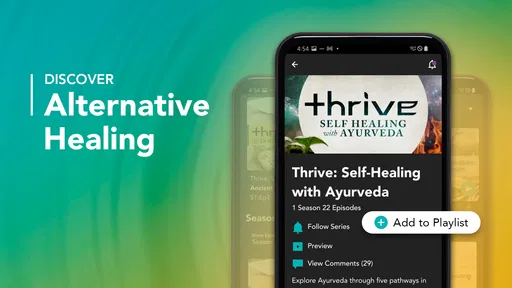
Gaia for TV is a streaming application focused on conscious living, personal growth, spirituality, yoga, meditation, fitness, and alternative wellness. After exploring its catalog, you will find documentaries, original series, guided practices, interviews, and educational programs. The content is generally designed for adults interested in mindfulness, self-discovery, holistic health, and esoteric subjects rather than conventional entertainment.
Is a subscription required to use Gaia for TV?
Most of Gaia’s full content library requires an active subscription, although the exact plans, prices, trial availability, and included features may vary by region and platform. Before downloading or subscribing, check the current information shown in the app store or on Gaia’s official website. Some previews or selected videos may be available without payment, but unrestricted access normally depends on your membership.
Can I watch Gaia for TV on my television and other devices?
Gaia for TV is intended for viewing on compatible smart televisions and streaming platforms, while Gaia may also support phones, tablets, computers, and casting features depending on your device and location. Compatibility can differ between Android TV, Google TV, Apple TV, Fire TV, Roku, smart-TV brands, and game consoles. Verify that your television model and operating system are supported before installing.
Pros
- Clear nature and documentary content for relaxing viewing.
- Supports learning with informative series and expert-led programs.
- Useful search tools help find shows by topic or interest.
- Works well for family viewing with a broad range of subjects.
- Regular content updates provide new programs to explore.
Cons
- Some titles may require an additional subscription or rental fee.
- Video quality can depend heavily on your internet connection.
- The catalog may feel limited outside documentaries and wellness content.
- Certain features may vary between supported TV devices.
- Content availability can differ by country or region.












