

FleetworthyGO (Drivewyze)
- 902.00
- 2.7
- Installs
- 500.00K
- Price
- Free
Screenshots
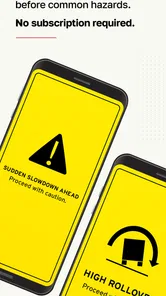
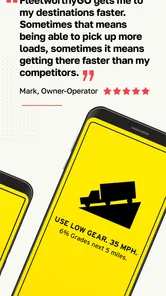
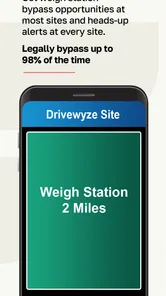
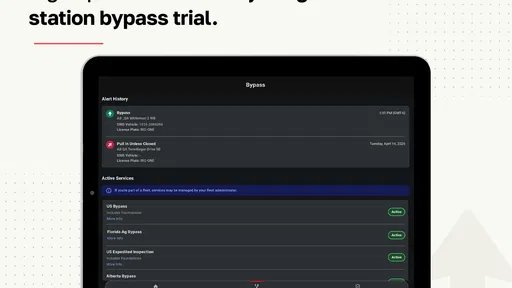
Analysis by Reviewed
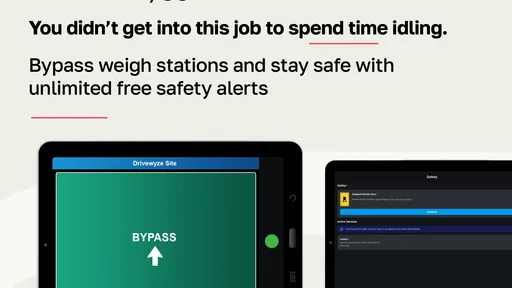
Driving a commercial vehicle is full of small interruptions that add up: a weigh station appears ahead, a safety notice needs attention, or a route decision has to be made while traffic is already moving. FleetworthyGO is built around reducing some of that friction for professional drivers and fleets. I see it as a focused Maps & Navigation app rather than a replacement for a full navigation system, and that distinction matters from the first use.
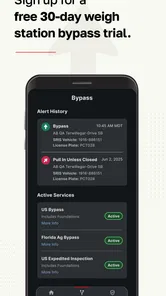
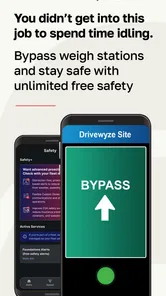
Developed by Drivewyze Inc., the free app sits in a practical space between roadside awareness and fleet operations. Its central appeal is straightforward: it can help eligible drivers handle weigh-station situations, receive safety alerts, and keep route progress more predictable. The experience is most useful when the phone has a dependable connection and the driver has already set up the service in a way that matches the vehicle and operating needs.
My overall impression is mixed but useful. There is a clear reason for a commercial driver to try it, especially when avoiding unnecessary stops has real value. At the same time, the average rating of 2.7 from around 2 thousand ratings suggests that the experience has not been equally smooth for everyone. I would approach it as a specialized tool that deserves a careful test in your own driving routine, not as an app that should replace every other source of road information.
Where FleetworthyGO earns its place on a working route
The strongest part of the concept is its attention to situations that ordinary consumer navigation apps often treat as secondary. Google Maps, Apple Maps, and similar tools are excellent for general directions, traffic, and arrival estimates, but they are not designed around the daily workflow of a commercial driver approaching inspection infrastructure. A truck-focused navigation product may offer better vehicle-aware routing, while FleetworthyGO concentrates more narrowly on the moments connected with weigh stations and safety notifications.
That narrower focus can be an advantage. I would not open this app expecting turn-by-turn guidance for every trip. Instead, I would use it alongside the navigation system already trusted by the driver or fleet. This division of labor is important: the regular navigation app handles the route, while FleetworthyGO is there to add commercial-driving context that a normal map may not provide in the same way.
A realistic example is a driver moving through several states during a long shift. The main navigation app is already providing directions, but the driver also needs to stay aware of weigh-station events and relevant safety information. In that situation, the value is not another map view. The value is reducing the need to remember every roadside location or depend entirely on signs appearing at the last moment.
There is also a practical fleet angle. A single driver may judge the app by whether it makes one trip less interrupted, while a fleet manager may care about consistency across many vehicles. The app’s store positioning around keeping a fleet moving makes sense for that audience, but the day-to-day benefit still depends on setup, device reliability, network quality, and whether the service fits the company’s operating procedures.
More From Our News Desk

 Weather - By Xiaomi
Weather by Xiaomi Review: Clear at a Glance, Less Clear Up Close
Xiaomi’s weather app makes everyday forecasts quick to scan, but its calm surface can leave useful details and recovery paths harder to find than they should be.

 X
XX Under Pressure: Can It Recover When Posting Goes Wrong?
A resilience-focused review of X, examining setup, mistaken posts, interruptions, weak connections, and the gaps that matter when recovery needs to be dependable.

 Clash of Clans
Clash of Clans Is Won Between the Battles
Its raids are quick; its community is a long-term project of coordination, teaching, rivalry, and shared responsibility—with all the friction that entails.

 Android Auto
Android Auto Makes the Case for Quieter Car Software
The car interface is no longer judged by how much it can do, but by how quietly it helps. Android Auto shows what drivers now expect—and what still gets in the way.

 MobiOffice: Word, Sheets, PDF
MobiOffice: Transforming Mobile Productivity with Seamless Integration
MobiOffice: Word, Sheets, PDF is redefining mobile productivity with a surprising blend of functionality and innovation.

 EA SPORTS FC Soccer Mobile 26
EA SPORTS FC™ Mobile Soccer: Redefining Mobile Sports Gaming
Dive into EA SPORTS FC™ Mobile Soccer, where immersive gameplay and strategic depth transform mobile sports gaming.
Latest News



Connectivity changes the timing of every alert
The app’s usefulness is closely tied to connectivity. Alerts and service-related information are most valuable when they arrive in time to influence a decision, not after the vehicle has already passed the relevant point. A weak mobile signal, congested network, restricted device setting, or an interrupted session can therefore affect the experience even when the app itself is functioning normally.
I would treat the phone’s connection as part of the workflow rather than an invisible background detail. Before starting a route, it is sensible to make sure the device has a stable mobile connection, the app can be opened normally, and the phone is positioned where notifications can be noticed safely. Drivers should never handle the phone while moving; the point is to prepare before departure and rely on approved hands-free procedures.
This network dependence also changes how much confidence I would place in a single alert. For a commercial driver, a notification should complement road signs, company instructions, and established legal requirements. It should not become permission to ignore a posted direction or assume that a missing alert means nothing applies. That is one of the most important trade-offs with any connected roadside app: convenience rises when information arrives smoothly, but responsibility remains with the driver.
Another subtle issue is timing. A driver may have a strong signal at the start of a trip and a poor one later, especially on rural stretches or between coverage areas. I would not wait until an alert is needed to discover that the phone has lost service. Checking the device before departure and treating sudden silence as a possible connectivity problem is a safer habit than assuming the app has nothing to report.
Using it without turning the phone into a distraction
FleetworthyGO makes the most sense in a mobile context where the driver prepares the phone before moving and then lets the app support the journey with minimal interaction. A mounted device, an appropriate audio setup, and a clear company policy can make the difference between useful awareness and unnecessary distraction. The app should be part of the pre-trip routine, not something that invites repeated tapping behind the wheel.
For a solo owner-operator, the preparation can be simple: open the app while parked, confirm that the expected service is available for the trip, check the connection, and then begin driving with the phone secured. For a larger fleet, the same idea needs to be standardized. Drivers should know which device is used, who handles account or service issues, and what to do if the app stops behaving as expected.
The app is rated for Everyone, which makes it broadly accessible from an age-rating perspective. That does not mean every driver will find it equally suitable. The relevant question is whether the person is driving a commercial vehicle and needs this kind of roadside support. A private driver who only wants directions will probably get more value from a conventional navigation app with less specialized setup.
Compatibility is also worth checking before committing a whole fleet. The current version is 6.0.2 and requires Android 8.0 or later. That is not an obstacle for many modern phones, but older fleet devices can remain in service for a long time. I would test the app on the exact handset and operating environment used in the cab rather than assuming that a manager’s newer phone represents the real fleet experience.
What to do when the connection or session fails
One of the most useful habits with a connected driving tool is having a recovery plan that does not depend on the app recovering instantly. If an alert is delayed, the screen stops updating, or the phone loses service, the driver should continue following visible road instructions and established company procedures. Pulling over safely before troubleshooting is more important than restoring the app immediately.
When parked, I would start with simple checks: confirm that the phone still has mobile service, verify that the app is open normally, and see whether the issue affects other connected apps too. If other services are also offline, the problem may be the network or device rather than FleetworthyGO. If only this app is affected, restarting the app and checking whether the current version is installed are reasonable next steps.
A second recovery habit is keeping the app from becoming a single point of failure. The driver should still recognize weigh-station signs and pay attention to official roadside instructions. A paper or company-approved reference process may also be useful for teams that operate in areas with inconsistent coverage. This is not a criticism of the app specifically; it is a sensible operating principle for any service that depends on a live connection.
Fleet managers should think about recovery differently from individual drivers. A driver can pull over and retry, but a fleet needs a repeatable procedure. Training should explain who reports a recurring problem, how the event is documented, and what alternative process is used during an outage. That preparation may sound mundane, yet it protects the app’s main benefit: reducing interruptions rather than creating uncertainty when something goes wrong.
Keeping mobile data and battery demands under control
Because the app is designed for travel, I would pay attention to how it fits into the phone’s wider data and power habits. The exact impact will vary by device, route, network, and what other apps are active, so I would not assume that every driver will see the same battery behavior. A long shift with navigation, calls, music, and multiple background services can place much more demand on a phone than FleetworthyGO alone.
A practical approach is to begin with a charged device, use a reliable in-vehicle power source, and avoid leaving unnecessary apps active. If a fleet has a limited mobile data plan, the manager should monitor actual usage during representative routes instead of guessing from a single short trip. This is especially important when the app is used alongside mapping, dispatch, electronic logging, and communication tools.
I would also avoid repeatedly opening the app just to check whether anything has changed. That behavior wastes attention and can make the phone feel more intrusive. A better workflow is to configure the service while parked, keep the device visible or audible through an approved setup, and let the app do its intended job without constant manual checking.
The free download lowers the barrier to trying it, but the service is not necessarily cost-free in every practical sense. In-app purchases are listed from $8.99 to $179.99 per item, so a driver or fleet should examine the available purchase choices carefully before assuming that every function is included with installation. For a business, the relevant calculation is not only the purchase amount but also whether the service saves enough time or uncertainty to justify the expense across the routes where it is used.
That pricing range makes a small pilot sensible. I would test the app on a limited number of vehicles, compare the experience with the fleet’s existing process, and ask drivers whether the alerts arrive at useful moments. A pilot can reveal whether the phone setup, coverage patterns, and operating region make the service worthwhile before a company expands it to more drivers.
Who should use it, and who should choose something else?
I think FleetworthyGO is best suited to commercial drivers and fleet operators who regularly encounter weigh stations and want a dedicated layer of safety and roadside awareness. It may be particularly useful when the existing navigation setup is good at routing but weak at handling the specific interruptions of commercial travel. The app’s focus is its strength, provided the user actually needs that focus.
I would be less enthusiastic for a casual road-tripper, a passenger looking for general directions, or a driver who rarely operates a commercial vehicle. Those users may find a standard maps app simpler and more complete for their needs. A truck-specific navigation platform may also be a better primary choice when the main concern is low-clearance routing, truck restrictions, fuel planning, or detailed vehicle profiles. FleetworthyGO should be judged as a complement, not automatically as the all-in-one answer.
There is a further trade-off for teams with older phones or inconsistent coverage. Even if the concept fits perfectly, the real-world experience can be frustrating when the hardware is outdated or the network drops frequently. In that case, a simpler process based on official signs and fleet communication may be more dependable than adding another connected service that drivers must monitor.
The app has passed the half-million-install mark, which shows that it has reached a substantial audience, but popularity alone does not settle the question for a particular fleet. The lower average rating is a useful reason to test carefully rather than dismiss the app or adopt it blindly. I would pay close attention to login or setup friction, alert timing, and how easily drivers recover from a lost connection during the trial.
My verdict on a connected driving companion
After looking at how it fits into an actual driving routine, I see FleetworthyGO as a specialized utility with a worthwhile purpose and some important conditions. Its best contribution is not replacing a map. It is helping commercial drivers stay aware of weigh-station and safety-related events while the main navigation tool handles the broader route.
The connection requirement is the central practical limitation. When the phone, network, and service are working together, the app can make a busy route feel more organized. When connectivity fails, the driver needs to fall back on road signs and established procedures without hesitation. That means the app rewards preparation: mount the phone safely, check it while parked, keep power available, and train drivers not to treat notifications as a substitute for attention.
I would recommend trying the free app if you operate a commercial vehicle and weigh-station awareness is a recurring part of your work. I would not recommend making it the only navigation or compliance tool, and I would not purchase broadly for a fleet without a route-based trial. For the right user, the focused design can be genuinely helpful; for everyone else, a conventional maps app will probably be clearer, simpler, and better matched to the job.
In short, Drivewyze Inc. has created an app that addresses a specific professional driving problem rather than trying to do everything. That makes the decision fairly clear. If your daily routes involve the situations it is designed to support, FleetworthyGO is worth evaluating with realistic connectivity and recovery expectations. If they do not, its specialized nature is more likely to add another layer to the phone than to improve the journey.
FleetworthyGO (Drivewyze) Frequently Asked Questions
How can I tell whether FleetworthyGO is the right app for my trucking or transportation job?
FleetworthyGO is a Maps & Navigation app from Drivewyze Inc., intended primarily for commercial drivers and transportation fleets. Its store summary highlights weigh-station bypass and safety alerts to help keep fleets moving. It is not generally aimed at casual motorists, and many features may require an employer account, compatible equipment, or an active subscription. Check with your carrier before downloading to make sure it uses FleetworthyGO.
Is FleetworthyGO free to download, and could using its services cost money?
FleetworthyGO is free to download, but that does not mean every service available through the app is free. In-app purchases are listed from $8.99 to $179.99 per item, and some services may depend on the plan or setup used by your fleet. Ask your employer which features are enabled and whether any charges apply to your account before subscribing or making a purchase.
What is FleetworthyGO (Drivewyze), and who is it designed for?
FleetworthyGO, associated with Drivewyze services, is a mobile tool intended primarily for commercial drivers and transportation fleets. It can support connected driver workflows, safety-related services, compliance processes, and communication with fleet management, depending on the company’s setup. It is not generally aimed at casual motorists, and many features may require an employer account, compatible equipment, or an active subscription.
What features can drivers expect from the FleetworthyGO app?
The available features depend on the version of FleetworthyGO and the services enabled by the driver’s fleet. In a typical deployment, the app may provide access to driver tasks, safety or compliance information, notifications, inspection-related workflows, and communication tools. Drivewyze-related capabilities can also involve commercial vehicle services, including weigh-station bypass and safety alerts, but users should confirm the exact functions with their carrier because not every account receives the same tools.
Does FleetworthyGO require an account or fleet invitation to work?
Yes, FleetworthyGO is generally intended for managed commercial transportation environments rather than independent, unrestricted use. After installing it, you may need credentials supplied by your employer, a fleet invitation, or an account connected to Fleetworthy or Drivewyze services. If your organization has not activated your profile or assigned the correct permissions, the app may open successfully but offer limited access or prevent you from completing important workflows.
Pros
- Helps drivers find participating weigh stations and bypass points quickly.
- Can reduce unnecessary stops for eligible carriers and vehicles.
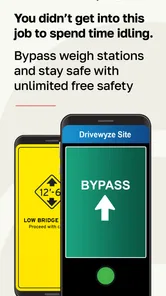
- Provides clear in-cab notifications while the driver is on the route.
- Supports compliance-focused fleets with centralized credential management.
- Useful for companies operating across multiple participating jurisdictions.
Cons
- Benefits depend on weigh stations and services participating in the network.
- Requires accurate vehicle and carrier information to work correctly.
- A stable mobile connection may be needed for current roadside updates.
- Eligibility and bypass decisions can vary by state and vehicle category.
- Subscription or fleet enrollment may be required for full functionality.











