

EV Connect
- 891.00
- 4.3
- Installs
- 100.00K
- Price
- Free

Screenshots
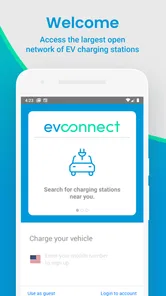
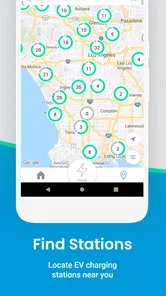
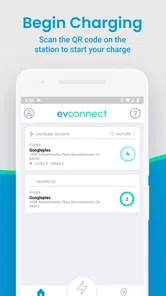
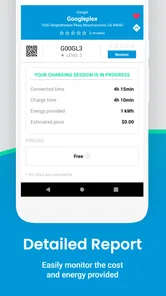
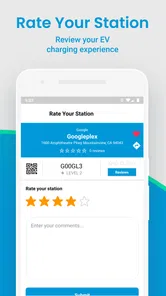
Analysis by Reviewed
Finding a public charger is easy in theory and stressful in practice. The difficult part is often knowing which station is useful for your route, whether it belongs to a network you can use, and what to do once you arrive. EV Connect is built around that everyday problem. It is a free Maps & Navigation app from EV Connect, and I found its value clearest when I treated it as a practical charging companion rather than a complete replacement for every navigation tool on my phone.
My first impression was straightforward: this is an app for people who want to locate EV charging on the go without turning the process into a research project. It is available to Everyone, has passed a hundred thousand installs, and holds a 4.3 average from roughly two thousand ratings. Those figures suggest a useful level of adoption, but they do not remove the need to judge each charger carefully before depending on it for an important journey.
The most reassuring way to use EV Connect is to make it part of your charging routine before you need it urgently. Open it while you still have enough battery to consider alternatives, inspect the nearby options, and decide where you are actually willing to stop. That small habit matters more than simply installing another map app, because an EV trip can be disrupted by a full station, an unsuitable connector, or a location that is technically nearby but inconvenient to reach.
Getting from installation to a useful charging decision
I start by treating installation as a chance to learn the map while there is no pressure: I look around a familiar destination, compare a few charging locations, and note which one would make a sensible backup. That quick practice turns a collection of pins into a more useful choice, and it sets up the next section’s closer look at what to check before relying on a stop.
What to expect when you open it
EV Connect presents itself as a focused charging tool rather than a general-purpose travel planner. That focus is helpful for a first-time user. Instead of beginning with restaurants, traffic layers, transit lines, and unrelated map information, the experience is centered on the question most EV drivers actually have: where can I charge?
I would not approach it expecting the same broad trip-planning depth as a dedicated navigation service. A general map application may be better for turn-by-turn driving, live traffic context, complex stops, or combining several types of transport. EV Connect makes more sense alongside those tools. Use your usual navigation app to understand the road, then use this one to investigate the charging stop itself.
That division of labor is one of the app’s practical strengths. A charger can look close on a normal map while being awkward to enter, positioned on the wrong side of a divided road, or located inside a site with restricted access. A charging-focused view encourages me to think about the stop as a destination, not merely as a pin on a route.
More From Our News Desk

 Weather - By Xiaomi
Weather by Xiaomi Review: Clear at a Glance, Less Clear Up Close
Xiaomi’s weather app makes everyday forecasts quick to scan, but its calm surface can leave useful details and recovery paths harder to find than they should be.

 X
XX Under Pressure: Can It Recover When Posting Goes Wrong?
A resilience-focused review of X, examining setup, mistaken posts, interruptions, weak connections, and the gaps that matter when recovery needs to be dependable.

 Clash of Clans
Clash of Clans Is Won Between the Battles
Its raids are quick; its community is a long-term project of coordination, teaching, rivalry, and shared responsibility—with all the friction that entails.

 Android Auto
Android Auto Makes the Case for Quieter Car Software
The car interface is no longer judged by how much it can do, but by how quietly it helps. Android Auto shows what drivers now expect—and what still gets in the way.

 MobiOffice: Word, Sheets, PDF
MobiOffice: Transforming Mobile Productivity with Seamless Integration
MobiOffice: Word, Sheets, PDF is redefining mobile productivity with a surprising blend of functionality and innovation.

 EA SPORTS FC Soccer Mobile 26
EA SPORTS FC™ Mobile Soccer: Redefining Mobile Sports Gaming
Dive into EA SPORTS FC™ Mobile Soccer, where immersive gameplay and strategic depth transform mobile sports gaming.
Latest News



The developer is EV Connect, so the app feels most relevant to drivers who encounter EV Connect charging locations or want a dedicated way to explore charging availability. I would still check the details shown for a station rather than assuming that every location will offer the same experience. Charging networks can differ in access, equipment, payment flow, and site rules, and an app should support your decision rather than replace common sense.
Setting up without making the process harder
After installing the app, I recommend beginning with a simple goal: find a charger near a place you already know. This is less intimidating than immediately planning a long-distance trip. Search around your home, workplace, supermarket, or a regular destination and learn how the map presents charging locations before your battery level becomes a concern.
Give yourself a moment to understand the visual layout and the way station information is organized. New EV drivers often rush straight to the nearest marker, but the nearest option is not automatically the best one. A slightly farther charger may be more convenient if it is near your actual destination, easier to enter, or better suited to the time you have available.
One useful setup habit is to compare several nearby locations instead of opening only the first result. Look for differences in distance, site context, and the information available on each station page. This creates a quick mental shortlist: a preferred charger, a backup, and perhaps a third option for situations where the first two are occupied or unsuitable.
I also suggest testing the app on both Wi-Fi and mobile data before a real trip. This is not a claim about a particular offline mode; it is simply sensible preparation for any service that depends on current map and station information. If the app behaves differently in your normal driving conditions, you want to discover that while parked, not when you are already searching with a low battery.
EV Connect is free, which removes one barrier to trying it alongside your existing navigation setup. The free model is especially useful for occasional EV drivers who do not want to commit to another paid planning service just to locate a charger. It also makes sense for experienced drivers who want a second source of charging information without abandoning the tools they already know.
Your first successful action
The first meaningful success is not installing the app or opening the map. It is choosing a realistic charging stop and arriving with a backup plan. I would practice by selecting a location near a familiar destination, checking its details, and then using my normal navigation app to reach it. That exercise teaches you how the two apps work together and exposes any part of the charging process that needs extra attention.
For an everyday example, imagine leaving work with less battery than expected and needing to shop before going home. I would open EV Connect, inspect the charging choices near the store, and compare them with options along the route. A charger directly at the store may save a separate stop, while one on the way home may be easier if the store’s parking arrangement is inconvenient. The best result is not necessarily the shortest map distance; it is the option that fits the whole errand.
Before driving, read the station information with a specific question in mind: “Can I realistically use this location during my stop?” Consider the site, your route, and how much time you have. If the app provides details that help distinguish one station from another, use them before committing. This is where a charging app can be more useful than a generic map, because it keeps the charging purpose in view.
Once you have chosen, start navigation using whichever tool gives you the clearest driving guidance. EV Connect can help with the charging destination, while a familiar navigation service may provide the better road-by-road experience. I prefer this combination because it avoids forcing one app to do every job, and it gives me a chance to verify the charger independently before I leave.
After arriving, compare the real location with what you expected. Is the entrance obvious? Is the charger accessible from the direction you approached? Is the surrounding area suitable for waiting? These observations become valuable personal knowledge. The next time you pass through the same area, you will know whether that station is genuinely convenient rather than merely close on a screen.
Where first-time users can become confused
The biggest source of confusion is treating a map marker as a guarantee. A marker tells you that a charging location is associated with that place, but it does not automatically answer every practical question a driver has. A station may be busy, temporarily unusable, difficult to enter, or less suitable for your vehicle and schedule than another nearby choice.
That is why I avoid making a last-minute decision based on a single result. If your battery allows it, inspect alternatives before setting off. This is particularly important in unfamiliar areas, where a short detour may be much easier than turning around after discovering that the first location does not work for your situation.
Another common mistake is confusing the charging network with the navigation destination. Finding a station in EV Connect does not mean you should stop paying attention to the road, parking rules, or site access. I treat the app as a source of charging-oriented information and keep the normal driving workflow separate. That approach feels slower for a few seconds but is less distracting and more reliable.
Some users may also wonder whether the app is suitable for every EV trip. In my view, it is most useful when charging discovery is the immediate problem. If you need detailed route optimization, sophisticated energy forecasting, extensive traffic analysis, or a single application that manages every aspect of a long journey, another navigation or EV-planning product may fit better. EV Connect is easier to appreciate when you give it a narrower, concrete job.
The age rating of Everyone makes it approachable for a broad audience, but simplicity should not be mistaken for a reason to skip preparation. A new driver still needs to understand their vehicle’s charging requirements and should not assume that every listed location will match the car, the connector, or the desired charging speed. The app can help you locate possibilities; your vehicle knowledge determines whether they are appropriate.
Small habits that make the app more dependable
My first useful tip is to create a backup before you need one. When I find a preferred charger, I immediately look for another reasonable option in the same area or along the next part of the route. This avoids the common EV mistake of waiting until the first choice fails and then searching under pressure.
The second is to judge chargers by the entire stop, not just by proximity. A station near a place where you already need to spend time can be more valuable than one that is technically closer but requires a separate detour. For errands, appointments, or meals, the best charging decision often reduces wasted time rather than reducing driving distance.
The third is to use the app as a learning record, even if you do not formally save anything. Pay attention to which locations are easy to reach, which areas are uncomfortable for waiting, and which stations fit your routine. Over several trips, the map becomes more useful because your own experience adds context that no generic search result can provide.
A fourth insight is to check charging options before the final stretch of a journey, not only at the moment the battery becomes low. Drivers tend to search when they feel urgency, but early checking gives you more flexibility. You can choose a convenient stop, keep a backup, and avoid making a poor decision simply because it is the first available marker.
Finally, keep your phone workflow simple while driving. Search and compare while parked, then rely on your chosen navigation method once moving. The app’s value is greatest when it helps you make a calm decision before the car is in motion, not when it becomes another screen demanding attention on the road.
Who will get the most from EV Connect
I think EV Connect is a good fit for first-time electric-car owners who are still building confidence around public charging. The focused purpose makes it easier to start with one question at a time: where is a charger, which option fits my stop, and what should I use as a fallback? That is less overwhelming than trying to master a large suite of EV tools immediately.
It also suits drivers who already have a preferred navigation app but want a charging-specific companion. In that role, it is not competing with every map feature on your phone. It is helping you investigate charging locations before handing the driving portion back to a tool you already trust.
Occasional EV renters may find the free access useful as well. If you do not drive an electric vehicle every day, you may not want to spend time learning a complex planning system. A focused app can give you a place to begin, provided you still verify that the charging location works with the vehicle you have been given.
On the other hand, I would skip making it your only travel tool if you regularly plan demanding road trips and expect highly detailed energy management. Drivers who need extensive route calculations, traffic-aware planning, or a unified charging-and-navigation workflow may prefer a more specialized alternative. The right comparison is not “which app has more features?” but “which app handles the decision I am making right now?”
What changes after you become familiar with it
Once the basic search process feels natural, the app becomes less about emergency discovery and more about reducing uncertainty. Before leaving, I can check whether a charging stop fits naturally into the day. On a longer drive, I can think in stages rather than hoping that one location will solve everything. That change in mindset is the real benefit for me.
The current release is version 6.1.4, and the app has been available since June 9, 2017. I mention that because it is not a brand-new experiment; it has had time to become an established charging-focused product. Still, an established app can have a different pace and style from newer all-in-one EV planners, so your preference may depend on whether you value a focused workflow or a larger collection of planning tools.
Its store summary describes charging on the go, and that is exactly how I would position it for a friend. I would not promise that it eliminates every uncertainty around public charging. I would say that it gives you a practical place to begin, encourages better backup planning, and works well when paired with a general navigation app rather than forced to replace one.
My recommendation after using it
EV Connect earns a place on my phone when I want a dedicated way to investigate EV charging without paying for the privilege. Its strongest quality is its focus: it keeps the charging stop at the center of the decision and helps a first-time user move from “I need power” to “I have a realistic destination and a fallback.” That is a meaningful improvement over searching randomly while already on the road.
I would recommend installing it, opening it in a familiar area, and practicing the full workflow before a serious trip. Find a nearby station, inspect the available information, compare it with another option, and use your usual navigation app to understand the route. That small rehearsal answers the questions that matter most: how quickly you can find a location, how comfortable you are interpreting the results, and whether the app fits your driving habits.
My final view is positive but measured. EV Connect is free, approachable, and useful for charging discovery, especially for new EV drivers and people who want a companion to their normal maps app. It is not the right choice for everyone, particularly if your priority is advanced long-distance energy planning inside one all-in-one system. For everyday charging decisions, though, its best feature is the confidence that comes from checking your options before you need them.
If that is the problem you want to solve, EV Connect is worth trying. Use it early, compare more than one station, keep your driving navigation separate, and treat every charging choice as part of the whole journey rather than as the nearest point on a map.
EV Connect Frequently Asked Questions
Is EV Connect free to download, and what devices can run it?
EV Connect is free to download, so you can install it without paying an upfront app fee. It is rated for everyone and is intended for drivers looking for electric vehicle charging on the go. Before installing, check that your device’s operating system meets the app’s minimum requirement; keeping your phone’s software current can also help with compatibility and everyday performance.
Who develops EV Connect, and is it an established app?
EV Connect is developed by EV Connect and has been available since June 9, 2017. It has more than 100,000 installs and an average rating of 4.3 from around 2,000 ratings, with 889 written reviews. Those figures offer a sense of its reach and user feedback, but your experience may depend on local charger coverage and how well the app fits your vehicle and charging needs.
What is EV Connect and what can I use it for?
EV Connect is an electric vehicle charging app that helps drivers find compatible public charging stations, view station details, and manage charging sessions. Depending on the location, you can use it to check availability, review pricing, start or stop a session, and monitor charging progress. Its usefulness may vary by country, vehicle, charger network, and station operator.
Can I use EV Connect with any electric vehicle or charging station?
The app is designed for EV drivers, but compatibility depends on the charging station and connector supported by your vehicle. Before driving to a location, check the station’s connector type, charging speed, access requirements, and current status in the app. Some chargers may be operated by partner networks or require specific payment methods, so not every listed station will offer the same experience.
How do payments and charging fees work in EV Connect?
Charging costs can differ considerably between stations. Fees may be based on energy used, charging time, a session fee, parking duration, or a combination of these factors. EV Connect generally allows users to add a payment method and review pricing information before starting, although the final amount can depend on local taxes, idle fees, and the station operator’s rules. Always check the displayed terms carefully.
Pros
- Find and start compatible EV charging stations from one app.
- View charger availability and station details before driving there.
- Track charging sessions and monitor energy usage remotely.
- Supports payments and account management within the app.
- Useful station map helps plan charging stops on longer trips.
Cons
- Coverage and charger availability depend heavily on your location.
- Some stations may show outdated availability or connection information.
- Charging prices can vary and may not be clearly consistent across stations.
- Account setup and payment verification may take extra time.
- App usefulness is limited if nearby chargers are not part of its network.











