EasyTether Pro
- 1.26K
- 3.9
- Installs
- 100.00K
- Price
- $9.99
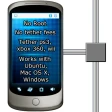
Screenshots
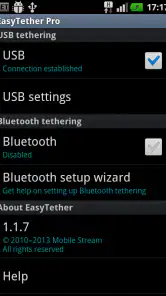
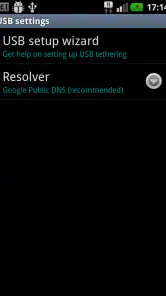
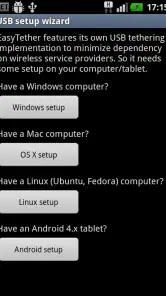
Analysis by Reviewed
I see EasyTether Pro as a practical tool for one specific job: getting a computer or tablet online through an Android phone when Wi-Fi is unavailable or inconvenient. That narrow focus is useful, but it also calls for a more cautious look than the breezy promise of “just connect” suggests. Tethering depends on the phone’s mobile connection, the carrier’s rules, and the computer-side setup, so the app is best judged as a bridge—not as a fix for weak coverage or a replacement for home broadband.
Trust starts with a clear, limited purpose
Polyclef Software makes this communication app for sharing a phone’s internet connection with Windows, OS X, Linux computers, and Android tablets. It has a 3.9 average from around 2.3 thousand ratings, with over 100 thousand installs, and it costs $9.99. It is rated for Everyone, was released in 2011, and its current version is 1.1.20. Those details help set expectations: this is a paid, established utility rather than a general messaging or social app.
The important trust distinction is between the app’s advertised tethering purpose and claims about privacy or security. I would not treat a connection as automatically secure simply because it passes through this app, nor assume anything about data collection, permissions, or account controls without checking the current app and Android settings. Before relying on it for sensitive work, I’d review the permissions it requests and use the same caution I would with any phone hotspot or public connection.
Check the setup before you need it
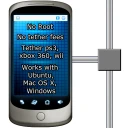
The app is designed to work without rooting the phone, which avoids a substantial technical step and the risks that come with modifying system access. It also avoids requiring a carrier tethering fee as part of the app’s own pitch. That is not the same as a promise that every carrier plan permits tethering or that mobile data is unlimited, so I’d check my plan first. The phone still supplies the connection, and its signal and data limits remain in charge.
For a first run, I’d install the companion computer software and test the connection at home, while both devices are available and there is time to troubleshoot. Keep the phone charged, use a dependable cable if connecting by USB, and confirm the computer recognizes the connection before leaving. A short test also reveals whether the phone’s reception is good enough for the work you have in mind. These small checks matter more than expecting an app to compensate for a poor signal.
Where it fits in an ordinary day
Imagine a home router failing just before you need to send a document from a laptop. If the phone has mobile service, EasyTether Pro can give the laptop another route online without searching for a café or signing in to an unfamiliar hotspot. The same arrangement can suit a tablet that needs access while travelling. I would save the heaviest downloads, operating-system updates, and long video streams for a proper Wi-Fi connection, though; tethering can use the phone plan’s data quickly, and the app cannot change that trade-off.
Compared with the hotspot option built into many phones, this app is most interesting when you specifically want its computer-oriented connection and setup. The built-in hotspot is often the simpler first choice for connecting another phone or a device that handles Wi-Fi easily. A USB connection can be preferable when you want a direct link to one computer or would rather not rely on a shared wireless network, while Bluetooth is generally a more modest option for basic tasks. Which method is available and convenient depends on the phone, computer, and setup in front of you.
You May Like

Clash of Clans Is Won Between the Battles

Android Auto Makes the Case for Quieter Car Software

MobiOffice: Transforming Mobile Productivity with Seamless Integration

EA SPORTS FC™ Mobile Soccer: Redefining Mobile Sports Gaming

How Microsoft OneDrive Became a Mobile Productivity Giant

How Google Translate Breaks Language Barriers Effortlessly
What is EasyTether Pro?
In simple terms, EasyTether Pro is an app that allows you to share your smartphone's internet connection with other devices like laptops and tablets. It's a handy tool for those who need a reliable internet connection while on the go, without the hassle of finding a Wi-Fi hotspot.
Setting Up and Using EasyTether Pro
Getting started with EasyTether Pro is surprisingly easy. Once you download the app, you simply need to install the corresponding software on your computer. The app provides clear instructions, making the entire process a breeze. Just follow the steps, and you’ll be tethering in no time.
For a more dependable setup, I would keep the first connection deliberately simple: use one computer, one connection method, and a modest task such as opening a webpage. If that works, try the particular service you depend on, such as sending a document or joining a work call. This staged test is more informative than connecting several devices or starting a large download straight away, because it shows whether the problem is basic connectivity or the demands of a specific task.
It is also worth thinking about the computer’s own background activity. A newly connected laptop may resume syncing or checking for updates, which can use mobile data before you have opened anything yourself. I’d pause unnecessary background work where practical and keep an eye on what the laptop is doing during a short trial. This is a useful trade-off of tethering generally: the phone makes access possible, but the computer may behave as though it is on ordinary home broadband unless you manage it.
Once set up, connecting your devices is as simple as plugging in a USB cable. You can also opt for Bluetooth or Wi-Fi tethering, depending on your preference. The app supports various operating systems, including Windows, Mac OS, and Linux, making it super versatile.
Performance and Reliability
Now, let's talk about performance. I was genuinely impressed with how stable and quick the connection was. Whether I was browsing the web, streaming videos, or participating in a video conference, the connection held up with minimal hiccups. Keep in mind, though, the speed largely depends on your phone's network and data plan.
For work that cannot tolerate interruption, I would treat this as a useful backup path rather than promise myself a guaranteed connection. A phone can have strong service in one room and weaker reception a short distance away, so a quick signal check where the laptop will actually be used can prevent a frustrating surprise. If the connection falters, moving the phone to a place with better reception may help; changing app settings cannot create mobile coverage that is not there.
The right method also depends on the job. A cable keeps the arrangement focused on one computer and avoids depending on a wireless link between devices, but it means carrying and connecting that cable. Wireless options can be more convenient when the phone needs to stay in your hand or the computer is not close by, while each device must support the chosen arrangement. I’d pick the method that fits the location and task, then stick with it during troubleshooting rather than switching several things at once.
Why Choose EasyTether Pro?
One of the standout features of EasyTether Pro is its compatibility with a wide range of devices and its ability to bypass carrier restrictions. This means you can enjoy tethering without worrying about additional fees from your mobile carrier. Plus, there's no need to root your device, which is a huge plus for those wary of tinkering with their phone's software.
I would read the carrier point carefully in practice. The app’s own approach may avoid a separate tethering fee from the app, but your plan’s terms still matter, and the phone’s mobile data is still being used. If you are travelling, using a work SIM, or sharing a plan with other people, it is sensible to check the rules that apply to that connection before making this your regular way online. That small bit of preparation is especially important if unexpected usage could affect your costs or remaining data.
Another major advantage is the privacy and security aspect. Unlike some free alternatives, EasyTether Pro ensures that your data is transmitted securely, keeping your information safe from prying eyes.
I would not use any tethering method as a reason to skip ordinary security habits. When opening sensitive accounts on a laptop, I’d still use secure connections, keep the computer’s software up to date, and avoid treating an unknown network or a phone-mediated link as a blanket privacy guarantee. The practical question is not only how the connection is made, but also which services and files the connected computer accesses while online.
A measured recommendation
I would choose this app if my main need were to connect a Windows, OS X, or Linux computer, or an Android tablet, and I were comfortable installing software on both ends. I would skip it if I only needed to share data occasionally with nearby phones, since a phone’s own hotspot may be quicker to set up, or if I needed a connection that remained dependable regardless of mobile coverage. It is also a poor match for anyone who cannot afford the purchase price or whose plan restricts tethering.
It is especially suited to someone who already carries an Android phone and regularly needs to put a laptop online in places where trusted Wi-Fi is uncertain. A remote worker sending a time-sensitive file, a student submitting work during a brief network outage, or a traveller checking a booking on a computer could all value having a prepared fallback. In each case, the benefit is not that the phone replaces a full internet service; it is that a familiar device can provide another route for a specific task.
By contrast, I would not make it my first recommendation for a household that needs several people online for hours, a person who mainly wants to connect another phone, or someone who has no opportunity to install and test computer software in advance. A home broadband connection is better for sustained use, and a built-in hotspot can be less work for casual Wi-Fi sharing. If the computer is managed by an employer or school, I’d also check whether installing companion software is allowed before purchasing or planning around it.
One useful habit is to decide what the connected device should do before turning tethering on. Email, document access, and a quick submission are sensible emergency tasks; background syncing and streaming can quietly consume data while the phone is doing the work. If you are troubleshooting, test one connection method at a time rather than changing cable, computer software, and wireless settings together. That makes it easier to identify whether the issue is the phone’s signal, the computer setup, or the chosen connection.
For a realistic travel routine, I’d test the connection before leaving, keep the phone charged, and carry the cable if USB is the method I know works with my computer. Once away from home, I’d connect only when I have a task to finish, then disconnect when I am done rather than leaving a laptop online unattended. This gives me more control over battery use and background traffic, and it reduces the chance of discovering an avoidable setup problem at the moment I need to send something.
Questions worth answering before relying on it
A common practical question is whether a laptop can be connected without rooting the phone. The app is built for use without root, which makes it more approachable than approaches that require modifying the phone. You still need to set up the computer side, so I would not wait until an outage to find out whether that software can be installed and used on the computer you actually carry.
Another question is whether the app removes all carrier concerns. I would not interpret it that way: the app’s tethering approach and the terms of a mobile plan are separate matters. Check the plan before relying on the connection, and remember that the phone’s data allowance and coverage still shape what you can do. If those conditions do not suit your use, a conventional Wi-Fi connection is the more sensible choice.
People also want to know whether it is better than the phone’s built-in hotspot. There is no universal winner. A hotspot is often easier for quick wireless sharing, especially to another mobile device; EasyTether Pro is more relevant when the intended connection is a computer or Android tablet and you want to use its supported setup. I’d choose based on the devices at hand, whether a cable is convenient, and how much preparation I am willing to do.
Finally, I would ask whether it is a good fit for sensitive tasks. I would first inspect the permissions visible in Android and follow normal security practices on the computer, rather than assuming that a tethering app itself answers every privacy question. For highly sensitive work, the decision should include the trustworthiness of the phone, computer, network connection, and services being accessed—not just the name of the app.
Final Thoughts
In a world where staying connected is crucial, EasyTether Pro offers a reliable solution for anyone needing internet access on multiple devices. It's straightforward to use, performs well, and most importantly, keeps your connection secure. While it does come with a price tag, the convenience and peace of mind it offers are well worth it. So, if you ever find yourself in need of a tethering app, give EasyTether Pro a shot. You won’t regret it!
My recommendation is more reserved than that closing pitch: the strongest case is a laptop user who values a wired option, has checked carrier terms, and is willing to test the setup before an urgent moment. I would not buy it on the assumption that “no tether fees” settles every carrier or privacy question. Check the permissions visible on your device, confirm the plan’s tethering rules, and try a small task first. If those checks suit your situation, this focused utility may earn its place as a backup connection; if not, the phone’s standard hotspot or ordinary Wi-Fi is the simpler choice.
EasyTether Pro Frequently Asked Questions
What devices can I connect to with EasyTether Pro?
EasyTether Pro is designed to share an Android phone’s internet connection with Windows, OS X, or Linux computers, as well as Android tablets. This makes it useful when you need to get a computer or tablet online through your phone rather than relying on a separate connection. Check that your intended device and setup suit the app before purchasing.
What is EasyTether Pro and how does it work?
EasyTether Pro is an application that enables users to tether their Android device to a computer for internet access. It allows you to use your phone's data connection on your computer without requiring a separate tethering plan. The app works by creating a secure connection between your phone and computer, so your computer can use your phone's mobile data.
Is EasyTether Pro compatible with all Android devices?
EasyTether Pro is compatible with most Android devices running Android 4.0 and above. However, compatibility may vary depending on the device's manufacturer and carrier restrictions. It is advisable to check the app's compatibility with your specific device before purchasing. Some users may experience limitations with certain carriers that block tethering apps.
Does EasyTether Pro require root access on my Android device?
No, EasyTether Pro does not require root access on your Android device. This makes it accessible to a wider range of users who do not wish to root their devices. The app is designed to work on both rooted and non-rooted devices, providing a seamless tethering experience without the need for advanced technical knowledge.
How much does EasyTether Pro cost, and what should I know before buying it?
EasyTether Pro costs $9.99 and is a paid communication app from Polyclef Software. Before purchasing, consider whether sharing your phone’s connection with a computer or Android tablet fits your needs, and review compatibility for your particular setup. It has an Everyone age rating, so it is not presented as an age-restricted app.
Pros
- Stable connection for most devices.
- Supports various tethering modes.
- Easy setup and user-friendly interface.
- No root access required.
- Compatible with multiple platforms.
Cons
- Initial cost may deter some users.
- Limited customer support options.
- Occasional connection drops.
- Not compatible with all carrier plans.
- Requires technical knowledge for setup.
- Category
- Communication
- Version
- 1.1.20











