EarnStar: Play Games & Earn
- 6.23K
- 4.4
- Installs
- 1.00M
- Price
- Free

Screenshots





Analysis by Reviewed
I approached EarnStar: Play Games & Earn as a small lifestyle app for people who already enjoy mobile games and would like to turn some of that playtime into rewards. That distinction matters. I would not install it expecting a dependable income stream or a replacement for paid work. I see it as a rewards companion: something to open when I have a few spare minutes, browse the available game opportunities, and decide whether the effort feels worthwhile.
The basic idea is easy to understand, but the practical experience depends on how patiently you use it. You need to treat each offer as a task with its own conditions rather than assuming that simply opening a game will immediately produce a reward. My most useful advice for a first-time user is to slow down during the first session, read what is being asked, and keep expectations modest. That approach makes the app feel much less confusing than chasing every available option at once.
What EarnStar feels like in everyday use
EarnStar belongs to the lifestyle category and is developed by Earn Star AB. It is free to install, carries a Mature 17+ content rating, and supports devices running Android 7.0 or later. The current release is version 1.0.41. Those details make it accessible to many older Android phones, although the experience will still depend on the performance and storage available on your particular device.
The app’s appeal is straightforward: it connects casual game activity with the possibility of unlocking rewards. In my experience, that makes it more interesting than a normal game-discovery list, but also more demanding than a simple tap-and-collect app. You are not only choosing something entertaining; you are also deciding whether the time needed to reach a goal makes sense for you.
Its public reception is encouraging, with a 4.4 average from around 90 thousand ratings and more than a million installs. I take that as a sign that the concept works for a substantial audience, not as a promise that every user will have the same result. Reward apps are especially sensitive to region, device behavior, available offers, and personal patience, so I would judge it by your own first few sessions rather than by the rating alone.
The best everyday scenario is simple. Imagine that you are waiting for an appointment, commuting without driving, or relaxing after dinner. Instead of opening a game you already know, you check EarnStar, choose an opportunity that looks realistic, and play for a short period. If you were going to spend that time gaming anyway, the reward angle can feel like a pleasant extra. If you are forcing yourself through a game you dislike purely for the reward, the trade-off becomes much less attractive.
Who will probably enjoy it
I think EarnStar suits casual players who like trying unfamiliar mobile games and do not mind working toward a target over several sessions. It can also appeal to people who prefer small, incremental rewards rather than one large promise. The app gives your spare gaming time a purpose, which is its clearest advantage over simply browsing the usual game-store recommendations.
More From Our News Desk

Weather by Xiaomi Review: Clear at a Glance, Less Clear Up Close

X Under Pressure: Can It Recover When Posting Goes Wrong?

Clash of Clans Is Won Between the Battles

Android Auto Makes the Case for Quieter Car Software

MobiOffice: Transforming Mobile Productivity with Seamless Integration

EA SPORTS FC™ Mobile Soccer: Redefining Mobile Sports Gaming
It is less suitable for anyone looking for guaranteed earnings, instant cash, or a precise hourly return. I would also skip it if you dislike switching between apps, tracking progress, or checking whether you have completed a requirement correctly. The reward concept does not remove the ordinary friction of mobile gaming: downloads take time, games may not hold your attention, and goals can feel less appealing once you see how long they require.
Starting carefully instead of rushing
After installing the app, I would begin by looking through the available opportunities without selecting the first one I see. The important first question is not “Which reward looks biggest?” but “Which option can I realistically complete?” A game that matches your preferred style is usually a better choice than one with an attractive-looking target that you will abandon quickly.
Before committing, read the wording around the task and look for the action that actually counts. A common mistake with this type of app is assuming that any play session will be recorded. In practice, the meaningful action may be tied to reaching a particular point, completing a stated objective, or continuing through a defined sequence. I would make a mental note of the starting point and avoid jumping between several offers during the same first session.
Another sensible habit is to keep the first test small. Choose one opportunity, follow it from the beginning, and observe how the app reflects your progress. This is more useful than installing several games immediately. It helps you learn the rhythm of EarnStar, understand what completion looks like, and decide whether the reward is worth continuing toward.
Because the app is aimed at adults, the Mature 17+ rating should be taken seriously. I would not hand it to a younger user simply because the central activity involves games. Adults should also remember that a rewards app may involve account and activity decisions that deserve the same care as any other service. Use a password you do not reuse elsewhere, and read prompts before confirming anything.
How to reach the first meaningful result
For a first successful action, I would use this workflow: select one game opportunity, read its requirement from start to finish, install or open the associated game through the route presented by EarnStar, and then complete the earliest clearly stated milestone. The point is not to maximize the reward immediately. The point is to verify that you understand the relationship between the offer, the game, and the progress shown in the rewards app.
Once you have completed the first target, return to EarnStar and check whether the result is reflected as expected. If it is, you have learned the most important part of the system: what the app recognizes as valid progress. If it is not immediately visible, resist the temptation to repeat the same action several times. First review the task wording, confirm that you used the intended path, and allow a little time for the status to update.
This is also where I would keep a simple personal note. Write down which game you selected, what the first goal was, and when you completed it. That may sound excessive for a casual app, but it prevents a surprisingly common problem: forgetting whether you started a game through the rewards offer or had already played it before. A short note gives you a clearer basis for deciding whether to continue.
The first goal should teach you the process, not test your patience. If the opening task already feels overly complicated, the right response is not necessarily to push harder. You may simply have selected an offer that does not match your available time. Moving to a more suitable option can be a smarter use of your attention than spending an evening trying to force progress.
Where new users can get confused
The biggest source of confusion is the difference between playing and qualifying. Opening a game, spending a few minutes inside it, and making progress are not automatically the same thing. EarnStar is built around rewards connected to game activity, so I would always treat the stated milestone as the real finish line. General play may be enjoyable, but it should not be mistaken for confirmed completion.
A second point is that rewards should be viewed as the outcome of a process, not as an instant response to every tap. If the app does not change immediately after an action, do not keep pressing buttons or repeat the task blindly. Check the wording and your recorded starting point first. This habit protects you from wasting time and gives you a better idea of whether the issue is timing, an incomplete condition, or a misunderstanding.
There is also a psychological trap: comparing every offer by its headline reward. A larger possible reward can require more time, more persistence, or a game you would never choose normally. I prefer to compare the whole commitment. Ask yourself how long you are willing to play, whether you would enjoy the game without the incentive, and whether the next milestone is close enough to keep you motivated.
Switching offers too frequently is another unhelpful pattern. It feels productive because you are always doing something new, but it can make your progress difficult to follow. During my first sessions, I would finish or intentionally abandon one opportunity before starting another. That creates a cleaner record and makes it easier to identify which types of games are actually a good fit.
Finally, do not confuse the app’s popularity with a guarantee of personal success. EarnStar has more than six thousand written reviews, alongside its broader rating count, and that level of activity suggests plenty of people have formed an opinion about it. Still, your experience can differ because your available offers and your tolerance for repetitive play may not match theirs.
How it compares with ordinary alternatives
Compared with using the standard game store alone, EarnStar adds a practical filter: the possibility of rewards. A normal store search is better when your only goal is to find the most polished game, the newest release, or a title from a familiar developer. EarnStar is more useful when you are open to trying something different and want your selection to have an additional purpose.
Compared with survey or task-reward apps, its identity is narrower. You are not primarily answering questions or completing miscellaneous errands; the central activity is playing games. That makes it more enjoyable for gamers, but less flexible for people who want many kinds of short tasks. If you dislike games, a conventional task app is likely a better match even if its interface feels less entertaining.
Compared with playing games without any rewards layer, EarnStar can provide motivation during a slow start. A game that might otherwise be abandoned after ten minutes can feel worth another session when there is a clear target. The trade-off is that the reward objective can also make entertainment feel like work. I would use the app to guide my spare time, not to dictate every game I play.
Practical habits that improve the experience
My first tip is to choose by completion confidence rather than by the most impressive-looking promise. Select games that fit the kind of play you already enjoy, whether that means short sessions, simple progression, or a slower strategy style. The exact preference is personal, but the principle is consistent: enjoyment reduces the chance that you will quit before the relevant milestone.
My second tip is to separate discovery from commitment. Browse the offers first, then select one after considering the requirement. This prevents the common cycle of starting several games, forgetting where each came from, and losing track of which activity is connected to which goal. A single active objective is easier to understand and evaluate.
My third tip is to judge the app after a complete small cycle rather than after the installation screen. That means selecting an offer, making genuine progress, checking how it is recorded, and deciding whether to continue. You will learn more from that sequence than from opening the app repeatedly and looking at potential rewards without taking action.
My fourth tip is to protect your time. Set a personal limit before you begin, especially if you are using EarnStar late at night or during a busy day. If the game remains enjoyable within that limit, continue. If you find yourself playing only because you feel committed, stop and reassess. A reward is not worthwhile if it turns your leisure into frustration.
What I would check before going further
A first-time user will naturally want to know whether the app costs anything to install. EarnStar is free, which makes trying the concept relatively low-risk from an upfront price perspective. Free does not mean every opportunity will be equally valuable to you, though, so I would still treat your time as the main cost and avoid assuming that every available task deserves attention.
You may also wonder whether an older phone can run it. The minimum operating-system requirement is Android 7.0, so the app is not limited to only the newest devices. Even so, the games connected with a rewards opportunity may place different demands on storage and performance. If your phone is short on space or struggles with modern games, that practical limitation may matter more than the app’s own compatibility.
Another reasonable question is whether it is appropriate for children. The Mature 17+ rating means I would consider it an adult-oriented app and keep it away from younger users. The fact that games are involved should not override the age guidance. Adults deciding whether to recommend it should also explain that rewards require attention to conditions and should never be presented as guaranteed pocket money.
You might ask whether EarnStar is better than simply playing a favorite game. My answer is: only in the right situation. If your priority is a known game, uninterrupted play, or the best possible gaming experience, open your favorite title directly. If you enjoy experimenting and like the idea of attaching a reward goal to spare gaming time, EarnStar gives that routine a useful extra layer.
My next-step recommendation
After the first successful action, I would not immediately chase every available reward. I would compare the next opportunity with the one I just completed. Did the game hold my attention? Was the target easy to understand? Could I fit the next session into my normal routine? These questions are more valuable than simply selecting the largest-looking option.
If the first cycle felt clear and reasonably enjoyable, keep using one opportunity at a time and review your progress after each milestone. If it felt confusing or unrewarding, that is useful information too. You may prefer a standard game-discovery app, a different rewards category, or no rewards app at all. EarnStar works best when it complements your habits rather than trying to create habits you do not want.
Overall, I see EarnStar as a free, adult-oriented way to add a reward objective to casual mobile gaming. Its strongest point is the simple connection between discovering games and working toward something beyond the game itself. Its main weakness is equally clear: the value depends on the effort required, and not every offer will justify the time for every player.
I would recommend giving it a controlled trial rather than making a big commitment. Start with one realistic opportunity, follow the conditions carefully, record your progress, and decide based on the complete experience. If you already enjoy trying mobile games and can treat rewards as a bonus, EarnStar is worth exploring. If you need predictable income or dislike progress tracking, I would choose a different kind of app instead.
EarnStar: Play Games & Earn Frequently Asked Questions
Is EarnStar: Play Games & Earn available on iOS as well as Android?
EarnStar: Play Games & Earn is an app for discovering game offers and rewards. Before downloading, check that the version available in your device’s app store is compatible with your phone and region. The Android version requires Android 7.0 or later, so users with older software should update their device if possible before trying to install it.
Who develops EarnStar: Play Games & Earn?
EarnStar: Play Games & Earn is developed by Earn Star AB. Knowing the developer can help you identify the app when searching for it and distinguish it from similarly named apps. Check the developer name on the download page before installing, and make sure you are choosing the intended app rather than an unrelated rewards or gaming service.
What age group is EarnStar: Play Games & Earn intended for?
EarnStar: Play Games & Earn is rated Mature 17+, so it is intended for adults and older teens rather than younger children. Parents or guardians should check the app’s age rating and the content of any games offered before allowing a younger person to use it. Individual games may have their own content and age guidance, so review those details separately.
Will EarnStar: Play Games & Earn work on my phone?
EarnStar: Play Games & Earn is a lifestyle app from Earn Star AB, and its minimum operating-system requirement is Android 7.0. Before downloading, check your device’s software version and make sure you have enough available space for both the app and any games you choose to install. The app is free, but individual games may have their own requirements.
What is EarnStar: Play Games & Earn, and how does it work?
EarnStar: Play Games & Earn is a rewards app that lets users discover and play selected mobile games while collecting points or rewards for completing qualifying activities. After installing a game through the app, you may need to reach specific milestones, spend a certain amount of time playing, or complete other listed requirements. Available offers, tracking rules, and reward values can vary by user, device, location, and campaign.
Pros
- Wide selection of casual games to try
- Rewards can make spare-time gaming feel more worthwhile
- Simple interface is easy for new users to navigate
- Progress and earnings are generally easy to track
- Works well for short gaming sessions on mobile
Cons
- Reward rates may vary significantly between games
- Some offers require reaching demanding milestones
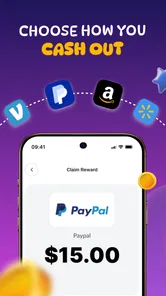
- Cash-out options can depend on region and availability
- Ads and promotional prompts may appear frequently
- Earnings are unlikely to replace a regular income











