DRIVE Electric for Tesla
- 92.00
- 3.6
- Installs
- 10.00K
- Price
- $12.99

Screenshots
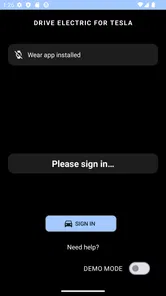
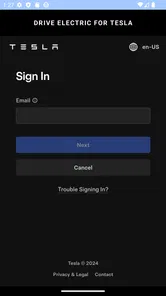
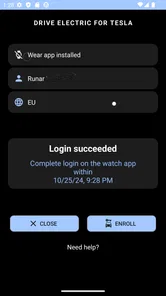
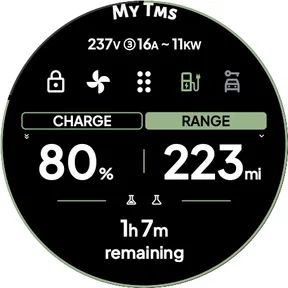
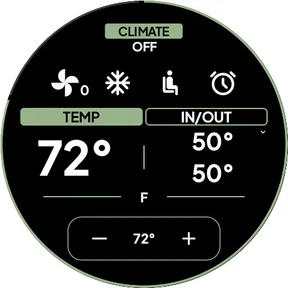
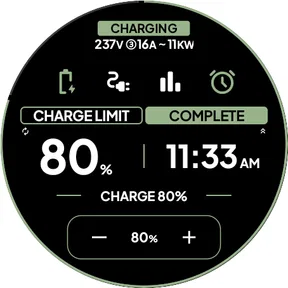
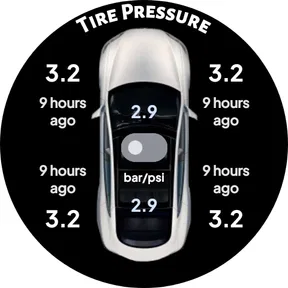
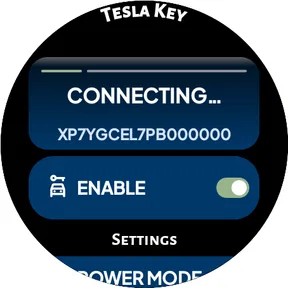
Analysis by Reviewed
I’d judge DRIVE Electric for Tesla less as a replacement for the usual way of managing a car and more as a possible shortcut for owners who want to reach Tesla controls from a Wear OS watch. That distinction matters: it is a lifestyle app by KlokkProjects, and its appeal depends on whether watch access fits your routine, not simply on whether you already own a Tesla.
What the price means in practice
This is a paid app at $12.99, so it is not a free first step into Tesla management. It also lists in-app purchases ranging from $1.99 to $9.99 per item. I would check the purchase details in the store before deciding, because the base price and optional purchases are separate costs; I would not assume that paying once includes every possible extra.
The app has a 3.7 average from around 200 ratings, with roughly 90 written reviews and over 5,000 installs. That gives a prospective buyer some public feedback to weigh, but it is not enough on its own to predict how well the app will fit a particular watch, phone, or Tesla setup. It is rated for Everyone and was released in November 2021, with Android 8.0 as its minimum OS requirement.
Getting to Know DRIVE Electric for Tesla
So, what exactly is DRIVE Electric for Tesla? At its core, it’s an app designed to enhance your Tesla ownership experience. It provides a suite of features that allow you to control various aspects of your car right from your smartphone. From checking your car’s status to controlling its functions remotely, this app has got you covered.
Features That Stand Out
One of the first things I noticed about this app is its sleek and intuitive design. Navigating through the features is a breeze, which is a big plus in my book. You can monitor battery levels, schedule charging, and even pre-condition your car’s climate before you head out. How cool is that?
Another nifty feature is the location tracking. Ever parked your Tesla in a massive parking lot and then forgot where you left it? We've all been there. With this app, you can locate your car with ease, saving you time and frustration. Plus, it gives you real-time alerts and notifications about your car’s status, ensuring that you’re always in the loop.
Where watch access can earn its keep
The useful question is whether a watch is a better place for these tasks than the phone you already carry. If your hands are full walking back to the car, a quick glance at battery status or an alert can be more convenient than pulling out your phone. On the other hand, for a task that needs careful checking, a phone screen is usually easier to read and navigate. I’d treat the watch as a handy companion, not automatically as the better control center.
More From Our News Desk

Weather by Xiaomi Review: Clear at a Glance, Less Clear Up Close

X Under Pressure: Can It Recover When Posting Goes Wrong?

Clash of Clans Is Won Between the Battles

Android Auto Makes the Case for Quieter Car Software

MobiOffice: Transforming Mobile Productivity with Seamless Integration

EA SPORTS FC™ Mobile Soccer: Redefining Mobile Sports Gaming
There is a practical setup trade-off, too. The app combines NFC, Bluetooth, and internet access to reach the car, so a watch workflow may depend on having the right connection available at the moment you need it. Before relying on it for a time-sensitive action, I’d test the routine at home and learn what works when the watch is connected differently than usual. That small trial can prevent a frustrating first attempt in a parking garage or on a rushed morning.
Why I Love It
What really sets this app apart is its reliability. It’s not just about the features, but how well they work. During my time with the app, I found it to be consistent and dependable. It didn’t crash or lag, which is something I greatly appreciate, especially when dealing with something as important as my car.
Moreover, the app integrates smoothly with the Tesla ecosystem, making the experience seamless and enjoyable. It’s like the developers truly understand what Tesla owners need and have tailored the app accordingly.
Value depends on your routine
Compared with relying on the phone app alone, the main reason to consider this option is the convenience of bringing Tesla access to Wear OS. If you rarely use a watch or are satisfied opening the phone app, the paid price may be hard to justify. If you often wear a compatible watch and value quick access while your phone stays in a pocket or bag, the added convenience may feel worthwhile. I would not buy it expecting a different car-ownership experience; I’d buy it only if the watch changes how easily I handle everyday checks.
A realistic use case is leaving work on a cold day: checking the car’s status and preparing for departure before you reach the parking area can make the transition smoother. For longer trips, I’d still use the phone for planning and keep the watch for quick checks or alerts. That division of labor is more sensible than expecting a small screen to replace every part of a phone-based workflow.
Who should think twice
This is a narrower choice than a general lifestyle app. It makes the most sense for a Tesla owner who already uses Wear OS and wants a watch-based route to the car. It is less compelling if you do not own a Tesla, do not wear a compatible watch, or prefer to keep vehicle controls on the phone. The app’s Everyone rating concerns its content suitability; it does not mean the app is useful to every driver.
I would also avoid treating any remote-control app as a substitute for checking the car directly when safety or certainty matters. Watch notifications can be convenient, but a small display is not ideal for investigating a complicated status or troubleshooting a connection. If something does not respond as expected, switching to the phone or the car’s own controls is the more practical next step.
Making the watch workflow dependable
I would start by choosing one low-stakes task that I already do often, rather than trying to move my whole Tesla routine onto the watch at once. A quick status check is a sensible first test: it shows whether the watch is within reach and whether the connection path is behaving normally, without making a departure depend on a new setup. Once that feels predictable, I’d try another task when I have time to fall back to the phone.
This order matters because NFC, Bluetooth, and internet are different parts of the access picture, not a promise that every command will work in every location. A watch that is paired and connected at home may behave differently when the phone is elsewhere or the network situation changes. I’d learn the boundaries during an ordinary day, then make a mental note of the fallback: use the phone for anything urgent or for a command that does not respond promptly.
Notifications are most helpful when they answer a simple question at a glance, such as whether I need to pay attention before walking to the car. They are less useful if I expect a tiny screen to explain a complex issue. I’d avoid letting an alert replace a deliberate check when the consequence matters; opening the phone app gives more room to inspect what is happening and decide what to do next.
How it compares with familiar alternatives
The obvious alternative is to use the phone for Tesla tasks and leave the watch out of the process. That approach is simpler if the phone is already in hand, and its larger display is a better fit for reviewing details or making choices carefully. The watch version is not automatically a better interface; its advantage is reducing the small friction of reaching for the phone during a brief check.
That makes the comparison less about the number of controls and more about where you are when you need them. A driver who checks the car while walking, carrying groceries, or keeping a phone tucked away may value the watch route more than someone who handles everything while seated at home. If your existing phone routine is already quick and comfortable, adding a watch app could mean paying for an option you rarely use.
There is also a useful distinction between convenience and redundancy. Having another way to reach car information can feel reassuring, but I would not plan around the watch as the only way to manage a time-sensitive situation. Devices can be out of range, disconnected, or awkward to operate at the wrong moment. The watch is best viewed as a shortcut when it works, with the phone remaining the more practical tool for careful checks and recovery.
Questions I would settle before paying
The first thing I would check is compatibility across the devices I intend to use. The minimum Android requirement is version 8.0, but that alone does not tell me how a particular watch and phone combination will feel in daily use. I’d confirm that my Wear OS watch is supported through the current store details and, if possible, test the basic connection before building a routine around it.
I would also inspect what the optional purchases cover before buying the app. The listed add-on range is separate from the initial charge, and the difference matters if a feature I specifically want is tied to an extra purchase. I would not treat the headline price as the full cost until I had checked the purchase screen and understood which functions are available at that level.
Another practical question is whether I need to keep the phone nearby for the watch workflow I care about. Since the app uses several connection methods, I’d test the exact situation that matters to me—such as leaving the phone in a bag or checking the car while walking outside—rather than assume the watch operates independently. That trial is more useful than guessing from the feature concept alone.
Finally, I’d ask myself how often I will use it. A dedicated watch shortcut can be worth paying for if it removes a repeated inconvenience, but a clever feature that gets used once in a while is harder to justify at a paid entry price. A short list of the moments when I genuinely reach for Tesla controls helps keep that decision grounded in my habits rather than novelty.
Wrapping It Up
In conclusion, if you own a Tesla, DRIVE Electric for Tesla is a must-have app. It simplifies the ownership experience and offers a host of features that make managing your vehicle easy and convenient. Whether you’re tech-savvy or not, you’ll find this app to be incredibly user-friendly and useful.
So, if you’re ready to take your Tesla ownership to the next level, give this app a try. Trust me, you won’t regret it. Happy driving!
My buy-or-skip take
My recommendation is more cautious than calling it essential: the app has a clear niche, but the upfront price means I’d first decide whether watch access will solve a recurring annoyance. If you already reach for your Wear OS watch throughout the day, that convenience could justify the cost; if not, the phone-based alternative is likely enough. KlokkProjects’ app is best considered a paid add-on for a specific habit, rather than a necessary purchase for every Tesla owner.
DRIVE Electric for Tesla Frequently Asked Questions
What devices can I use DRIVE Electric for Tesla on?
DRIVE Electric for Tesla is a Wear OS app intended for use from a compatible smartwatch. Its approach combines NFC, Bluetooth, and an internet connection to access a Tesla, so the experience depends on having a supported watch and the connections needed for those features. The app is listed in the Lifestyle category and is aimed at Tesla owners who want watch-based access.
How much does DRIVE Electric for Tesla cost, and are there in-app purchases?
DRIVE Electric for Tesla costs $12.99, and it also offers in-app purchases priced from $1.99 to $9.99 per item. Consider the upfront price and possible additional purchases before downloading, especially if you only need basic watch access. The app is rated for Everyone, making its content suitable for a general audience.
What features does the DRIVE Electric for Tesla app offer?
DRIVE Electric for Tesla provides a suite of features designed to enhance the Tesla driving experience. Users can monitor their vehicle's battery status, plan trips using the built-in range estimator, and access real-time charging station locations. Additionally, the app offers remote climate control, security alerts, and vehicle diagnostics, making it an indispensable tool for Tesla owners.
Is the DRIVE Electric for Tesla app compatible with all Tesla models?
Yes, the DRIVE Electric for Tesla app is designed to be compatible with all Tesla models. Whether you own a Model S, Model 3, Model X, or Model Y, you can utilize this app to manage and optimize your driving experience. The app is regularly updated to ensure compatibility with the latest Tesla software updates.
How does the trip planner feature work in the DRIVE Electric for Tesla app?
The trip planner feature in the DRIVE Electric for Tesla app allows users to map out their journey by considering various factors such as current battery level, charging station locations, and estimated energy consumption. This ensures efficient travel without range anxiety, as the app calculates the best routes and charging stops to optimize the trip.
Pros
- User-friendly interface
- Real-time charging status
- Customizable notifications
- Easy trip planning
- Comprehensive battery health
Cons
- Limited to Tesla vehicles
- Subscription required for premium features
- Occasional connectivity issues
- High data usage
- No offline features











