DeepSearch AI People Finder
- 20.00
- 4.3
- Installs
- 100.00K
- Price
- Free

Screenshots
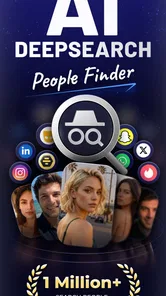
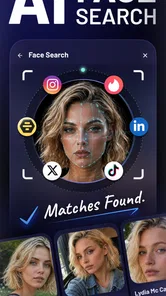

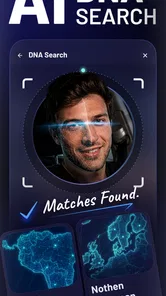
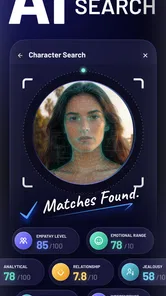
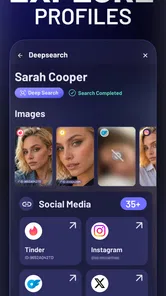
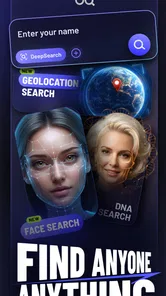
Analysis by Reviewed
Finding someone’s public social presence can be harder than it sounds. Names are shared, usernames change, and different platforms encourage people to present themselves in different ways. DeepSearch AI People Finder approaches that problem as a Lifestyle app from HYPE Software LLC, with a simple purpose: help you search for social media accounts from one place. I found the idea useful when I wanted to organize a search instead of jumping between individual networks, although the quality of the result depends heavily on how much identifying information you start with.
The app is free to install and is rated for Everyone, so it is approachable for casual users as well as people who regularly research public profiles. Its store presence shows a 4.3 average from around 2.6 thousand ratings, and it has passed the 100 thousand install mark. Those figures suggest that it has attracted a meaningful audience, but they should not be mistaken for a guarantee that every search will produce a match. People-finding tools are naturally sensitive to spelling, common names, inactive accounts, and the amount of public information attached to a person.
Getting from installation to a useful search
Before I judge whether the search itself earns a place in my routine, I’d first look at how clearly the app guides a new user from opening it to choosing a sensible query. That early step matters because a people-finder is only as useful as the clues you bring to it, and a little care at the start can prevent an overly broad search from turning into guesswork.
What I would expect before opening it
I would not treat DeepSearch AI as a private investigator or as a replacement for logging into a specific social network. The useful way to think about it is as a discovery layer for public social accounts. That distinction matters because it sets a realistic expectation: the app may help narrow a search, but it cannot turn a vague name into a certain identity every time.
For a first-time user, the best starting point is a person you already know something about. A full name combined with a city, profession, school, nickname, or other public clue is more practical than entering only a very common name. If you search for “Alex Smith” with no context, you may face too many possible matches. A less common surname or an additional detail gives the search a better chance of becoming meaningful.
I also recommend deciding why you are searching before you begin. Looking for a former colleague’s public account, checking whether a contact uses another platform, or reconnecting with an old friend are reasonable everyday scenarios. Searching out of curiosity without a way to verify identity is much less useful, because a similar name does not prove that a result belongs to the right person.
The first setup is intentionally uncomplicated
DeepSearch AI runs on Android devices using Android 7.0 or newer. That makes it accessible on many older phones, which is helpful if you do not use a recent device. The current version is 1.5, and the app’s straightforward purpose means I would approach the first launch with one goal: understand the search flow before spending time refining a query.
More From Our News Desk

Weather by Xiaomi Review: Clear at a Glance, Less Clear Up Close

X Under Pressure: Can It Recover When Posting Goes Wrong?

Clash of Clans Is Won Between the Battles

Android Auto Makes the Case for Quieter Car Software

MobiOffice: Transforming Mobile Productivity with Seamless Integration

EA SPORTS FC™ Mobile Soccer: Redefining Mobile Sports Gaming
Because the app is free to download, there is little commitment in trying it. However, free installation does not necessarily mean that every part of the experience is included without charge. In-app purchases range from $3.99 to $79.99 per item, so I would pay attention to any screen that explains what a purchase unlocks before confirming anything. This is especially important for a person who only needs one occasional search and may not benefit from a paid option.
My practical setup advice is to keep the first attempt small. Use one name and one supporting clue rather than entering every detail you know at once. That makes it easier to see which part of the query improves the result. It also reduces the risk of confusing the app with too much information when the real issue is simply a misspelled name or an outdated detail.
How I would aim for the first successful action
A meaningful first success is not necessarily finding a profile instantly. It is producing a result that you can sensibly compare with what you already know. I would begin with a person whose public identity has at least one distinctive element, then review the returned account information carefully rather than tapping the first familiar-looking name.
For example, imagine I am trying to reconnect with a former coworker named Maya Patel. I remember that she worked in design and lived in a particular area. I would start with her name, then use the location or professional clue if the initial search is too broad. If a result appears, I would compare the visible context with my memory: profile name, biography wording, location references, and other public signals. The app becomes useful here because it can reduce the number of places I need to check manually, while I remain responsible for deciding whether the account is actually hers.
That verification step is one of the most important habits with this type of tool. A matching name is only a lead. A photograph can also be misleading, especially when several people share similar names. I would avoid contacting someone until more than one public detail lines up, and I would never treat an uncertain result as proof of a person’s identity.
Another useful workflow is to search in stages. First, try the clearest version of the name. Next, add one distinctive clue. Then compare the strongest candidates with the social network or public page where you expect the person to be active. This staged approach is better than changing several details simultaneously because it tells you whether the search became more precise or simply different.
Where new users may become confused
The biggest source of confusion is likely to be the difference between discovering an account and confirming it. DeepSearch AI can be valuable for surfacing possibilities, but a result should not be read as an official identity confirmation. That is not a criticism unique to this app; it is a basic limitation of searching public social information. Names, photos, and biographies can overlap, and some people maintain accounts under aliases.
A second point is that a search may be affected by a person’s public visibility. If someone keeps profiles private, uses a different name, has little public information, or has stopped using an account, there may be little for a discovery tool to connect. In that situation, repeating the same search with tiny spelling changes may not help. I would instead try one relevant alternative, such as a known nickname or location, and then stop if the results remain unclear.
It is also easy to assume that a “deep” search should reveal everything connected to a person. I would resist that assumption. The app’s purpose is to find social media accounts, not to provide a complete biography or a definitive record of someone’s online life. Keeping the task narrow makes the results easier to judge and encourages more respectful use.
Cost can create another moment of uncertainty. Since the app is free to install but includes optional purchases, I would read the wording around any upgrade carefully. If the app presents a paid choice during a search, consider whether the result is genuinely important before proceeding. For a one-time attempt, the free experience may be enough; for repeated searches, the value depends on whether the extra capability saves meaningful time rather than simply encouraging more searches.
Three practical techniques that improve the experience
Use a verification note instead of relying on memory. When I search for someone after many years, I write down the clues I actually know before opening the app. This prevents a plausible result from reshaping my memory. I can then compare the account against the original clues instead of unconsciously accepting a profile because it feels familiar.
Separate discovery from contact. I would use the app to identify a possible public account, then move to the account itself to decide whether contact is appropriate. This two-step process avoids treating search output as an invitation to message someone. It is particularly useful when looking for former classmates, distant relatives, or professional contacts who may not expect unsolicited attention.
Search for a relationship, not just a name. A common name becomes more manageable when paired with the context in which you know the person. “Jordan Lee” is broad; “Jordan Lee, photographer, Portland” is a more purposeful starting point. The trade-off is that adding the wrong context can hide a correct result, so I would add clues one at a time and keep track of what changed.
These techniques also reveal when the app is not the right choice. If I already know the person’s exact username, going directly to the relevant social network is faster. If I need official identity verification, account ownership confirmation, or sensitive personal records, a social account finder is not an appropriate solution. DeepSearch AI makes most sense when the problem is scattered public profiles and the available information is incomplete but not entirely vague.
How it compares with ordinary alternatives
The usual alternative is to search each social network separately. That method can be more precise when I know where the person is active, and it gives me the platform’s own search tools and context. Its weakness is repetition: I have to remember different spellings, usernames, and search habits across several services. DeepSearch AI is more convenient at the discovery stage because it is designed around finding social accounts rather than making me repeat the same investigation manually.
General web search is another option. It can uncover public profile pages, but results may be mixed with unrelated websites, outdated pages, and people with similar names. A dedicated people-finder app feels more focused for this particular task, though I would still use normal web search as a second check when the identity matters.
Searching inside a contact list is better when I already have a phone number or email address and simply want to reconnect with someone I know. DeepSearch AI is aimed at a different gap: I have a name or a few public clues, but not a direct route to the person’s accounts. Choosing between these methods depends on what information I possess at the start, not on which tool sounds more powerful.
Who will get the most from it
I think DeepSearch AI is best suited to occasional users who want a central starting point for locating public social accounts. It may help people reconnect with old acquaintances, check whether a professional contact has a visible presence elsewhere, or organize a search that would otherwise involve several separate apps. The free entry point also makes it easy to test with a low-stakes search before deciding whether it belongs in your regular toolkit.
It is less suitable for users who expect guaranteed matches, complete background information, or certainty from a single name. It is also not ideal for someone who already knows the exact platform and username they need. In those cases, direct platform search is usually quicker and clearer. Privacy-conscious users should likewise use restraint: public availability does not remove the need to respect boundaries.
My next-step recommendation
I would begin with one person whose name is not extremely common and whose public details I can verify. Enter the simplest useful query, review the result without assuming it is correct, and then add one clue if the search is too broad. If a possible account appears, compare at least two pieces of public context before taking any action.
After that first test, decide whether the app genuinely saved time. If it brought together possibilities that would have taken several separate searches, it may be worth keeping for future reconnection tasks. If it produced mostly ambiguous results, I would switch to a direct platform search instead of repeatedly refining the same query or immediately paying for an upgrade.
Overall, I see DeepSearch AI People Finder as a focused convenience tool rather than a magic identity engine. HYPE Software LLC has positioned it in a useful space for people who need help locating social accounts, and its 4.3 average shows that many users find value in the approach. My recommendation is positive but measured: try it with realistic expectations, verify every promising result, and remember that the best search is the one that respects both accuracy and the other person’s privacy.
DeepSearch AI People Finder Frequently Asked Questions
What devices and operating systems can run DeepSearch AI People Finder?
DeepSearch AI People Finder is a mobile app for Android, and its listed minimum operating system is version 7.0. Before downloading, check your device’s Android version and available storage through your device settings. Keeping the operating system current can also help with app compatibility and security. The app is categorized as Lifestyle and is intended for a general audience.
Who develops DeepSearch AI People Finder, and how established is it?
DeepSearch AI People Finder is developed by HYPE Software LLC. It has more than 100,000 installs and an average rating of 4.3 from around 2,600 ratings, offering prospective users a sense of its reach and reception. Those figures are only a starting point: take time to read user reviews and decide whether the app’s purpose and approach suit your needs.
What is DeepSearch AI People Finder, and what can it do?
DeepSearch AI People Finder is designed to help users search for publicly available information connected to a person, such as possible social profiles, professional pages, public mentions, or other online references. In testing, its usefulness depends heavily on the quality of the information entered and the availability of public records. It should be viewed as a discovery tool, not as a guaranteed source of complete or verified personal information.
Is DeepSearch AI People Finder free to download and use?
The application is free to download, but some search features, advanced results, or repeated lookups can require in-app purchases. Listed purchases range from $3.99 to $79.99 per item, so check the pricing page and purchase terms before starting a search or confirming a transaction. Availability and costs can vary by country, device, and app-store version, so review the current details before entering payment information.
Is the information found through DeepSearch AI People Finder accurate?
Search results should be treated as leads rather than confirmed facts. Public information can be outdated, incomplete, duplicated, or associated with another person who has a similar name. The app cannot guarantee that every result belongs to the intended individual. Always compare important details with reliable, direct sources, and avoid making serious personal, employment, financial, or legal decisions based only on an automated search.
Pros
- Quickly searches public sources for names
- usernames
- and basic profiles.
- Simple interface makes searches accessible without advanced research skills.
- Can help organize scattered public information into one search experience.
- Useful for reconnecting with people using limited identifying details.
- May save time compared with checking multiple search engines manually.
Cons
- Results may be incomplete
- outdated
- or incorrectly matched to another person.
- Searching private individuals can raise privacy and ethical concerns.
- Some detailed information may require payment or an additional subscription.
- Accuracy can vary significantly by country
- name
- and available public records.
- Users should verify findings independently before making important decisions.











