DeepFind AI Search Agent
- 103.00
- 4.8
- Installs
- 10.00K
- Price
- Free

Screenshots


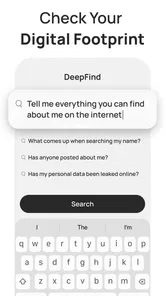





Analysis by Reviewed
I’d treat DeepFind as a search companion for moments when a quick list of links is not enough. Its name suggests an AI search agent, and the app’s focus is on helping people pursue fuller answers rather than simply collecting results. That can be useful at home, where one question often turns into several practical ones: what an unfamiliar term means, how two options differ, or what the household should check before making a decision.
My main advice is to approach it as a tool for exploring questions together, not as a shared household authority. It is a free lifestyle app from Orbit Intelligence, Inc., currently at version 1.0.3. Its store rating is 4.8 from around 1.7 thousand ratings, and it has over 10 thousand installs. Those figures offer some context, but they do not tell you whether an answer is right for your particular situation; that still takes judgment.
Using one search app around a shared household
When I think about using one search app around a household, the important question is less who gets to hold the phone and more how everyone handles the answer afterward. I’d use DeepFind to help turn a passing question into a clear next step, while keeping personal searches and final decisions in the hands of the person they concern. That boundary is especially worth considering before deciding how the app fits into everyday family use.
When a question comes up in the middle of the day
A realistic use for DeepFind is the small research task that appears while everyone is busy. Someone might ask what a word in a school message means, or a household member may want a plain-language starting point before comparing everyday options. Instead of switching among several conventional search results immediately, I would use an AI-oriented search app to frame the question and identify what needs checking next.
The value is not that a single answer settles the matter. It is that a conversational approach can make it easier to move from a broad question to a more useful one. If an answer raises a new point, ask about that point specifically. If the topic is important, take the claims that matter and verify them through a reliable source suited to the subject. This two-step habit is more dependable than treating a fluent response as proof.
For a shared device, the distinction between “helpful to discuss” and “safe to rely on” matters. A search about meal ideas or the meaning of a common phrase has different stakes from one involving health, money, legal obligations, or a child’s personal situation. I would use DeepFind to get oriented, then move to authoritative guidance when a mistake could have real consequences.
Keep each person’s questions and account boundaries clear
Household members may take turns using the same phone, but that does not make every search appropriate for a shared account or screen. Before anyone types a personal question, decide whose account is active and whether the device is visible to others. Avoid entering private details about another person simply to make a prompt sound more complete.
More From Our News Desk

Weather by Xiaomi Review: Clear at a Glance, Less Clear Up Close

X Under Pressure: Can It Recover When Posting Goes Wrong?

Clash of Clans Is Won Between the Battles

Android Auto Makes the Case for Quieter Car Software

MobiOffice: Transforming Mobile Productivity with Seamless Integration

EA SPORTS FC™ Mobile Soccer: Redefining Mobile Sports Gaming
This is especially useful when a family member asks for help with a sensitive topic. A general question can often be phrased without a name, address, school, or other identifying information. For example, someone can ask what a term usually means rather than describing a particular person’s circumstances. Keeping prompts general is a practical privacy boundary, regardless of which search tool is being used.
I would also avoid assuming that a shared device automatically provides separate histories, profiles, or household controls. Make decisions based on what you can actually see in the app and on the device, rather than expecting a family-management system. If separate account use is important, check the available account options directly before relying on the app as a shared family setup.
Coordinate the research, not just the screen
DeepFind is most useful for household coordination when one person turns a vague discussion into a clear research task. Instead of several people independently searching for “best option,” agree on what matters: cost, ease of use, ingredients, size, or another concrete requirement. Then ask a focused question and compare the answer with the household’s actual constraints.
One practical workflow is to use the app to generate a starting explanation, write down the two or three points that affect the decision, and have another household member check those points independently. This is not a special app feature; it is a way of reducing the chance that one persuasive answer ends the discussion too early. It also makes disagreements more productive: people can compare evidence and priorities rather than argue over a vague impression.
For planning, keep the final decision somewhere everyone can access, such as a shared note or calendar, if that is how your household already coordinates. Do not assume a search conversation itself will function as a family task list or a durable shared record. DeepFind’s role is to help investigate a question; your existing household tools remain better suited to reminders, assignments, and agreed plans.
Age context and trust deserve extra care
The app is rated Everyone, which makes its age classification broadly accessible. That does not mean every answer is appropriate for every age or that a child should use an AI search app without guidance. Younger users may have trouble spotting uncertainty, distinguishing explanation from evidence, or knowing when a question needs an adult’s help.
If a child uses a shared device, I would sit nearby for searches about health, safety, relationships, or personal information. Encourage them to ask in general terms, to say when an answer seems confusing, and to bring important questions to a trusted adult. For ordinary curiosity, a parent can turn the response into a discussion: what does it explain clearly, and what would we want to verify?
The same caution applies to adults. A polished answer can sound settled even when the real issue depends on location, timing, or personal circumstances. I would treat DeepFind as a way to clarify what to investigate, not as a substitute for professional advice or a primary source. That distinction is especially important when a household is making a decision on behalf of someone who did not perform the search.
Where it fits beside regular search
Compared with a conventional search engine, an AI search agent is appealing when you want an explanation or a follow-up path rather than a page of links to sort through. That can reduce the effort of getting oriented. The trade-off is that a synthesized response may hide the differences among sources or leave you with less direct evidence than opening original pages yourself.
I would choose ordinary web search when I need to inspect source documents, compare current information from several providers, or confirm a specific policy. I would choose DeepFind when I am still figuring out what to ask, want a topic explained in everyday language, or need a starting point for a family conversation. For research that affects a consequential decision, using both approaches is sensible: let the app help frame the issue, then verify the important details independently.
The app is free to download, with in-app purchases ranging from $9.99 to $39.99 per item. That makes it worth checking what is included before building a routine around it, especially if different household members may use it. I would not assume that every capability is free simply because installation is free; review the purchase prompts and decide whether any paid option fits your needs before confirming it.
Early version, useful starting point, and sensible limits
DeepFind is at version 1.0.3, so I would approach it as a relatively early app rather than a mature household system. That does not by itself make it unsuitable, but it does make it wise to test the everyday workflow before depending on it. Try a few low-stakes questions, see whether the answers help you refine your search, and notice whether the app suits the way your household shares devices.
It runs on Android with a minimum OS version of 7.0. That provides a clear compatibility point for older devices, though each household should still check the store page on the specific phone or tablet it plans to use. If a device is shared, also consider practical basics such as who can unlock it and whether searches may be visible to the next person.
People who want a structured family organizer, a dedicated parental-control product, or a guaranteed source for high-stakes advice should look elsewhere for those specific needs. DeepFind is a search-oriented lifestyle app, not a replacement for household coordination tools or expert help. It is also a weaker fit for someone who prefers to inspect original sources from the first step rather than read a synthesized explanation.
My household verdict
I would recommend DeepFind to a household that wants a low-friction way to explore everyday questions and is comfortable checking important claims before acting on them. Its strongest role is as a shared starting point: one person can clarify a question, another can help evaluate the answer, and the family can decide what deserves a more authoritative source.
I would be more cautious about using one account as an informal family archive or handing the app to a child for unsupervised sensitive searches. Keep personal prompts minimal, be clear about who is using the device, and use separate household tools for decisions and reminders. With those boundaries, DeepFind can make casual research more conversational without asking the family to mistake convenience for certainty.
A small workflow that makes shared research more useful
When a household question has several parts, I would resist typing everything into one long prompt. Start with the immediate uncertainty, then follow up on the answer’s most relevant point. This keeps the conversation easier to assess and helps expose which part of the decision is still unsettled. If the response combines several claims, note each claim separately before checking it; that makes it less likely that one plausible detail lends undeserved credibility to the rest.
For a purchase discussion, for example, first agree on the household’s non-negotiables, then use the app to clarify unfamiliar terms or identify comparison criteria. Do not let a broad recommendation replace checking the exact product details or current terms from the seller. That division of labor is where an AI-style search tool can save effort without taking over the decision.
Who will appreciate it, and who may not
I can see DeepFind suiting adults who often need a quick explanation before deciding where to research further, and households that enjoy talking through everyday questions together. It is particularly useful when the first challenge is wording the question, not gathering a definitive record. Someone who likes conversational exploration may find that less tiring than opening a succession of search results just to learn the basic vocabulary.
It is less compelling for a person who already knows the exact source they need, such as an official policy page or original document. In that situation, a direct web search is usually more transparent and gives the reader control over what evidence to inspect. It is also not the right choice for families looking for built-in coordination, child-safety management, or a permanent shared knowledge base; those needs call for tools designed around those jobs.
Before making it part of a household routine, I would try it with a few ordinary questions and see whether its answers actually reduce the next step. If you repeatedly need to leave the app to confirm the basics, that may be a sign that a conventional search suits your habits better. If it helps turn an unclear question into a focused check, it has earned a modest place in the household toolkit.
DeepFind AI Search Agent Frequently Asked Questions
What is DeepFind AI Search Agent, and what can it do?
DeepFind AI Search Agent is an AI-powered search tool intended to help users explore questions and find information through conversational prompts. Rather than relying only on a list of links, an AI search app may summarize results or organize information into a more direct response. Its exact features can vary by version, so check the app listing and in-app descriptions to confirm which search, answer, and research tools are currently available.
Is DeepFind AI Search Agent free to download and use?
The download may be free, but that does not necessarily mean every feature is available without charge. AI apps can place limits on questions or offer subscriptions, paid plans, or in-app purchases for additional usage. Before signing up or starting a trial, review the store listing and the app’s pricing screen carefully, including renewal terms and cancellation instructions, so you know what continued use may cost.
Are the answers from DeepFind AI Search Agent always accurate?
No AI search tool should be treated as a guaranteed source of truth. Generated answers can misunderstand a question, omit context, or present outdated or incorrect details, even when they sound confident. For health, legal, financial, or other consequential decisions, verify important claims with reliable primary sources or a qualified professional. When the app provides citations or source links, open them and check that they actually support the answer.
What privacy information should I check before using DeepFind AI Search Agent?
Before entering personal or sensitive information, read the app’s privacy policy and the relevant data disclosures on its store page. Check what information may be collected, how prompts or search activity are handled, whether data is shared with service providers, and what controls are available for deletion or account management. Avoid submitting passwords, payment details, private documents, or confidential information unless you understand how the service processes it.
Is DeepFind AI Search Agent available for my device, and what should I check before downloading?
Availability and compatibility can depend on your country, device, operating-system version, and the app’s current release. Use the official Google Play or Apple App Store listing to confirm that the publisher, supported platform, age rating, and minimum requirements match your needs. It is also sensible to review recent user feedback, requested permissions, subscription details, and update history before installing, since features and terms can change over time.
Pros
- Combines results from multiple sources for broader coverage.
- Can help uncover niche information with targeted searches.
- Useful for research that involves several related questions.
- AI summaries can make lengthy search results easier to scan.
- Supports a conversational approach to exploring a topic.
Cons
- AI-generated answers may contain errors or outdated details.
- Important claims may still require checking against original sources.
- Search quality can vary depending on the topic and available sources.
- Some features may require an account or paid access.
- Processing complex queries may take longer than a standard web search.











