

Conversations (Jabber / XMPP)
- 174.00
- 4.1
- Installs
- 100.00K
- Price
- $7.99

Screenshots







Analysis by Reviewed
I tend to judge a messaging app by what it lets me choose, not by bold promises about privacy. Conversations is an Android communication app built around XMPP, a messaging system that can connect people through different services rather than keeping every conversation inside one company’s platform. That flexibility is appealing, but it also means the experience depends partly on the account and server you use. For me, it makes more sense as a deliberate alternative to mainstream chat than as a universal replacement for every contact I have.
Trust starts with the account you choose
XMPP’s federated approach changes the basic trust question: instead of assuming there is one central service behind every chat, you need to pay attention to the provider hosting your account and the people you communicate with. That can give you more choice, but it is not a privacy guarantee by itself. I would treat the account provider, the recipient’s setup, and the protection used for each conversation as separate things to understand.
That distinction matters in ordinary use. A chat can feel private without every part of its journey being protected in the same way. Before moving sensitive conversations over, I’d check what my chosen service says about its account and data practices, then make sure the people I need to reach can use compatible XMPP accounts.
What the federated model means in practice
With a conventional messenger, the first decision is often simply whether your contacts already use it. XMPP adds another decision: which account provider to use. That choice can be useful if you want to avoid tying every conversation to a single company, but it asks you to think about the service behind your address. I would choose a provider as carefully as I choose the app, because installing a client does not make every server’s practices identical.
There is also a practical trade-off in how you build your contact list. People using different XMPP services may still be able to communicate, but someone who only has an account on a closed messaging network will not become reachable just because you installed this app. I would keep a familiar channel available while inviting the people who are interested to try XMPP, rather than making a sudden switch and discovering that an important contact cannot follow.
Visible choices are more useful than assumptions
I find it helpful to separate three questions before sending anything sensitive: who operates my account, whether the recipient’s client supports the same protection, and what details might appear in notifications or shared spaces. That is a more reliable habit than treating a privacy-oriented protocol as a blanket answer. It also gives a new user something concrete to check before moving personal conversations into a different setup.
For example, if I am discussing a personal matter, I would first confirm that the other person is actually using a compatible XMPP client and that the conversation has the intended protection. If that cannot be established, I would keep the sensitive details out of the chat and use a channel both people understand. That may sound cautious, but it prevents an easy mistake: confusing the capabilities of an app with the choices made by everyone involved.
More From Our News Desk

 Gmail
GmailGmail in a Busy Inbox: Who Benefits Most?
From first account to crowded workday, Gmail earns its place through dependable search and flexible sorting—but its best fit depends on how much inbox maintenance you can tolerate.

 Prime Video
Switching to Prime Video: What Changes in Your Viewing Routine
Prime Video can make a compelling second home for streaming, but switching means learning a different catalog, rental layer, and route from browsing to playback.

 Universal TV Remote Control
Universal TV Remote Control Works Best as a Reliable Backup
A phone remote earns its place through quick setup and reliable habits. Here is how to get more from Universal TV Remote Control—and where its limits show.

 Weather - By Xiaomi
Weather by Xiaomi Review: Clear at a Glance, Less Clear Up Close
Xiaomi’s weather app makes everyday forecasts quick to scan, but its calm surface can leave useful details and recovery paths harder to find than they should be.

 X
XX Under Pressure: Can It Recover When Posting Goes Wrong?
A resilience-focused review of X, examining setup, mistaken posts, interruptions, weak connections, and the gaps that matter when recovery needs to be dependable.

 Clash of Clans
Clash of Clans Is Won Between the Battles
Its raids are quick; its community is a long-term project of coordination, teaching, rivalry, and shared responsibility—with all the friction that entails.
Latest News



Why Choose Conversations?
First things first, why even consider Conversations? Well, if you're someone who values privacy and flexibility in your messaging apps, you're in for a treat. This app utilizes the XMPP protocol, which is known for being decentralized and secure. It's like having your own private chat room where you call the shots.
User Interface and Experience
Now, let's talk about the user interface. The first thing you'll notice is its simplicity. No flashy animations or overwhelming menus here. It's all about getting the job done with minimal fuss. I found the layout intuitive, making it easy to navigate even for a newbie. The app supports multiple accounts, which is a bonus for those of us juggling personal and work identities.
Multiple accounts are especially useful when I want to keep a community or project identity apart from personal chats. I’d label or otherwise keep those accounts straight in my routine, because sending a message from the wrong identity is an easy mistake when switching between contexts. This setup is more useful for people who already have a reason to maintain separate XMPP accounts than for someone hoping the app will automatically combine every messaging service they use.
A routine that benefits from separation
That separation can help with more than work and personal boundaries. I can imagine keeping a local club account distinct from a family account, so a burst of event messages does not get mixed into conversations with relatives. The useful habit is to pause before replying when I have several identities available: check which account is active, then check the recipient. That small bit of attention is the price of flexibility, and it matters most when a message contains something private or is going to a group.
For a newcomer, I would start with one account and a short list of people rather than trying to reorganize every chat at once. Once the routine feels clear, adding another identity becomes easier to manage. This is not the kind of app that automatically gathers unrelated networks into one inbox; its strength is handling XMPP accounts, not erasing the boundaries between different services.
Features That Stand Out
One of the standout features is the ability to use OMEMO encryption, ensuring your messages stay between you and the recipient. Plus, it supports a plethora of file types, so whether you're sharing a photo, a voice message, or even a document, Conversations has got you covered.
For anything sensitive, I would treat encryption as a conversation-level choice to verify rather than assume from the app name or the protocol alone. It is sensible to confirm that the other person’s client supports the same protection before sending private material. For a routine group or a work thread, I’d also think about who can see the content and whether a file is appropriate to share there; convenient attachment handling does not replace that quick check.
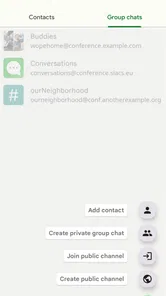
Another cool feature is the integration of group chats. Whether you're planning a surprise party or coordinating with your team, the app makes it easy to keep everyone in the loop. Plus, the notification system is on point, ensuring you never miss a beat.
Thinking through a file before sharing it
Attachments make a chat more useful, but they also create a moment where I slow down. Before sending a document to a group, I would check that the group is the intended audience and that the file itself does not contain details meant for someone else. For a photo, I would consider whether everyone in the chat should receive it, rather than treating the ease of attaching it as a reason to share automatically.
This is especially relevant when a conversation has a practical purpose, such as coordinating a volunteer task or passing around a project document. The app can make the exchange convenient, but the responsibility to choose the right recipient remains with me. I see that as a sensible trade-off for a flexible messenger, not a reason to avoid its file-sharing tools.
Customization and Personalization
For those who like to tweak their apps to perfection, Conversations offers plenty of customization options. You can choose your favorite themes, adjust notification settings, and even play around with different chat styles. It’s all about making the app truly yours.
Notifications are one of the most practical places to exercise that control. If a message preview could reveal something on a shared screen, I’d review the notification choices and decide how much detail I want visible. Likewise, a separate alert style for a busy group can make it easier to notice a direct message without turning every conversation into a constant interruption.
Everyday fit and trade-offs
A realistic use for me would be a small volunteer group coordinating a weekend event: I could use one account for that community, keep family conversations on another, share a document in the group, and adjust alerts so the planning chat does not dominate the day. That workflow makes the multiple-account and group-chat strengths concrete. The trade-off is that everyone involved needs a workable XMPP setup; if most friends are already settled in a mainstream messenger, persuading them to switch may be harder than installing the app.
Compared with familiar all-in-one messengers, Conversations gives more weight to protocol choice and account flexibility, while the mainstream option is usually easier when nearly everyone you know is already there. I’d recommend this app to people who value that choice, can manage their own account decisions, or belong to an XMPP-using community. If you mainly want effortless onboarding, a huge existing contact network, or one place that gathers all your chats, another app may suit you better.
Who will find the setup worthwhile?
I think it fits best when there is already a reason to use XMPP: a group that has chosen it, a community that values federated accounts, or friends willing to set up compatible clients together. In those situations, the initial learning curve has a purpose, and the app’s account flexibility becomes useful instead of theoretical. It is also a reasonable option for someone who prefers to make deliberate decisions about providers and conversation protection rather than accept one company’s defaults.
I would hesitate to recommend it to someone who needs to reach a broad mix of contacts immediately, especially if those people are unwilling to install another messenger or create an account. The same goes for anyone who wants a single app to bridge unrelated chat networks without having to think about providers, compatibility, or identity. A mainstream service is often the kinder choice for a family or workplace that already uses one, even if it offers less freedom over the underlying setup.
Practical details before you commit
Daniel Gultsch develops Conversations, and its Android release began on March 24, 2014. The current version is 2.19.5+playstore, and it requires Android 6.0 or later. It is rated for Everyone, has a 4.1 average from around 2.5 thousand ratings, and has passed 100 thousand installs. The app costs $7.99, so I’d first decide whether its XMPP approach fits my contacts and habits rather than paying simply because its privacy focus sounds appealing.
That price also makes a small trial plan sensible: identify one person or group already using XMPP, test the account setup and notifications with ordinary conversation, then decide whether it earns a place in your daily routine. I would not make it my only way to reach people until I know the relevant contacts are reachable and the service I choose works for me. For a user who likes to understand the tools behind their messages, that extra setup can feel worthwhile; for someone who wants every decision handled automatically, it may feel like needless friction.
Questions worth settling during a trial
A short test can answer the questions that matter more than a feature checklist. Can I create or use an account with a provider I trust? Can the people I need to reach connect from their own XMPP clients? Do notifications behave in a way that suits my day, and can I tell which identity I am using? I would try these basics with ordinary messages first, then decide whether the setup is comfortable enough for more important conversations.
I would also ask whether my preferred contacts are willing to use it, not just whether I personally like the interface. A messaging app is only useful when the other side can meet me there. If the answer is no, it may still work well for a particular community while another messenger remains necessary for everyday reach. That is not a failure of Conversations; it is the practical consequence of choosing a protocol-based tool instead of a closed network everyone may already have installed.
Performance and Reliability
In terms of performance, I haven’t encountered any major hiccups. The app runs smoothly, even on older devices, which is a major plus. The developers have done a great job ensuring that the app is both lightweight and powerful.
So, there you have it, folks! If you're on the hunt for a messaging app that's secure, customizable, and just a bit different from the norm, give Conversations (Jabber/XMPP) a try. It's a refreshing change from the mainstream options, and who knows, you might just find it to be the perfect fit for your messaging needs.
Conversations (Jabber / XMPP) Frequently Asked Questions
Does Conversations require an XMPP account, and can I choose my own server?
Yes. Conversations is an XMPP client, so you use it with an account on an XMPP server rather than as a standalone messaging network. You can choose a server that suits your needs, or use an account you already have. The server is part of the wider federated system, so your contacts do not necessarily need to use the same provider as you.
What is Conversations (Jabber/XMPP) and how does it work?
Conversations is an open-source instant messaging app based on the Jabber/XMPP protocol. It allows users to communicate in real-time with friends and colleagues over the internet. Unlike other messaging apps, Conversations focuses on privacy, offering end-to-end encryption for secure communication. It supports text, voice, and video messaging, ensuring a versatile communication experience.
Is Conversations (Jabber/XMPP) a secure messaging app?
Yes, Conversations is designed with security as a priority. It offers end-to-end encryption using OMEMO and OpenPGP, ensuring that your messages can only be read by the intended recipient. Additionally, the app supports encrypted voice and video calls, making it a reliable choice for privacy-conscious users. However, the security also depends on server configurations, so choosing a trusted server is crucial.
Can I use Conversations (Jabber/XMPP) on multiple devices?
Indeed, Conversations supports multi-device usage. It allows users to log into their XMPP account on various devices simultaneously. This feature ensures users can access their messages and continue conversations seamlessly across different platforms. However, setting up encryption on multiple devices requires additional steps to ensure all of them are correctly synced and secured.
Are there any costs associated with using Conversations (Jabber/XMPP)?
Conversations itself is a paid app, priced at $7.99, rather than a free download. You may also incur costs depending on the XMPP server you choose. While many XMPP servers are free, some may charge for premium features or additional storage space. It’s advisable to check the terms of your selected server to avoid unexpected charges.
Pros
- Easy to set up and use.
- Supports end-to-end encryption.
- Wide range of compatible clients.
- Open-source and free.
- Highly customizable.
Cons
- Limited multimedia sharing.
- UI can feel outdated.
- Requires server setup.
- Not ideal for large groups.
- Fewer users compared to mainstream apps.











