Cheogram (Jabber, Call, Text)
- 5.00
- 2.5
- Installs
- 1.00K
- Price
- $4.99

Screenshots



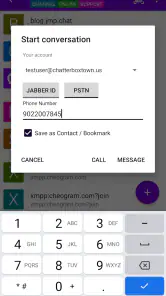
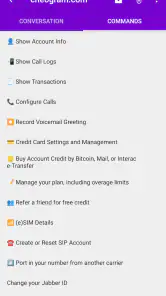

Analysis by Reviewed
Alright, so let me take you through my latest dive into the world of communication apps with a little gem called Cheogram. This app is your one-stop-shop for all things communication, seamlessly blending Jabber, calls, and texting into one neat package. If you're like me and juggling too many apps just to stay in the loop, you might find this little number a breath of fresh air.
Unpacking Cheogram's Versatility
First off, let me just say that Cheogram truly caters to the modern-day communication conundrum. You know, when your friend is on one app, your boss on another, and you're stuck hopping between them like some digital frog? Yeah, not fun. But with Cheogram, you can connect using Jabber, make calls, and text all from one place. It's like having a Swiss army knife for your social and professional life.
The Interface: Smooth Sailing
Now, onto the interface. I’m all about apps that don’t make me feel like I’m trying to solve a Rubik’s cube. Cheogram’s interface is clean, intuitive, and doesn't bombard you with unnecessary fluff. Just open it up, and you’re good to go. The design is minimalistic yet functional, making it easy even for the tech-challenged among us to navigate without a hitch.
Features That Pack a Punch
Let’s talk features because Cheogram doesn’t skimp out. You can integrate your existing Jabber accounts, which is perfect if you're already in that ecosystem. The call quality is crystal clear, something that’s a real game-changer if you’re tired of those frustrating "Can you hear me now?" moments. Plus, the texting feature is seamless, allowing you to send messages effortlessly. It's like having one less thing to worry about in your busy day.
Security: Because Privacy Matters
In today's world, where privacy is a hot topic, Cheogram takes it seriously. The app employs end-to-end encryption, which means your conversations are for your eyes (and ears) only. This is a huge plus if you’re conscious about keeping your communications secure from prying eyes.
All in all, Cheogram is like that reliable friend who always shows up, no matter what. It’s dependable, straightforward, and doesn’t complicate things. Whether you're coordinating with colleagues or just chatting with friends, it covers all bases without making you break a sweat. If you're looking to simplify your digital communication without sacrificing functionality, this app might just become your new best friend. Give it a whirl; I’m pretty sure you’ll be as pleasantly surprised as I was!
Pros
- Supports multiple messaging protocols.
- Open-source with active community support.
- Lightweight design for fast performance.
- Easy integration with other apps.
- Secure with end-to-end encryption.
Cons
- Limited advanced customization options.
- Less user-friendly than mainstream apps.
- Occasional connectivity issues.
- Limited media sharing capabilities.
- Lack of official customer support.

- Category
- Communication
- Version
- 2.19.0-3+playstore











