ChatWink:Live Dance Video Chat
- 3.00
- 1.4
- Installs
- 10.00K
- Price
- Free

Screenshots
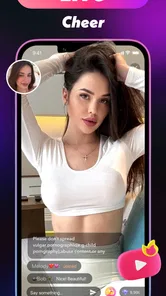
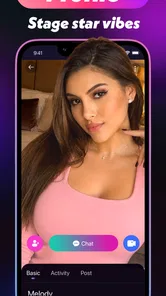
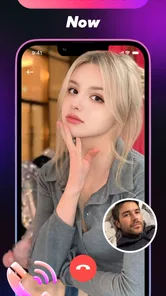
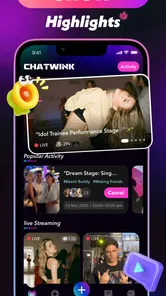
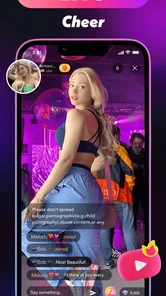
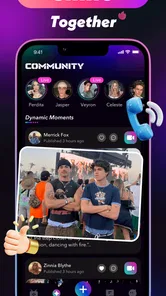
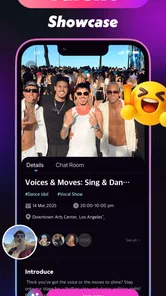
Analysis by Reviewed
I came to ChatWink: Live Dance Video Chat expecting a lightweight way to move from watching or preparing a performance into a live social moment. Its store summary points toward dancing, singing, and going live, while the short description simply presents it as ChatWink. That makes the app feel more like a meeting place for performance-focused conversations than a conventional music player or a private practice tool. My experience was most useful when I treated it as a spontaneous social activity rather than as a polished broadcasting studio.
The app sits in the lifestyle space and is developed by Lemarino. It is free to install, although purchases inside the app range from $0.99 to $99.99 per item. That combination matters: you can explore the basic experience without paying at the door, but you should still approach any optional purchase carefully and avoid assuming that every social or entertainment feature is included at no cost.
From a spare moment to a live performance
I find the most useful way to approach this app is to treat a live session as a small, planned activity rather than an open-ended performance. A quick check of the room, a simple opening idea, and a clear stopping point can make it easier to enjoy the social side without feeling obliged to keep entertaining. That practical setup leads naturally to the question of how much preparation the experience really needs.
Starting with the right expectation
The best starting condition for ChatWink is a user who wants interaction, not a highly controlled production. If I have a few minutes, feel comfortable appearing or performing informally, and want to see whether a live conversation develops, the app has a clear appeal. It gives the idea of dancing, singing, and going live a single destination instead of making me switch between a video platform, a separate chat service, and a music app.
That focus also defines its limits. I would not choose it as my main tool for recording a carefully edited dance video, building a serious singing portfolio, or managing a structured online event. Those jobs usually benefit from dedicated camera controls, editing tools, audience management, or more predictable publishing workflows. ChatWink makes more sense when the outcome I want is a live encounter rather than a finished media file.
The audience should also be considered before starting. The content rating is Teen, so younger users and families should treat the app as a social environment that deserves ordinary online-safety awareness. I would avoid sharing personal contact details, home information, school details, or anything that makes it easy for an unfamiliar person to identify where I am. The relaxed tone of a live performance can make people disclose more than they intended.
The first handoff: entering the social space
My first practical advice is to prepare the performance before opening the live part. Decide whether the goal is a short dance, a song, a conversation around music, or simply meeting people who enjoy those activities. This small decision prevents the common problem of starting a live session with no direction. Even a simple plan, such as one song followed by a short chat, gives the interaction a natural beginning and ending.
More From Our News Desk

Weather by Xiaomi Review: Clear at a Glance, Less Clear Up Close

X Under Pressure: Can It Recover When Posting Goes Wrong?

Clash of Clans Is Won Between the Battles

Android Auto Makes the Case for Quieter Car Software

MobiOffice: Transforming Mobile Productivity with Seamless Integration

EA SPORTS FC™ Mobile Soccer: Redefining Mobile Sports Gaming
I would also check the surroundings. A stable place to stand, reasonable lighting, and a background that does not reveal private information make a bigger difference than trying to imitate a professional studio. For singing, reducing nearby noise is especially helpful. For dancing, leaving enough room to move is more important than adding visual decoration. These choices happen before the app can help, so they are part of the real workflow.
There is a useful trade-off here. A completely spontaneous session may feel more genuine, but it can also become awkward if nobody knows what to do next. A rehearsed routine can look more confident, yet too much preparation may make a social exchange feel stiff. I found the middle ground more practical: prepare the opening, keep the main activity short, and leave space for conversation.
Moving from intention to action
Once the session begins, I would treat the first moments as a handoff from private preparation to public interaction. The aim is not to perform at maximum intensity immediately. A brief greeting and a clear indication of what I am about to do help viewers understand whether they are watching a dance, listening to a song, or joining a casual conversation. That clarity is valuable because live social apps often depend on quick decisions from people who have just arrived.
For a dance session, a compact routine is easier to follow than an extended sequence with no pause. For singing, choosing a song I already know well reduces the risk of spending the live session searching for the right mood. If the purpose is conversation, having a subject ready—favorite performers, practice habits, or the difference between dancing for fun and dancing for an audience—gives strangers an easy way to participate.
One non-obvious advantage of this approach is that it changes how I judge success. I do not need a large audience or a flawless performance for the session to be worthwhile. A useful result might be one enjoyable exchange, a new idea for a routine, or simply discovering that live singing is not as comfortable as expected. That makes the app easier to evaluate honestly instead of measuring it only by attention.
Handling the handoffs between performance and conversation
The most important part of the experience is the transition between activities. A dance can attract attention, but conversation is what turns a brief visit into a social interaction. I would use a natural pause after a routine to acknowledge the people who joined and invite a simple response. After singing, asking what kind of music others enjoy can prevent the session from ending abruptly.
This handoff is also where friction appears. Live interaction requires the performer to divide attention between movement, sound, the screen, and incoming responses. A person who is concentrating on choreography may miss a message, while someone focused on chat may lose the rhythm of the performance. I found that shorter segments work better than trying to dance, sing, and respond continuously at the same time.
A helpful workflow is to alternate rather than combine everything. I would perform one small piece, pause to interact, then decide whether another piece makes sense. This keeps the session understandable and gives newcomers a chance to join without feeling that they arrived in the middle of an endless performance. It also reduces pressure on anyone who is still learning how comfortable they are with live video.
For users who want to collaborate with friends or other performers, the key question is not only whether the handoff is technically possible, but whether the people involved have agreed on roles. One person can lead the performance while another keeps the conversation moving, but that arrangement needs a clear plan. Without one, the result can become noisy or confusing. I would establish who starts, who responds, and when the session ends before inviting someone else into the activity.
What the outcome feels like
When the workflow goes well, ChatWink delivers a more immediate result than a normal recording app. I finish with the feeling that I shared an activity with other people rather than merely created a file for later viewing. That immediacy is the strongest reason to try it. Someone who enjoys the energy of live reactions may find the experience more motivating than practicing alone.
The app can also be useful for low-pressure experimentation. I might test a short dance idea, sing informally, or see whether talking about performance feels natural before committing to a larger project. This is a practical use case that a simple “go live” label does not fully explain: the app can serve as a social rehearsal space, provided I accept that the rehearsal is happening in front of other people.
At the same time, the result is not automatically polished. Live video exposes hesitation, uneven delivery, background distractions, and moments when conversation slows down. That is not a flaw unique to this app, but it does mean I would not judge the experience by the standards of edited short-form video. If the goal is a clean final product, a dedicated recording and editing workflow remains the better choice.
The app has reached over ten thousand installs, but its average rating is 1.4 from around thirty ratings, with only a small number of written reviews. I would read that public response as a reason to proceed cautiously rather than as a complete verdict. A low average can reflect serious dissatisfaction, but a limited written sample does not explain every cause. In practical terms, I would try the free experience first, observe how well it fits my routine, and avoid spending money until I understand the value of any optional item.
Where the flow breaks
The first likely break is a mismatch between expectation and purpose. Someone opening ChatWink for advanced editing, professional livestream production, or a large established audience may feel that the app is too narrow. Its identity is built around live social performance, so it is not a replacement for every tool associated with dance, singing, or video creation.
The second break is social uncertainty. A live room can feel empty, unpredictable, or difficult to steer. That is not solved simply by having a camera and a performance idea. I would make the experience more reliable by starting with a specific activity, keeping the first session short, and inviting a trusted friend only when I already understand the flow. This reduces the pressure of trying to entertain unknown viewers from the first second.
The third break is spending friction. Because the app is free but includes individual purchases from $0.99 to $99.99, I would not treat every visible enhancement or social option as essential. The safest workflow is to explore first, identify what actually improves the experience, and then decide whether that improvement justifies the cost. Anyone managing a family device should also make sure purchases cannot happen accidentally.
Another point is device compatibility. The current version is 1.0.5 and the app runs on Android 7.0 or later. That gives it a broad technical starting point for many Android users, but an older compatible operating system does not guarantee that every phone will feel equally comfortable during live video. Screen size, camera quality, microphone performance, and general device condition still shape the experience. I would test a short session before planning a longer one.
The release date is Apr 2, 2026, so I would also approach the product as something that may still be finding its rhythm. That is not automatically negative; newer apps can feel focused and uncluttered. It does mean I would be patient with a smaller community or an experience that has not yet developed the depth of more established social platforms. If I need dependable reach today, a mature alternative may be more practical.
Who should try it, and who should skip it
I would recommend ChatWink to a socially comfortable user who likes dancing or singing and wants the motivation of live interaction. It is particularly suitable for someone who values immediacy over editing, enjoys meeting people around a shared activity, and is willing to keep sessions informal. It can also suit a curious beginner who wants to discover whether performing live feels enjoyable before investing in more elaborate equipment or software.
I would skip it if privacy is a major concern, if I dislike appearing spontaneously on camera, or if I need a predictable audience and professional presentation. I would also choose another category of app for private vocal practice, detailed choreography analysis, or edited performance clips. A recording app is better for reviewing technique. A conventional video platform is usually better for building a searchable public library. A private messaging service is better for controlled conversations with people I already know.
My final view is cautious but fair. ChatWink is most convincing when used as a short, intentional bridge from personal preparation to live social performance. It offers a focused idea around dance, singing, and going live, but that focus does not remove the normal challenges of live video: attention management, audience uncertainty, privacy concerns, and optional spending. I would install it for a low-risk trial, prepare one simple activity, and judge it by the quality of the interaction rather than by the promise of instant popularity.
For me, the deciding question is straightforward: do I want to share a moment with people now, or do I want to create something polished for later? If the answer is the first, ChatWink is worth exploring. If the answer is the second, I would use a dedicated creation tool instead and keep this app for the occasional live experiment. That distinction makes the choice clearer and prevents the app from being asked to do a job it was not designed to handle.
ChatWink:Live Dance Video Chat Frequently Asked Questions
What devices and operating systems can run ChatWink?
ChatWink is available for Android and iOS users, with the Android version requiring Android 7.0 or later. Before downloading, check that your device meets the platform’s requirements and has enough available storage for the app. Keeping your operating system updated can also help with compatibility and security when using live video and social features.
Who makes ChatWink, and what kind of app is it?
ChatWink is a lifestyle app developed by Lemarino. Its short store description is simply “ChatWink,” while its main pitch is “Dance, Sing & Go Live Show.” That gives a clear sense of its entertainment focus: users looking for live social interaction, dance, and singing content may find it more relevant than people seeking a conventional messaging app.
What is ChatWink: Live Dance Video Chat?
ChatWink: Live Dance Video Chat is a social entertainment app focused on meeting people through live video interactions, dance content, and casual conversations. After exploring its main features, the app appears designed for users who enjoy real-time communication rather than traditional text-only messaging. Depending on your location and account activity, you may be able to watch live sessions, interact with hosts, join video chats, and discover new creators or conversation partners.
Is ChatWink: Live Dance Video Chat free to use?
ChatWink can generally be downloaded and started without an upfront purchase, but some features may require in-app payments. Premium interactions, virtual gifts, coins, exclusive rooms, or extended video-chat functions can vary according to the app version and region. Before spending money, review the pricing information carefully and check whether subscriptions or recurring charges are involved. Parents should also monitor purchases if younger users have access to the device.
Is ChatWink safe and suitable for everyone?
Because ChatWink is based on live video and communication with other users, your experience depends partly on the behavior of the people you meet. Avoid sharing your address, phone number, passwords, financial information, or private photographs. Use the app’s blocking and reporting tools whenever necessary, and review its privacy settings before starting conversations. ChatWink has a Teen content rating, but live social content may still call for parental guidance for younger users.
Pros
- Live video chats make conversations feel more personal and spontaneous.
- Dance-focused interactions offer a fun alternative to standard messaging apps.
- Quick matching helps users discover new people without lengthy setup.
- In-app effects and reactions can make live sessions more entertaining.
- Useful for practicing confidence and social skills in casual conversations.
Cons
- Video chatting can use significant mobile data
- especially on cellular networks.
- Public live interactions may expose users to inappropriate behavior or content.
- Meeting strangers online requires caution and careful privacy settings.
- Some features or interactions may depend on virtual coins or paid items.
- Busy rooms and notifications can feel distracting during extended use.











