

CBS Sports: Watch Live
- 14.00
- 2.4
- Installs
- 100.00K
- Price
- Free

Screenshots

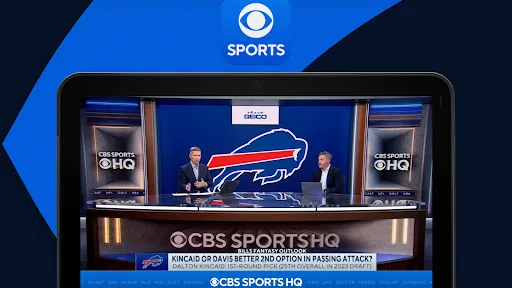





Analysis by Reviewed
I use CBS Sports as a place to follow several kinds of sports without having to start with a separate app for every update. Its appeal is the mix of video, scores, and team-related coverage; the trade-off is that a broad sports destination is not always the quickest or most dependable route to one particular live event. I’d treat it as a useful companion for keeping up, then check the event itself before planning to watch.
Choose the right task before opening a stream
When I only want to know whether a game is close, opening a video stream is often unnecessary. A quick look at coverage or an update can answer that question with less commitment than settling in to watch. If I do want the broadcast, I’d tap through to the event first and confirm the viewing option rather than assume every game is available in the same way. That small habit matters most when kickoff or tipoff is near and there’s no time to troubleshoot.
This is also where the app’s broad scope can work in its favor. I might start by checking a team update, then decide that a live event or highlight is worth my attention. But if I already know the exact event I want, a broadcaster’s app can be a more direct choice. CBS Sports makes more sense when I want to browse sports coverage as well as follow a specific game.
When a busy sports day puts it to work
Picture a weekend when I’m out running errands while a game is on. I can check for a score or news update during a short break, then return to the coverage later if I have time. If watching live is realistic, I can check the event’s viewing option before I leave, rather than discovering at the last minute that I need a different route. When I can’t watch, highlights and updates are a more sensible way to stay connected than leaving a stream running in the background.
A useful personal rule is to make notifications serve a purpose. I’d select only the teams and sports I care about, then reconsider those choices if alerts become noise. That keeps a busy day from turning into a series of interruptions and makes the notifications I do receive more meaningful. Fans who follow just one team may prefer a more focused setup, while people who switch between leagues can get more value from a wider feed.
Your Gateway to the World of Sports
Once you fire up the app, the first thing you'll notice is its sleek and user-friendly interface. CBS Sports: Watch Live offers a wide array of sports content, ranging from NFL, NBA, to NCAA and more. It's like having a sports bar in your pocket! The app's main dashboard is neatly organized, allowing you to navigate effortlessly between live games, news, and highlights. Trust me, you'll be swiping through the options like a pro in no time.
Live Streaming and Real-Time Updates
One of the standout features of this app is its live streaming capability. Whether you're stuck at work or commuting, you can catch the game live with just a few taps. The streaming quality is top-notch, ensuring you don't miss a single detail of the game. Moreover, the app provides real-time updates and notifications, so you're always in the loop. No more frantic Googling for scores or game schedules!
More From Our News Desk

 Gmail
GmailGmail in a Busy Inbox: Who Benefits Most?
From first account to crowded workday, Gmail earns its place through dependable search and flexible sorting—but its best fit depends on how much inbox maintenance you can tolerate.

 Prime Video
Switching to Prime Video: What Changes in Your Viewing Routine
Prime Video can make a compelling second home for streaming, but switching means learning a different catalog, rental layer, and route from browsing to playback.

 Universal TV Remote Control
Universal TV Remote Control Works Best as a Reliable Backup
A phone remote earns its place through quick setup and reliable habits. Here is how to get more from Universal TV Remote Control—and where its limits show.

 Weather - By Xiaomi
Weather by Xiaomi Review: Clear at a Glance, Less Clear Up Close
Xiaomi’s weather app makes everyday forecasts quick to scan, but its calm surface can leave useful details and recovery paths harder to find than they should be.

 X
XX Under Pressure: Can It Recover When Posting Goes Wrong?
A resilience-focused review of X, examining setup, mistaken posts, interruptions, weak connections, and the gaps that matter when recovery needs to be dependable.

 Clash of Clans
Clash of Clans Is Won Between the Battles
Its raids are quick; its community is a long-term project of coordination, teaching, rivalry, and shared responsibility—with all the friction that entails.
Latest News



Using video without making it the only option
For me, the most practical way to use a sports app is to switch between watching and checking in, rather than treating video as the default for every visit. A short update may be all I need during a work break; later, if I have a longer window, I can look for a live option or highlights. That makes the app more useful on days when I’m interested in a game but can’t give it my full attention.
Video also changes what “quick” means. A score page can usually answer a basic question at a glance, while a stream depends on a stable connection and takes more of my attention. If I’m on a weak mobile connection, I’d avoid repeatedly restarting playback and use updates instead until I can watch comfortably. That is not as immersive, but it is a better fallback than spending the whole break coaxing a stream to work.
Making the most of a busy sports day
On a packed weekend, I’d use the app to move between a live event and the surrounding coverage rather than keep several browser tabs open. If I can’t watch at the moment, checking an update and returning later to look for highlights is a sensible way to follow along without committing the whole afternoon to a screen. It also helps to be selective with notifications: choose the teams or sports you genuinely follow, so routine alerts don’t drown out the news you actually want to see.
Compared with a score-only app, CBS Sports is more appealing when video and editorial coverage matter alongside updates. A dedicated broadcaster’s app may be a better choice if you already know exactly where the event is being shown, while a lightweight scores service can be quicker when all you need is a result. I see this as the middle ground: useful for following sports broadly, but not automatically the best single destination for every fan or every event.
Customization and Personalization
What I absolutely love about this app is its customization options. You can personalize your experience by selecting your favorite teams and sports. This way, the app curates content that is most relevant to you. It's like having your own personal sports concierge! You get notified about game times, scores, and even breaking news related to your chosen teams. It's a feature that genuinely enhances the user experience.
CBS Sports: Watch Live also offers an in-depth analysis and expert opinions, which are perfect for those who enjoy a deeper dive into the sports world. Whether you're preparing for a fantasy league or just love debating sports stats with friends, this app has got you covered.
Setting it up for useful updates
I’d begin by choosing the teams and sports I actually follow, then give the app a few days of ordinary use before adding more. That keeps the feed from becoming a catch-all and makes it easier to notice the updates I opened the app for. If my interests change with the season, I’d revisit those choices instead of leaving every old follow active. A little maintenance can make a broad sports app feel more personal without turning setup into a project.
For fantasy preparation or a conversation with friends, the analysis and coverage can be useful context beside the live score. I wouldn’t treat one app’s commentary as the final word, though: when a detail matters, checking another source is sensible. The stronger use case here is having coverage close at hand, not replacing every specialist source or doing all research in one place.
How it compares with simpler alternatives
A dedicated scoreboard is the better tool when I want a fast result and nothing else. It can be a cleaner choice for someone who checks one game briefly and rarely watches sports video. A broadcaster’s own app is more direct when I know which service carries the event and want to go straight there. CBS Sports sits between those approaches: it suits people who like to browse across sports and move between updates, commentary, and video, while accepting that a particular stream may require an extra check.
That difference is worth considering before installing another sports app. If I already have a reliable way to watch the games I care about, this one is most valuable for broader coverage and team updates. If I want a single destination for every event, I would not count on any broad sports app to remove the need to check availability. The convenience is in having multiple kinds of coverage together, not in a guarantee that every viewing need is solved in one tap.
Stability, device fit, and expectations
A live video app asks more of a phone and connection than a page of scores does. If playback feels slow, I’d first check whether the connection is steady, then try reopening the event rather than repeatedly tapping different controls. When a stream is unreliable, switching temporarily to updates or highlights is a practical fallback; it keeps the game in view without insisting on video. I wouldn’t assume that a phone’s ability to install the app guarantees a smooth viewing experience in every situation.
The app is free and rated for Everyone, and its minimum Android requirement is version 5.1. It is developed by CBS Interactive, Inc.; the current version is 8.4.0-1758123518. Those details make it accessible to many Android users, but an older or busy device may still feel less comfortable handling sustained video than a newer phone. If you mainly want an occasional score check, a browser or simpler scoreboard may be less demanding.
What to expect from a long viewing session
For a full game, I’d think about the phone’s battery and connection before pressing play, just as I would with any sustained video viewing. If I’m moving between Wi-Fi and mobile data, I’d be prepared to switch to updates if the stream becomes inconvenient. That approach is more realistic than expecting a live broadcast to behave like a static score page, especially when the phone is already busy with other tasks.
When something interrupts playback, I’d return to the event and check the available viewing option again rather than assume that the app has lost my place permanently. The useful recovery path is to keep the game’s coverage accessible even if video is temporarily not practical. For a fan who mainly wants to know what happened, updates and highlights can preserve much of the value; for someone who needs uninterrupted viewing, a more direct, dependable viewing setup is the safer choice.
Who will get the most out of it
I’d recommend the app to a fan who follows more than one sport, enjoys reading around a game, and wants video alongside updates when it is available. It is also a reasonable fit for someone who checks in throughout the day rather than watching every match from start to finish. By contrast, someone who only wants fast scores may find a simpler scoreboard less distracting, and a viewer focused on one specific event may be better served by the broadcaster that carries it.
The app is free, which makes trying it a low-commitment way to see whether its mix suits your habits. Still, free access alone doesn’t make it the right fit: the value depends on whether you use the broader coverage and team-oriented updates. I would not install it expecting every match to be accessible as a live stream or assuming that the experience will be equally smooth on every device and connection.
The Verdict
All in all, CBS Sports: Watch Live is a fantastic app for any sports aficionado. It's comprehensive, easy to use, and packed with features that keep you connected to the sports world no matter where you are. While the app is free, there are ads, but they are a small price to pay for the wealth of content at your disposal. So, if you're looking to elevate your sports-watching experience, give this app a shot. You won't regret it!
I’d recommend it most to someone who follows several sports and wants coverage, video, and team-focused updates together. It has over 100,000 installs, though its average rating is 2.2 from around 68 ratings, so I’d go in with measured expectations rather than assume it will suit everyone. If dependable access to one specific live event is your priority, check its availability before game time and keep another viewing option in mind. For broader browsing and keeping up with teams, it’s a useful free companion; for a simple, low-resource score glance, it may be more app than you need.
CBS Sports: Watch Live Frequently Asked Questions
Is CBS Sports: Watch Live suitable for casual sports fans as well as dedicated viewers?
CBS Sports: Watch Live is a sports app for people who want to keep up with games and sports coverage in one place. Its mix of live content, scores, news, and highlights can suit both viewers following a particular team and those who simply want to check what is happening across sports. The app is free to download, and its content rating is Everyone.
What features does CBS Sports: Watch Live offer?
CBS Sports: Watch Live provides users with the ability to stream live sports events from a wide range of leagues, including NFL, NCAA, PGA Tour, and many others. The app offers real-time game scores, news, and highlights. Users can also personalize their experience by selecting their favorite teams and sports for customized notifications and updates. Its stated focus also includes around-the-clock sports content from CBS, CBS Sports Network, Paramount+ and more.
Is CBS Sports: Watch Live free to use?
Yes, CBS Sports: Watch Live is free to download and use. However, access to some live sports events and premium content may require a subscription or a cable provider login. Users can still enjoy a wide array of sports news, scores, and highlights without any charges. It is published by CBS Interactive, Inc., so users should check the access requirements for the specific content they want to watch.
On which devices can I use CBS Sports: Watch Live?
CBS Sports: Watch Live is available on a variety of devices, including both Android and iOS smartphones and tablets. Additionally, the app can be accessed on streaming devices like Roku, Apple TV, Fire TV, and Chromecast, allowing users to watch on larger screens for a better viewing experience. For Android installation, the listed minimum operating-system requirement is version 5.1.
How can I personalize my CBS Sports: Watch Live experience?
Users can personalize their experience by selecting their favorite teams and sports in the app settings. This enables tailored notifications and updates, ensuring that users receive the latest news, scores, and highlights that matter most to them. The app's interface is designed to cater to individual preferences, making navigation and information retrieval intuitive.
Pros
- Comprehensive sports coverage.
- Live streaming of major sports events.
- User-friendly interface.
- Customizable notifications.
- High-quality video streaming.
Cons
- Requires a stable internet connection.
- Frequent ads can be intrusive.
- Some features require subscription.
- Limited coverage of niche sports.
- Occasional streaming delays.





