Calls Blacklist PRO - Blocker
- 4.90K
- 4.2
- Installs
- 100.00K
- Price
- $3.49

Screenshots
Analysis by Reviewed
If you're like me, you've probably had those days when your phone just won't stop buzzing with unwanted calls. Enter Calls Blacklist PRO - Blocker, an app that promises to be your knight in shining armor against those pesky disturbances. Let’s dive into how this app can bring some much-needed peace and quiet to your digital life.
A Closer Look at Calls Blacklist PRO
First things first, let’s talk about the interface. The app boasts a clean, intuitive design that's straightforward to navigate. Upon launching, you're greeted with a home screen that gives you immediate access to key features. No complicated menus or confusing jargon, just a simple and effective layout that anyone can get the hang of.
Blocking Features Galore
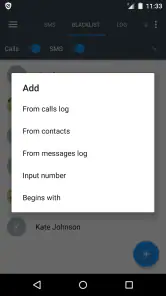
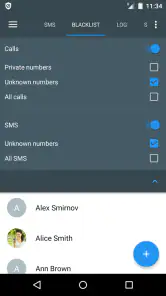
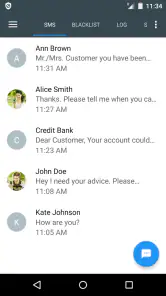
Now, here's where Calls Blacklist PRO really shines. The app isn't just about blocking calls; it's a full-fledged defense system against unwanted interruptions. Whether it's blocking calls, SMS, or both, this app has got you covered. You can easily add numbers to your blacklist or even block entire area codes if you're getting spammed from a specific region.
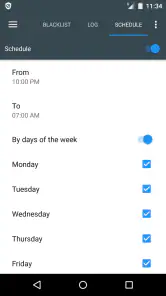
One feature I found particularly handy is the scheduling option. You can set the app to block calls and messages during specific times of the day, keeping distractions at bay when you need to focus or unwind.
Advanced Settings and Customization
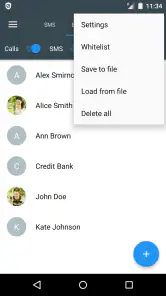
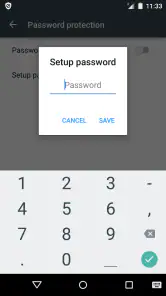
For those who like to fine-tune their apps, there’s plenty to explore in the settings menu. You can customize notifications for blocked calls or messages, ensuring you're only alerted when it's absolutely necessary. Plus, the app allows you to export your blacklist to another device, which is a lifesaver if you switch phones often.
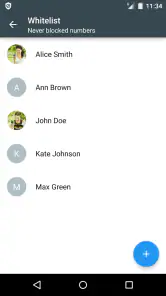
Another neat feature is the ability to whitelist numbers—perfect for ensuring that important calls always come through, no matter how strict your blocking rules are.
Performance and Reliability
Performance-wise, Calls Blacklist PRO runs smoothly without any noticeable lag or hiccups. It's lightweight and doesn't drain your battery, which is crucial for any app running in the background.
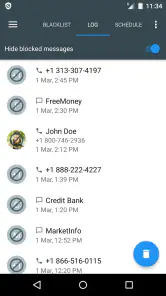
In my experience, the app reliably blocked unwanted calls and messages, living up to its promise of delivering a spam-free mobile experience.
Ending Thoughts
All in all, if you're tired of incessant calls and messages cluttering your phone, Calls Blacklist PRO - Blocker is worth a try. It's user-friendly, highly customizable, and most importantly, effective. So go ahead, give it a whirl, and enjoy the bliss of a quieter phone.
Pros
- Effective call blocking and SMS filtering.
- Easy to use interface with quick setup.
- Customizable blacklist and whitelist options.
- No ads in the PRO version.
- Lightweight and does not drain battery.
Cons
- Limited features in the free version.
- Requires manual updates for blocked numbers.
- No cloud backup for settings.
- Lacks advanced reporting features.
- May miss some spam calls occasionally.

- Category
- Communication
- Version
- 3.3.10











