Blue Mountain Ecards
- 1.09K
- 4.6
- Installs
- 100.00K
- Price
- Free

Screenshots


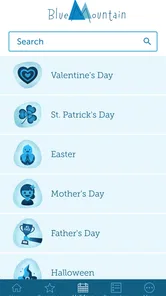
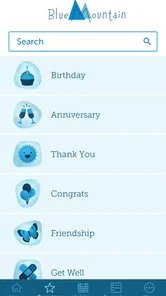
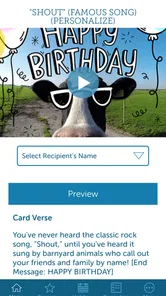
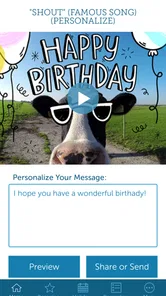
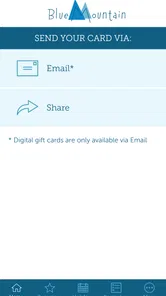
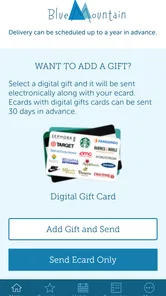
Analysis by Reviewed
Sending a thoughtful card can be harder than it sounds. I often remember a birthday or holiday at the last minute, then end up choosing between a rushed message, a physical card that will arrive too late, or a generic image from a social network. Blue Mountain Ecards is designed for that exact gap: it lets me send a digital greeting for a birthday, holiday, or another personal occasion without visiting a shop or preparing an envelope.
After spending time with it, I see this as a focused lifestyle app for digital greetings, rather than a broad social platform or a full design editor. That distinction matters. It works best when I want a finished card that feels more deliberate than a text message, but I do not need complete control over every visual detail. The app is free to install, is suitable for Everyone, and comes from AGCM, Inc. Its current version is 1.3.0, with support beginning at Android 9.
My overall impression is positive, but not unconditional. Blue Mountain Ecards is convenient for people who regularly send greetings and prefer prepared designs. It is less compelling for someone who wants to build a card from personal photos, create highly customized artwork, or avoid optional purchases altogether. The right choice depends less on whether digital cards are useful and more on how much personalization and control you expect.
How I Decide Whether a Greeting App Is Worth Keeping
My first test is speed. A greeting app should help me move from “I need to send something” to “the message is ready” without making me learn a complicated editor. I look for sensible occasion choices, readable designs, an easy way to add a personal note, and a sending process that does not turn a simple birthday wish into a project.
The second test is emotional usefulness. A card can be technically attractive and still feel empty if the message is too generic or the design does not match the recipient. I therefore pay attention to whether the app helps me choose something appropriate for different relationships: a close friend, a relative, a colleague, or someone I know less personally.
There is also a practical question: what happens when the perfect design is not included in the free experience? Blue Mountain Ecards includes in-app purchases priced from $6.99 to $35.99 per item. That does not automatically make it poor value, but it means I would not judge the app only by its free installation. I would first browse enough of the available selection to understand whether the paid choices are optional extras or likely to become part of my normal use.
Finally, I consider the recipient’s experience. Some people enjoy opening a designed ecard, while others prefer a direct message, a photograph, or a physical card. A useful greeting app should fit the occasion rather than become the occasion. For a quick congratulations, a simple card may be perfect. For a major family milestone, I may still prefer something more personal and tangible.
More From Our News Desk

Weather by Xiaomi Review: Clear at a Glance, Less Clear Up Close

X Under Pressure: Can It Recover When Posting Goes Wrong?

Clash of Clans Is Won Between the Battles

Android Auto Makes the Case for Quieter Car Software

MobiOffice: Transforming Mobile Productivity with Seamless Integration

EA SPORTS FC™ Mobile Soccer: Redefining Mobile Sports Gaming
The first-use experience and the value of focus
Blue Mountain Ecards benefits from having a narrow purpose. I am not opening it to scroll through unrelated posts, manage a community, or edit a video. That focus makes the decision process easier: I come in with an occasion in mind, look for a suitable greeting, and prepare it for the person I have in mind.
That simplicity is also the app’s main trade-off. A specialist greeting app can feel faster than assembling a design in a general-purpose graphics tool, but it may offer fewer ways to express an unusual idea. If I want a polished card quickly, that is a fair exchange. If I already enjoy designing from scratch, the same limitation may feel restrictive.
I also like the fact that the app is positioned for everyday occasions, not only major annual celebrations. That makes it more useful for the small moments people often overlook: a short note of encouragement, a thank-you, or a message sent simply to remind someone that I am thinking of them. The best use of an ecard is often not a dramatic event but a timely gesture.
A realistic last-minute birthday workflow
Imagine I remember a friend’s birthday while commuting home. I have a few minutes, no suitable physical card, and I do not want to send only a plain “happy birthday” text. I can open the app, start with the occasion rather than browsing aimlessly, and narrow my choice by the tone I want: warm, cheerful, playful, or more restrained.
Once I find a design that feels appropriate, I would write a short message that adds something the artwork cannot. I might mention a shared memory, wish the person a relaxing day, or say that I hope we can meet soon. That small step is important. A prepared card becomes much more convincing when the note explains why I selected it for that particular recipient.
Before sending, I would check the spelling of the recipient’s name, the tone of the message, and whether the greeting feels suitable for our relationship. This is one of my practical tips: do not treat the design as a substitute for editing. A beautiful card with a rushed or overly familiar message can feel less personal than a plain card with two sincere sentences.
This workflow is where the app makes the strongest case for itself. It turns a forgotten occasion into a manageable task without requiring craft supplies, a printer, or a separate design program. The convenience is especially useful for people who travel, live far from family, or frequently remember dates at inconvenient times.
Small choices that make the result feel less generic
The most useful improvement I can make is to choose the recipient before choosing the card. Instead of starting with the first attractive design, I ask what this person would actually enjoy. Someone who dislikes sentimental language may prefer a light, simple greeting. A close family member may appreciate a warmer message. A colleague may need something friendly without sounding intimate.
I also recommend writing the personal note before making a final design choice when the occasion is emotionally important. The wording can reveal the right mood. If my message is reflective and sincere, a loud celebratory design may clash with it. If the note is playful, a formal-looking card may create the wrong impression. Matching the two is a small but meaningful quality check.
Another useful habit is to prepare a few message ideas in advance for recurring occasions. I do not mean copying the same text every time. I mean keeping a mental pattern: acknowledge the occasion, add a personal detail, and close with a natural wish. This helps me avoid the empty feeling that can come from selecting a polished card and adding only a name.
These steps are not headline features, but they are where the app becomes more effective in real life. The software supplies the presentation; I still supply the relationship. That division of labor is healthy, provided I use the app as a starting point rather than expecting it to create sincerity automatically.
Where Blue Mountain Ecards Wins, and Where Another Option May Fit Better
Blue Mountain Ecards is strongest when convenience and presentation matter more than unlimited customization. Compared with sending a plain text or chat message, it gives the greeting a clearer sense of occasion. Compared with buying and mailing a physical card, it removes the delay and the practical work. Compared with a general design app, it should feel more directly aimed at the act of sending a greeting.
That middle position is important. A text message is faster, but it can look casual even when I care deeply. A physical card feels tangible, but it requires planning and may not suit a last-minute situation. A design editor can produce something highly personal, but I have to make more decisions about layout, images, typography, and export. Blue Mountain Ecards is appealing when I want a finished visual message without taking on the full design process.
The app also has a broad everyday audience. Its Everyone rating makes it approachable for households where different people may use it for different occasions. I can imagine it being useful for someone who is not comfortable with design software but still wants to send something more expressive than a short message.
When a physical card is still the better choice
I would not use a digital greeting for every important event. If the recipient values keepsakes, displays cards at home, or expects something tangible, a physical card has a quality that an app cannot reproduce. The same is true when the card is meant to accompany a gift or become part of a larger celebration.
There is also a difference in timing. A digital card is excellent when speed matters, but that speed can make it feel routine if I send one for every occasion without adding a personal note. For a significant anniversary or a serious expression of sympathy, I would think carefully about whether an ecard communicates the weight of the moment.
When a messaging app or social post is more natural
For close friends who already communicate through a messaging app, a personal photograph, voice note, or short video may feel more authentic than a prepared card. The advantage of that route is context: the conversation is already active, and the message can be part of an ongoing exchange rather than a separate greeting.
A social post may also be appropriate when the celebration is public and the recipient enjoys attention from friends. Blue Mountain Ecards is better suited to a direct gesture. I would choose it when I want the message to arrive privately and feel deliberately sent to one person, not broadcast to a wider audience.
When a design editor is worth the extra effort
I would choose a general design tool if I needed to combine several personal photographs, create a custom collage, match a particular visual theme, or control every part of the layout. That approach takes longer, but it gives me ownership of the result. It is especially worthwhile for a family event, a business announcement, or a card where the recipient would recognize the effort behind the design.
The trade-off is decision fatigue. Starting with a blank canvas can be satisfying, but it can also turn a five-minute task into a long session. Blue Mountain Ecards makes more sense when I want guidance and a finished look. A design editor makes more sense when the design itself is the project.
Understanding the free experience and optional spending
The free price makes it easy to try the app without committing upfront. I appreciate that because greeting preferences are personal: one person may immediately find several suitable designs, while another may not connect with the available style. I would explore the free selection first and decide whether it covers the occasions I actually send.
Optional purchases ranging from $6.99 to $35.99 per item create a clear decision point. I would not buy a design merely because I am in a hurry. My advice is to pause and ask whether the recipient would notice the difference, whether the card will be used for an especially meaningful event, and whether I expect to use the app often enough to justify the expense.
This is also where the cost of switching matters. Moving from physical cards to digital greetings may save time and avoid postage, but it changes the emotional format of the gesture. Moving from a free greeting app to a paid design tool may offer more creative control, but it adds learning time. Staying with ordinary messages costs nothing extra, yet may lose the visual warmth that prompted me to look for a card in the first place.
Who should install it, and who should skip it
I would recommend Blue Mountain Ecards to people who send several greetings each year, often remember occasions late, or want a more polished alternative to a plain text. It is also a good fit for anyone who likes the idea of a ready-made card but does not want to shop for stationery or learn a complex editor.
I would be more cautious if I needed extensive photo editing, unusual layouts, or a guaranteed way to avoid all optional purchases. People who strongly prefer physical keepsakes should also skip it for their most important occasions. The app can support a thoughtful message, but it cannot replace the tactile value of paper or the creative control of making a card from the ground up.
The app’s audience response is encouraging: it holds a 4.6 average from around 6.1 thousand ratings, and it has passed 100 thousand installs. Those figures suggest that the basic idea works for many users, although they do not remove the need to judge the designs and purchase options against my own habits. I see that reception as a reason to try it, not as a reason to assume it will suit every recipient.
My recommendation after weighing the trade-offs
For me, Blue Mountain Ecards earns a place as a convenient backup for birthdays, holidays, and spontaneous personal messages. Its best quality is not simply that it sends a card; it reduces the friction between remembering someone and acting on that thought. The focused experience is more practical than building every greeting from scratch, while the visual format feels more intentional than a bare text.
I would begin with the free experience, test it on an ordinary occasion, and pay close attention to how much personalization I can add without forcing the message. If the available style matches the people I usually send to, the app is easy to justify as a handy lifestyle tool. If I repeatedly want custom photos or a very specific tone, I would switch to a design editor or choose a physical card instead.
My clear advice is to install it if you value quick, presentable digital greetings, but treat the personal message as the real heart of the card. The designs can help me show up on time and make a simple gesture feel more considered. They should not be expected to do all the emotional work. Used with that expectation, Blue Mountain Ecards is a practical choice for everyday occasions, especially when convenience matters and a plain message feels too bare.
Blue Mountain Ecards Frequently Asked Questions
Which devices and operating systems can run Blue Mountain Ecards?
Blue Mountain Ecards is available for Android, and its listed minimum operating-system requirement is Android 9. Check your device’s Android version before downloading so you can confirm it meets that requirement. The app is a lifestyle service centered on digital greetings, making it an option for people who want to prepare and send cards from a compatible mobile device.
Who develops Blue Mountain Ecards, and what kind of app is it?
Blue Mountain Ecards is developed by AGCM, Inc and is a lifestyle app focused on sending digital greeting cards. Its purpose is to help users share greetings for birthdays, holidays, and other special occasions. The app is free to download, and it has an average rating of 4.6 from around 6,100 ratings, giving prospective users a quick sense of its store presence before installing.
What is Blue Mountain Ecards?
Blue Mountain Ecards is a digital greeting card service that lets you send animated and interactive cards for occasions such as birthdays, anniversaries, holidays, thank-you messages, and celebrations. After exploring the service, I found that it focuses on making online greetings feel more personal through themed designs, music, animations, and customizable messages that can be delivered electronically.
Is Blue Mountain Ecards free to use?
Blue Mountain Ecards may offer a selection of cards that can be viewed or sent for free, but many premium designs and features generally require a membership or payment. In-app purchases range from $6.99 to $35.99 per item. Before downloading or subscribing, check the current pricing, trial terms, renewal conditions, and available card collection in your region, since offers and access levels can change over time.
Can I personalize cards before sending them?
Yes, personalization is one of the main reasons to use Blue Mountain Ecards. Depending on the selected design, you can usually add a recipient’s name, write a private message, choose or adjust music, and enter delivery details. I recommend previewing the complete card before sending, because animations, formatting, and audio may appear differently from a standard text message.
Pros
- Wide selection of mountain-themed cards for nature lovers.
- Simple interface makes browsing and choosing cards quick.
- Cards can add a personal touch to holiday or special-occasion messages.
- Useful option when you need a scenic greeting at short notice.
- Works well for recipients who appreciate outdoor-inspired designs.
Cons
- The designs may feel too specific for recipients without an interest in nature.
- Some cards may look dated compared with modern animated ecard services.
- Personalization options can be limited on certain card templates.
- A stable internet connection may be needed to load card images properly.
- The service may offer fewer sharing choices than larger ecard platforms.











