Blink Home Monitor
- 29.61K
- 4.4
- Installs
- 10.00M
- Price
- Free

Screenshots
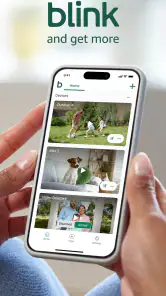
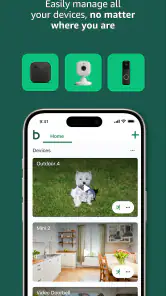

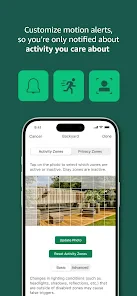
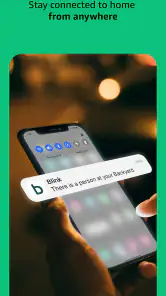
Analysis by Reviewed
Ever found yourself wishing you could keep an eye on your home even when you're miles away? Well, that's exactly what the Blink Home Monitor app lets you do. It's like having a security system in your pocket, and it's pretty darn cool if you ask me.
Getting Started with Blink Home Monitor
First things first, setting up the Blink Home Monitor app is a breeze. You just download it from your app store, and follow the in-app instructions to connect your Blink cameras. The app is available for both Android and iOS, so you can use it no matter what device you have. Once you've got everything linked up, you can start monitoring your home in real-time.
Features that Stand Out
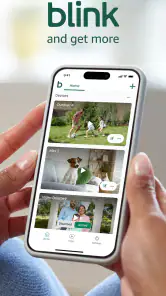
What I love about this app is the live video streaming. You can watch what's happening at home, right from your phone. It's perfect for checking in on your pets, making sure your kids are home safe, or just seeing if that package got delivered. The video quality is surprisingly good, even in low light, thanks to the infrared night vision.
Another neat feature is the motion detection alerts. Whenever there's movement in your camera's field of view, you'll get a notification on your phone. It's like having a personal security guard watching over your home 24/7.
Ease of Use
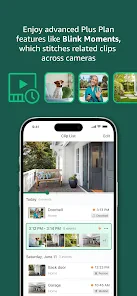
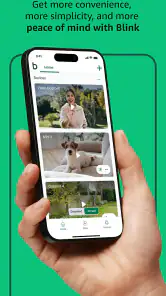
The app's interface is straightforward and easy to navigate. Even if you're not the most tech-savvy person, you'll find it simple to use. The menus are intuitive, and everything is clearly labeled. You can easily switch between different cameras, view past video clips, and adjust settings without any hassle.
Performance and Reliability
Now, let's talk about performance. In my experience, the app is pretty reliable. The live feed loads quickly, and the motion alerts come through almost instantly. Of course, your mileage may vary depending on your internet connection, but overall, it does a solid job.
One thing to keep in mind, though, is that the app can be a bit of a battery hog. If you're using it frequently throughout the day, you might notice your phone's battery draining faster than usual. But hey, that's a small price to pay for peace of mind, right?
All in all, I think the Blink Home Monitor app is a fantastic tool for anyone looking to enhance their home security. It’s easy to use, offers great features, and provides real-time monitoring and alerts. Whether you're at work, on vacation, or just out for a stroll, you can rest easy knowing that your home is being watched over. If you're in the market for a home security app, this is definitely one to check out. Happy monitoring!
Pros
- Easy setup and installation process.
- High-quality video streaming.
- Affordable subscription plans.
- User-friendly interface.
- Efficient motion detection.
Cons
- Limited camera range.
- Occasional connectivity issues.
- No local storage option.
- Limited customer support.
- Subscription required for full features.

- Category
- Tools
- Version
- 50.1











