BILT: 3D Instructions
- 3.06K
- 3.5
- Installs
- 1.00M
- Price
- Free

Screenshots

Analysis by Reviewed
Ever been stuck with a piece of furniture or a gadget, scratching your head and wondering how on earth you're going to assemble it without a meltdown? Yeah, me too. That's where BILT: 3D Instructions swoops in like a hero. This app takes the frustration out of assembly with its super cool 3D interactive instructions, making it feel like you've got a friendly tech wizard guiding you every step of the way.
When a picture is worth slowing down for
The biggest difference I notice between a three-dimensional guide and a paper booklet is not simply that one looks more modern. It is the chance to check the orientation of a part before tightening anything. When two pieces look nearly identical, being able to inspect the assembly from another angle can prevent the annoying job of undoing a step later. I would still keep the physical parts arranged in the order shown, rather than relying on memory while jumping ahead.
A practical routine is to check the tools and parts before beginning, then follow one step at a time and pause whenever the real object does not match the picture in front of you. That is especially useful for projects done on the floor, where turning a screen or moving around the item may be easier than repeatedly unfolding a manual. The trade-off is that a phone is another object to keep clean and within reach, so I would place it somewhere stable and away from loose hardware.
Unpacking the Magic of BILT
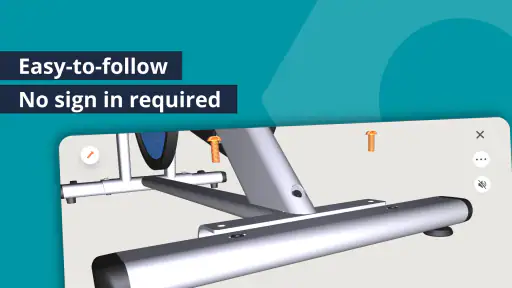
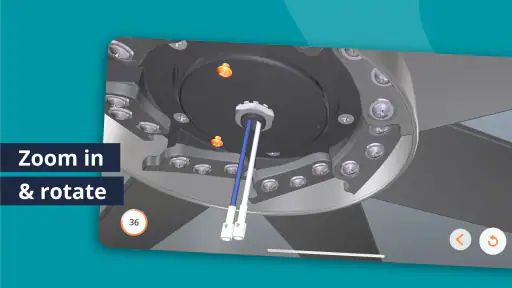
So, here's the deal: BILT: 3D Instructions isn’t just your regular how-to guide. It’s an app that offers detailed, voice-guided instructions, complete with animations that you can rotate and zoom in on. Imagine putting together your new IKEA wardrobe and having a 360-degree view of each step. It’s like having a personal instructor, but without the added cost!
Why It Stands Out
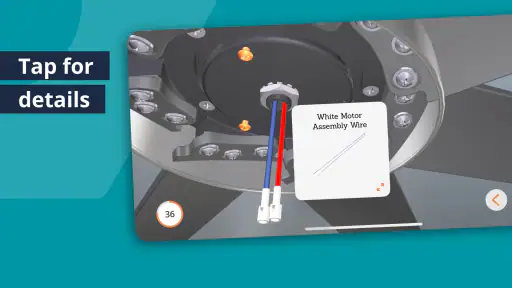
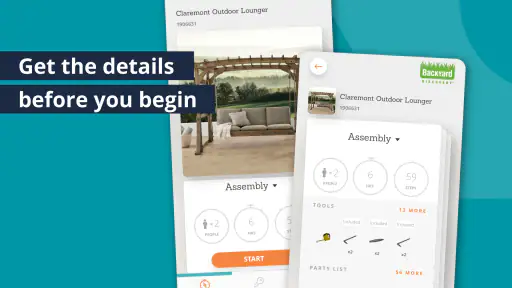
What sets BILT apart from the traditional paper manuals is its user-friendly interface. The instructions are broken down into digestible steps, which you can pause, replay, or skip. This means you can go at your own pace, whether you’re a speedy assembler or someone who likes to take their sweet time. Plus, the app provides a parts list and tools required, so you know exactly what you need before you even start. No more halfway panic when you can't find that one elusive screw!
Choosing the right guide for the job
I would reach for BILT when a task involves several similar-looking pieces, a sequence that matters, or a diagram that is hard to interpret at a glance. For a simple item with only a few obvious steps, a printed sheet may be faster and easier to glance at while both hands are occupied. A video tutorial can be helpful when I want to see a technique in motion, but it may be harder to match its pace to my own exact step. Here, the interactive model and ability to pause or replay make more sense when I need to inspect a particular stage.
One useful habit is to separate the fasteners before starting and compare them with the parts list instead of sorting them midway through the build. I also avoid skipping a step just because it appears familiar: a part can look correctly placed while facing the wrong way, and later steps may make that mistake difficult to fix. The app can guide the sequence, but it cannot check that I have selected the right physical piece or tightened it appropriately.
More From Our News Desk

Clash of Clans Is Won Between the Battles

Android Auto Makes the Case for Quieter Car Software

MobiOffice: Transforming Mobile Productivity with Seamless Integration

EA SPORTS FC™ Mobile Soccer: Redefining Mobile Sports Gaming

How Microsoft OneDrive Became a Mobile Productivity Giant

How Google Translate Breaks Language Barriers Effortlessly
The Experience of Using BILT
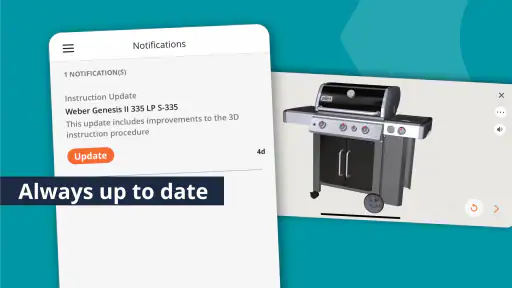
Using BILT is like having a trusty sidekick. I recently used it to assemble a new grill, and let me tell you, it was a breeze. The app’s step-by-step instructions were clear and concise, and the 3D models were a game-changer. I didn’t have to squint at tiny diagrams or guess which part goes where. Everything was laid out perfectly, and I felt like a pro by the end of it.
One of the things I love about BILT is the way it anticipates potential pain points. For instance, if there’s a common mistake people make during assembly, the app will give you a heads up. It’s like having a friend who’s got your back, ensuring you don’t end up with spare parts that make you go, "Hmm, where was this supposed to fit again?"
How it fits into a real project
Picture opening a boxed grill on a weekend afternoon: I would first check the tools and pieces, then use the model to confirm which way the frame faces before attaching the next section. If a step seems unclear, I can stop and inspect the view rather than guess and risk taking the frame apart later. That is where this style of guide earns its place. For a job involving electrical connections or a ceiling fixture, I would treat the instructions as assembly help, not a substitute for safe working practices or professional advice when I am unsure.
BILT is a lifestyle app from BILT Inc., and its focused purpose is a strength: it is for getting through supported product instructions, not for replacing every kind of DIY reference. It is free, rated for Everyone, and has an average rating of 3.5 from around 7.8 thousand ratings, with over a million installs. Those figures suggest that many people find a use for it, while the rating also makes me think expectations should stay practical rather than assuming every guide will suit every project.
Reliability, pace, and device fit
For a step-by-step task, the pace is largely in your hands: pausing and replaying are useful when you need to compare a model with a real part, while skipping can help experienced assemblers move through familiar sections. I would not treat that flexibility as a reason to rush past checks. The value depends on having a guide that matches the product and on being able to see the screen comfortably while working.
The app’s current version is 5.37.0, and it requires Android 8.0 or later. If your device is older, that minimum requirement matters before you plan to use it beside a project. I would also consider screen size and placement: a small phone can be awkward when you need to inspect a close detail, while a stable, visible position makes it easier to follow steps without picking the device up with messy hands. For larger builds, keeping the manual or packaging nearby as a reference is a sensible backup.
Making a project easier to manage
The app is most useful when I treat it as one part of a simple work setup, rather than expecting the screen to solve every problem. Before opening a box, I would clear enough floor or table space to lay out pieces, set aside a small container for loose fasteners, and choose a spot where I can glance at the phone without reaching across the assembly. This reduces the chance of mixing parts or knocking something over while trying to follow the next view.
There is also a practical difference between checking a step and keeping the whole guide in view. If I am working alone, I can pause after each major section and compare the actual build with the model before moving on. If another person is helping, one of us can handle the parts while the other follows the instructions and calls out the next action. That division is especially helpful when a component is bulky, but it only works if both people agree on which side or orientation the guide is showing.
When a model looks unfamiliar, I would rotate it slowly and look for a feature I can identify on the real part, such as a hole, edge, or bracket. Matching one clear landmark is more reliable than trying to interpret the entire shape at once. This is a small habit, but it can stop an easy-to-miss left-versus-right mistake before it becomes a disassembly job.
Where the guide has limits
Interactive views help with spatial understanding, but they do not make every instruction foolproof. A screen can show where a component belongs without telling me whether I have the correct physical item in my hand, whether it is damaged, or whether a fastener is tight enough. I still need to check the real parts and use sound judgement, particularly when an assembly must carry weight or fit securely.
There is a related trade-off with voice guidance and animated steps: they can make a sequence easier to follow, but they are not a replacement for careful reading of the action in front of me. In a noisy room, around other people, or while using tools that need my full attention, I may prefer to glance at the screen and pause rather than depend on spoken directions. The best approach is whichever lets me keep my attention on the work safely.
Coverage is another deciding factor. This is not a general-purpose library of instructions for any object in the home; its usefulness depends on finding a guide that matches the product I own. I would check for the exact item before setting aside an afternoon, especially if a project is time-sensitive. If there is no matching guide, the manufacturer’s printed instructions or another reliable source is the more sensible option.
Who will get the most from it
I can see this being particularly helpful for first-time assemblers, people who find flat diagrams difficult to interpret, and anyone tackling a project with many components that look alike. It may also suit a confident DIYer who wants to confirm a tricky orientation without watching a long video or searching through a manual. The step-by-step pace is valuable when the main obstacle is understanding how parts relate to each other, not learning a specialist repair technique.
On the other hand, I would skip it for a job that is quick to complete from a clear paper sheet, for a task without a matching guide, or when I need technical advice beyond product assembly. People who dislike using a phone around dust, grease, water, or heavy tools may also find a printed manual more convenient. A tablet can offer a larger view if available, but a phone remains easier to position in a cramped workspace.
A realistic use case is a weekend furniture build that starts with a quick inventory and turns confusing when the frame pieces look almost identical. I would identify each piece using the parts list, follow the model until the frame is stable, then pause to check that the orientation matches before tightening everything. If I find myself repeatedly picking up the phone or losing track of which step I am on, I would change the device position or switch to the booklet for a quick overview. The point is to use the interactive guide where it clarifies the work, not to force every part of the project through the app.
Wrapping Up the Experience
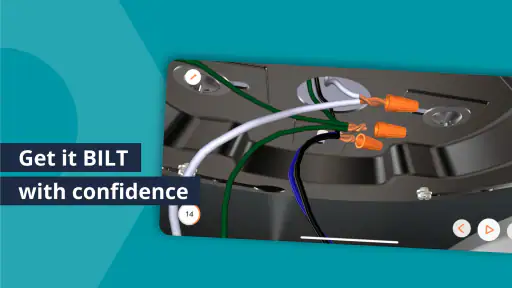
In a world where time is of the essence, BILT saves you the hassle and confusion of traditional manuals. Whether you're assembling furniture, installing a ceiling fan, or setting up a new tech gadget, this app simplifies the process in a way that’s intuitive and downright enjoyable. It’s not just about getting the job done; it’s about making the process as smooth as possible.
So, if you’re tired of the usual assembly headaches and want a smoother, more enjoyable experience, give BILT a shot. It’s like having a personal assembly guru right in your pocket, ready to guide you through any project, big or small. Trust me, your future self will thank you!
BILT: 3D Instructions Frequently Asked Questions
What devices and operating systems can run BILT: 3D Instructions?
BILT: 3D Instructions is available for Android and iOS devices, so you can use it on a compatible phone or tablet. The Android version requires Android 8.0 or later. The app is free and rated for Everyone, making it suitable for a broad range of users who want to follow product instructions on a mobile device.
Who develops BILT: 3D Instructions, and what is it designed to help with?
BILT: 3D Instructions is developed by BILT Inc. and is a lifestyle app designed to help people complete product-related tasks with interactive guidance. Its focus is on making instructions easier to follow than a traditional paper booklet, especially when a task involves several steps. Whether it is useful for your project depends on whether instructions for the product you own are available in the app.
What is BILT: 3D Instructions and how does it work?
BILT: 3D Instructions is an innovative app designed to provide users with interactive 3D instructions for assembling, installing, or repairing products. Unlike traditional paper instructions, BILT offers step-by-step visual guidance with voiceovers and animations, making it easier to follow the process. By scanning a product's QR code or searching within the app, users can access detailed instructions, ensuring a more efficient and error-free assembly experience.
Is BILT: 3D Instructions available for both Android and iOS devices?
Yes, BILT: 3D Instructions is available for download on both Android and iOS platforms. Users can find the app on Google Play Store for Android devices and the Apple App Store for iOS devices. It supports a wide range of smartphones and tablets, ensuring that users have access to 3D instructions no matter which device they own.
Does BILT: 3D Instructions require an internet connection to function?
While BILT: 3D Instructions requires an internet connection to download new instruction sets or updates, users can access previously downloaded instructions offline. This feature is particularly useful for users in areas with limited connectivity or those who need to assemble products in remote locations.
Pros
- Easy to follow 3D instructions.
- Wide range of supported products.
- Interactive and user-friendly.
- Reduces assembly time significantly.
- Free to download and use.
Cons
- Requires internet for full features.
- Limited offline access.
- Not all products are included.
- Occasional app crashes reported.
- Ads can be intrusive.
- Category
- Lifestyle
- Version
- 5.37.0