Babylist Baby Registry
- 3.49K
- 4.8
- Installs
- 1.00M
- Price
- Free

Screenshots
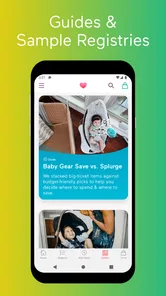
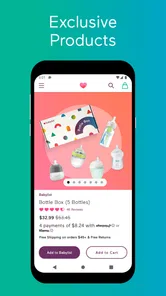
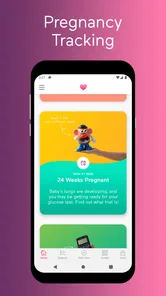
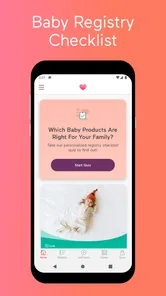
Analysis by Reviewed
When I first heard about Babylist Baby Registry, I was both excited and curious. Let me tell you, diving into this app was like finding a goldmine for expecting parents. Whether you're a first-timer or a pro at parenting, this app has something for everyone. Let’s break down what makes Babylist Baby Registry a must-have for those expecting bundles of joy.
Making one list work for different households
I would start by deciding what the registry needs to do for your family, rather than trying to copy someone else’s checklist. A useful list can include items you have carefully researched, practical help you would welcome, and a few options for friends who want to contribute. Babylist is most helpful when the people involved have different shopping habits but still need a shared place to see your choices.
That flexibility has a real trade-off: one registry does not make every retailer’s shopping process identical. Guests may still move between different store experiences, and the details of an item can matter as much as its name. I would keep notes brief and check each listing before sharing, especially for products where size, model, or other specifics affect whether it is the right choice. If you already want every purchase and account interaction to stay with one retailer, that retailer’s own registry may be simpler.
Turn browsing into decisions, not a longer shopping list
I would build the list in stages instead of trying to settle every decision in one sitting. Start with items you already know you need, then use the list to collect questions for later: what can be borrowed, what needs to fit your home, and what is a preference rather than a necessity? That approach helps keep browsing from turning into an endless shopping session. The guides and checklists can provide a starting point, but I would treat them as prompts, not a rulebook for what every family must buy.
One practical way to use those prompts is to separate decisions into “needed soon,” “still comparing,” and “nice to have” in your own planning notes. That keeps tentative ideas from looking just as settled as essential choices. It also makes it easier to talk with a partner: instead of debating every product at once, you can focus on the few decisions that affect your home, routine, or budget most.
For example, imagine checking the registry during a lunch break after a friend asks what would help. You can review what is already on the list, identify a useful gap, and share the registry rather than sending several separate store suggestions. Later, a partner can look over the same plan and flag items that do not suit your space or budget. The practical value is less about adding everything immediately and more about keeping decisions in one shared place.
A Fresh Take on Baby Registries
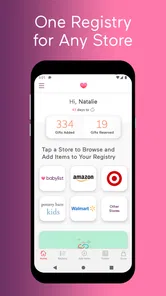
At first glance, the app’s interface is super intuitive and sleek. You know how some apps are cluttered with too much information? Not this one. The design is clean, making it easy for anyone to navigate without getting overwhelmed. What sets it apart is how it allows you to add items from any store, online or physical. Yes, you heard that right! Unlike traditional registries where you're tied to one retailer, Babylist offers the flexibility to pick and choose from multiple stores. It’s like having the world at your fingertips.
More From Our News Desk

Weather by Xiaomi Review: Clear at a Glance, Less Clear Up Close

X Under Pressure: Can It Recover When Posting Goes Wrong?

Clash of Clans Is Won Between the Battles

Android Auto Makes the Case for Quieter Car Software

MobiOffice: Transforming Mobile Productivity with Seamless Integration

EA SPORTS FC™ Mobile Soccer: Redefining Mobile Sports Gaming
Features That Make Life Easier
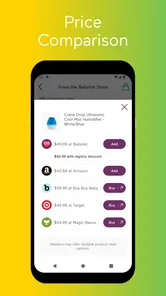
One of the standout features is the ability to compare prices across different stores. I mean, who doesn’t love a good deal? Plus, the app provides helpful guides and checklists, ensuring you don’t forget any essentials. There’s also a section where you can read reviews from other parents, which is a huge plus. It's like getting advice from a trusted friend. And let’s not forget the option to add non-tangible gifts like home-cooked meals or babysitting help. Genius, right?
Those non-tangible gifts are particularly useful when nearby friends want to help but another blanket or outfit would only add clutter. I would make such requests specific enough to be actionable, such as a meal on a busy evening or a little time with a caregiver, rather than leaving people to guess. It is a thoughtful alternative to adding another product, though it depends on your circle being comfortable with practical offers as gifts.
When comparing prices, I would use the result as a prompt to check the full purchase details, not as an automatic instruction to buy from the lowest-priced option. Availability, delivery arrangements, and the retailer’s own terms can matter just as much. The app brings choices together; it does not remove the need to decide which option fits your household.
A useful habit is to compare like with like: make sure you are looking at the same model or version before treating two listings as alternatives. If one choice seems cheaper, I would check the item details and retailer information before sharing it as the preferred option. That quick pause prevents a misleading comparison from shaping the list, while still letting the app do what it is good at: bringing separate choices into view.
Sharing without making the list feel crowded
Sharing your registry with family and friends is as easy as pie. The app allows you to send a link to your registry through email or social media, making it super convenient. Plus, there’s a feature where multiple caregivers can manage the registry. So, if grandma wants to add a little something special, she totally can! It’s all about making the process stress-free and enjoyable.
That shared setup is most helpful when caregivers agree on who is making final choices. I would use a quick check-in before adding duplicate or very similar items, especially when several people are contributing ideas. For guests, a clear, concise registry is kinder than a sprawling list: it gives them room to choose while making the intended items easy to understand. If your family would rather coordinate through direct messages and a familiar store account, the extra shared registry may feel unnecessary.
For relatives who are not comfortable browsing a long list, I would point them toward a small group of suitable choices rather than asking them to interpret every option. That makes the registry useful to both the person who has researched carefully and the guest who simply wants a clear suggestion. The compromise is that somebody needs to keep the list understandable; sharing is convenient, but it does not automatically organize every contributor’s ideas.
Network-dependent moments and recovery
Because adding items, reviewing retailer options, and sharing a registry involve online services, I would plan to do those tasks when the connection is dependable. In a weak-signal spot, I would avoid assuming that a change has been saved or that a share action has completed; I would check the registry again once the connection is stable. That small habit matters when several people are using the same list and one person is relying on a recent update.
On a phone, quick checks are convenient, but careful comparison can be easier when you have time to read item details without rushing. If something appears incomplete, I would pause before repeating the action, then reopen the registry and confirm what is there. That reduces the chance of creating duplicate entries and gives you a clear point from which to continue. I would also keep the list focused, since a long collection of tentative choices is harder for both caregivers and gift-givers to navigate.
This is why I would treat a registry update as unfinished until I have checked the result, particularly before sending it to family or relying on a newly added choice. If a page or retailer detail does not load as expected, I would wait for a stable connection and inspect the list again instead of guessing whether the change went through. That is a modest extra step, but it is more reliable than asking guests to work from a list that may not reflect your latest decisions.
Security and Peace of Mind
In today’s world, security is a big deal, and Babylist doesn’t take it lightly. The app ensures your personal information is kept safe, so you can focus on more important things, like picking out the cutest onesies. Having that peace of mind is priceless, especially when you're about to bring a new life into the world.
As with any shared online list, I would think carefully about what I choose to share and who receives it. Send the registry to the people who need it, and avoid putting sensitive personal details into item notes. This is a sensible data-conscious habit even when a service is designed around sharing; a registry should make gift planning easier without becoming a place for information your guests do not need.
I would also keep registry notes focused on the item or the kind of help you are requesting. That makes the list easier for guests to use and avoids turning a practical shopping space into a record of private family details. If you want to discuss something personal with one caregiver, a direct conversation is a better fit than adding it to a list that may be shared more widely.
Who I would recommend it to
Babylist is a lifestyle app from Babylist Inc, and its central appeal is the freedom to gather choices from different stores instead of building a list around one retailer. It is free, rated for Everyone, and has a 4.8 average from around 18,000 ratings, with over 1 million installs. Version 3.69.0 requires iOS 7.0 or later. I can see why that flexibility has earned it a sizable audience, though popularity alone does not tell you whether the workflow suits your family.
I would recommend it to expectant parents who are still comparing products, want relatives to see one organized list, or would rather ask for practical help than more physical gifts. It is less compelling if you have already chosen one retailer and want all shopping to stay inside that store, or if you dislike managing a shared list online. The app is free to use, but the time needed to compare choices and coordinate with others is still a real cost.
Compared with a store-specific registry, Babylist makes more sense when your shortlist is scattered across retailers or when you want to combine products with useful favors. A single-store option can be the better choice if you value a familiar, unified shopping experience above collecting different sources in one place. A plain message or shared document may be enough for a small family that has only a few requests and does not need ongoing product comparisons. I would choose the format that keeps coordination easiest for the people who will actually use it.
It is also a better fit for people who are comfortable reviewing a list as plans change. If you want to make a few choices once and never revisit them, adding products from different places may introduce more comparison work than you want. On the other hand, if you are still learning what suits your space and routine, keeping options together can make those conversations less scattered. The deciding question is not simply whether you need a registry, but whether a flexible shared list will save your household effort.
My connectivity verdict
Babylist’s strongest case is that it gives a family a common place to collect and discuss choices that may otherwise be spread across different retailers and conversations. The connection matters most when you are adding an item, checking a retailer option, or asking others to use the current list, so I would do careful setup and sharing when I can verify the result. For quick checks on the go, a phone is convenient; for decisions that depend on comparing details, I would give myself more time.
All in all, if you’re on the hunt for a baby registry app that’s versatile, user-friendly, and packed with features, then Babylist is your go-to. It’s not just an app; it’s a community that supports you every step of the way. So go ahead, give it a whirl, and make your baby registry experience a breeze!
Babylist Baby Registry Frequently Asked Questions
Is Babylist Baby Registry free to download, and what does the app cost?
Babylist Baby Registry is free to download and use, so you can get started without paying for the app. You can create an account, build a registry, and share it with family and friends at no cost. The app is listed as a free Lifestyle app, making it an accessible option for collecting baby gift ideas in one place.
What kind of app is Babylist Baby Registry?
Babylist Baby Registry is a Lifestyle app made by Babylist Inc. Its central idea is simple: put any item from any store on one registry. This can be useful if you are comparing options across retailers or want to keep gift ideas organized in one place instead of maintaining separate lists. The app is intended for people preparing a baby registry.
Will Babylist Baby Registry work on my phone?
Babylist Baby Registry is a lifestyle app for Android devices running version 7.0 or later. The app is free to download, and its Everyone age rating makes it suitable for a broad audience. If you’re preparing a registry on your phone, you can use the app to bring gift ideas together rather than juggling lists from different retailers.
Who makes Babylist Baby Registry, and is it a popular app?
Babylist Baby Registry is made by Babylist Inc. It has an average rating of 4.8 from around 18,000 ratings, with approximately 3,300 written reviews and over one million installs. Those figures suggest that many people use it to plan and share baby gift lists. The app has been available since April 16, 2014, and its current version is 3.69.0.
What is Babylist Baby Registry and how does it work?
Babylist Baby Registry is a comprehensive app designed to help expecting parents organize their baby registry all in one place. Unlike traditional registries, Babylist allows you to add items from any store, including big retailers, small boutiques, and even independent sellers. You can also add non-traditional gifts like home-cooked meals, pet care, or donations. The app provides a seamless experience by letting you manage everything from your phone or tablet, ensuring you have all your baby essentials covered.
Pros
- User-friendly interface for easy navigation.
- Comprehensive registry options available.
- Syncs with multiple online stores.
- Provides personalized product recommendations.
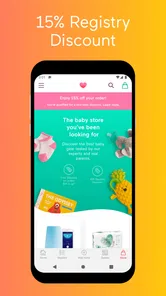
- Free shipping and discount offers available.
Cons
- Limited customization for registry themes.
- Some features require a premium subscription.
- Occasional sync issues with certain stores.
- App notifications can be overwhelming.
- Customer support response can be slow.











