Atlanta News First
- 252.00
- 3.7
- Installs
- 100.00K
- Price
- Free

Screenshots
Analysis by Reviewed
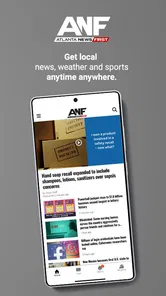
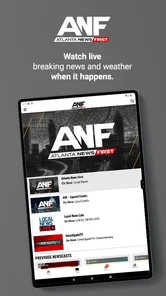
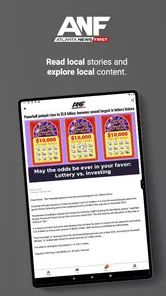
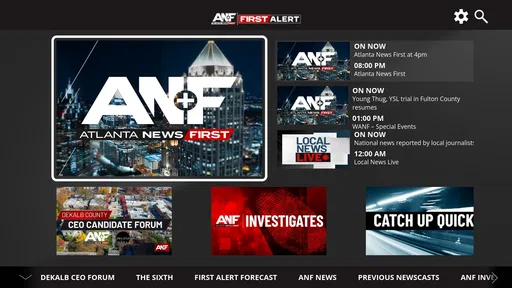
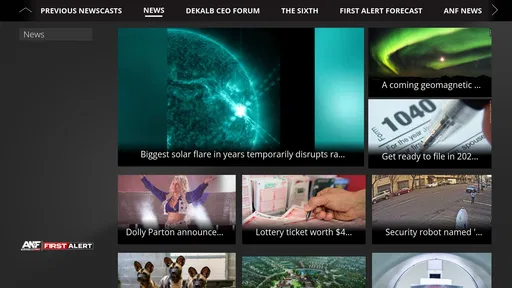
Atlanta News First is a straightforward way to keep local reporting and weather information close at hand on an Android phone. I approached it as an everyday news reader rather than a replacement for every national news source, and that distinction matters. Its focus is Atlanta, so its value comes from helping me understand what is happening nearby, especially when local conditions change quickly.
Developed by Gray Media, this free News & Magazines app combines Atlanta News First coverage with First Alert Weather. That pairing makes sense for daily use: I can check headlines, then move directly to weather information without opening a separate service. The app is rated for Everyone, which makes it suitable for a broad household audience, including someone who wants local information without a complicated interface.
How I use Atlanta News First during a normal day
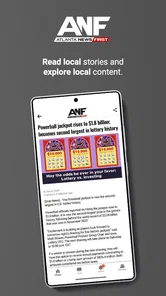
My baseline workflow is simple. I open the app when I want a local update, scan the main headlines, and choose the stories that affect my area or plans. I do not treat the front page as a complete picture of the world. Instead, I use it as a local starting point, then turn to a broader news source when I need national or international context.
That focused approach is the app’s main strength. A general news aggregator can bury a neighborhood road problem, local government decision, school announcement, or severe-weather development beneath stories selected for a much wider audience. Atlanta News First gives local coverage a more prominent role, which saves time when the question is simply, “What is happening around Atlanta today?”
The weather side is equally practical. When I am deciding whether to commute, run errands, attend an outdoor event, or leave earlier than planned, having local news and weather in the same app reduces switching. I can read a developing local story and then check the forecast in the same session. That does not make the app a full planning tool, but it creates a useful habit for quick decisions.
A realistic example is a weekday morning with an uncertain commute. I would first glance at the latest local headlines, then open the weather area to see whether conditions might affect travel. If a story suggests disruption, I would use the app to understand the local angle rather than relying only on a generic forecast. The important benefit is not a flashy feature; it is the repeatable sequence of checking news and weather together.
The app has been available since 2012, so it is not a new experiment. Its long presence also helps explain why the experience feels familiar instead of designed around novelty. People who prefer a traditional local-news format may find that reassuring. Users looking for a social feed, extensive personalization, or a huge library of unrelated topics may find it more limited.
More From Our News Desk

Weather by Xiaomi Review: Clear at a Glance, Less Clear Up Close

X Under Pressure: Can It Recover When Posting Goes Wrong?

Clash of Clans Is Won Between the Battles

Android Auto Makes the Case for Quieter Car Software

MobiOffice: Transforming Mobile Productivity with Seamless Integration

EA SPORTS FC™ Mobile Soccer: Redefining Mobile Sports Gaming
What the first session tells you
On first use, I would spend a few minutes learning where the local stories and weather sections sit before trying to make the app part of a routine. The most useful question is not whether every screen looks polished; it is whether I can reach the information I need without hesitation. For local news, speed and clarity matter more than an elaborate reading experience.
I also recommend judging the app by the kind of information you actually need. If your main interest is Atlanta-area reporting, the focused scope is an advantage. If you want a single feed covering several cities, national politics, technology, sports from many leagues, and international events, you will probably need another news app beside it. Atlanta News First works best as a local layer, not as the only source on your phone.
Settings and habits worth checking
Experienced use starts with resisting unnecessary interruptions. If the app offers notification controls on your device or within its own settings, I would review them instead of accepting every alert automatically. Local news can be useful when something important is developing, but constant notifications can turn a helpful source into background noise. Keeping only the alerts that match your routine makes it easier to notice genuinely relevant updates.
Android’s notification controls are especially useful here because they let me decide how much attention the app receives. I might allow urgent local updates while silencing less important categories, depending on what the app presents on my device. The exact choices can vary by Android version and app release, so I would check the available options directly rather than assuming every phone exposes the same controls.
Weather access deserves a similar review. If the app asks for location access, I would consider whether automatic location is worth the convenience. Someone who stays in one area may prefer selecting a location manually, if that option is available, while a frequent traveler may value location-based information. This is a practical privacy and convenience trade-off: automatic updates reduce effort, but manual selection can feel more controlled.
I would also check Android’s battery and background settings if alerts arrive late or the app seems unreliable when it has not been opened recently. Battery-saving systems can restrict background activity, and notification behavior is sometimes affected by the phone rather than by the news service itself. Looking at those system settings is a better troubleshooting step than immediately uninstalling the app.
For reading comfort, I would use the phone’s display settings and accessibility tools when needed. Larger text, a different display scale, or a darker system appearance can make longer articles easier to read. These adjustments are not special Atlanta News First features, but they matter because a local-news app is often used quickly in imperfect conditions: outdoors, during a commute, or while checking information with one hand.
Faster patterns for repeat use
The fastest pattern I found is to give the app a specific job. I would not open it aimlessly throughout the day. Instead, I would check it at a consistent point, such as before leaving home, after work, or when weather conditions look uncertain. A defined purpose prevents endless scrolling and makes local coverage more useful.
Another efficient habit is to separate scanning from reading. First, I look over the available headlines and identify the few items connected to my plans or interests. Then I read those stories fully. This is better than opening every headline in order, particularly when I only have a minute. It also helps me notice developing local topics without spending the whole morning inside the app.
When I need to remember a story, I use the phone’s normal sharing or note-taking tools if the article provides a share action. That creates a practical workflow for sending a local update to a family member or saving a detail for later. I would not assume that every story remains easy to find indefinitely, so sharing a useful article at the moment I see it is more reliable than relying on memory.
A home-screen shortcut can make this routine faster if the installed version and Android launcher expose one. Even without a dedicated widget or shortcut, placing the app where it is easy to reach removes a small amount of friction. The broader lesson is that local news becomes more useful when the path from unlocking the phone to checking information is short and consistent.
For weather, I prefer checking conditions in context rather than treating one forecast glance as a final answer. If I am planning something several hours away, I would look again closer to departure. Weather changes, and a local news app should support a habit of checking current information rather than creating false confidence from a single early-morning visit.
Where it fits beside other news options
Compared with a national news app, Atlanta News First gives local relevance a higher priority. A national service may offer more breadth, stronger topic customization, and a wider range of analysis, but it may not surface Atlanta developments as quickly or prominently. I see the two types as complementary rather than direct substitutes.
Compared with a general news aggregator, this app is less about building a personalized mix from many publishers. Aggregators can be convenient when I want one place for varied viewpoints and subjects. Their trade-off is that local stories may compete with viral or nationally popular items. Atlanta News First is a better choice when I want the local angle first and do not want to tune a large feed.
Compared with a dedicated weather app, the weather experience here is valuable because it sits beside local reporting. A specialist weather app may be preferable for detailed forecasting tools, extensive maps, or people who monitor conditions professionally. For ordinary decisions such as commuting or planning an outing, the combined news-and-weather workflow is more convenient.
Compared with reading a news website in a browser, the app can feel more immediate because it is already installed and designed for phone use. The browser remains useful when I want to compare several sources, search broadly, or avoid adding another app. The choice comes down to routine: the app favors quick repeat visits, while a browser offers greater flexibility across publishers.
Limits that matter to advanced users
The biggest limitation is focus. Atlanta News First is not designed to satisfy someone who wants a complete national or global news dashboard. Even a strong local source cannot replace broader reporting when a story has consequences beyond the Atlanta area. I would keep another source available if my work, studies, or interests require wider coverage.
There is also a difference between having local access and having deep personalization. Users who expect highly configurable feeds, extensive topic filters, or a carefully tuned reading queue may find the experience less flexible than a large aggregator. I would choose it for direct local access, not because it offers the most sophisticated content management.
Notification control can become a source of friction if it is not reviewed. Too many alerts make the app tiring; too few may cause me to miss a timely update. The sensible solution is to adjust the settings gradually, observe how the routine feels, and keep the app’s role narrow. A local news tool does not need to announce everything to be useful.
Performance can also depend on the phone, connection, and system settings. News apps rely on current content, so a weak connection or aggressive battery restrictions may make updates feel slow. When something seems wrong, I would first refresh, check connectivity, and review notification or battery permissions before deciding that the service itself is at fault.
The app’s public reception is mixed but substantial: it holds a 3.7 average from around 742 ratings and has more than 252 written reviews. That tells me it has a meaningful user base while also reminding me that the experience will not satisfy everyone. I would interpret that rating as a reason to test the workflow personally, especially if local coverage is important to me.
Who should install it, and who should skip it
I would recommend Atlanta News First to Atlanta residents who want a convenient local-news habit, people who regularly check regional weather, and households that prefer a familiar source for nearby developments. It is also a sensible companion to a national news app because it fills the local gap without asking me to build a complicated information system.
It may suit commuters, parents organizing outdoor plans, residents following local public issues, and anyone who wants a quick regional check before starting the day. The free price removes a financial barrier, and the Everyone age rating makes it easy to consider for shared household use.
I would skip it if my main requirement is worldwide coverage, advanced weather analysis, or one highly personalized feed assembled from many unrelated sources. I would also look elsewhere if I rarely care about Atlanta-specific reporting. An app is only useful when its focus matches the reader’s life; local specialization becomes wasted space when the location is not relevant.
My verdict after making it part of a routine
Atlanta News First succeeds when I use it deliberately: scan local headlines, move to weather when conditions affect my plans, and keep notifications under control. Its best quality is the connection between regional reporting and practical daily information. That combination feels more useful than a generic news feed when my question is about what is happening nearby right now.
It is not the most complete news solution, and I would not pretend it replaces national reporting, a specialist weather service, or a broad aggregator. Its narrower purpose is also its clearest advantage. With over 100K installs, it has reached a sizeable audience, but the decision should still come down to whether Atlanta local coverage belongs in your daily routine.
My final recommendation is positive for the right reader. Install it if you want a free, accessible local companion and are willing to pair it with broader sources when necessary. Use the notification and location settings thoughtfully, create a repeatable checking habit, and judge it by how quickly it answers local questions. The app is most valuable as a focused Atlanta information tool, not as an all-purpose news replacement.
Atlanta News First Frequently Asked Questions
Who publishes Atlanta News First, and is it intended for local viewers?
Atlanta News First is published by Gray Media and is a local news app focused on the Atlanta metropolitan area and surrounding communities. It is intended for people who want to follow developments in the region from a mobile device. Its local focus makes it especially relevant to Atlanta-area residents, while travelers and former residents may also find regional reporting useful.
What is Atlanta News First?
Atlanta News First is a local news application focused on the Atlanta metropolitan area and surrounding communities. It typically provides access to breaking news, local reporting, weather updates, traffic information, sports coverage, investigative stories, and video content. The app is designed for users who want a convenient way to follow important developments in Georgia from a mobile device.
What kind of content can I find in the Atlanta News First app?
The app generally includes local and regional news, weather forecasts, severe weather alerts, traffic reports, sports updates, entertainment stories, and live or on-demand video reports. Coverage may include major events, public safety information, politics, community news, and consumer investigations. Available sections and stories can change depending on current events and the station’s publishing schedule.
Does Atlanta News First provide live news and weather alerts?
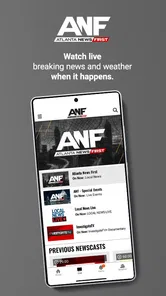
Atlanta News First may offer live newscasts, breaking-news coverage, livestreams, video clips, and weather-related updates when significant events occur. Users can often enable notifications for urgent stories, severe weather, or other important developments. However, livestream availability and alert features may vary by location, device settings, internet connection, and the station’s current programming.
Can I use Atlanta News First if I only want weather updates?
Weather is one of the app’s stated areas of coverage, alongside local news, and the app may provide forecasts and severe-weather updates. It can be useful if you want regional weather information together with reporting about Atlanta and nearby communities. For urgent alerts, check your device’s notification settings and keep an internet connection available so updates can reach the app.
Pros
- Covers breaking news and local updates across the Atlanta area.
- Live newscasts help users follow major stories as they happen.
- Weather forecasts include alerts useful for daily planning and safety.
- Video reports provide more context than short text headlines.
- Easy access to regional traffic
- community
- and investigative coverage.
Cons
- Heavy breaking-news notifications may feel excessive for some users.
- Some video content may require a stable
- fast internet connection.
- Coverage is primarily Atlanta-focused and less useful elsewhere.
- Advertising can interrupt browsing and video viewing.
- Certain features or content may depend on location availability.













