AntiVirus Toolkit
- 7.72K
- 4.5
- Installs
- 5.00M
- Price
- Free

Screenshots
Analysis by Reviewed
When it comes to keeping our mobile devices safe from pesky malware and unwanted intrusions, the AntiVirus Toolkit is here to save the day. I recently got my hands on this app, and let me tell you, it's packing some serious punch when it comes to digital protection. So, let's dive right into the nitty-gritty of what makes this app a must-have for anyone who values their data security.
First Impressions
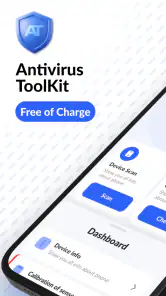
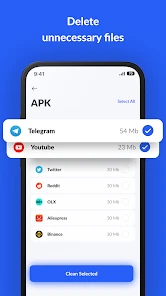
The first thing that caught my eye was the user-friendly interface of the AntiVirus Toolkit. The installation process was a breeze, and within minutes, I was ready to explore its features. The layout is intuitive, with all the essential functions right at your fingertips. You don't have to be a tech wizard to navigate through it, which is a massive plus for someone like me who prefers simplicity over complexity.
Features That Stand Out
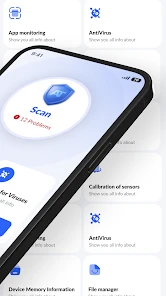
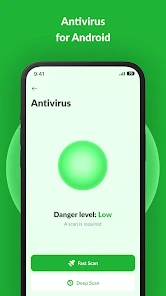
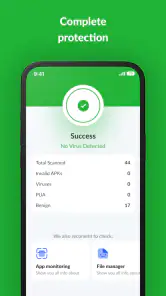
One of the standout features of this app is its real-time scanning ability. It continuously monitors your device for any suspicious activity and alerts you immediately. I was impressed by how efficiently it detected and neutralized potential threats without causing any noticeable lag on my phone. It's like having a vigilant security guard on duty 24/7.
Another feature worth mentioning is the privacy advisor. This nifty tool lets you know which apps on your device might be accessing sensitive information. In an age where data privacy is paramount, having this level of insight is incredibly reassuring. I found myself going through my apps and making adjustments based on the recommendations provided.
Performance and Usability
Now, let's talk about performance. The AntiVirus Toolkit runs smoothly in the background, ensuring your device is protected without draining the battery. I didn't notice any significant impact on my phone's performance, which is often a concern with security apps. It really feels like the developers have taken user experience into serious consideration.
Usability-wise, I appreciate the periodic reports that summarize the security activities on my device. It's like getting a health checkup for your phone, keeping you informed about any threats and actions taken. Plus, the option to schedule scans means you can set it and forget it, trusting the app to do its job while you go about your day.
Wrapping It Up
In conclusion, the AntiVirus Toolkit is an excellent choice for anyone looking to bolster their mobile security. With its comprehensive features, ease of use, and reliable performance, it offers peace of mind in a world where digital threats are ever-present. Whether you're tech-savvy or just someone who wants to keep their data safe, this app has got you covered.
So, if you haven't already, give the AntiVirus Toolkit a try. It's like having a digital bodyguard for your phone, ensuring that your personal information stays just that—personal.
Pros
- Real-time threat detection
- User-friendly interface
- Minimal system impact
- Regular updates
- Comprehensive malware protection
Cons
- Limited free version features
- Occasional false positives
- Some ads in free version
- Requires internet for updates
- No VPN included

- Category
- Tools
- Version
- 1.103











