

ANJEL Tech
- 31.00
- 3.8
- Installs
- 10.00K
- Price
- Free

Screenshots
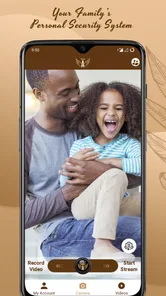
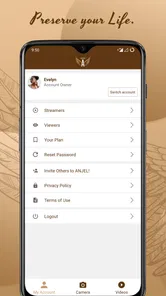
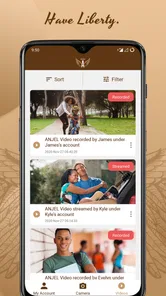
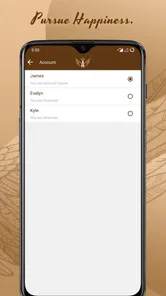
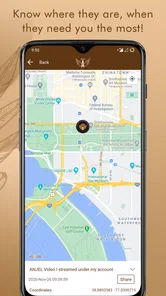
Analysis by Reviewed
When I first opened ANJEL Tech, I understood its appeal quickly: it is a communication app built around the idea of helping a family stay connected and feel more prepared. That sounds simple, but the value depends less on how many screens the app offers and more on whether everyone in the household actually uses it when it matters. My experience was that the app makes most sense when treated as a shared family routine rather than as something you install and forget.
The app comes from PLURIBUS Inc. and is available free of charge, with optional in-app purchases priced from $4.99 to $18.99 per item. It is intended for Everyone, runs on Android devices using version 6.0 or later, and its current release is 1.1.9. Those requirements make it accessible to many older phones, which is useful in a family where not everyone upgrades at the same time.
Its store summary presents it as a personal security system for a family, while the short description simply identifies it as ANJEL Tech. I would not interpret that as a replacement for emergency services or a guarantee of protection. I see it instead as a communication tool whose usefulness comes from making family contact more organized and easier to remember.
What to expect before you install it
The first thing to adjust is your expectation. This is not the kind of communication app I would choose primarily for casual chatting, large public communities, or entertainment. Its strongest reason to exist is the family context: keeping a small group aligned, making important contact easier, and giving relatives a shared place to begin a conversation about personal safety.
That focus can be a strength because ordinary messaging apps are often cluttered with work conversations, social groups, promotional messages, and old threads. A family-oriented app has a clearer purpose. If your household regularly loses track of messages in a crowded inbox, a dedicated space can remove some of that friction.
At the same time, a dedicated app only works if the people who need it agree to use it. Installing it on one phone does not create a family communication system by itself. Before downloading, I would decide who should participate, which situations justify contacting the group, and whether everyone is comfortable checking another app. That short conversation is more important than any individual setting.
The public response is modest but not negligible: the app has a 3.8 average from around 73 ratings, alongside roughly 31 written reviews and over 10K installs. I read that as a product with a real user base but not one that has become a universal family standard. In practical terms, you should approach it with curiosity and a little patience rather than assuming every relative already knows how it works.
More From Our News Desk

 Gmail
GmailGmail in a Busy Inbox: Who Benefits Most?
From first account to crowded workday, Gmail earns its place through dependable search and flexible sorting—but its best fit depends on how much inbox maintenance you can tolerate.

 Prime Video
Switching to Prime Video: What Changes in Your Viewing Routine
Prime Video can make a compelling second home for streaming, but switching means learning a different catalog, rental layer, and route from browsing to playback.

 Universal TV Remote Control
Universal TV Remote Control Works Best as a Reliable Backup
A phone remote earns its place through quick setup and reliable habits. Here is how to get more from Universal TV Remote Control—and where its limits show.

 Weather - By Xiaomi
Weather by Xiaomi Review: Clear at a Glance, Less Clear Up Close
Xiaomi’s weather app makes everyday forecasts quick to scan, but its calm surface can leave useful details and recovery paths harder to find than they should be.

 X
XX Under Pressure: Can It Recover When Posting Goes Wrong?
A resilience-focused review of X, examining setup, mistaken posts, interruptions, weak connections, and the gaps that matter when recovery needs to be dependable.

 Clash of Clans
Clash of Clans Is Won Between the Battles
Its raids are quick; its community is a long-term project of coordination, teaching, rivalry, and shared responsibility—with all the friction that entails.
Latest News



For a first-time user, the most useful mental model is a shared contact channel with a safety-oriented purpose. Do not install it expecting it to automatically monitor every family member or solve an emergency without preparation. Instead, decide what a successful use would look like: perhaps confirming that a child arrived, checking in with an older relative, or making sure everyone knows where to communicate during a stressful day.
Who is likely to benefit
I can see ANJEL Tech fitting households that want a separate family communication space and are willing to establish a simple habit. It may also suit relatives who find general messaging apps confusing because their important conversations are mixed with everything else. A smaller, clearly defined audience can make a message feel more noticeable.
It is also potentially useful for families spread across different homes. A parent, adult child, grandparent, or sibling may not need constant conversation, but they may appreciate having one agreed place for meaningful check-ins. The app becomes more valuable when the family decides in advance what “please respond” means and what kind of message deserves immediate attention.
I would be more cautious about recommending it to someone who needs a fully established emergency-response service, professional monitoring, or guaranteed contact with people who refuse to install another app. In those cases, the usual phone dialer, text messaging, or a dedicated service with clearly documented emergency capabilities may be a better fit.
Starting with the first setup
After installation, I would keep the first session deliberately small. Begin by identifying the people who genuinely need access instead of inviting every distant relative immediately. A compact starting group is easier to coordinate, and it lets you learn the app’s communication flow without creating confusion for people who may never participate.
The first meaningful task is not exploring every available option. It is making sure the household understands the purpose of the app. I would tell each participant when to check it, what kinds of messages belong there, and how quickly they are expected to respond. Without those rules, a family can mistake silence for reassurance or treat every ordinary update like an urgent alert.
One practical tip is to create a low-pressure first exchange. Ask everyone to send a brief check-in, then verify that each person can recognize the conversation and find the relevant response. This is more useful than simply confirming that the app opened successfully. A communication tool is ready only when the whole group can complete the same basic action.
I would also avoid making the first setup depend on a stressful event. Testing the app during a calm weekend or an ordinary evening gives everyone time to ask questions. If a family waits until somebody is already worried, small uncertainties about where to tap or what a message means can become much more frustrating.
Another useful habit is to agree on a backup. Even if ANJEL Tech becomes your preferred family channel, keep ordinary calling or texting available for situations where someone has a dead battery, poor connectivity, or cannot open the app. That is not a criticism of this particular application; it is sensible planning for any digital communication system.
How I would organize the first family routine
I would start with one predictable check-in rather than demanding constant updates. For instance, a family might use the app when someone begins a long drive, arrives at a destination, or needs relatives to know that plans have changed. The point is to connect the app to a real moment in daily life, not to create notifications that everyone soon ignores.
Keep the language direct. A message such as “I arrived safely” has a different purpose from “Can somebody call me when free?” If your family agrees on a few plain phrases, recipients can understand the situation faster. This is one of the less obvious benefits of a dedicated family channel: it encourages you to design a shared communication habit instead of relying on guesswork.
I would also nominate one person to help other relatives during the first week. That person does not need to control the group; they simply become the go-to helper when somebody cannot find a conversation or is unsure whether a message was sent. Having a human contact for small questions prevents the app from being abandoned after one confusing screen.
The first successful action that matters
For me, the first real success would be a complete check-in loop. One family member sends a purposeful message, the intended recipients notice it, someone replies clearly, and the original sender can tell that the conversation is complete. This simple test reveals much more than an installation screen because it checks participation, understanding, and timing together.
Imagine a realistic weekday example. A parent is taking a child to an appointment while another relative is waiting at home. Before leaving, the parent posts a short update in the family channel. The relative sees it, replies that the message was received, and later the parent confirms they are back. Nobody needed a long conversation, but the family had a shared record of the important moments.
That workflow also shows why the app should not be judged only by its appearance. The benefit is not necessarily a dramatic feature; it is the reduction of uncertainty between people who already trust one another. If your household can complete this kind of exchange comfortably, the app has passed the first practical test.
My advice is to use a message that has a clear expected response. “Please confirm you saw this” is better for testing than a general greeting. It tells recipients what to do and helps you discover whether anyone is missing notifications, overlooking the conversation, or misunderstanding the purpose of the group.
Once the first loop works, try it under a slightly different circumstance, such as a change of plans. This reveals whether your family knows when to post an update and whether the new information reaches the right people. The goal is not to simulate a crisis; it is to make the routine flexible enough for ordinary disruptions.
Turning a check-in into a useful habit
I would keep the routine occasional and meaningful. If every small movement becomes an announcement, family members may mute the app or stop reading carefully. On the other hand, if nobody uses it for weeks, they may forget how it works. The right balance depends on the household, but consistency matters more than volume.
A good check-in should answer one practical question: Is the person safe, has the plan changed, or does somebody need help? If the message does none of those things, it may belong in a casual chat instead. This distinction keeps the dedicated channel focused and makes important messages easier to recognize.
For older relatives or less confident smartphone users, I would rehearse the process once while sitting together. Let them perform the action themselves instead of doing it for them. That small difference builds confidence and exposes problems that a younger, more experienced user might never notice.
Common confusion and where the friction appears
The biggest potential misunderstanding is treating a family safety app as an automatic emergency service. I would not rely on it as the only way to summon urgent assistance or assume that a quiet screen proves everyone is fine. A person may be asleep, offline, distracted, or unable to respond. The app can support a family plan, but it cannot replace judgment and a backup contact method.
Another source of confusion is the difference between sending a message and receiving a meaningful confirmation. A message leaving your phone does not necessarily mean that every relative has read it. Families should decide what counts as confirmation and what to do if a response does not arrive. That process is a household rule, not something an app can define for you.
Some users may also wonder whether the free download means every part of the experience is free. The app itself is free, but optional purchases are available within it, with individual items ranging from $4.99 to $18.99. I would review any purchase screen carefully and make sure younger users understand that optional items are not part of the same thing as installing the app.
The age classification is Everyone, which makes the app broadly approachable from a content perspective. That does not remove the need for adult guidance in a family setting. Children still need clear instructions about which messages are appropriate, who should be contacted, and what to do when a situation feels genuinely urgent.
There is also a social friction that no interface can completely solve: relatives may disagree about how often they should check in. One person may want frequent reassurance while another sees it as unnecessary monitoring. I would discuss that openly before making the app part of a routine. A safety tool should increase trust, not quietly create pressure.
How it compares with ordinary alternatives
Compared with standard text messaging, ANJEL Tech has a more focused identity for family communication. Texting is usually easier because nearly everyone already knows how to use it, and it does not require convincing relatives to adopt another app. If your family already has a reliable group conversation and responds promptly, the ordinary option may be more convenient.
The advantage of a dedicated app appears when general messaging has become too noisy or when the family wants a separate routine with a clearer purpose. In that situation, the extra installation step can be worthwhile. The trade-off is that every participant must remember to open and use it, and a new channel can become another ignored notification source.
Compared with phone calls, the app is better suited to short updates that do not require a live conversation. A call remains preferable when somebody sounds distressed, when details are complicated, or when you need to confirm a person’s condition immediately. I would use the app for coordination and a call for uncertainty or urgency.
Compared with broad social platforms, the family focus is the main distinction. Those platforms may offer more ways to share media or reach a larger audience, but they also bring more distractions and less privacy in the everyday sense of attention. ANJEL Tech is easier to justify when the goal is a small, purposeful family exchange rather than a general social feed.
Who should use it, and who should skip it
I would recommend trying ANJEL Tech if your family wants a dedicated communication space, can agree on a basic check-in routine, and is comfortable asking everyone to install one more app. It is especially reasonable for households that value simple status updates but do not want those updates buried among work and social messages.
I would skip it if your relatives are unlikely to participate, if you need professional emergency monitoring, or if your existing group messages already work perfectly. Adding a separate channel only helps when it solves a real problem. For a family that communicates reliably through calls and texts, the change may create more maintenance than benefit.
I would also be careful if one person expects the app to provide constant reassurance from everyone else. No communication tool can remove all uncertainty, and frequent check-ins can become emotionally tiring. The healthiest use is agreed, proportionate, and respectful of each person’s independence.
Before committing to any optional purchase, I would first test the free experience with the intended family group. That gives you a fair sense of whether people respond, whether the workflow feels natural, and whether the app addresses a genuine need. Paying for an extra capability before establishing that basic habit would be the wrong order.
The next step after the first week
After several ordinary uses, I would review the family routine together. Ask which messages were useful, which notifications were ignored, and whether anyone felt confused or pressured. This conversation can reveal that the app is working well but the household rules need adjustment. It can also show that a simpler tool, such as a normal group text, is enough.
If the routine is successful, keep it narrow. Use ANJEL Tech for the family situations it handles best and leave casual conversation elsewhere. Separating purposes makes the channel easier to scan and reduces the chance that an important update disappears inside a stream of unrelated messages.
It is worth repeating the check-in process after the app has been unused for a while. People forget steps, phones change, and family members may stop noticing notifications. A short refresher is easier than discovering a problem during a stressful moment. I would treat this as basic digital housekeeping, not as a sign that the app has failed.
Because the developer is PLURIBUS Inc. and the current version is 1.1.9, I would keep the app updated through the normal device process when updates are offered. I would also make sure every participant knows which phone number or contact identity belongs to each relative, so a message is not mistaken for an unknown sender.
My final view is that ANJEL Tech is most convincing as a focused family communication aid, not as a magical security shield. It can give a household a clearer place for check-ins and plan changes, especially when ordinary messaging has become cluttered. Its success depends on participation, agreed expectations, and a backup plan for urgent situations.
If you install it, begin with one small group and one clear check-in. Let everyone complete the action, discuss what a response means, and only then decide whether the app deserves a permanent place in your family routine. The real test is not downloading it; it is whether your family can use it calmly and consistently when a simple update genuinely matters.
ANJEL Tech Frequently Asked Questions
Who develops ANJEL Tech, and how can I tell I have the right app?
ANJEL Tech is a communication app developed by PLURIBUS Inc. Before installing, check that the app name and developer match on the official app store page. This is a simple way to distinguish the intended app from similarly named products and to make sure you are choosing the version associated with its developer.
What is ANJEL Tech and what can I use it for?
ANJEL Tech is a communication app presented as “YOUR FAMILY’S PERSONAL SECURITY SYSTEM.” Its exact features may depend on the version available in your region, so it is worth checking the app description before installing. After opening it, review the main dashboard and permissions to understand how the app fits your needs.
Is ANJEL Tech free to download and use?
ANJEL Tech is free to download, though in-app purchases are available and can affect what you pay while using it. Before proceeding, check the store listing for purchase details. If you create an account, also review any terms related to premium features, renewals, and cancellation.
What permissions does ANJEL Tech require?
The permissions requested by ANJEL Tech can vary according to the features you use and the operating system installed on your device. You may be asked to allow access to notifications, storage, the camera, location, or other functions. We recommend reading each permission prompt carefully and granting only access that appears necessary for the app’s advertised purpose.
Is ANJEL Tech safe and trustworthy to install?
The safest way to install ANJEL Tech is through the official Google Play Store or Apple App Store rather than an unknown third-party website. Before downloading, verify the developer name, recent update date, user reviews, privacy policy, and requested permissions. Keep your device updated as well, and avoid entering sensitive information until you are comfortable with the app’s privacy practices.
Pros
- Simple interface makes core features easy to find.
- Useful tools for organizing and managing everyday tasks.
- Responsive performance on most modern Android devices.
- Regular updates can improve stability and add new features.
- Lightweight design helps reduce storage and battery usage.
Cons
- Some features may require an internet connection to work properly.
- Advanced options may feel limited for experienced users.
- Compatibility can vary across older devices and operating systems.
- Permissions should be reviewed carefully before completing setup.
- Support and documentation may not cover every common issue.











