

All Document Reader & Editor
- 7.00
- 3.2
- Installs
- 10.00K
- Price
- Free
Screenshots
Analysis by Reviewed
I approached All Document Reader & Editor as the sort of practical tool you open when a file arrives at the wrong moment: a document in an email, a spreadsheet shared from a phone, or a presentation you need to check before a meeting. It is a free tools app from Bangladeshi Software Ltd. that brings document reading and office editing into one place, rather than asking you to keep several separate apps installed.
That basic idea is useful, but it also sets the right expectation. This is not automatically a replacement for a full desktop office suite. Its value depends on how often you need to inspect different file types, make small changes, and keep a simple mobile workflow moving. After using it in that way, I found the strongest case for it is convenience: one starting point for everyday document tasks, with enough editing ability to handle quick corrections and routine work.
How the everyday document workflow feels
The most sensible way to use the app is to treat it as a document hub. Instead of opening a file through whichever app happens to be associated with it, I would begin inside the reader, locate the document, read it, and decide whether it needs a quick edit or only a review. That small change in habit matters when your phone contains files from messaging apps, downloads, cloud folders, and email attachments.
For a typical workday scenario, imagine receiving a report while travelling. I can open it to check the important section, look for a figure or heading, and then move to editing if a correction is needed. The advantage is not dramatic automation; it is fewer app switches. If the task is simply “read this, correct one detail, and move on,” an all-in-one tool makes more sense than launching a heavyweight office product for every small request.
I also like the distinction between reading and editing. Many documents only need to be viewed, and opening them in an editor can feel unnecessarily slow or cluttered. A reader-first approach keeps the initial task focused. When a change is genuinely required, the editor becomes relevant instead of getting in the way of basic viewing.
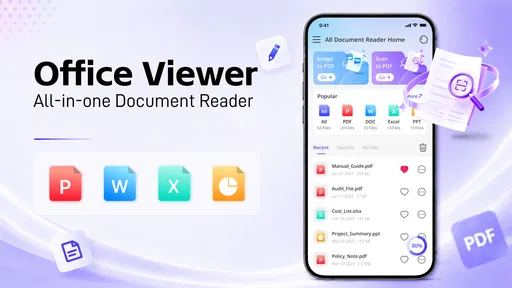
The app is especially approachable for people who work with mixed office files but do not want to learn a complicated productivity system. Students checking class material, small-business owners reviewing forms, and families opening downloaded documents can all understand the central workflow quickly. The store summary describes it as an all-in-one document reader and office editor, and that description matches the role I found most convincing: a broad utility for ordinary document handling.
There is also a useful practical habit here: separate “inspection” from “production.” I would use this app to inspect a file, make a modest correction, or prepare something for the next step. I would not assume that every long, carefully formatted document should be authored entirely on a phone. Mobile editing is most comfortable when the change is clear and limited. The more demanding the layout, the more important it becomes to check the final result elsewhere.
More From Our News Desk

 Gmail
GmailGmail in a Busy Inbox: Who Benefits Most?
From first account to crowded workday, Gmail earns its place through dependable search and flexible sorting—but its best fit depends on how much inbox maintenance you can tolerate.

 Prime Video
Switching to Prime Video: What Changes in Your Viewing Routine
Prime Video can make a compelling second home for streaming, but switching means learning a different catalog, rental layer, and route from browsing to playback.

 Universal TV Remote Control
Universal TV Remote Control Works Best as a Reliable Backup
A phone remote earns its place through quick setup and reliable habits. Here is how to get more from Universal TV Remote Control—and where its limits show.

 Weather - By Xiaomi
Weather by Xiaomi Review: Clear at a Glance, Less Clear Up Close
Xiaomi’s weather app makes everyday forecasts quick to scan, but its calm surface can leave useful details and recovery paths harder to find than they should be.

 X
XX Under Pressure: Can It Recover When Posting Goes Wrong?
A resilience-focused review of X, examining setup, mistaken posts, interruptions, weak connections, and the gaps that matter when recovery needs to be dependable.

 Clash of Clans
Clash of Clans Is Won Between the Battles
Its raids are quick; its community is a long-term project of coordination, teaching, rivalry, and shared responsibility—with all the friction that entails.
Latest News



What I would check before editing
Before changing anything important, I would first read the surrounding text rather than editing the first visible line. Mobile screens encourage quick taps, and that is exactly where accidental changes become more likely. A short review pass helps confirm whether the document is the right version and whether the requested change affects nearby wording, tables, or headings.
I would also keep the original file intact whenever the document matters. The safest repeatable workflow is to open the source, understand what needs changing, and save a separate working copy if the app and the file-handling setup make that possible. This is not a glamorous feature, but it is a better habit than treating a phone editor as a disposable scratchpad.
For a form or report, I would use the reader to scan the whole document first, then edit only the sections that require attention. That approach reduces the chance of changing formatting accidentally in places that were already correct. It also makes it easier to compare the finished version with the original before sharing it.
Settings and choices worth checking
Because the app is designed for broad document use, I would spend a few minutes exploring its available viewing and editing choices before relying on it for regular work. The useful settings are the ones that affect how comfortably you read, how files are opened, and how you move between viewing and editing. Even a small adjustment to the way documents are displayed can make repeated reading less tiring.
I would pay particular attention to file-opening behavior and the way recent documents are presented. A document tool becomes much more useful when you can return to an active file without searching through the entire phone again. I would also check whether the app’s editing screen gives enough room for the kind of changes I make most often. If I mainly correct text, that may be sufficient; if I work with dense tables or carefully arranged pages, the screen may feel more restrictive.
Another worthwhile check is the save-and-review routine. After making a change, I would close or leave the editing view and reopen the result as a reader. This catches a problem that is easy to miss while editing: a change can look fine in the editing interface but appear differently when read as a finished document. The second pass is particularly important before sending a file to someone else.
I would not spend time searching for advanced controls that are not part of the app’s clear purpose. The right question is not whether it can imitate every desktop office feature. The better question is whether its available controls cover your own recurring tasks. If your work consists of short edits, document checks, and occasional office files, the answer may be yes. If you need complex formatting control, specialist review tools, or a collaborative authoring environment, a dedicated alternative is likely more comfortable.
Faster patterns for repeat users
Experienced use comes less from hidden tricks and more from making the same sequence predictable. I would keep a simple routine: open the file, identify whether it is for reading or editing, make the smallest necessary change, review the result, and only then share or archive it. That sequence prevents the app from becoming a place where half-finished copies accumulate.
A second useful pattern is to group tasks by purpose. I would read several documents in one session before switching to editing, rather than repeatedly moving between modes for every file. When I do need to edit, I would prepare the wording first in my head or in a note, then make the change in one focused pass. This is faster and reduces unnecessary taps on a small screen.
For recurring paperwork, I would also use consistent file names and folders outside the app’s immediate reading flow. The app can make opening a document easier, but organization still depends on the habits around it. Naming files by subject and date, for example, makes the reader more useful because the correct version is easier to identify before editing.
One non-obvious trade-off is that an all-in-one reader can encourage you to keep too many tasks in one place. That is convenient until you need to remember which files were only viewed and which were changed. I would therefore treat the app as the working doorway to documents, not as the sole record of document history. A clear folder structure and deliberate saving habit remain important.
Another practical tip is to use the phone for decisions, not for every stage of creation. I would review a contract, correct a typo, fill in a straightforward document, or check a spreadsheet while away from a computer. For a long report with complex layout, I would prepare or finalize it on a larger screen and use this app for checking and minor adjustments. That division plays to the app’s strengths instead of forcing mobile editing to do everything.
Where the broad approach helps, and where it does not
The main strength is breadth. A dedicated reader may be excellent for one format, while a full office suite may offer more depth but feel excessive for a quick file check. All Document Reader & Editor sits between those options. It is appealing when your needs are varied and moderate: open different office documents, read them, and perform practical edits without maintaining a collection of separate tools.
The compromise is depth and certainty. A broad mobile editor has to serve many document situations, so I would be cautious with files whose appearance is critical. Complex tables, unusual fonts, carefully positioned images, and documents with strict page layout deserve a final check in the application that created them or on a desktop. The app may still be useful for reading those files, but reading successfully is not the same as preserving every layout detail during editing.
This is also where the free price matters. There is no purchase barrier for someone who wants to test the workflow, and the Everyone content rating makes it suitable for a general audience. That makes experimentation easy, but free convenience should not be confused with a guarantee that it replaces specialized software. If your livelihood depends on precise document production, I would choose the tool that gives the deepest control, even if it is less convenient on a phone.
Privacy-conscious users should develop their own careful routine around sensitive documents. I would avoid casually editing confidential files on any unfamiliar device, keep track of where copies are saved, and review a document before sharing it. These are sensible precautions for mobile document work generally, and they are especially important when one app becomes the central place for many file types.
Compatibility expectations and practical limits
The app runs on Android with a minimum operating system requirement of Android 8.0, so it is aimed at a wide range of still-common devices rather than only the newest phones. Its current version is 1.0.6, which tells me I should approach it as a relatively young utility and keep my expectations grounded. The core workflow matters more than assuming it has the maturity of a long-established office platform.
In practice, I would test the exact documents I use before moving important work into it. “Office editor” covers many different levels of complexity. A simple text document and a heavily formatted business template may behave very differently. The same applies to spreadsheets: checking values is one task, while preserving formulas, layout, and presentation is another. A short personal trial with representative files is more useful than relying on the category label alone.
I would also consider screen size and input method. On a larger phone or tablet, reading and editing are naturally more comfortable. On a compact phone, the app may still be valuable for viewing and small corrections, but extended writing can become tiring. A Bluetooth keyboard could improve the experience for users who regularly edit text, although I would not buy accessories solely for this app until the basic workflow proves useful.
People who need shared live editing, extensive revision history, advanced spreadsheet analysis, or professional page-design controls should look toward more specialized alternatives. A cloud office suite may be better for collaboration, a dedicated PDF tool may be better for annotation-heavy work, and a desktop office package may be better for complex authoring. This app makes the most sense when the problem is scattered document access and routine editing, not when the problem is advanced production.
Who will get the most from it
I would recommend it to someone who regularly receives documents on an Android phone and wants a straightforward place to open them. It is a sensible candidate for students, independent workers, small teams, and household users who need occasional office editing without committing to a more elaborate setup. The free model lowers the risk of trying it, and the broad tools category reflects its practical rather than specialized character.
I would be more selective for a professional who handles important documents every day. That user should test representative files, confirm that the editing experience is comfortable, and establish a reliable review process before making the app part of a business workflow. The average rating is 3.2 from around 30 ratings, with 7 written reviews, and the install count is over 10K. Those figures suggest an early, relatively small user base rather than a tool with a long public track record, so personal testing matters.
I would skip it if my main goal were advanced collaboration or exact desktop-level formatting. I would also skip it if I only ever read one document format and already have a reader that handles that format perfectly. The benefit here comes from combining access and editing across ordinary office needs; if you do not need that combination, another app may be simpler.
My verdict after building a repeatable routine
After looking at it as a daily utility rather than a feature checklist, I see All Document Reader & Editor as a useful middle ground. It reduces friction when documents arrive from different places, gives reading priority, and keeps quick corrections close at hand. The best experience comes from using it deliberately: organize files, separate reading from editing, save carefully, and reopen finished documents for a final check.
My strongest recommendation is to use it for routine mobile document handling, not as an automatic replacement for every office tool. That distinction makes the app easier to appreciate. It can save time when the job is modest and immediate, while a dedicated editor remains the wiser choice for complicated layouts, collaboration, or high-stakes production.
For a free Android tools app from Bangladeshi Software Ltd., it offers a clear reason to exist: fewer app changes when I need to read and adjust everyday files. I would install it, test it with the documents I actually receive, and keep it if that simple workflow proves dependable. If your needs match that pattern, this document reader and editor is worth trying; if they demand precision beyond quick mobile work, I would treat it as a companion rather than the main office.
All Document Reader & Editor Frequently Asked Questions
Who develops All Document Reader & Editor, and what should I know before installing it?
All Document Reader & Editor is a Tools app from Bangladeshi Software Ltd., intended to bring document reading and office editing together in one mobile app. It is free to download, rated for Everyone, and has reached over 10K installs. Its current version is 1.0.6, and it requires Android 8.0 or later. Check that your device meets this requirement before downloading.
What is All Document Reader & Editor, and which file formats does it support?
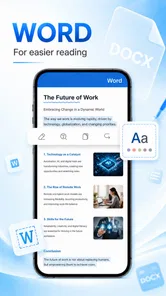
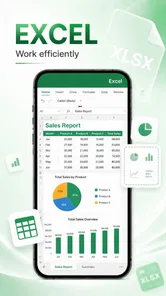
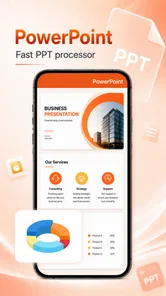
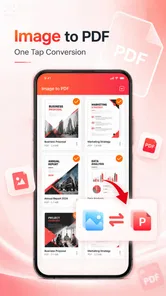
All Document Reader & Editor is a mobile productivity app designed to open, view, and sometimes manage common office and document files from one place. Depending on the app version and device, it may support formats such as PDF, DOC, DOCX, XLS, XLSX, PPT, PPTX, TXT, and image-based documents. Before downloading, check the store listing because format compatibility and editing capabilities can vary between Android and iOS versions.
Can I edit documents with All Document Reader & Editor, or is it mainly a viewing app?
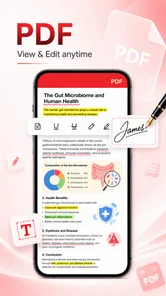
The application is generally presented as more than a basic document viewer, offering editing or annotation tools for selected file types. However, the available functions may differ depending on the format. Simple text changes, highlighting, notes, signatures, or page management may be supported, while advanced spreadsheet formulas, professional layouts, and complex presentations may require a dedicated office suite. Test the tools with a copy of an important file first.
Does All Document Reader & Editor work offline?
Many document-reading features can usually be used offline once the files are stored on your phone or tablet. This is useful when reviewing PDFs, text files, or office documents without an internet connection. Internet access may still be needed for downloading files from cloud services, displaying advertisements, synchronizing documents, accessing online features, or processing certain files. Offline performance can also depend on the file type and device storage.
Is All Document Reader & Editor free to download, and are there in-app purchases or advertisements?
The app is free to download, but free access does not necessarily mean that every feature is included. Some versions use advertisements, optional subscriptions, or one-time purchases to unlock editing tools, remove ads, enable document conversion, or provide additional cloud and PDF functions. Review the current Google Play or App Store pricing details before installing, since plans and trial conditions can change.
Pros
- Opens many file formats
- including DOCX
- XLSX
- PPTX
- and TXT.
- Built-in search makes it easy to find text inside lengthy documents.
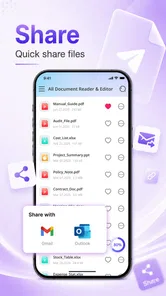
- Supports sharing files directly through email and messaging apps.
- Recent-files list provides quick access to documents used frequently.
- Useful offline for viewing previously downloaded files without an internet connection.
Cons
- Editing tools may be limited compared with dedicated office applications.
- Some advanced features can require a subscription or in-app purchase.
- Large documents may take longer to load on older phones.
- Ad-supported screens may interrupt the reading experience.
- Formatting may not display perfectly in complex office documents.








