AirReceiver AirPlay Cast DLNA
- 92.00
- 3.6
- Installs
- 100.00K
- Price
- $2.99

Screenshots
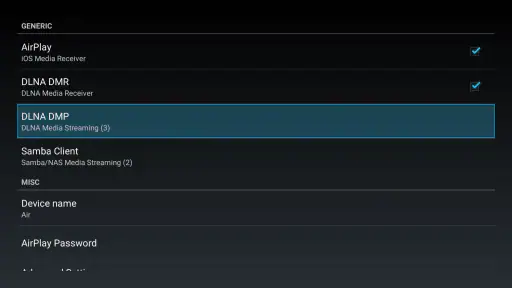
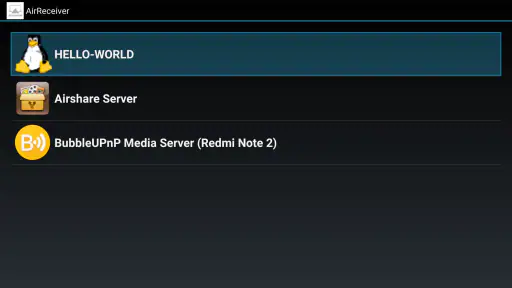
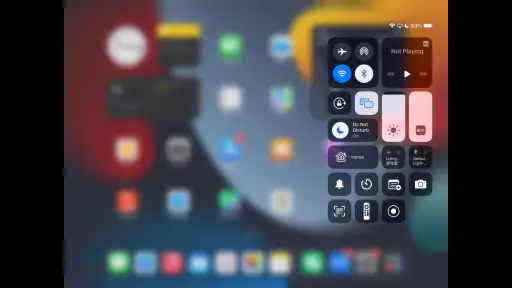
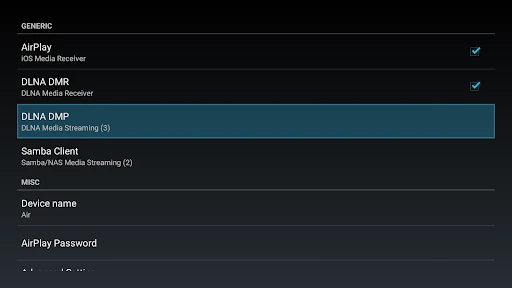
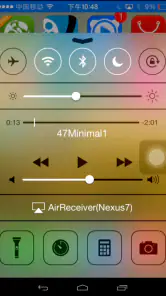
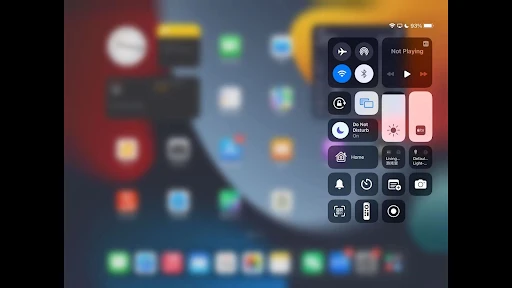
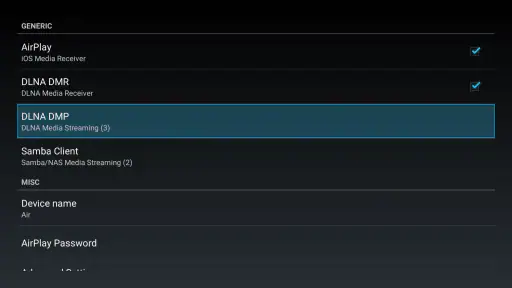
Analysis by Reviewed
I often decide whether a streaming receiver is useful by asking one practical question: can it bridge the devices I already own without turning a relaxed evening into a setup project? AirReceiver AirPlay Cast DLNA is aimed at that gap. It is an Android app from softmedia, in the video player and editing category, that lets a compatible device receive streams sent through familiar casting and media-sharing systems.
A useful bridge, not a new media library
I see its main value in connecting a phone or tablet to a larger screen or speaker, rather than replacing a dedicated streaming service or a television’s built-in apps. If you already have a video or song on another device, a receiver can save you from searching for it again on the TV. That is particularly handy when a visitor wants to share a clip, or when I want to show a photo collection without passing my phone around.
The key decision is whether your sender and receiver can communicate over the same home network and protocol. Before paying, I would check the casting options on the device you plan to send from and confirm that the TV or playback setup can run an Android receiver. AirReceiver is not a universal fix for every screen: a television with its own dependable casting support may be simpler, while a wired connection can be more predictable when wireless discovery is unreliable.
Choosing the right device for the receiving end
It helps to decide where the receiver will live before you install anything. If an Android device is already connected to a television, using that device as the destination can be a practical way to add receiving options without replacing the TV. If you are thinking of using a spare phone or tablet, consider whether it can stay powered, connected to Wi-Fi, and close enough to the display or speaker for the whole session. A receiver is only convenient when the hardware running it is ready when someone wants to share.
I would also separate “can receive a stream” from “can become a permanent entertainment hub.” AirReceiver is best considered a link in a setup: another device supplies the content, and the Android receiver provides a destination. That distinction matters if you expect a browsable catalog, a remote-friendly home screen, or a central library. For those needs, a television’s own apps or a dedicated streaming device is usually a more natural fit.
Transform Your Streaming Experience
So, I recently stumbled upon AirReceiver AirPlay Cast DLNA, an app that promises seamless streaming from your devices straight to your TV. And let me tell you, it delivers! Whether you're using an Android or an iOS device, this app acts like a charm. You can throw your favorite movies, music, or even mirror your screen with ease.
Setting Up is a Breeze
One of the things I loved about this app is how easy it is to set up. All you need is your phone and a TV that supports DLNA, and you're good to go. The app guides you through the setup process, and in no time, you’re streaming like a pro. It’s like having a personal tech assistant without the fancy price tag.
More From Our News Desk

Clash of Clans Is Won Between the Battles

Android Auto Makes the Case for Quieter Car Software

MobiOffice: Transforming Mobile Productivity with Seamless Integration

EA SPORTS FC™ Mobile Soccer: Redefining Mobile Sports Gaming

How Microsoft OneDrive Became a Mobile Productivity Giant

How Google Translate Breaks Language Barriers Effortlessly
For a smoother first try, I would put the sender and receiver on the same Wi-Fi network, open the receiver before looking for it from the sending device, and test with a short clip. That quick check helps distinguish a discovery issue from a video playback issue. It is also worth treating screen mirroring and sending a media file as different jobs: mirroring shows what is on the device, while a direct media handoff can be more convenient when you want to keep using the phone for something else.
A deliberate first test saves time
When I troubleshoot a receiver setup, I change one thing at a time instead of repeatedly tapping the cast button. First I confirm that the receiving Android device is awake and that both devices are using the same local Wi-Fi. Then I try a brief piece of media from the sender. If the receiver is visible but playback does not begin, I look at the source app and content rather than assuming the network discovery is broken. If it is not visible at all, I check the network connection and restart the receiver before changing other settings.
This simple sequence is useful because a casting session has several handoff points: the sender must find a destination, the selected protocol has to be compatible, and the receiver must handle the incoming content. Keeping a short test clip handy makes it easier to tell whether a problem is specific to one file or affects the whole connection. For an evening of casual sharing, that preparation is minor; for a meeting, it is the difference between arriving with a tested plan and troubleshooting in front of everyone.
Compatibility and Performance
Now, let’s talk about compatibility. The app supports both AirPlay and DLNA, which means it works with a wide range of devices. From my experience, the streaming quality was top-notch. No lagging, no buffering – just smooth, uninterrupted entertainment. Whether you’re watching the latest blockbuster or streaming your favorite tunes, the app handles it all effortlessly.
There is a useful trade-off in that broad protocol approach: it can make an existing Android device act as a destination for streams from different kinds of senders, but it does not remove differences between those senders, networks, or file types. If a stream does not appear, I would first check that both devices are on the same local network and that the source app offers a compatible sharing option. For a presentation or an important family video, I would test beforehand rather than assume every device will discover every other device instantly.
What to expect from wireless playback
I would not treat a wireless receiver as a guarantee that every source will behave identically. A song, a locally stored video, a mirrored screen, and content inside a particular app can take different routes from sender to receiver. That is why my practical advice is to try the exact kind of content you plan to use, not just confirm that the receiver appears in a device list. The more important the occasion, the more valuable that small rehearsal becomes.
Network conditions are part of the experience too. A crowded or unstable Wi-Fi connection can make wireless playback feel less dependable than a cable, even when the receiver itself is ready. If a clip stutters, I would try moving the receiving device closer to the router or reducing competing network activity before concluding that the app cannot handle the task. For interactive work where every touch must appear immediately, a wired connection or native screen-sharing option may be a better choice than any wireless receiver.
Making it fit an ordinary day
A realistic use is a family visit: someone has a video on an iPhone, while an Android device connected to the room’s screen is available as the receiver. Instead of crowding around the phone, the sender can try to send the content to the larger display. For casual sharing, that can be more convenient than signing into a new service on the TV. For a work presentation, though, I would choose a known, tested setup; wireless receiver apps are most helpful when convenience matters more than a guaranteed, wired-style handoff.
There is also a quieter use case: a person has music or a clip on a device that is easier to browse than the television, but wants playback through equipment already arranged in the room. In that situation, the phone stays useful as the source and the receiver serves as the endpoint. I would keep the sender nearby during setup, since it is the device that chooses what to play; after a successful handoff, whether it can be put aside depends on the way that source handles playback.
For a shared household, a little coordination helps. I would name or identify the receiving device clearly if the surrounding setup makes it easy to confuse with other screens, and I would agree on who is controlling playback before passing a phone around. These are small habits, but they reduce accidental interruptions when several people are trying to connect. AirReceiver is most useful in that kind of informal setting when someone is willing to act as the host and get the receiver ready.
Compared with a TV’s built-in casting feature, a separate receiver app may help when the screen lacks the protocol your sender uses, but it adds another device and a step to the chain. Compared with a dedicated streaming box, it can make use of Android hardware you already have, yet a box may be the better choice if you want a permanent, remote-controlled living-room setup. AirReceiver makes the most sense as a flexible receiver, not as a replacement for every part of a home entertainment system.
When another option is the better fit
If your main goal is to watch subscription services, I would start with the service’s TV app or the television’s built-in platform. That route avoids relying on a sender-to-receiver handoff for content you can open directly on the screen. If you are showing a laptop presentation, a cable or a purpose-built meeting-room setup may be preferable when reliability and low delay matter more than avoiding wires. And if your TV already receives the protocols you use every week, an extra receiver may add little beyond another point to troubleshoot.
On the other hand, a dedicated box is not automatically the best answer for occasional sharing. It means adding hardware and using its own interface, while a spare Android device can be a sensible receiver if it already fits the room. The choice is less about which option is universally superior and more about whether you want a flexible bridge for content coming from other devices or a self-contained system for watching directly on the television.
Why You Should Try It
If you’re someone who loves streaming content but hates the hassle of complicated setups, this app is for you. It’s user-friendly, reliable, and most importantly, it does what it promises. Plus, it supports a variety of formats, so you won’t have to worry about compatibility issues.
I would especially consider it if your household mixes devices and you regularly receive media from more than one kind of sender. It is less compelling for someone who only wants to cast occasionally, has no Android device suitable for the receiving role, or expects a receiver to make every source app and every file work without testing. The practical question is not simply whether you cast, but whether a separate receiver fills a gap your current television or streaming hardware leaves open.
My recommendation depends on how often you need this bridge. The app costs $2.99, carries an Everyone age rating, and its 3.6 average from over 700 ratings suggests that experiences are mixed rather than universally smooth. It has passed 100,000 installs, and version 5.1.7 is listed for Android 5.0 and newer. I would consider the purchase when I regularly receive streams from more than one type of device; if I only cast occasionally and my TV already handles it well, I would stick with the built-in option.
Those figures also make me cautious about recommending it as an essential purchase for every Android user. I would treat it as a focused utility: useful when the protocol bridge solves a recurring problem, but unnecessary if your existing equipment already sends and receives what you need. Before relying on it for a special occasion, I would run the same sender, receiver, and content together once at home. That is a more meaningful test than assuming that broad compatibility means every combination will behave the same way.
A practical handoff, with realistic expectations
The strongest reason to choose AirReceiver is convenience across devices you already have. The strongest reason to skip it is that wireless receiver apps add a layer between the source and the screen, and each extra layer can create a point of confusion. I would buy it when I know which Android device will receive streams and can name a regular situation where that matters. I would wait if I am still unsure whether the television’s own casting tools already cover the same job.
For a low-stakes evening, the app’s role is straightforward: get the receiver ready, let the sender discover it, and send the content you want to share. For a classroom, client presentation, or other situation where a delay would be embarrassing, I would make a backup plan rather than depending on any untested wireless path. That is not a criticism unique to this app; it is a sensible limit to keep in mind whenever a phone, network, and separate receiving device all have to cooperate.
One useful way to judge whether the purchase is worthwhile is to notice what currently interrupts sharing. If the problem is that a guest’s device and the room’s screen do not speak the same protocol, an additional receiver may solve a real inconvenience. If the problem is slow Wi-Fi, a distant router, or a television that already has the right receiving feature, the app may not address the cause. Matching the tool to the actual bottleneck is the difference between a helpful bridge and an unnecessary extra step.
In conclusion, AirReceiver is a game-changer for anyone looking to enhance their streaming experience. It’s like having a bridge between your devices and your TV, making content sharing a breeze. So, if you’re ready to take your streaming to the next level, give this app a shot. You won’t be disappointed!
AirReceiver AirPlay Cast DLNA Frequently Asked Questions
What devices and operating system versions can I use with AirReceiver AirPlay Cast DLNA?
AirReceiver AirPlay Cast DLNA is an Android app in the Video Players & Editors category, and it requires Android 5.0 or later. It is intended to turn an Android device, such as a compatible TV, into a receiver for media sent from other devices. The app supports AirPlay, Cast, and DLNA, so check that your receiving device meets the Android requirement before downloading.
What is AirReceiver AirPlay Cast DLNA and what does it do?
AirReceiver AirPlay Cast DLNA is an application designed to transform your Android device into a versatile media receiver. It supports AirPlay, Cast, and DLNA protocols, allowing users to stream content from their iOS devices, Android devices, or other DLNA-supported devices to their Android TV or other compatible devices. It's particularly useful for users wanting to project media content such as videos, music, and photos seamlessly across different platforms.
Is AirReceiver AirPlay Cast DLNA compatible with all devices?
AirReceiver AirPlay Cast DLNA is compatible with a wide range of devices, especially those running on Android. However, the compatibility with iOS devices may depend on the specific versions of iOS and AirPlay being used. Additionally, while it supports DLNA, the performance may vary based on the network environment and the specific DLNA-enabled devices in use. Always check the app's compatibility details in the app store before downloading.
How easy is it to set up AirReceiver AirPlay Cast DLNA?
Setting up AirReceiver AirPlay Cast DLNA is designed to be straightforward. Once downloaded, the app typically requires minimal configuration. Users simply need to ensure their devices are connected to the same Wi-Fi network and follow on-screen instructions to pair the devices. The user-friendly interface aids in a seamless setup process, making it accessible even to those who are not tech-savvy.
Do my devices need to be on the same Wi-Fi network to stream with AirReceiver AirPlay Cast DLNA?
For the setup described for AirReceiver AirPlay Cast DLNA, the sending device and Android receiver should be connected to the same Wi-Fi network. This lets the devices find one another for streaming over AirPlay, Cast, or DLNA. If they are on different networks, discovery and connection may not work as expected, so check the network connection on both devices when preparing to use the app.
Pros
- Seamless AirPlay integration for easy streaming
- Supports DLNA for versatile device connectivity
- User-friendly interface with simple setup
- Low latency streaming for smooth playback
- Supports multiple audio and video formats
Cons
- Limited compatibility with some older devices
- Occasional connectivity drops reported
- No support for 4K streaming
- Requires purchase for full feature access
- Limited customer support options
- Category
- Video Players & Editors
- Version
- 5.1.7











