

Age Changer - Future Face AI
- 19.00
- 3.9
- Installs
- 50.00K
- Price
- Free
Screenshots
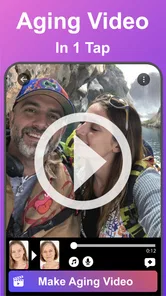
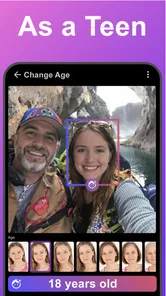
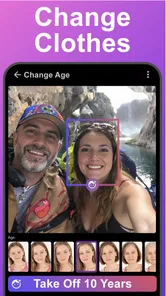
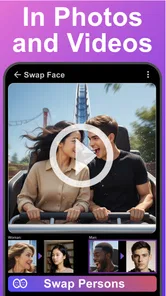
Analysis by Reviewed
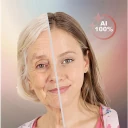
I see Age Changer - Future Face AI as a focused beauty app for one particular kind of curiosity: seeing how a selfie might look with an older or younger face. Its appeal is immediate, and it is easy to imagine using it for a laugh, a private experiment, or a short clip to share with friends. The trade-off is just as clear: this is a playful age-transformation tool, not a full beauty editor or a dependable portrait-retouching suite.
The best way to approach it is with a small, specific expectation: make one age-themed image or clip and decide whether the transformation is amusing or interesting to you. I would not treat it as an app for improving every portrait on my phone. That distinction makes the choice clearer and helps avoid expecting a broad set of editing tools from a single-effect concept.
What the age-changing idea does best
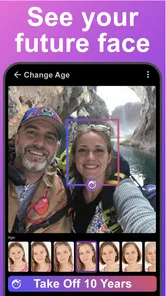
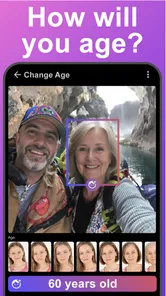
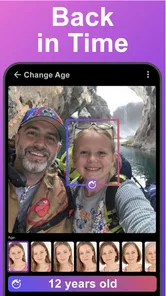
The app’s central concept is more specific than the broad promise of “beautifying” a picture. Rather than asking you to tune a portrait with lots of manual controls, it invites you to compare your present appearance with an imagined older or younger version. That makes it approachable when you want an instant visual transformation but don’t want to spend time adjusting a long list of settings.
Its camera-selfie and video angle also gives the idea a social use. A still image can work as a quick before-and-after, while a video can make the change feel more like a reveal than a static filter. I would treat the result as entertainment and creative play, not as a prediction of what someone will genuinely look like years from now. An age effect is an interpretation of a face, not a forecast.
That distinction matters when deciding what to do with the result. For a lighthearted group chat, a birthday joke, or a short personal clip, an exaggerated transformation can be the point. For a professional profile, a careful beauty edit, or anything meant to represent your real appearance accurately, I would choose a different kind of app.
A useful way to try it
For a more readable comparison, start with a clear selfie in even light and keep your face unobstructed. This is practical advice rather than a promise about the app’s processing: a transformation is simply easier to judge when the source image is easy to see. If you are making a clip, keep the framing and expression consistent so the age effect—not a change in angle or lighting—remains the focus.
I would also save or share the result only after checking how it looks at normal screen size. A dramatic face effect can seem amusing while you are making it, then feel less convincing or less flattering when viewed later. That small pause helps you decide whether the image works as a joke, a creative experiment, or something you would rather keep private.
More From Our News Desk

 Gmail
GmailGmail in a Busy Inbox: Who Benefits Most?
From first account to crowded workday, Gmail earns its place through dependable search and flexible sorting—but its best fit depends on how much inbox maintenance you can tolerate.

 Prime Video
Switching to Prime Video: What Changes in Your Viewing Routine
Prime Video can make a compelling second home for streaming, but switching means learning a different catalog, rental layer, and route from browsing to playback.

 Universal TV Remote Control
Universal TV Remote Control Works Best as a Reliable Backup
A phone remote earns its place through quick setup and reliable habits. Here is how to get more from Universal TV Remote Control—and where its limits show.

 Weather - By Xiaomi
Weather by Xiaomi Review: Clear at a Glance, Less Clear Up Close
Xiaomi’s weather app makes everyday forecasts quick to scan, but its calm surface can leave useful details and recovery paths harder to find than they should be.

 X
XX Under Pressure: Can It Recover When Posting Goes Wrong?
A resilience-focused review of X, examining setup, mistaken posts, interruptions, weak connections, and the gaps that matter when recovery needs to be dependable.

 Clash of Clans
Clash of Clans Is Won Between the Battles
Its raids are quick; its community is a long-term project of coordination, teaching, rivalry, and shared responsibility—with all the friction that entails.
Latest News



For a useful side-by-side, keep the original selfie alongside the transformed version rather than relying on memory. Matching the crop makes the comparison easier to understand, especially if you send it to someone who has not seen the effect being made. This is a simple workflow choice, but it keeps the joke or visual experiment readable instead of making the difference seem to come from two unrelated photos.
How it differs from regular beauty editors
Many beauty apps are built around polishing a portrait: smoothing, reshaping, makeup-style adjustments, or other touch-ups. Age Changer takes a narrower route. Its defining attraction is the contrast between different apparent ages, so it makes more sense when you want a transformation with a clear premise than when you want subtle improvements to a photo.
That focus is a strength for someone who knows exactly what they want to try. It can also become a limitation quickly. If you are looking for broad creative control, fine adjustments, or a dependable set of general-purpose portrait tools, a more complete photo editor is likely to suit you better. I would not install this expecting it to replace the editing app you already use for ordinary pictures.
There is a similar distinction with social video tools. Those may offer a wider selection of effects and editing options, while this app’s reason to exist is its age-changing premise. If your goal is a single age-themed selfie or clip, a focused tool can feel refreshingly direct. If you want to assemble a polished video with multiple edits, transitions, captions, and a particular visual style, a broader video editor is the more sensible choice.
In practical terms, I would use a general editor after—not instead of—this app if the age effect is only one part of a finished post. The specialist tool is for trying the transformation; the broader editor is better suited to arranging a sequence, adding context, or giving several clips a consistent look. Keeping those jobs separate can save time and prevent frustration with controls the age-focused app is not meant to provide.
Where the experience calls for realistic expectations
The concept is simple, but the appeal depends on whether you enjoy seeing a stylized version of your face. People hoping for a subtle, photo-realistic glimpse of their future may find the result less useful than someone who is happy with a playful transformation. I would judge it by whether the effect is entertaining or interesting, not by whether it resembles a medically or scientifically grounded projection.
Another limitation is that an app centered on one transformation can feel repetitive once you have tried the basic idea. That does not make it a poor fit; it means the value is strongest for occasional use, sharing a particular result, or returning when you have a new creative reason to make one. If you want an editor you can use every day for many kinds of images, its narrow scope may not justify keeping it as your main tool.
There is also a practical cost consideration. The app is free to download, but it includes optional in-app purchases ranging from $0.99 to $99.99 per item. I would check what an optional purchase covers before paying and decide whether the core age-changing experience is enough for you. The presence of a free download does not mean every possible option is free, so it is worth being deliberate rather than tapping through a purchase screen casually.
If you are unsure whether paying makes sense, I would first decide what you actually want to make: one amusing selfie, a clip for a group chat, or repeated creative experiments. The first two are modest goals and may not justify buying anything. For frequent use, compare the specific paid option with the value you expect to get from it rather than assuming that a purchase will broaden the app into a full portrait editor.
Who is likely to enjoy it
I would recommend trying it if you enjoy face filters, want a quick age-themed selfie, or are looking for a light activity to share with friends. It is also a reasonable choice for someone who wants to experiment with a short transformation video without turning the process into a larger editing project. The app is listed for everyone, though younger users should still have an adult’s help understanding optional purchases.
A realistic everyday scenario is a friend group swapping selfies before a get-together and making a short “future us” clip for the chat. In that setting, a bold or imperfect effect may still be entertaining because the purpose is shared amusement, not faithful portrait work. Another sensible use is creating a personal before-and-after image just to see how the age-change idea strikes you, then deciding whether it is worth sharing.
It can also suit someone planning a casual birthday message or a playful check-in with a relative: make the transformation, view it privately, and share only if the person receiving it would enjoy the joke. I would avoid using an age-altered image to make a serious point about a person’s appearance or health. The same effect that feels funny among willing friends can land awkwardly when the audience or context is different.
I would skip it if you need a serious aging simulation, professional portrait work, or a versatile beauty toolkit. It is also not the best choice if you strongly prefer subtle edits that preserve your appearance, since the whole point is to change how old your face seems. For those needs, look for a general photo editor or a more specialized portrait application whose tools match the result you want.
It is also a poor fit if you need a predictable output for a work assignment or a carefully art-directed project. A single transformation concept is useful for a quick personal experiment, but a creator who needs consistent results across several subjects will usually benefit more from a broader editing workflow. If your main question is “Can I finely control every detail?”, I would start with an editor built around manual adjustments rather than this focused effect.
What the app’s standing suggests
Developed by UpName, this beauty app has a 3.9 average from around 380 ratings, with over 50,000 installs. I read those figures as evidence that people have tried the concept, not as a guarantee that every transformation will suit every face or that the experience will match a more established all-purpose editor. The more useful question is whether a focused age effect is something you will use more than once.
It is free to start, carries an Everyone age rating, and was released on July 13, 2025. Version 5.1 is the current version, and it requires Android 9 or later. Those details make it easier to judge basic fit: check your device’s operating system before installing, and keep the optional purchase range in mind if you expect to explore paid items.
One point I would keep in perspective is the difference between a low-commitment experiment and a lasting editing habit. A free install is easy to justify when you are curious about the premise, but the app’s narrow focus means it may not earn a regular place on your phone. I would try it for the specific age-change idea rather than expecting a collection of unrelated beauty tools to emerge around it.
Before making a clip for someone else, I would also consider whether a still image would communicate the idea more clearly. A video can make the transformation feel more like a reveal, but a side-by-side picture is easier to compare at a glance and easier to keep as a quick visual joke. Choosing the format first—rather than making both by default—keeps the experiment focused and avoids creating more material than you need.
My verdict: a fun specialist, not an all-rounder
Age Changer - Future Face AI makes the most sense when you want a quick, age-themed transformation and understand that the result is for fun rather than prediction. I like the clarity of that purpose: it gives curious users a straightforward reason to open the app, and the selfie-to-video concept makes the effect easy to imagine sharing.
Its limits are part of the decision, not a footnote. The narrow focus may lose its novelty, the outcome should not be treated as a realistic forecast, and optional purchases make it worth checking what is included before spending. If those trade-offs sound acceptable, I think it is a fair free app to try for a playful photo or clip. If you want subtle retouching, wide-ranging controls, or a polished editing workflow, choose a broader alternative instead.
Age Changer - Future Face AI Frequently Asked Questions
What does Age Changer - Future Face AI do?
Age Changer - Future Face AI uses artificial intelligence to edit a portrait and show a stylized estimate of how the person might look at a different age. Depending on the app’s available options, you may be able to preview older or younger appearances and save or share the result. The output is an entertainment effect, not a reliable prediction of someone’s actual future appearance.
How do I get the best results from an age-change photo?
Choose a clear, well-lit photo with the face looking toward the camera and unobstructed by hair, sunglasses, or heavy shadows. A single face in the frame can also make it easier for the app to identify the person correctly. Results may vary with image quality, facial angle, and the app’s processing, so try another portrait if the first edit looks distorted or does not resemble the subject.
Is Age Changer - Future Face AI free to use?
The cost and limits depend on the version and platform available to you. Some photo-editing apps offer basic effects at no charge but reserve certain filters, higher-quality exports, or additional features for a subscription or in-app purchase. Check the app’s store listing and purchase details before using paid features, and review any trial terms carefully so you know when billing may begin.
Does the app upload or store my photos?
Photo handling can differ by app version, device, and the way an effect is processed. Before selecting a personal or sensitive image, review the developer’s privacy policy and the permissions requested by the app. Check whether photos are processed on your device or sent to a server, how long they may be retained, and how to delete any stored images or account data.
Can I share the edited image, and is it an accurate prediction?
You can generally save or share an edited image if the app provides those options and your device permissions allow it. Keep in mind that an AI-generated age effect is an artistic simulation, not a medical, scientific, or guaranteed forecast. Facial appearance changes with many factors that a filter cannot know, so treat the result as a fun visual experiment rather than a factual representation of the future.
Pros
- Quickly creates age-progression and younger-looking face edits.
- Simple controls make it approachable for casual users.
- AI effects can make entertaining images to share with friends.
- Useful for experimenting with different looks without manual editing.
- Offers a playful way to imagine how a face might change over time.
Cons
- Results may look unrealistic or vary noticeably between photos.
- Some effects or features may require payment or a subscription.
- Processing may take longer with weak internet or busy servers.
- Face photos are sensitive data
- so review the privacy policy before uploading.
- The app’s output is for entertainment
- not a reliable prediction of aging.











