ADT Control ®
- 9.65K
- 4.6
- Installs
- 1.00M
- Price
- Free

Screenshots
Analysis by Reviewed
I find ADT Control® easiest to judge as the companion to an ADT home-security setup, rather than as a stand-alone security product. Its appeal is the ability to check and manage connected parts of your home from a phone, instead of relying only on a wall panel or separate controls. If you already use ADT, that can make everyday tasks feel more joined up; if you do not, the app alone is unlikely to be the reason to choose a security provider.
What the free download does—and does not—tell you
The app is free to download, which makes trying the mobile interface a low-cost step for an ADT customer. That should not be confused with the price of the security service, equipment, or any connected devices: those are separate purchase considerations, and I would check their terms before making a decision. Free access to an app is useful, but it does not by itself mean a complete home-security setup costs nothing.
ADT LLC makes this lifestyle app, which has a 4.6 average from around 137,000 ratings and over 1 million installs. It is rated for Everyone, and version 5.4.4 supports devices running Android 7.0 or later. Those details suggest a widely used companion app, but popularity alone does not tell you whether its controls match your particular ADT equipment or habits.
Checking compatibility before you build a routine
One practical question is whether the controls you expect to use are actually part of your household’s ADT arrangement. I would make a short list before settling into the app: do you mainly want to set the security system remotely, check a camera, or manage a connected home device? Then confirm each of those actions is available on your account and equipment. That small check can prevent disappointment if you assumed the app would include a device or capability that is not part of your setup.
I would also test a routine with another household member before relying on it when everyone is in a hurry. Ask them to check the system status and explain what they see, rather than only showing them which button to tap. A shared understanding matters: if one person thinks a status means the home is secured and another interprets it differently, the convenience of a phone control can become confusion at exactly the wrong moment.
Where the value shows up in daily routines
The practical value is strongest when you regularly need to check system status, manage security remotely, or coordinate supported home controls. For example, before leaving for a weekend trip, I would use the app to confirm the system is set rather than wonder whether I remembered at the door. If a notification arrives while I am away, being able to check the situation from the same place can be more useful than juggling a security app, a camera app, and separate smart-home controls.
Automation can save small bits of effort, but I would keep it simple at first. A routine tied to arriving home or disarming the system may suit a household better than a complicated chain of schedules. Think through what happens when plans change: an automatic light or thermostat adjustment is convenient only if it still makes sense when someone is home at an unusual time. I would test any routine while nearby and make sure everyone in the household understands what it does.
More From Our News Desk

Clash of Clans Is Won Between the Battles

Android Auto Makes the Case for Quieter Car Software

MobiOffice: Transforming Mobile Productivity with Seamless Integration

EA SPORTS FC™ Mobile Soccer: Redefining Mobile Sports Gaming

How Microsoft OneDrive Became a Mobile Productivity Giant

How Google Translate Breaks Language Barriers Effortlessly
A useful test for alerts and automations
Instead of turning on every alert or creating several routines at once, I would add one change and live with it for a few days. Notice whether the alert arrives at a useful moment and whether it prompts an action you can take. For an automation, ask what happens if someone comes home early, stays late, or uses the system in a different order. A simple routine that behaves predictably is more valuable than a clever setup that people in the home have to remember to work around.
For travel, I would treat remote access as a way to check and manage the connected system, not as a substitute for a sensible plan with the people looking after the home. Before leaving, test the actions you intend to use and make sure the relevant household members can access the same routine. This is especially useful if the person receiving an alert is not the person who normally handles the security controls.
Trade-offs to consider before relying on it
This is not a universal smart-home dashboard. Its usefulness depends on having an ADT system and compatible connected devices, so someone whose security equipment is from another provider may get little value from installing it. Likewise, if you only want a basic camera feed or a single smart-device control, that device’s own app may be simpler and more direct.
Remote control is convenient, but it also makes account access and phone access part of your routine. I would protect the phone and ADT login carefully, and avoid treating a successful app check as a substitute for understanding the system’s normal operation. If notifications become noisy, review which alerts matter to you rather than ignoring them all; an alert you routinely dismiss is less helpful when you need to notice something promptly.
What to weigh against a phone-first setup
A phone is not always the best control point for every person in a household. Someone who prefers a physical panel, does not want to reach for a mobile device to carry out familiar tasks, or is uncomfortable with app-based account access may find the extra convenience less compelling. I would keep the normal way of operating the security system familiar to everyone, rather than making the app the only route people know how to use.
There is also a difference between being able to see a notification and being able to respond usefully. If you are often in meetings, driving, or somewhere you cannot act on a prompt, think about who else in the household can check the system. The app is most helpful when its information leads to a clear next step; it is less reassuring if alerts arrive but nobody knows who is responsible for reviewing them.
Getting Started with Ease
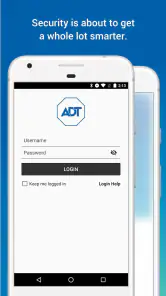
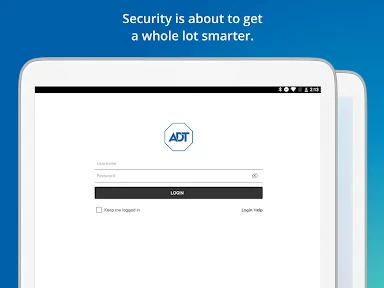
First things first, downloading and setting up the ADT Control® app is a breeze. Available on both Android and iOS, it’s just a quick download away from making your life a whole lot easier. Once you’ve got it installed, logging in with your ADT account is straightforward. The app guides you through the initial setup, ensuring everything is synced and ready to go.
User-Friendly Interface
The interface is designed with the user in mind, which I really appreciate. It’s clean, intuitive, and easy to navigate. Even if you’re not the most tech-savvy person, you’ll find it quite simple to use. The home screen gives you a quick overview of your security system’s status, and from there, you can access various features with just a tap or two.
Features That Make a Difference
Now, let’s talk about the features. One of the standout aspects of this app is its ability to control your entire ADT system remotely. Whether you’re at work, on vacation, or just lounging on the couch, you have complete control over your home security. You can arm or disarm your system, view live video feeds from your security cameras, and receive instant alerts if anything unusual is detected.
Another cool feature is the automation capabilities. You can create custom automations to fit your lifestyle. For instance, you can set up your lights to turn on automatically when you disarm your system, or schedule your thermostat to adjust the temperature at certain times of the day. It’s all about making your home smarter and your life more convenient.
Choosing controls that suit your household
I would start with the actions that reduce real friction, rather than trying to manage every connected device from one screen. If the useful change is checking whether the security system is set after leaving, make that the first habit. If the app also gives you access to a camera feed or supported home controls, add those once you know they fit the same routine. That approach makes it easier to notice which parts are genuinely useful and which are simply extra taps.
It is also worth agreeing on how an automation should behave when someone is already home. A light switching on after disarming may be handy in one household and unnecessary in another; a scheduled thermostat adjustment can be sensible until a day’s plans change. I would choose settings that are easy to explain and reverse, then review them after using them through ordinary weekday and weekend routines.
Peace of Mind at Your Fingertips
One of the biggest selling points of the ADT Control app is the peace of mind it offers. Knowing that you can check in on your home anytime, anywhere, is incredibly reassuring. The app sends you notifications in real time, so you’re always in the loop. Plus, if there’s an emergency, you can easily contact ADT’s customer service directly through the app.
To sum it all up, the ADT Control app is a game-changer for anyone using ADT’s security services. It’s not just about protection; it’s about convenience and making your home a little smarter. If you haven’t tried it yet, I’d say it’s definitely worth a shot. With its user-friendly interface and robust feature set, it’s a tool that truly enhances the ADT experience.
Who is likely to get the most from it?
I would recommend it most to households that already depend on ADT and want a phone-based way to check their system while away. It can also suit people who value a shared, straightforward routine: one person can check the status before leaving, while another can use the same general controls when returning. The benefit is less about novelty and more about having familiar security and supported home controls in one place.
A realistic example is a parent heading to work after the school run. A quick status check can settle the question of whether the system was set, and a later alert can prompt a check-in without requiring a trip back home. For a household with cameras, being able to view a feed through the same app may also help distinguish an ordinary delivery from something that needs attention. I would still treat alerts as prompts to assess, not as a guarantee that every event will be identified or resolved automatically.
Choosing it over separate apps
Compared with using a security panel plus individual camera, lighting, and thermostat apps, the main advantage is consolidation—when those devices work with the ADT setup. That can mean fewer places to look, particularly for a household that already uses several connected controls. The trade-off is that a dedicated device app may offer a more focused experience for that one product, while a broader smart-home platform may make more sense if your equipment spans providers. I would choose based on the system already installed, not on the promise of having every home function in one app.
Before depending on remote controls, I would confirm that the devices and actions I care about actually appear in my account, then test them at home. That is a useful first step because app access and the physical equipment are not the same thing: the app can only manage what is connected to the household’s ADT arrangement. If you are evaluating ADT from scratch, ask which equipment and service options fit your home and budget rather than assuming the free download covers them.
When another option makes more sense
If you already use a different security provider, I would not switch simply to gain an app interface. The value here is tied to the ADT arrangement it accompanies, so a separate provider’s app is likely to be the more direct way to manage equipment you already own. Similarly, someone interested only in one camera or one smart device may prefer that product’s own app instead of adopting a broader security companion they will rarely open.
For a home with devices from several providers, a broader smart-home platform may be a better fit if its support matches the equipment and routines you actually use. That choice can involve a trade-off: an all-in-one interface may not provide the same focused controls as each device’s own app. I would compare the actions that matter in daily life, not just the number of devices shown on a screen.
My practical verdict
For an existing ADT customer, I think the free app is worth trying as a convenient companion, especially if remote status checks and a few simple automations would fit your routine. For someone who wants a stand-alone camera viewer, uses another security provider, or prefers not to manage home controls through a phone, it is an easy skip. My recommendation is conditional but clear: choose it for the value it adds to an ADT setup, and weigh the overall service and equipment separately before committing to a home-security system.
ADT Control ® Frequently Asked Questions
Can I use ADT Control® on more than one phone in my household?
ADT Control® is intended to provide remote access to an ADT home security system and compatible connected devices, so it may be useful to households where more than one person needs to manage the home. Before downloading, consider who needs access and how your household handles account permissions. The app’s role is to control the ADT setup, not to provide a separate security service.
Does ADT Control® replace the need for professional home security monitoring?
ADT Control® is an app for managing an ADT home security system and compatible connected devices. It should be viewed as a control interface rather than a replacement for the security service associated with your system. The app’s usefulness depends on your ADT setup and the services connected to it, so consider what you want to manage remotely before deciding whether it suits your needs.
Can I use ADT Control® without an ADT home security system?
ADT Control® is designed to manage an ADT home security system and compatible connected devices, rather than act as a standalone security service. Before downloading, consider whether you already have an ADT setup that the app can control. The app’s usefulness depends on the system and devices available in your home, since its main purpose is to give you a way to manage them remotely.
What devices or phone systems can run ADT Control®?
ADT Control® is a Lifestyle app developed by ADT LLC. Its current version is 5.4.4, and it requires Android 7.0 or later. Check your device’s operating system before downloading so you know it meets that requirement. The app is free to download, and its content rating is Everyone, making it suitable for a general audience.
What is ADT Control® and what does it offer?
ADT Control® is a comprehensive smart home security application that allows users to manage their home security systems remotely. The app provides features such as live video monitoring, smart home automation controls, and real-time alerts. Users can arm or disarm their security systems, control smart devices, and receive instant notifications about security events, ensuring peace of mind whether they're at home or away.
Pros
- User-friendly interface
- Real-time alerts
- Customizable notifications
- Remote access control
- Seamless integration with devices
Cons
- Subscription required
- Limited offline functionality
- Complex setup for beginners
- Occasional connectivity issues
- In-app purchases for features

- Category
- Lifestyle
- Version
- 5.4.4