13 Action News
- 532.00
- 3.2
- Installs
- 100.00K
- Price
- Free

Screenshots
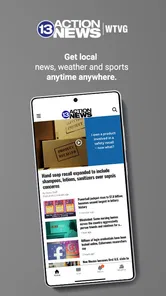
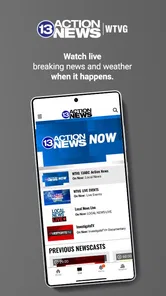
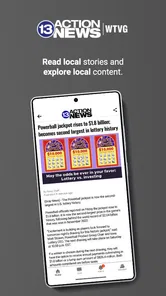

Analysis by Reviewed
I use local news apps for one simple reason: I want the important information for my area without sorting through a national feed first. 13 Action News is built around that idea for people in Toledo, Ohio. It brings together news and weather from WTVG in a focused mobile experience, rather than trying to be a general-purpose news reader for every city.
That narrow focus is both its biggest strength and its clearest limitation. If Toledo is where you live, work, study, or regularly travel, the app can make local updates easier to reach. If you are looking for broad national coverage, international reporting, or a customizable news service, I would look elsewhere. My overall impression is that this is a practical companion for local awareness, not a replacement for every other news source on a phone.
How 13 Action News feels during everyday use
I find that the best way to judge 13 Action News is to treat it as a quick local check, then ask what I need to do with the information. A headline or forecast can help me decide whether to look closer, but a developing situation calls for a more deliberate second step. That distinction matters most when the news could affect plans, and it leads naturally to the question of how much confidence I should place in the app.
A focused start for Toledo news and weather
The first thing I appreciate is the app’s sense of place. Instead of opening with a large collection of unrelated headlines, it is centered on Toledo and the surrounding local interest that viewers of 13 Action News expect. That makes the app useful when my question is specific: Is there a weather issue developing? What is happening locally today? Is there a story affecting the community that I should know about?
The app is free, which makes it easy to try without committing to a subscription. Gray Media develops it, and its store category places it among news and magazine apps. That description fits the way I would use it: as a quick local information tool that I check in short sessions rather than as something I leave open all day.
The store’s short label is simply 13 Action News, but the useful distinction is that this is the mobile route to Toledo-focused coverage from WTVG. People who already recognize the station may find that familiar connection reassuring. New users should understand that the value depends heavily on being interested in this particular region.
Speed expectations: quick checks work best
For a local news app, perceived speed matters more than having an elaborate interface. I want to open it, understand what has changed, and move on. 13 Action News makes the most sense in that quick-check pattern. Its local scope reduces the mental work involved in finding relevant material, because I am not filtering a worldwide stream before reaching Toledo information.
More From Our News Desk

Weather by Xiaomi Review: Clear at a Glance, Less Clear Up Close

X Under Pressure: Can It Recover When Posting Goes Wrong?

Clash of Clans Is Won Between the Battles

Android Auto Makes the Case for Quieter Car Software

MobiOffice: Transforming Mobile Productivity with Seamless Integration

EA SPORTS FC™ Mobile Soccer: Redefining Mobile Sports Gaming
That does not mean every session will feel instant. News apps depend on current content, network conditions, and the phone itself. A headline list may feel responsive while a story or weather-related item still needs time to load. I would judge the app by whether it gets me to the right local information efficiently, not by expecting every screen to behave like an offline notes app.
One useful habit is to decide what I am checking before opening it. A short visit for weather is different from browsing several local stories, and treating those as separate tasks keeps the experience feeling lighter. If I open it without a clear purpose and scroll continuously, I get less benefit from its focused design.
Weather is most valuable when paired with a decision
The weather component is especially useful when it supports an immediate choice. Before leaving for work, planning a drive, or deciding whether an outdoor activity still makes sense, local information is more relevant than a generic forecast for a large region. The Toledo focus gives the weather content a practical context.
I would not use the app as my only safety resource during a serious emergency. A local news application can help me stay informed, but urgent conditions may require official alerts and direct instructions from local authorities. That is an important distinction: this app is helpful for awareness and context, while emergency decisions should rely on the most direct official guidance available.
Another trade-off is that a local weather view may be exactly what one person wants and too limited for another. If I regularly travel outside the Toledo area, I would still keep a broader weather service nearby. The app works best as the local layer in my routine, not necessarily as the only forecast tool on my phone.
Heavy-use moments: what happens during a busy news cycle
The most demanding time for a local news app is not an ordinary quiet afternoon. It is a period when many people are checking the same regional information repeatedly, such as changing weather or a developing local story. Those are the moments when I care about whether the app remains usable, whether content is easy to recheck, and whether I can recover gracefully after leaving it for another task.
My practical approach is to avoid assuming that a single open session tells me everything. I check the app, read what is relevant, close it, and return later. That workflow reflects how most people consume local news anyway. It also reduces the frustration that can come from expecting an app to preserve every position or state indefinitely after the phone has been busy with other applications.
During heavier use, the app’s narrow purpose remains an advantage. I am not asking it to manage a huge collection of unrelated interests. The trade-off is that I may need another source if the story I care about requires national context, specialist reporting, or a wider comparison of events. Local focus improves relevance, but it naturally limits breadth.
A concrete example is a morning commute. I might open the app to check local weather, scan the main Toledo headlines, and then leave. If the conditions change later, I return for another look instead of keeping the app active in the background. That is a sensible pattern for conserving attention and avoiding unnecessary battery use, especially on an older phone.
Reliability means knowing how to verify important details
I see 13 Action News as a useful first stop, but I would still read beyond a headline before acting on important information. A headline helps me decide whether a story matters; the full article supplies the details and context. For anything involving travel disruption, public safety, school decisions, or a changing weather situation, I prefer to cross-check with the relevant official source as well.
This is not a criticism unique to this app. News changes quickly, and a mobile feed is a snapshot of an ongoing situation. The responsible workflow is to revisit the story when the situation is developing and pay attention to the latest available information rather than relying on something I saw once.
The app’s long presence in the store is also useful context. It was released on November 6, 2013, so it is not a brand-new experiment. At the same time, an older release date does not guarantee that every phone will experience it in exactly the same way. Android and iOS devices differ widely, and updates or operating-system changes can affect the feel of any news application.
Its current audience gives some indication that it has found a real local use case: the app has more than one hundred thousand installs, with an average rating of 3.2 from around one thousand seven hundred ratings and over five hundred written reviews. I treat that as a mixed public impression rather than a verdict. It suggests that many people find value in the app, while the less-than-strong average also tells me that expectations about polish and reliability should remain realistic.
Recovery after interruptions is part of the experience
One detail I pay attention to with any news app is what happens after an interruption. A phone call, navigation session, low-memory event, or simple pause can break the reading flow. With 13 Action News, I would use it in short visits and assume that returning to the current story may sometimes require a fresh look at the available content rather than expecting a perfect continuation.
That sounds minor, but it changes how I read. I avoid opening a long sequence of stories when I know I am about to leave the phone. If an article is important, I finish the key points before switching tasks. This is a useful workaround for any app whose main purpose is current information: the feed may change while I am away, so a clean recheck can be more useful than preserving an old screen.
When an app does not behave as expected, I start with simple recovery steps: check the connection, close and reopen the app, and try again later if the service is busy. I would not interpret one slow session as proof that the app is always unstable. Conversely, repeated trouble would be a reason to use the station’s other available channels or a browser-based alternative for urgent information.
Device constraints and resource-conscious use
News apps are usually less demanding than games, video editors, or social platforms filled with continuous media, but they still rely on network access and current content. On an older or lower-storage phone, I would keep expectations modest. The app may be perfectly adequate for occasional headline and weather checks, while extended browsing can feel less comfortable than it does on a newer device.
My recommendation is to keep the app’s role narrow on constrained hardware. Open it when I need local information, read the relevant item, and close it when finished. I would avoid treating it as a permanent dashboard unless I had a clear reason to do so. This approach also helps limit distractions and makes the phone feel less crowded with constantly active services.
Screen size matters too. A compact phone is fine for headlines and brief checks, but detailed reading is naturally easier on a larger display. Someone who spends a lot of time reading long-form coverage may prefer a browser or another reading-focused service. The app’s strongest use case is quick access to local information, not necessarily an extended reading environment.
The Everyone 10+ content rating is worth noting for families. It places the app in a category intended for users aged ten and above, but parents should still remember that news can include upsetting or serious real-world events. A rating does not remove the need for judgment about what a child reads, especially during major local incidents.
Where it beats broader news alternatives
Compared with a national news aggregator, this app has a clear relevance advantage for Toledo residents. A broad service may offer more customization, more topics, and stronger national coverage, but it also asks me to filter through information that does not affect my day. 13 Action News is more direct when my priority is local news and weather from WTVG.
Compared with checking a station website in a browser, a dedicated app can feel more convenient because it gives me a recognizable place to return to. The trade-off is flexibility. A browser makes it easier to compare several sources, search beyond one station, or move immediately from local coverage to a different publication.
Compared with a general weather app, 13 Action News has the benefit of combining weather awareness with local reporting. A specialized weather service may still be better for detailed forecasting tools or for tracking several locations. I would choose between them based on the task: local context here, deeper forecast controls elsewhere.
Who should use it, and who should skip it
I would recommend 13 Action News to a Toledo-area resident who wants a straightforward way to check local headlines and weather. It also makes sense for someone who has family, work, or regular travel connections in the area and wants a regional perspective without building a complicated news setup.
I would be less likely to recommend it to someone who wants one app for international news, financial reporting, sports from many leagues, or highly personalized topic feeds. It is also not my first choice for a person who needs advanced weather analysis across multiple locations. In those cases, a broader news reader or dedicated weather service would be a better match.
The free price removes the biggest barrier to trying it, so the decision mainly comes down to location and expectations. I would install it if Toledo coverage is genuinely useful to me, then judge it over several ordinary checks rather than one rushed session. If I rarely need local Toledo information, the app will probably become unnecessary clutter.
My performance verdict after fitting it into a routine
My view is that 13 Action News succeeds when I treat it as a focused local utility. Its perceived speed is best during short visits, its resource demands are easier to manage when I avoid leaving it open unnecessarily, and its recovery is most comfortable when I am willing to refresh my check after interruptions. Those are practical expectations rather than promises of flawless performance on every device.
The app’s strongest quality is not an elaborate feature set; it is the reduction of distance between me and Toledo information that matters. The local news and weather combination gives it a clear purpose, and the free access makes that purpose easy to test. The weaker side is equally clear: the experience cannot replace a wider news ecosystem, and the average user rating suggests that some people will find the overall polish uneven.
My recommendation is simple: choose it for local Toledo awareness, not as your entire news system. Keep a broader source for national and international stories, use official channels for urgent instructions, and let this app handle the quick regional check it was designed for. With that role, it is a sensible addition for the right audience; outside that role, its narrow coverage becomes a reason to pass.
13 Action News Frequently Asked Questions
Who publishes 13 Action News, and which community does it serve?
13 Action News is the WTVG news app from Gray Media, focused on news and weather in Toledo, Ohio. It is most relevant to residents, commuters, and others who want to follow developments in that area. If you are looking for local Toledo coverage alongside weather information, the app brings those topics together in one mobile destination.
Is 13 Action News suitable for children?
The app has an Everyone 10+ content rating, so it is intended for a broad audience but may include material that parents would prefer to review with younger children. News coverage can involve serious local events and public-safety stories. Families can decide whether the content is appropriate for a child based on the topics they encounter while browsing.
What is the 13 Action News app?
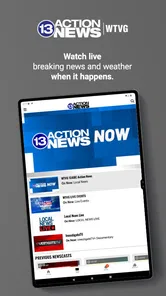
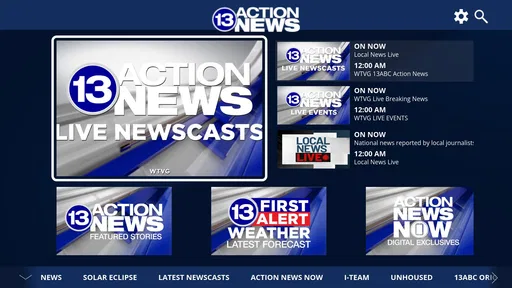
13 Action News is a local news application designed to keep users informed about current events, breaking stories, weather updates, traffic conditions, and community developments. It typically provides access to articles, live video coverage, news clips, alerts, and other content from the station. The app is especially useful for people who want local reporting in one convenient mobile location.
Is the 13 Action News app free to download and use?
The 13 Action News app is free to download. Most news articles, videos, weather information, and breaking-news notifications can usually be accessed without a subscription. However, mobile data charges may apply when using cellular networks, and access to particular content or features may depend on the station’s current policies, advertising model, or regional availability.
What type of news and information can I find in 13 Action News?
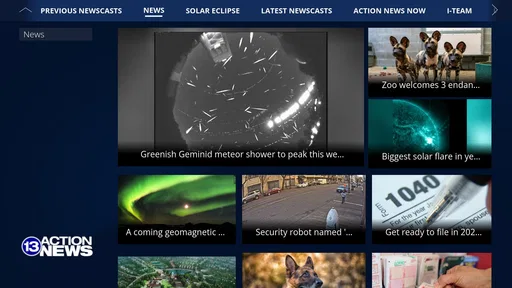
The app commonly covers local and regional headlines, breaking news, crime and public safety, politics, education, business, health, entertainment, sports, and community stories. It may also include weather forecasts, radar maps, severe-weather warnings, traffic information, live newscasts, and video reports. Available categories can vary depending on your location and the station’s current coverage priorities.
Pros
- Fast access to breaking local news and emergency updates.
- Live streaming keeps users informed during important events.
- Weather forecasts include radar
- alerts
- and severe-weather tracking.
- Video reports make major stories easier to understand.
- Push notifications can be customized for urgent news and weather.
Cons
- Some stories may load slowly on weaker mobile connections.
- Frequent notifications can feel excessive without careful customization.
- Advertising may interrupt browsing and video playback.
- Coverage is primarily local
- limiting its value outside the region.
- Some features may require location access to work accurately.













