

فیلتر شکن قوی پرسرعت نور
- 657.00
- 4.2
- Installs
- 1.00M
- Price
- Free

Screenshots
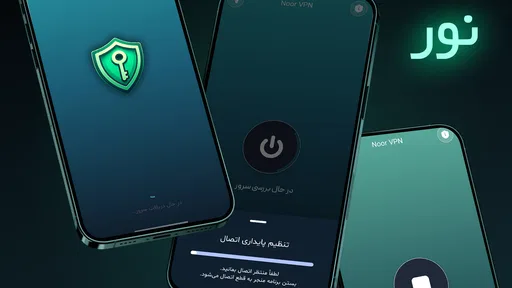
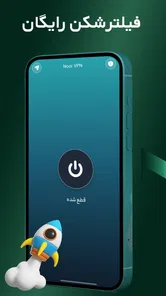

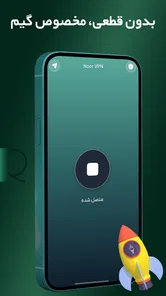
Analysis by Reviewed
When I’m deciding whether to try a VPN app, I care less about a bold speed claim than about what happens when a connection stalls, how much setup it takes, and whether it suits my everyday needs. فیلتر شکن قوی پرسرعت نور is a free Android tools app from Rooz vpn. It is aimed at people who want a straightforward way to connect, but I’d approach it as a practical option to test rather than assume it will behave the same on every network.
Where connection attempts can get stuck
A VPN can appear simple—open the app and connect—yet the frustrating part is often waiting through a failed attempt or finding that a particular site still will not load. I would first separate those problems: if the VPN never connects, the issue is different from a connection that works while one app or page does not. Switching between a trusted Wi-Fi network and mobile data, then trying again, is a useful first check; it helps show whether the problem follows the network rather than the app.
It also helps to be realistic about what a VPN can do. It changes how your connection is routed, but it cannot guarantee access to every region-restricted service, make a slow internet connection fast, or fix an unavailable website. If one service fails while ordinary browsing works, I would avoid repeatedly changing settings without a clear reason and check whether that service is the actual source of the trouble.
Choosing it for the right kind of day
I see the strongest case for this app in brief, ordinary tasks: checking messages on public Wi-Fi, browsing while away from home, or trying a VPN connection without first learning a long list of technical options. Those situations reward a simple starting point. They do not require me to assume that the VPN will solve every access problem, and they give me a clear way to judge whether the connection is useful on the networks I actually use.
For example, if I arrive at a café and need to read a few messages, I would connect before opening the apps I need, then check that they load normally. If a page is slow, I would first consider the café’s Wi-Fi itself, rather than assume that the VPN is the only cause. A VPN adds another step to the connection path, so weak public Wi-Fi can remain weak; it may be a sensible privacy layer for browsing, but it cannot improve the underlying network.
The app is less appealing if I need a dependable, documented setup for a work device, a specific streaming library, or a service that blocks VPN traffic. In those cases, I would check the requirements of that service or workplace and choose a provider with controls and support that match them. The convenience of a direct app is valuable, but it is not a substitute for a particular organization’s approved connection method.
Trying it in everyday use
First off, let me tell you, when they say "پرسرعت" (which means high-speed), they mean it. I was genuinely surprised at how quickly this app connected and maintained a stable connection. It’s like the Usain Bolt of VPNs, sprinting through digital barriers with ease. Whether you’re streaming, working remotely, or just surfing the web, this app promises not to slow you down, and it delivers on that promise.
More From Our News Desk

 Gmail
GmailGmail in a Busy Inbox: Who Benefits Most?
From first account to crowded workday, Gmail earns its place through dependable search and flexible sorting—but its best fit depends on how much inbox maintenance you can tolerate.

 Prime Video
Switching to Prime Video: What Changes in Your Viewing Routine
Prime Video can make a compelling second home for streaming, but switching means learning a different catalog, rental layer, and route from browsing to playback.

 Universal TV Remote Control
Universal TV Remote Control Works Best as a Reliable Backup
A phone remote earns its place through quick setup and reliable habits. Here is how to get more from Universal TV Remote Control—and where its limits show.

 Weather - By Xiaomi
Weather by Xiaomi Review: Clear at a Glance, Less Clear Up Close
Xiaomi’s weather app makes everyday forecasts quick to scan, but its calm surface can leave useful details and recovery paths harder to find than they should be.

 X
XX Under Pressure: Can It Recover When Posting Goes Wrong?
A resilience-focused review of X, examining setup, mistaken posts, interruptions, weak connections, and the gaps that matter when recovery needs to be dependable.

 Clash of Clans
Clash of Clans Is Won Between the Battles
Its raids are quick; its community is a long-term project of coordination, teaching, rivalry, and shared responsibility—with all the friction that entails.
Latest News



Setup checks before relying on it
One of the best parts about فیلتر شکن قوی پرسرعت نور is its user-friendly interface. You don’t need to be a tech wizard to navigate through it. The layout is intuitive, making it easy for anyone to use, whether you’re a newbie or a seasoned techie. Just a few taps and you’re good to go!
For a smoother first session, I’d start with a stable connection, open the app, and give the connection a moment before launching the site or app I actually need. If a page is already open, refreshing it after connecting is a sensible step; an existing session may not automatically behave like a new one. Android users should also check that their device is running Android 6.0 or later. These are basic checks, not a promise that every network or service will work.
Moreover, the app offers a variety of server locations to choose from, which is a huge plus if you’re looking to access region-restricted content. It's almost like having a golden key that unlocks all the virtual doors you wish to enter.
Small workflow choices that save time
I would decide what I need before connecting, rather than leave a VPN running by habit. If I only need to check a short message or browse a page, I can connect, complete that task, and then decide whether I need the VPN for what comes next. This makes it easier to notice whether a particular app behaves differently with the VPN active, and it keeps troubleshooting focused instead of turning into a string of random toggles.
When testing, change one thing at a time. If a page fails, reconnect once and retry it; if it still fails, switch networks or try another location, but not both at once. Otherwise, I cannot tell which change made a difference. This is a small but useful habit with a location-based VPN: it turns a vague “it stopped working” moment into a more informative check of the network, server choice, and destination service.
Choosing a server with a purpose
When there is a choice of locations, I would treat it as a practical trade-off, not a contest to pick the farthest country. For routine browsing, a nearby option is a reasonable first try; for a service tied to a particular region, a location that matches that need may make more sense. If one choice is sluggish or a page refuses to load, trying another location once is more useful than cycling through options endlessly. A VPN location can affect routing, but it cannot ensure that a streaming platform or website will accept the connection.
That distinction matters in a realistic everyday situation: imagine connecting before checking messages on a café’s Wi-Fi, then finding that a work page will not open. I would test the same page on mobile data, reconnect, and retry it in a fresh browser tab. If it works on mobile data without the VPN but not on the café network, the local Wi-Fi may be involved; if only that work page fails, the service itself may be restricting VPN traffic. This simple sequence can save time and avoid blaming the app for every interruption.
Security claims and sensible limits
Now, let’s talk about security – because what’s speed without safety? This app doesn’t just connect you quickly; it wraps you in a digital cocoon of security. With military-grade encryption, it ensures that your data stays yours. No prying eyes, no data breaches, just pure, unadulterated privacy. It’s comforting to know that your online identity is protected while you roam the web freely.
One feature that stands out is the automatic kill switch. It's like having a safety net that catches you if the VPN connection drops, ensuring that your data isn’t accidentally exposed. It’s little things like these that make a huge difference in today’s digital age.
I would still avoid treating a VPN as a substitute for careful account security. It does not make a weak password strong or remove the need to check which account you are using. For banking, confidential work, or any task where a brief interruption would be costly, I’d verify the connection is active before proceeding and follow the organization’s own security guidance. That is a sensible habit with any VPN, including this one.
Recovering from a disrupted session
Let’s not forget about its consistent performance. Unlike some apps that start strong and then fizzle out, this one maintains its prowess. Whether it’s peak times or off-hours, the app keeps running smoothly, which is a breath of fresh air in the often erratic world of VPNs.
If a session becomes unreliable, I’d use a short recovery routine instead of immediately reinstalling the app: pause the task, disconnect and reconnect, then retry the site in a fresh tab. If that does not help, test another network or server location. When the connection is fine but one app remains stuck, closing and reopening that app can be a better next step than repeatedly toggling the VPN. These checks are especially useful when moving between home Wi-Fi and mobile data.
If problems appear only after switching from Wi-Fi to mobile data, I would treat that transition as its own test. Let the phone settle on the new network, reconnect in the VPN app, and then reopen the destination app or page. A browser tab that was already trying to load may keep showing an old error even after the connection changes, so a fresh request is a cleaner check. If the same trouble happens across networks and destinations, it is more reasonable to investigate the app or device than to keep retrying a single page.
How it compares with other ways to connect
Compared with the VPN option built into a phone or a manually configured connection, a dedicated app can be easier for someone who wants a direct connect-and-browse routine. The trade-off is that convenience may leave less room to tailor the connection than a service that clearly exposes detailed configuration. I would choose the simplest route for casual use, but prefer a well-documented provider or an organization’s own VPN when I need specific settings, predictable support, or a connection managed by someone else.
It is also worth separating a VPN from other privacy tools. A private browser can limit some local browsing traces, while a VPN changes the route used for network traffic; neither one replaces the other, and neither guarantees anonymity. If my main concern is account tracking or safer sign-ins, I would also use strong, unique passwords and the security options offered by the accounts themselves. This app makes most sense when the need is specifically for a VPN connection, not as an all-purpose privacy fix.
Who it suits—and where alternatives may fit better
The app’s simple approach may suit someone who wants a direct connection tool for general browsing and is comfortable checking whether it works on their own network. It is less suitable for someone who needs a clearly documented set of advanced controls, a guaranteed route into a specific service, or a VPN for managed workplace use. In those cases, I’d compare options based on the controls and support they actually offer rather than choosing by a speed claim alone.
The free price makes it easy to try without committing money, and the Everyone content rating makes it suitable for a broad audience. Its current version is 0.2.4. It was released on January 21, 2025, and has a 4.2 average from around 14,000 ratings, alongside more than a million installs. There are also around 657 written reviews. That level of use is useful context when deciding whether to give it a test, but popularity cannot tell me how well it will work on my carrier, home router, or preferred services.
Before relying on any VPN for a routine, I would make a short personal checklist: confirm the phone meets the Android requirement, test the connection on the network I use most, open the actual sites and apps I care about, and repeat the check after moving between Wi-Fi and mobile data. This is more revealing than a single successful connection screen. If I need the app for a narrow purpose, I would test that exact purpose rather than infer that success in ordinary browsing means every other service will behave the same.
My practical verdict
To sum it up, فیلتر شکن قوی پرسرعت نور is like that reliable friend who’s always there when you need them. Fast, secure, and easy to use – it’s got all the ingredients of a top-tier VPN app. So, if you’re in the market for a VPN that packs a punch, this might just be the one for you!
I’d try it for ordinary browsing if I wanted a simple Android VPN and could test it on the networks I use most. I would not choose it solely on the assumption that every connection will be fast, every region-locked service will work, or a VPN alone will guarantee privacy. Rooz vpn’s app has a 4.2 average across around 14,000 ratings and 657 reviews, but my practical advice is to judge it by a few real sessions: connect, check the pages and apps you rely on, and see how it behaves when you switch networks. If that basic routine fits your needs, it is a reasonable free option to consider; if you need detailed configuration or dependable access for a specific service, compare it with alternatives built around those requirements.
فیلتر شکن قوی پرسرعت نور Frequently Asked Questions
Can I use فیلتر شکن قوی پرسرعت نور on an iPhone or iPad?
فیلتر شکن قوی پرسرعت نور is an Android app, so it is intended for compatible Android devices rather than iPhones or iPads. If you use an Apple device, check for an official iOS version before downloading anything that claims to be the same app. For Android, make sure your device runs Android 6.0 or later and download the app from a trusted source.
What does the name and description of فیلتر شکن قوی پرسرعت نور tell me about the app?
The app is presented as a fast VPN, and its short description identifies it as a فیلتر شکن, or VPN. It is listed in the Tools category and is developed by Rooz vpn. These details can help you recognize the app when browsing, but they do not by themselves describe every feature or guarantee how well it will suit your particular connection or browsing needs.
How much space does فیلتر شکن قوی پرسرعت نور need, and will it work on my Android device?
فیلتر شکن قوی پرسرعت نور is an Android app in the Tools category, and it requires Android 6.0 or later. Before downloading, check that your device meets this minimum requirement and has enough available storage for the installation. The app is free and is rated for Everyone, making it suitable for a broad range of users.
What is فیلتر شکن قوی پرسرعت نور and how does it work?
فیلتر شکن قوی پرسرعت نور is a high-speed VPN application designed to provide users with secure and private internet access. It works by encrypting your internet connection, masking your IP address, and allowing you to connect to servers in different locations worldwide. This ensures that your online activities remain private and that you can bypass geo-restrictions and access blocked content.
Is فیلتر شکن قوی پرسرعت نور free to use?
Yes, فیلتر شکن قوی پرسرعت نور offers a free version with basic features. However, for users looking for enhanced security, faster speeds, and more server locations, there is a premium version available. The premium version usually requires a subscription fee, but it provides additional features like ad-free browsing and priority support.
Pros
- Fast connection speeds
- User-friendly interface
- Supports multiple devices
- Reliable performance
- No-logs policy
Cons
- Limited free version
- Occasional connection drops
- Ads in free version
- Limited server locations
- No live customer support








