Spelling & Phonics: Kids Games
- 681.00
- 4.6
- Installs
- 10.00M
- Price
- Free
Screenshots
Analysis by Reviewed
When I look for a first spelling game for a young child, I want practice to feel inviting without asking a parent to turn every screen into a lesson. Spelling & Phonics: Kids Games is an educational game from RV AppStudios aimed at toddlers, preschoolers, and kindergarten-age children. It is free, rated for Everyone, and has reached over 10 million installs, with a 4.7 average from around 25,000 ratings. Those figures suggest broad appeal, but what matters at home is whether a child can settle into the activities and get useful practice from them.
How the learning experience feels in everyday use
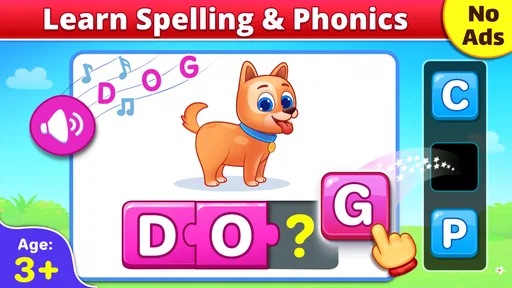
The first thing that struck me about Spelling & Phonics: Kids Games is its vibrant and colorful interface. Kids are immediately drawn to it, thanks to the cute characters and playful animations. The app cleverly uses these elements to keep kids engaged, making learning seem more like a game and less like a chore.
Activities that suit short practice sessions
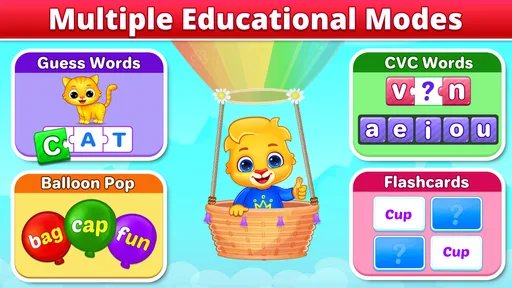
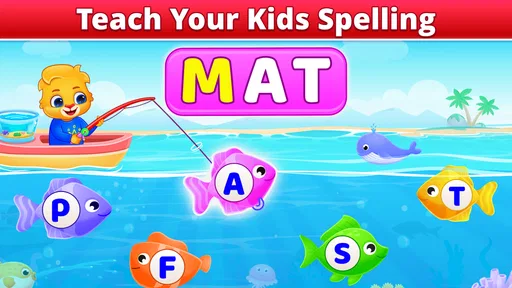
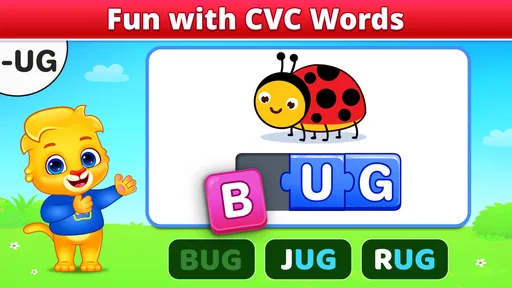
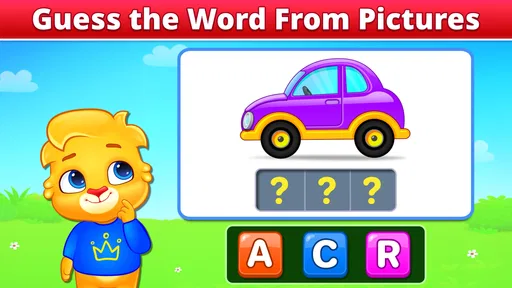
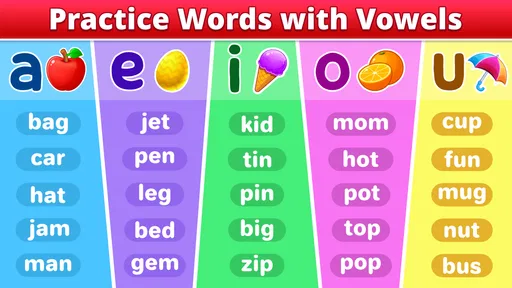
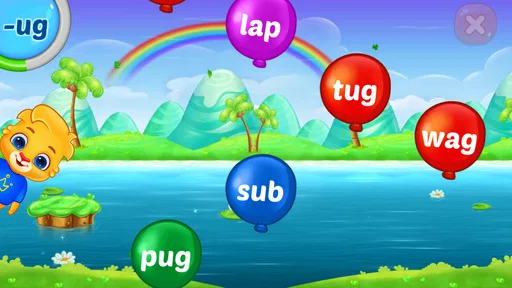
The app boasts a variety of games that cater to different aspects of phonics and spelling. From matching letters to forming words, each game is designed to enhance a specific skill. The interactive nature of these games is a huge plus. Kids can drag and drop letters, tap on images, and hear sounds, which makes learning multi-sensory and more effective.
One of my favorite features is the voice-over guide that helps kids pronounce words correctly. It’s like having a patient tutor who repeats things as many times as needed without ever getting frustrated. The repetition and reinforcement in these activities help cement the learning, which is crucial for young learners.
That combination makes the game especially handy for a brief, focused session rather than a long stretch of screen time. I’d use it while waiting for an appointment or during a quiet part of the afternoon: let the child try a few activities, then ask them to say a letter sound or word aloud away from the screen. That small pause helps me see whether they are listening and thinking, rather than simply tapping through to reach the next animation.
Making a small routine work for different children
For a child who is just beginning to notice letters, I’d keep the first session low-pressure and stay close enough to help interpret the spoken prompts. A child who already recognizes some letters may be ready to take turns: they choose an activity, then explain what sound they heard or which letters they matched. That small change gives an adult a clearer sense of what the child understands without making the game feel like a quiz.
A realistic use case is a short pause before dinner, when a child wants something to do but is not ready for a long activity. I’d let them play briefly, then ask them to find a familiar object whose name begins with a sound they heard. If that transition feels difficult, I’d return to listening and repeating rather than pushing toward more words. The useful part is not squeezing in the most practice; it is noticing whether the child can carry one small idea away from the screen.
More From Our News Desk

Weather by Xiaomi Review: Clear at a Glance, Less Clear Up Close

X Under Pressure: Can It Recover When Posting Goes Wrong?

Clash of Clans Is Won Between the Battles

Android Auto Makes the Case for Quieter Car Software

MobiOffice: Transforming Mobile Productivity with Seamless Integration

EA SPORTS FC™ Mobile Soccer: Redefining Mobile Sports Gaming
This approach also helps when siblings have different levels of confidence. I would not expect them to move at the same pace or turn the session into a comparison. One child might enjoy arranging letters, while another needs to hear a sound more than once before responding. The game can provide a shared activity, but an adult can adapt the follow-up conversation so each child has a manageable next step.
What adults can learn from a child’s play
Now, if you’re a parent or teacher, you’ll appreciate the app’s progress tracking feature. It allows you to see how the child is doing and which areas might need more focus. This feature not only helps in customizing the learning experience but also provides a sense of achievement for the kids as they can see their progress over time.
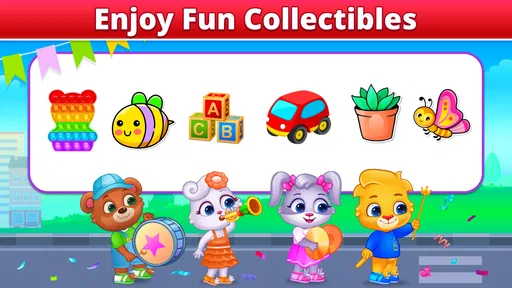
The app also includes rewards and achievements to motivate kids to push further. These little incentives can be incredibly effective in keeping them interested and eager to learn more.
A useful way to put that feedback to work is to treat it as a prompt for your next real-world activity, not as a test score. If a child seems unsure about a particular sound, I’d follow the game with a quick hunt for objects around the room that begin with it. If they are comfortable with the sounds but hesitate when building words, I’d sit with them and let them point to each letter as they say it. The game can support that routine, but a caregiver’s conversation is what connects screen practice to ordinary reading.
I’d also use progress information as a reason to choose what to revisit, rather than as a reason to keep a child playing until every activity looks complete. A learner can be tired, distracted, or simply more interested in one kind of task that day. If the child starts guessing or rushing, I would stop and come back later. A short session where they listen carefully is more useful to me than a longer one spent chasing an on-screen reward.
Navigation, supervision, and the limits of a game
Another aspect worth mentioning is the app’s user-friendly design. Even if a child is navigating it independently, the intuitive layout ensures they won’t get lost. Plus, the app is ad-free, which means no distractions or accidental clicks that lead to external sites—a big relief for parents!
In terms of safety, the app has taken steps to ensure that kids stay within the app environment, providing parents with peace of mind. The settings are designed to be accessed only by parents, ensuring that kids can’t change important settings or make unauthorized purchases.
For a child who enjoys tapping, listening, and trying again, that simple interaction style is a strength. It is less suited to a learner who needs an adult to explain why a spelling pattern works, or who is ready for longer reading passages and independent writing. I would not treat game rewards as proof that a child has mastered a skill; I’d check whether they can recognize or say the sound without the picture and animation prompting them. For structured lessons, a phonics workbook or a teacher-led reading program may be a better fit.
Parents deciding whether a young child can use it alone should still make their own first visit through the app. A child may be able to manage the main play flow but need help choosing an appropriate activity, understanding a prompt, or stopping when they have had enough. I’d treat independent navigation as a convenience, not as a reason to leave a preschooler unsupervised with a device. Sitting nearby also makes it easier to turn a sound or spelling attempt into a friendly conversation.
The free price makes trying it less of a commitment, but it does not make the game the right choice for every family. If a child finds bright animations distracting, learns better by moving physical letter tiles, or wants to write words by hand, an offline activity may be more effective. Likewise, a child who needs a carefully sequenced teaching plan will usually benefit more from an adult-led resource than from any game used on its own.
Where it fits among children’s learning options
Compared with a paper alphabet book, this game offers sound and touch-based practice, so it can hold the attention of children who lose interest in simply looking at letters. Compared with a full reading curriculum, it is a lighter companion: the activities can make repetition more appealing, but they are not a substitute for shared reading, handwriting practice, or an adult’s feedback. I see its strongest role as one part of a varied routine, especially for a child who benefits from hearing a sound and trying a response immediately.
Compared with flashcards, the game adds spoken cues and animated responses, while cards make it easier for an adult to slow down, change the examples, and ask a child to explain an answer. Neither option is automatically better. I’d reach for the app when a child needs an engaging way to repeat a sound or try arranging letters; I’d choose cards, a book, or letter tiles when I want more conversation, practice away from a screen, or a hands-on activity that does not depend on tapping.
It is also worth separating phonics practice from broader literacy. Recognizing sounds and forming simple words are useful early steps, but children also need to hear stories, build vocabulary, talk about what they read, and develop the physical habits involved in writing. I would pair this game with a bedtime picture book or a few minutes of drawing and labeling, rather than expecting one app to cover all of those needs. That makes the game a focused addition instead of the center of a child’s learning routine.
One practical tip is to sit nearby the first time and watch what the child can do without help. If they can follow the prompts comfortably, you can give them more independence; if they guess by tapping quickly, slow the session down and ask them to listen again before choosing. This makes the same activity useful for different levels of confidence without turning play into pressure. And if your child is already reading fluently or dislikes game-style repetition, the app may feel too basic; choosing a book or a more advanced literacy activity would make better use of their time.
What its history tells me—and what it doesn’t
RV AppStudios released the game on January 25, 2017. Its established audience and strong average rating make it an easy option to consider, but popularity alone cannot tell me whether its activities match a particular child’s stage. I’d start with a short, supervised session and notice whether the child listens to the spoken guidance, attempts the letters, and stays engaged without needing constant help. Those observations are more useful than trying to maximize time in the app.
Because it has been available for years, I see it as an established option rather than a brand-new experiment. That history can be reassuring when a family wants a familiar, widely used starting point, but a release date by itself does not tell me what has changed in the current version or whether the learning approach has evolved. I would judge what is on the device now by how the child responds and whether the activities still fit their needs, rather than assume that age or popularity guarantees a perfect match.
For existing users, the most useful measure of continued value is practical: does the child still listen, attempt the spelling, and remain interested without needing constant prompting? If the game has become a familiar routine, an adult can refresh it by asking the child to connect an on-screen sound to a real object or a word in a book. If the child now completes activities by memory without thinking aloud, that may be a sign to add a different kind of practice, not necessarily to keep repeating the same format.
What I would watch for over time is whether the game’s simple, playful approach remains appropriate as a child moves from recognizing sounds toward reading and writing more independently. The next useful step may be a more demanding book, handwriting practice, or a teacher’s guidance, depending on the child. I would not expect the game to grow into a complete curriculum just because a child has enjoyed it for a long time; its value is clearest when it meets a specific early-learning need.
A sensible place to begin, with realistic expectations
As a free starting point, it is straightforward to try alongside an adult’s reading routine. I would keep an eye on whether the child continues to benefit from the level of practice, then move toward richer reading or writing activities when they are ready. What I’d watch for over time is not simply whether they collect rewards, but whether sounds and spellings begin to show up in conversation and shared books. In conclusion, Spelling & Phonics: Kids Games is a cheerful practice tool for early learners, with its best results coming when play is followed by a little real-world reading and encouragement.
Spelling & Phonics: Kids Games Frequently Asked Questions
What devices and operating systems can run Spelling & Phonics: Kids Games?
Spelling & Phonics: Kids Games is available on Android and iOS, so families can look for it in the Google Play Store or Apple App Store. It is designed as a game for young children, and its spelling and phonics theme makes it easy to understand what kind of learning activity it offers before installing it on a family device.
Is Spelling & Phonics: Kids Games suitable for a child’s first spelling practice?
The game is centered on spelling and phonics, so it may suit children who are just beginning to explore letters, sounds, and simple words. Its store summary describes it as a fun game for toddlers, preschoolers, and kindergarten kids. As with any early-learning activity, a parent or caregiver can help decide whether the pace and tasks match a child’s current abilities.
Is Spelling & Phonics: Kids Games free to download?
Spelling & Phonics: Kids Games is a free educational game from RV AppStudios. Its spelling and phonics activities are aimed at young children, making it an option for families looking for a playful way to introduce early literacy skills. The app is rated Everyone, so its stated content rating is suitable for a general audience.
What does Spelling & Phonics: Kids Games help children learn?
The game focuses on spelling and phonics, helping children explore letters, sounds, and simple word-building through play. Its store summary describes it as a fun spelling and phonics game for toddlers, preschoolers, and kindergarten kids. That makes it most relevant for families seeking an early-learning activity rather than a broad collection of unrelated subjects.
What age group is Spelling & Phonics: Kids Games suitable for?
Spelling & Phonics: Kids Games is designed for children aged 3 to 8 years old. It offers engaging activities that cater to early learners who are beginning to explore the world of spelling and phonics. The app uses age-appropriate content to ensure that young children can enjoy learning in a fun and interactive way.
Pros
- Engaging games for kids to learn spelling
- Colorful graphics keep children entertained
- Variety of levels suit different age groups
- Simple interface for easy navigation
- Interactive learning boosts retention
Cons
- Limited content in free version
- Some features require in-app purchases
- Occasional bugs disrupt gameplay
- Requires constant internet connection
- Ads can be distracting for children