Pinkfong Tracing World : ABC
- 134.00
- 3.9
- Installs
- 1.00M
- Price
- Free
Screenshots
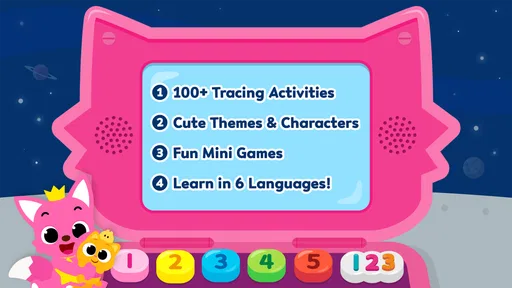
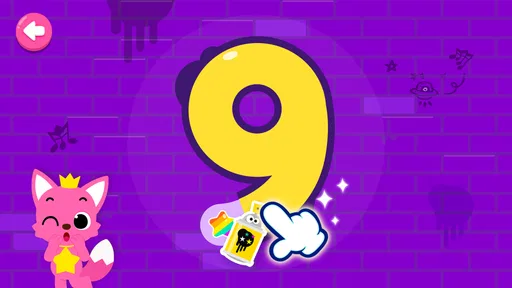

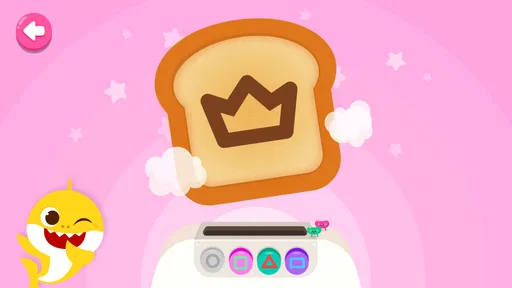


Analysis by Reviewed
When I first opened Pinkfong Tracing World: ABC, I immediately understood its appeal: it turns early handwriting practice into a colorful activity rather than presenting it as a worksheet. The game is aimed at children learning letters and numbers, with tracing tasks built around the familiar Pinkfong style. I can imagine it being useful on a shared family tablet when a child wants a short, focused activity and an adult wants something more purposeful than another passive video.
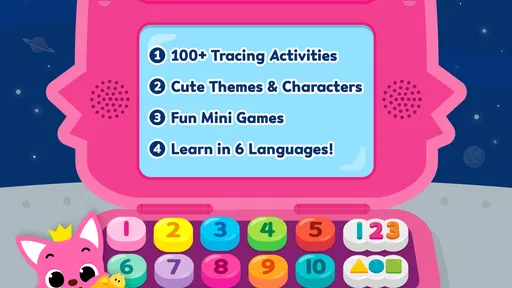
This is an educational game from The Pinkfong Company, available for free and rated for Everyone. It has been around since late 2015, so it is not a brand-new experiment, and its current version is 33.24. The basic idea remains easy to understand: children practice forming characters by following guided paths, gradually becoming more comfortable with the shapes behind the alphabet and early counting.
How it works in an ordinary family routine
A realistic use case is a child using the family phone while a parent prepares dinner. The activity can fill a short gap without requiring the adult to explain every step from the beginning. The child can pick up the device, work through a few tracing exercises, and hand it back when the task is finished. That makes it more practical than a physical workbook for families that are often moving between rooms or traveling.
I would not treat it as a complete lesson, though. Tracing on a touchscreen is different from writing with a pencil. The game can help a child notice the order and direction of strokes, but it cannot reproduce the resistance of paper or the grip needed for handwriting. My preferred routine would be to use the game as a warm-up, then follow it with a few letters drawn on paper. That combination gives the child both visual guidance and real hand control.
The game is especially suitable for children who enjoy immediate visual feedback. A child who becomes bored by repeated workbook pages may stay engaged longer when each character feels like a small challenge. On the other hand, children who already write the alphabet confidently may find the activities too basic. This is an introduction to letter and number formation, not a serious handwriting course for older learners.
One useful household habit is to keep sessions short and intentional. Instead of handing over the device with no limit, I would choose a small goal, such as practicing a group of letters or completing one brief activity period. The point is not to maximize screen time. It is to make practice easy to start, easy to stop, and easy to connect with something away from the screen.
What the child is really practicing
The obvious benefit is recognition of letters and numbers, but the less obvious one is sequencing. A child must pay attention to where a stroke begins and where it goes next. That can support the early idea that symbols are built in an organized way, rather than being random drawings. I found that this matters most for children who can recite the alphabet but still struggle to reproduce individual characters.
More From Our News Desk

Weather by Xiaomi Review: Clear at a Glance, Less Clear Up Close

X Under Pressure: Can It Recover When Posting Goes Wrong?

Clash of Clans Is Won Between the Battles

Android Auto Makes the Case for Quieter Car Software

MobiOffice: Transforming Mobile Productivity with Seamless Integration

EA SPORTS FC™ Mobile Soccer: Redefining Mobile Sports Gaming
Tracing also gives adults a chance to observe a child’s learning style. If the child recognizes a character but repeatedly loses the path, the difficulty may be motor control rather than memory. If the child follows the path but cannot name the result, the challenge may be recognition. I would use those observations to decide what to practice next, rather than assuming that finishing an activity means the skill is mastered.
Another practical tip is to say the character aloud while the child traces it. For example, an adult can name the letter, describe its sound, and then ask the child to find that same character on a printed page. The game supplies the interactive prompt, but the spoken connection and real-world examples are what help turn a screen activity into broader learning.
Shared-device use needs a little planning
Because this is the kind of game that may be used on a shared phone or tablet, I would set expectations before giving it to a child. A family device can contain messages, work material, photos, or other apps that are not meant for young hands. The game itself may be child-friendly, but the surrounding device is still an adult-managed space. I would open the activity first, hand over the device only when it is ready, and stay nearby during early sessions.
This is also where household boundaries matter. The child should know which device is available, when it can be used, and what happens when practice ends. Those rules are more dependable than expecting a young child to judge the right stopping point alone. If several children use the same device, I would agree on turns in advance and avoid presenting the game as a competition over who completes more activities.
I would also check the purchase area before letting a child explore independently. The game is free to download, but in-app purchases range from $2.99 to $109.99 per item. That is a meaningful consideration for any shared device. An adult should handle purchasing decisions and make it clear that tapping an attractive option is not the same as being allowed to buy it. I would not rely on a child to understand that distinction.
There is another boundary that is easy to overlook: progress on a shared device may not represent one child’s work alone. If siblings take turns, one child may open activities another child started, making it harder to know who needs which practice. I would treat the game as a practice station rather than a formal record of achievement. For clearer coordination, an adult can keep a simple note of what each child practiced outside the app.
Coordinating practice without turning it into pressure
The strongest results are likely to come when the game is part of a small routine. I would pair a tracing session with a related activity: finding the same letter in a storybook, forming it with a finger in the air, or writing it once on paper. This avoids the common mistake of assuming that repeated tapping automatically transfers to handwriting.
Adults should also resist correcting every movement. If a child is concentrating on a difficult shape, constant instructions can make the activity feel like a test. I would offer one clear reminder, then let the child try again. The game’s guided format already provides structure, so the adult’s role is better used for encouragement and for noticing patterns that the app cannot explain.
For siblings at different stages, the same game may serve different purposes. A beginner might focus on recognizing characters and following the path, while a more confident child could use the activity as a quick review before writing independently. That does not make the experience equally valuable for everyone. Older or more advanced children may need a different tool with spelling, sentence writing, or more demanding fine-motor work.
Teachers and caregivers should also be careful about treating completion as proof of learning. A child can remember a route inside a familiar activity without being able to write the same character elsewhere. I would occasionally ask the child to reproduce a practiced letter without the device. If the result is still uncertain, the next step should be slower, hands-on practice rather than simply repeating the digital activity.
Age fit, trust, and adult supervision
With an Everyone content rating, the game is positioned for a broad audience, but that does not mean every child will use it in the same way. A preschool learner may need an adult to explain what to do, while an early elementary child may move through familiar exercises more independently. The suitable level depends on the child’s motor skills, attention span, and familiarity with letters and numbers.
I would feel comfortable presenting it as a gentle learning activity, not as a replacement for teaching. Young children can become frustrated when a tracing path feels difficult or when a touch screen does not register the movement they intended. A calm adult nearby can tell the difference between a child who needs encouragement and one who needs a break. That human judgment is important, especially when the game is used on a device that belongs to the whole household.
Trust also involves being clear about what the activity can and cannot do. I would tell a child that the game is for practicing, not for proving that they are clever. If a letter is difficult, that is useful information, not a failure. This attitude helps prevent the reward-like presentation from becoming a source of unnecessary pressure.
The developer’s established presence and the game’s reach may reassure parents who prefer a familiar children’s brand. It has more than a million installs and an average rating of 3.9 from around 4.4 thousand ratings. Those figures suggest that many families have tried it, but they are not a substitute for checking whether the tracing style suits one particular child. A child who dislikes guided repetition may still reject it despite its popularity.
Where it beats ordinary alternatives
Compared with a standard alphabet video, this game asks the child to do something rather than only watch. That active element is its clearest advantage. Compared with a paper worksheet, it is more portable and may feel more inviting to a child who is reluctant to begin. It also makes it easier to offer a quick practice opportunity in a car, waiting room, or shared family space, provided the device is used responsibly.
Paper still wins for developing pencil pressure, hand posture, and the physical feel of writing. A dedicated handwriting workbook may also be better for adults who want a visible record of improvement. Meanwhile, a broader learning app may be a stronger choice for families looking for phonics, reading, counting, and problem-solving in one place. This game is more focused, which is helpful when tracing is the immediate goal but limiting when a child needs a complete early-learning program.
Its free entry is another practical advantage, especially for a family that wants to test the concept before committing. The purchase range means I would still inspect the available options and manage the device carefully. A free download can be convenient, but the total experience may depend on which activities a family considers necessary and whether those additions fit its budget.
Small frustrations worth knowing before installing
The main limitation is repetition. Tracing requires repeated practice, but repetition can feel narrow after the initial novelty fades. I would not expect this one game to keep an older child engaged for long sessions. It works better as a focused tool used regularly in small amounts than as a single source of entertainment for an entire afternoon.
Touchscreen accuracy can also affect the experience. A child may understand the intended shape but miss the path because of finger placement, a small screen, or an awkward grip. A larger tablet may be easier for some children than a phone, although families should still consider whether the device is comfortable for the child to hold. When frustration appears, moving to paper may be more productive than insisting on another attempt.
There is also a difference between recognition and transfer. Success inside the game can make a child feel familiar with a character, but real writing requires additional skills. I would judge the game by whether it encourages the child to notice and attempt letters outside the app, not by how quickly the child completes its activities.
Families who want detailed individual tracking should approach it cautiously as a shared-device activity. Without a separate routine for noting each child’s work, it can be difficult to tell which exercises were completed by whom. That is not a reason to reject it, but it does mean the adult has to provide the organization.
Device fit and practical setup
The game supports devices running Android 5.0 or later, which makes it accessible on many older Android devices still used as family hand-me-downs. Before installing it, I would make sure the chosen device has enough battery, a responsive touch screen, and a place where the child can sit comfortably. A poor physical setup can make a simple tracing task seem harder than it really is.
I would begin by using it with the adult present, not because every moment needs supervision, but because the first session reveals a lot. Does the child understand the tracing direction? Do they know how to move between activities? Do they keep tapping around instead of practicing? Those observations help an adult decide whether the child can use it alone for a short period or needs guided participation.
For a shared household, I would keep the installation and purchase decisions with the adult who manages the device. I would also avoid presenting the app as a reward that can be earned only through perfect behavior. It is more useful when the child sees it as one optional learning activity among books, drawing, conversation, and outdoor play.
My household verdict
I recommend Pinkfong Tracing World: ABC for families seeking an approachable introduction to letter and number tracing, especially when a child responds well to colorful, interactive practice. Its best role is a short bridge between recognizing symbols and attempting them with a pencil. The free starting point makes it easy to try, while the focused design keeps the purpose clear.
I would skip it if the child already writes confidently, needs advanced reading instruction, or becomes frustrated by guided tracing. I would also choose a broader educational app if the household wants one program covering many school-readiness skills. For families sharing one device, the game is workable, but adult coordination around turns, purchases, and follow-up practice is essential.
My final view is positive but measured. This is not a substitute for paper, conversation, or patient teaching. It is a convenient practice tool that can make the first steps toward handwriting feel less intimidating. Used in short sessions, followed by real-world writing, and managed carefully on a shared device, it earns a useful place in a young child’s learning routine. The smartest way to use it is as a starting point for hands-on practice, not as the whole lesson.
Pinkfong Tracing World : ABC Frequently Asked Questions
What age is Pinkfong Tracing World: ABC intended for?
Pinkfong Tracing World: ABC is an educational game for young children, particularly preschoolers and early learners who are beginning to explore letters and numbers. Its content is rated Everyone, and the activities use simple tracing and playful presentation rather than advanced lessons. Children develop at different paces, so a parent or caregiver can help decide whether the level and pace suit a particular child.
What is Pinkfong Tracing World: ABC?
Pinkfong Tracing World: ABC is an educational tracing app designed to help young children practice the English alphabet. It combines letter tracing with colorful animations, cheerful characters, sounds, and simple interactive activities. The app is aimed mainly at preschoolers and early learners who are beginning to recognize uppercase and lowercase letters while developing basic writing and hand-control skills.
Is Pinkfong Tracing World: ABC suitable for beginners?
Yes. The app is primarily made for children who are just starting to learn the alphabet and need a simple, guided introduction to writing letters. Its step-by-step tracing paths and visual prompts make the activities easy to follow, even for children with little previous experience. Parents may still need to offer encouragement, especially when a child is learning correct tracing direction.
Does the app require an internet connection?
Some features may work without a constant internet connection after the necessary content has been installed, but availability can depend on the device and version of the app. An internet connection may be required for the initial download, updates, advertisements, or unlocking additional content. It is best to open the app once online before giving it to a child for offline use.
Is Pinkfong Tracing World: ABC free to download?
The app is free to download, but certain lessons, activities, or features may be limited unless they are unlocked through in-app purchases. Prices for individual in-app purchases range from $2.99 to $109.99. Parents should review purchase settings before allowing children to play. Using parental controls and disabling unauthorized purchases is recommended, particularly on shared family devices.
Pros
- Bright animations and familiar characters keep tracing sessions engaging.
- Clear letter formation guides help children practice correct stroke order.
- Works well for short
- independent learning sessions.
- Includes activities that support early letter and shape recognition.
- Simple controls are easy for young children to understand.
Cons
- Some content may be locked behind in-app purchases.
- Repeated activities can become predictable after extended play.
- Requires parental guidance to reinforce proper pronunciation and writing.
- Visual effects may distract children who need a calmer learning layout.
- Limited value for children who already know basic letters.













