Pango Music Band Maker
- 15.00
- 4.1
- Installs
- 10.00K
- Price
- $5.99

Screenshots


Analysis by Reviewed
When I want to give a preschooler something to do that involves more than watching a screen, I can see the appeal of letting them make a little musical procession. The child acts, hears a result, and gets a reason to try again. That hands-on starting point is the appeal of Pango Musical March: the child gets to make sounds by acting, and the result gives them a reason to keep exploring. It is a paid music game from Studio Pango - Kids Fun preschool learning games, intended for young children, with an Everyone age rating. I see it as a playful first encounter with making music, not a substitute for lessons or a structured instrument tutor.
Who will enjoy making the first move
The game is most likely to suit children who enjoy tapping, trying things, and seeing what happens immediately. It may also help a shy beginner approach music without the pressure of getting notes “right.” A parent can start by showing how a tap changes the sound, then leave room for the child to experiment. That small handover is useful: it turns a screen activity into a shared moment without requiring an adult to conduct every move.
For a realistic everyday use, I’d save it for a short wait at a café or a calm stretch before dinner, when a child wants something active but not frantic. Offline play makes that practical away from a connection, while the parade theme gives a child a simple idea to return to: make a band, listen, and try another combination. I would still treat it as a focused activity rather than an all-purpose way to occupy a child for a long time.
It can also work as a small shared activity when an adult has only a few minutes to spare. I’d let the child choose what to tap, then ask them to pause and tell me which sound they liked best. That little listening break gives the play a natural shape without turning it into a lesson. It is particularly useful for a child who enjoys copying an adult: I can make one sound, hand the device over, and let them answer with their own musical choice.
What the musical feedback does well
Have you ever watched a child explore the world of music and thought, "Wow, I wish I had something like this when I was a kid"? Well, let me introduce you to Pango Musical March, an app designed specifically for the curious minds of children aged 3-6 years. This app is like a magical symphony orchestra packed into your mobile device, allowing your little ones to dive into the world of music with such ease and enthusiasm.
Discovering Music with Fun
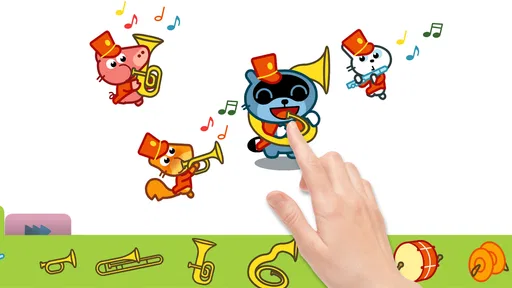
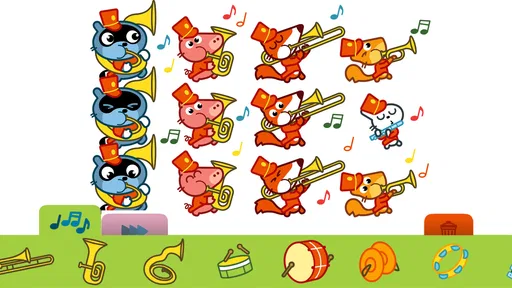
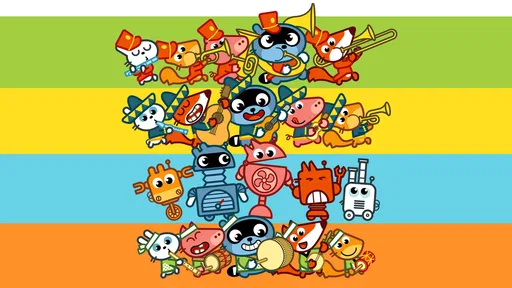
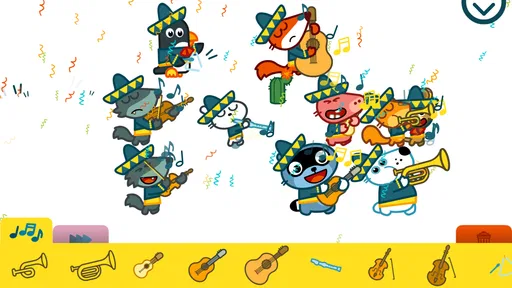
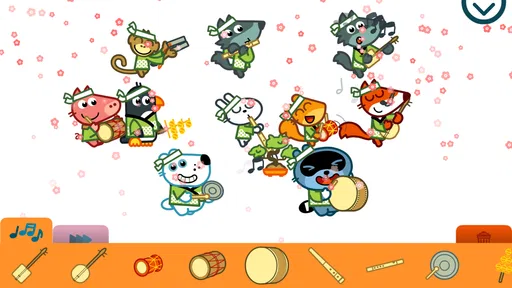
With Pango Musical March, kids don’t just listen to music; they become a part of it! Imagine your child leading a parade of adorable animals, each playing their own instrument. The app is brilliantly designed to captivate kids’ attention, encouraging them to explore different musical notes, rhythms, and instruments. It's like having a tiny music school in your pocket!
Interactive Learning at Its Best
The creators of the app have hit the nail on the head by making it extremely interactive. Kids can tap on characters to play various instruments, each producing different sounds. This interactive element helps in developing their motor skills and auditory senses. Plus, it’s super fun! Watching them giggle as they create their own tunes is priceless.
More From Our News Desk

Weather by Xiaomi Review: Clear at a Glance, Less Clear Up Close

X Under Pressure: Can It Recover When Posting Goes Wrong?

Clash of Clans Is Won Between the Battles

Android Auto Makes the Case for Quieter Car Software

MobiOffice: Transforming Mobile Productivity with Seamless Integration

EA SPORTS FC™ Mobile Soccer: Redefining Mobile Sports Gaming
One useful way to get more out of that simple interaction is to invite the child to listen before tapping again. Ask which sound they noticed, or suggest making a quieter and louder-sounding sequence by changing how they play, without turning it into a test. This gives the child time to connect an action with what they hear. I wouldn’t promise formal music theory from that play, but attentive listening and playful cause-and-effect are worthwhile beginnings.
A practical tip is to avoid demonstrating a long sequence for a child to copy. One tap, a pause, and a chance to choose the next sound is easier for a preschooler to follow and keeps the activity theirs. If they start tapping quickly, I’d use a short pause as a reset: listen together, then ask whether they want to try another sound. This makes the feedback more noticeable and can help a child who otherwise treats every touch as the same action.
Kid-Friendly Design
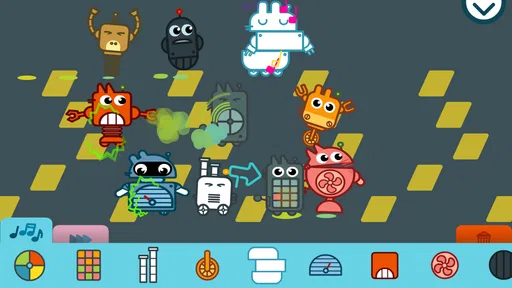
The app boasts a colorful and intuitive design that is perfect for the little users. There are no complicated menus to navigate, which means kids can easily find their way through the app without much help. The graphics are vibrant and lively, keeping the children engaged while they learn and play.
That ease is especially helpful for a child who is still learning to use a touchscreen: an adult can demonstrate one action, then let them take over instead of repeatedly steering through menus. A practical trade-off is that a very young child may tap rapidly without listening to the results. Sitting nearby for the first session can help turn random tapping into a little game of noticing sounds and choosing what to try next.
For a first try, I’d set the device somewhere steady and let the child tap with one finger rather than holding it in the air. That small setup choice can make it easier to see what their touch changes, especially for children still building touchscreen control. If the child loses interest, I wouldn’t keep prompting them to continue; the open-ended format works best when they are curious enough to choose another sound themselves.
How it compares with other music play
Compared with a passive children’s music video, this game gives the child a more active role; compared with a piano or note-learning app, it appears aimed at playful ensemble-making rather than practicing a specific instrument. That distinction matters. If your child wants to explore sounds and make a cheerful parade, the format is a good fit. If they are asking to learn piano keys, read notation, or follow a step-by-step course, I’d choose a dedicated teaching app or an actual instrument instead.
Another standout feature is the app’s ability to work offline. This means it’s a great companion for car rides or when you’re out and about, keeping the kids entertained without the need for an internet connection.
The main trade-off in that comparison is structure. A video can be easier when an adult needs a child to watch quietly, while a teaching app is more useful when the child wants a clear sequence and a defined skill to practice. This game sits between those choices: it asks the child to do something, but the activity is exploratory rather than a lesson with a finish line. I’d choose it when the goal is a brief, playful turn at making sounds, not when I need a quiet video or a guided curriculum.
Price, expectations, and a sensible routine
The game costs $5.99, so I’d decide based on whether a child is likely to enjoy returning to open-ended musical play, rather than expecting a long sequence of lessons or a growing library of activities. Its average rating is 4.1 from around 160 ratings, with over 10,000 installs, which offers a useful snapshot of its audience but cannot tell you whether it suits your particular child. It was released in 2019, and I’d check that it runs comfortably on the device you plan to hand over before relying on it for travel.
The paid price makes it worth thinking about the kind of play your family wants before buying. I would not judge its value by how many minutes it keeps a child occupied in one sitting. A better test is whether they return to the sounds willingly and whether the simple make-and-listen loop stays enjoyable across short sessions. If your child prefers collecting unlocks, completing levels, or being told exactly what to do next, this may feel too slight for the cost.
A useful routine is to start with a brief turn, let the child make a few choices, and then stop while they are still content rather than waiting for frustration. That makes it easier to bring the game out again during another quiet window without treating it as a default distraction. The reset is simple: return to the activity, choose sounds again, and see what the child wants to try this time. The motivation to begin another session comes from curiosity, not from a promised prize or a lesson plan.
It may be less suitable for children who prefer clear goals, guided instructions, or a predictable reward for completing a task. Likewise, older kids looking for deeper musical challenges may outgrow the playful approach. For preschoolers, I’d keep sessions brief and let the child choose when to stop; the point is to enjoy making sounds, not to turn screen time into another obligation.
A safe environment for children
Parents can rest easy knowing that the app is safe for their children. There are no ads or in-app purchases, which means there’s no risk of unexpected charges or exposure to inappropriate content. It’s a relief knowing that the kids can enjoy their musical journey without any interruptions.
Even with a child-friendly activity, I’d keep the first handover supervised, particularly if the child tends to leave apps or tap around quickly. The aim is not to monitor every sound, but to show the basic interaction and make sure the device itself is comfortable for small hands. Once the child understands that tapping produces musical feedback, an adult can step back and listen nearby rather than directing each choice.
For a household deciding whether it suits a particular child, I’d ask one simple question: do they enjoy experimenting without being told what counts as a correct answer? If yes, the freedom to make and hear their own combinations is the point. If they become frustrated without goals or need an adult to keep inventing tasks, a more structured music activity may be a better fit. The age rating is Everyone, but each child’s patience and interest still matter more than the label when choosing an activity.
Overall, Pango Musical March is a fantastic way to introduce your children to the world of music. It’s educational, interactive, and most importantly, fun! It encourages creativity and helps develop essential skills in a safe and friendly environment. So, if you’re looking for an app that your kids will love and learn from, this might just be the perfect choice!
My recommendation is strongest for a younger child who likes sound, movement, and making choices, and for an adult who is happy to treat the game as a small creative break. It is not the right pick for every family: children seeking lessons, older players craving challenge, or parents looking for a long, guided activity should look elsewhere. But when the moment calls for a low-pressure way to make music together, the action-and-listening loop gives the child a clear reason to begin, enjoy a few turns, and return when curiosity strikes.
Pango Music Band Maker Frequently Asked Questions
How much does Pango Musical March cost, and what should parents know before buying it?
Pango Musical March is a paid game priced at $5.99. It is designed for young children who want to explore music through play, so parents can consider whether its creative musical activity suits their child before purchasing. The app is developed by Studio Pango, whose games focus on preschool-age children.
What is Pango Musical March and who is it designed for?
Pango Musical March is an interactive musical game specifically designed for children aged 3 to 6 years. The app provides a playful environment where kids can explore and create music while developing their creativity and rhythm skills. It's a safe and educational tool that blends fun with learning, allowing young children to engage with music in a unique way.
How does the app help in a child's development?
Pango Musical March aids in a child's development by enhancing their musical abilities, improving hand-eye coordination, and fostering creativity. The app encourages children to create their own musical compositions, which can boost cognitive skills and nurture a love for music from an early age. It's an enjoyable way for kids to learn rhythm and sound recognition.
Is Pango Musical March safe for children to use?
Yes, Pango Musical March is completely safe for children. The app is designed with child safety in mind, featuring no in-app purchases or advertisements that could interrupt the child's experience. It provides a secure environment for kids to explore music without any risks associated with online content.
What are the system requirements for installing Pango Musical March?
Pango Musical March requires iOS 9.0 or later for Apple devices, and Android 5.0 and up for Android devices. It's compatible with both smartphones and tablets, ensuring a smooth and engaging user experience. Ensure your device meets these requirements to avoid any compatibility issues during installation and gameplay.
Pros
- Engages kids with interactive musical activities.
- Simple and intuitive interface for young users.
- Enhances creativity through music exploration.
- Colorful graphics capture children's attention.
- No ads
- ensuring a safe environment for kids.
Cons
- Limited content might bore older children.
- Requires in-app purchases for full access.
- No offline mode available for travel use.
- May not challenge older or advanced users.
- Limited educational content beyond music.













