Pango Factory: Coding Game
- 6.00
- 3.1
- Installs
- 10.00K
- Price
- $5.99
Screenshots
Analysis by Reviewed
I spent time with Pango Factory: Coding Game as an educational game for young children, and my first impression was that it works best when an adult treats it as a small, focused learning activity rather than a complete curriculum. It comes from Studio Pango - Kids Fun preschool learning games, costs $5.99, and is aimed at Everyone. The central idea is simple: children solve playful challenges by thinking about order, logic, and the steps needed to reach a result.
That simplicity is also the reason I can imagine recommending it to a parent who wants something calmer than a typical action game. The child is not being asked to memorize long explanations or read complicated instructions. Instead, the learning comes from examining a task, trying a sequence, noticing what went wrong, and adjusting it. In my experience, that kind of hands-on problem solving is easier for preschoolers to understand than an abstract lesson about coding.
How Pango Factory feels in everyday use
The game’s strongest quality is its approachable framing. Calling it a coding game might make some parents expect a technical introduction to programming, but I would set expectations differently. This is an early reasoning game that uses coding-style thinking. Children can begin with the basic question, “What should happen first?” and gradually become more aware that the order of actions matters.
That makes it suitable for a short session before dinner, during a quiet afternoon, or while travelling with a tablet. I would not hand it over with the expectation that it will keep a child occupied indefinitely. Its value comes from the child thinking through each challenge, not from endless content or rapid rewards. A parent who sits nearby can turn a five-minute puzzle into a useful conversation about planning and mistakes.
A realistic routine would be to let a child attempt a challenge alone first, then ask them to explain the steps before touching the screen again. If the result is incorrect, I would avoid immediately showing the answer. Asking, “Which action happened too early?” or “What did you want the character to do next?” encourages the child to inspect the sequence instead of guessing repeatedly. This is one of the less obvious ways to get more educational value from the game.
The visual and playful presentation helps lower the pressure that children sometimes feel with educational software. A child does not need to think of the activity as a lesson. They can approach it as a puzzle, while the adult notices the underlying skills: ordering events, predicting outcomes, recognizing patterns, and correcting a plan.
There is an important distinction between helping and taking over. Young children may understand the goal but struggle with the controls or with remembering several actions at once. In that situation, I would encourage the child to say the sequence aloud, perhaps using words such as “first,” “then,” and “last.” This turns the screen interaction into a verbal planning exercise and makes the activity more useful than simply tapping until something works.
More From Our News Desk

Weather by Xiaomi Review: Clear at a Glance, Less Clear Up Close

X Under Pressure: Can It Recover When Posting Goes Wrong?

Clash of Clans Is Won Between the Battles

Android Auto Makes the Case for Quieter Car Software

MobiOffice: Transforming Mobile Productivity with Seamless Integration

EA SPORTS FC™ Mobile Soccer: Redefining Mobile Sports Gaming
What the current version offers families
The current version is 1.5.0, and the game remains a focused experience rather than a broad collection of unrelated subjects. Its identity is clear: playful challenges built around logic, sequencing, and problem solving. That focus is helpful for parents who want to work on one area without navigating a crowded educational platform filled with reading, mathematics, music, and videos.
It also means the game should be chosen for the right child and the right moment. A child who enjoys figuring out why something happened will probably get more from it than a child who mainly wants fast movement or open-ended drawing. Likewise, a parent looking for formal lessons, progress reports, or a full preschool syllabus should consider a more comprehensive learning app instead.
I would introduce it gradually rather than presenting it as a test. Let the child explore one challenge, listen to their explanation, and then decide whether another round is useful. This approach reduces the chance that the game becomes associated with correction from an adult. The best sessions feel like shared discovery, with the child leading the attempt and the parent asking occasional questions.
Another practical tip is to use the game when the child is alert. Sequencing tasks can feel unnecessarily difficult when a child is tired, hungry, or already frustrated. If a puzzle suddenly becomes a struggle, I would pause rather than interpret that reaction as a lack of ability. Returning later can reveal whether the problem was the child’s understanding or simply the timing of the session.
How the learning approach compares with common alternatives
Compared with a video-based learning app, Pango Factory asks the child to make decisions instead of watching information passively. That is a meaningful advantage when the goal is reasoning. A video may explain an idea clearly, but a puzzle requires the child to test an idea and deal with the result.
Compared with free-form building games, it offers more structure. Open-ended play is excellent for creativity, but it may not naturally encourage a child to think about a precise sequence of actions. Here, the challenge itself gives the child a reason to plan. The trade-off is that a structured puzzle can feel restrictive to children who prefer to invent their own worlds.
It also differs from early programming platforms that use visible blocks, commands, or more recognizable coding interfaces. Those alternatives may be better for an older child who is ready to connect the activity with actual programming concepts. Pango Factory is gentler and more accessible as a first step, but I would not present it as a replacement for a later coding course.
For families comparing it with general preschool game collections, the focused design is both a benefit and a limitation. You are paying for a particular type of activity rather than a bundle covering every developmental area. At $5.99, that decision makes more sense if sequencing and logic are priorities in your home. If you want alphabet practice, number exercises, stories, and creative drawing in one place, another category of app may offer better overall value.
What changed over time and why that matters
The game was released on June 12, 2019, and the current version indicates that it has received development beyond its initial release. I see that as a useful sign of continued maintenance, but I would not confuse a version number with a promise of a major redesign. The important point for a new user is that the experience should be judged by the current build, while older comments may reflect an earlier state.
For existing users, moving to the current version can matter because children often build familiarity with the way a game responds. Even a small adjustment to presentation, stability, or challenge flow can affect how comfortably a child returns to it. I would update through the normal store process and then observe the first session rather than assuming the child will react exactly as before.
The version history also shapes what I would watch next. A game like this benefits from carefully chosen new challenges, clearer support for parents, and a smooth path from very simple sequences to more demanding ones. Those improvements would extend its usefulness without changing its preschool character. At the same time, adding too much complexity could undermine the accessible quality that makes it suitable for younger children.
Because the current product is already clearly positioned around early logic, I would prefer thoughtful depth over a large number of extra activities. New puzzles should ideally encourage a different kind of reasoning rather than merely changing the pictures. For example, a good progression would ask children to plan farther ahead, recover from an incorrect action, or compare two possible sequences. I am describing the kind of development that would strengthen the concept, not claiming that these particular additions are already present.
Where parents may notice friction
The rating is a 3.1 average from around eighty ratings, with six written reviews, and that mixed reception is worth taking seriously. It does not tell me exactly why every family felt differently, but it does suggest that the experience will not suit everyone equally. A parent should be prepared for the possibility that the child finds the interaction less intuitive than expected or loses interest once the novelty fades.
The paid price can also create a higher expectation than a free trial would. When I pay for a focused children’s game, I want the child to return to it willingly and for the learning purpose to remain clear. This is not necessarily a problem with the game, but it changes the purchase decision: families should choose it because they specifically want sequencing and logic activities, not simply because it has an educational label.
Another limitation is the need for adult interpretation. A young child may complete a challenge through trial and error without understanding the planning principle behind it. If nobody discusses the process, the activity can become a tapping exercise. That does not make the game ineffective, but it means the strongest results depend on how it is used.
I would also skip it for a child who needs highly adaptive instruction or detailed progress tracking. The product’s appeal is its direct, playful focus, not a formal teaching dashboard. A teacher or parent who needs documented milestones may get more practical information from a platform designed specifically for assessment and reporting.
Device compatibility is straightforward for many families because the minimum operating system is Android 6.0, but the quality of any children’s experience still depends on the device being comfortable for small hands and eyes. I would test the controls with the child nearby and make sure the screen is positioned well. A puzzle that is educational in theory can become tiring if the device is awkward to hold or the child is encouraged to play for too long.
Who should choose it, and who should look elsewhere
I think it is a good match for preschool children who enjoy cause and effect, like solving small problems, and can benefit from practising sequences. It is especially useful for a parent who wants to sit with a child and ask questions without turning the session into formal homework. The game can also work as a gentle introduction to the idea that a computer follows instructions in a particular order.
I would be more cautious for children who become frustrated quickly when an attempt fails. In that case, the adult’s role is important: keep the focus on discovering the mistaken step rather than judging the result. If the child repeatedly wants immediate rewards, a more energetic game may be a better fit for that particular moment.
I would also look elsewhere if the main goal is genuine text-based programming, advanced computer science, or a broad academic program. This is an early-learning game, not a professional coding tool. Its strength is making planning approachable for young children, and its limits become clear when the learner is ready for syntax, variables, or open-ended projects.
For a family with several children, the value may vary considerably by age and personality. One child may enjoy explaining a sequence while another may prefer creative construction or storytelling. I would not buy it expecting every child in the household to engage with it equally. The educational focus is specific enough that personal interest matters.
My recommendation after using it
My overall view is positive but measured. Pango Factory: Coding Game is best understood as a compact first step into computational thinking, presented through child-friendly problem solving rather than technical instruction. I like that its purpose is easy to explain to a child and that the activities can lead naturally to conversations about order, prediction, and correction.
The most effective way to use it is not to leave it running as background entertainment. Give the child a clear, short opportunity to solve something, ask them to describe the plan, and stop before fatigue turns the activity into a battle. That workflow exposes the reasoning behind the game and gives parents a practical way to connect screen time with everyday thinking.
It is also worth remembering that the current version should be considered on its own merits, while the release history and mixed rating suggest a product with room to keep improving. I would watch for future work that expands the challenge progression, makes adult guidance easier, and preserves the uncomplicated feel that suits preschool users. More content alone would not be enough; the quality of the learning path matters more.
In the end, I would recommend it to families specifically seeking a paid educational game about logic and sequencing, especially when an adult is willing to participate occasionally. I would not recommend it as a universal preschool app or as a serious programming course. If that narrow purpose matches what you need, the game offers a friendly way to practise planning through play. If you need broad subjects, formal tracking, or advanced coding, your money will be better spent on a different kind of learning tool.
Pango Factory: Coding Game Frequently Asked Questions
What age rating does Pango Factory: Coding Game have?
Pango Factory: Coding Game has an Everyone content rating, and its playful puzzles make it a natural fit for families considering an early educational game. An age rating is only a broad guide, though: children differ in reading ability, patience, and confidence with trial-and-error tasks. Parents may want to explore the game together at first and see whether its challenges suit the child.
Will my child need to read instructions to play?
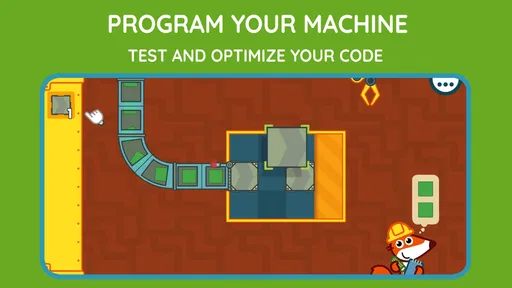
The game emphasizes visual commands and hands-on challenges rather than reading-heavy explanations, so children who are still developing their reading skills can engage with its basic ideas. A parent can help explain the goal or demonstrate how commands affect a task if needed. This visual approach also makes it easier for children to focus on arranging actions and noticing what happens next.
What is Pango Factory: Coding Game?
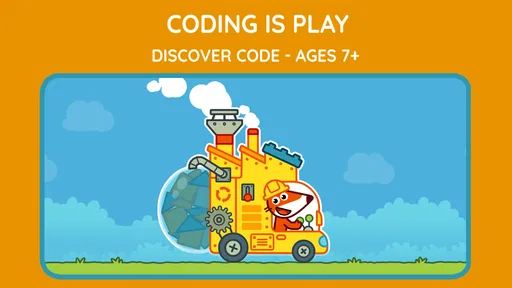
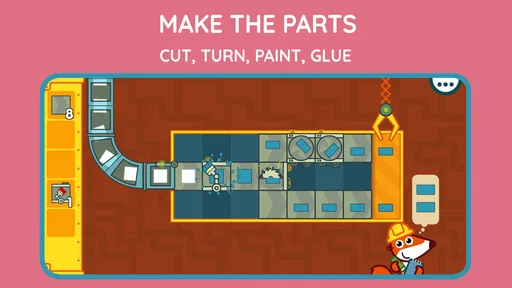
Pango Factory: Coding Game is an educational puzzle game for children that introduces basic programming concepts through playful factory challenges. Players help Pango organize actions, solve routes, and complete tasks by arranging instructions in the correct order. The experience focuses on logic, sequencing, problem-solving, and experimentation rather than reading-heavy explanations or traditional coding syntax.
Is Pango Factory: Coding Game suitable for young children?
The game is designed primarily for young children, especially preschool and early-school-age players who are beginning to develop logical thinking skills. Its visual controls and simple objectives make it approachable even for children with limited reading ability. Parents should still consider the child’s individual attention span and comfort with puzzles, as some levels may require repeated attempts and careful planning.
Does the game teach real programming or coding languages?
Pango Factory: Coding Game does not teach a conventional programming language such as Python, JavaScript, or Scratch syntax. Instead, it presents foundational computational-thinking ideas through visual commands, sequencing, planning, and cause-and-effect interactions. This makes it a gentle first introduction to coding logic, although older children looking for text-based programming lessons will eventually need a more advanced educational app.
Pros
- Introduces coding logic through playful
- child-friendly challenges.
- Simple controls make it accessible for young children.
- Bright visuals and animations keep sessions engaging.
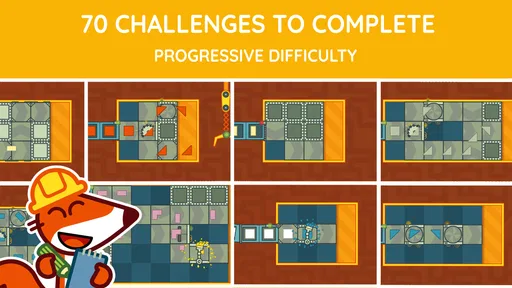
- Progressive puzzles encourage problem-solving and experimentation.
- Works well as a screen-time activity with educational value.
Cons
- Some children may complete the available puzzles relatively quickly.
- Limited appeal for older kids seeking advanced coding concepts.
- Repetition can become noticeable after extended play sessions.
- Adult guidance may be useful for children new to sequencing ideas.
- Device compatibility and features may vary between Android and iOS.













