Meet the Numberblocks
- 486.00
- 3.7
- Installs
- 5.00M
- Price
- Free
Screenshots
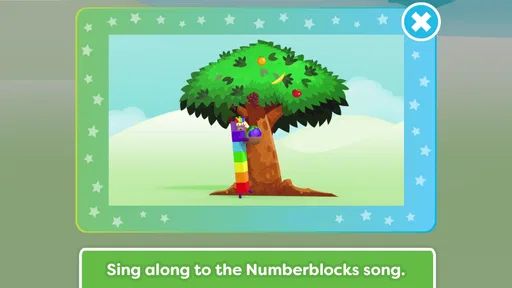

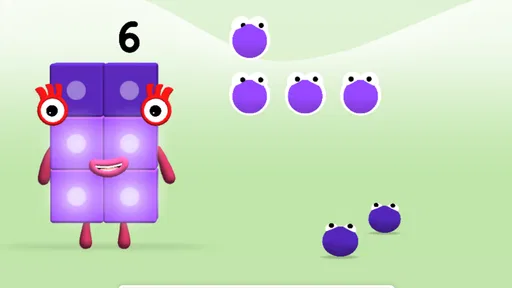
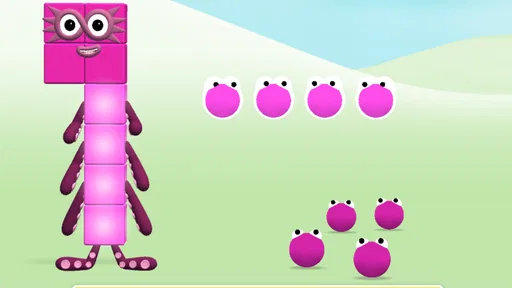
Analysis by Reviewed
I’d treat Meet the Numberblocks as a small, character-led invitation to count, rather than as a complete early-maths course. That distinction matters: a familiar animated world can make a young child more willing to try number activities, but the best results come when an adult connects the play to things the child can see and handle. I find it most promising for short bursts of shared or independent play, with a parent nearby to notice what is engaging and what is getting in the way.
A practical fit for early learners
I see this as a good fit for preschoolers and early learners who already enjoy the Numberblocks characters, especially children who respond better to seeing and playing with ideas than to worksheets. A parent can use it as a short, focused activity after breakfast or while waiting for an appointment, then ask the child to count real objects nearby. That simple move connects screen play with everyday practice instead of treating the game as a substitute for it.
It can also be useful when a child is reluctant to sit down for a formal counting activity. A familiar character gives an adult a low-pressure way to start: open the game, share a moment of play, and then invite the child to count a few blocks or toys. I would keep the invitation casual. If the child wants to explore the characters rather than answer a question, that is a cue to make the session shorter or return to it another time.
Compared with a basic counting video, an interactive game gives a child a reason to make choices rather than only watch. Compared with paper activities, the familiar characters can make a first encounter with number practice feel less formal. The trade-off is that it is tied to one playful style and may not suit a child who prefers quiet, open-ended materials or direct instruction from an adult.
Getting Started with Number Fun
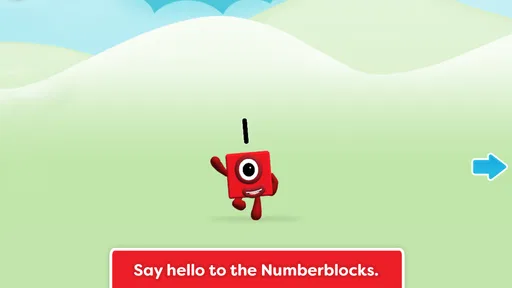
From the get-go, Meet the Numberblocks welcomes you with its vibrant and friendly interface. The app is based on the popular children’s TV show, Numberblocks, and it certainly captures the charm and educational spirit of the series. As soon as you open the app, you’re greeted with cheerful tunes and animated characters that are sure to catch any child’s attention.
Interactive Learning
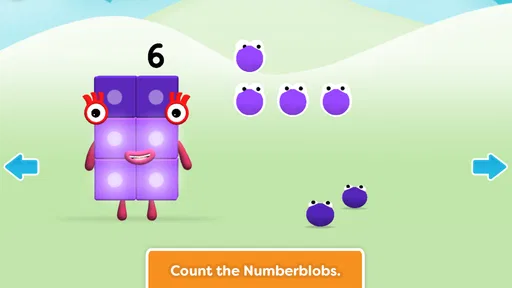
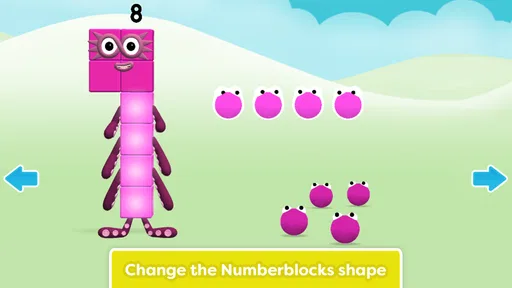
The app employs a collection of mini-games and activities, each designed to help kids grasp basic math concepts. What I love about these games is how they seamlessly blend learning with play. For example, kids can build their own Numberblocks by solving simple math problems, which not only reinforces their counting skills but also their problem-solving abilities.
One useful way to approach the activities is to let the child explain what they are doing, even if their explanation is only a few words. That gives a parent a better sense of whether the child is noticing the numbers or simply tapping through because the animation is appealing. I would avoid turning every choice into a quiz; a warm “tell me what you noticed” can keep the activity playful while still making the number idea part of the conversation.
More From Our News Desk

Weather by Xiaomi Review: Clear at a Glance, Less Clear Up Close

X Under Pressure: Can It Recover When Posting Goes Wrong?

Clash of Clans Is Won Between the Battles

Android Auto Makes the Case for Quieter Car Software

MobiOffice: Transforming Mobile Productivity with Seamless Integration

EA SPORTS FC™ Mobile Soccer: Redefining Mobile Sports Gaming
One standout feature is the use of the show’s familiar characters to guide users through the learning process. It’s like having a mini math tutor who’s as entertaining as they are educational. The animation quality is top-notch, and the characters’ voices are spot-on, making the whole experience very engaging for young learners.
Following a child’s lead
For a child who needs a little more time, I would keep the activity relaxed: sit nearby, let them explore, and offer a spoken prompt such as “Which one would you count next?” rather than taking over the screen. This makes the game a shared conversation as well as solo practice, and it gives an adult a chance to notice whether the child is following the number idea or mainly enjoying the characters.
The same approach helps when attention comes and goes. A brief session with one clear goal—counting together, for instance—can be more useful than leaving the game running while other distractions compete for attention. If a child is already confident with the material, I would use it as a light warm-up rather than expect it to provide a complete progression in maths.
There is a practical middle ground between sitting beside the child throughout and handing over the device without context. I would start a session together, help the child settle into an activity, and then give them space while staying within earshot. A quick check-in afterward—asking which character or number they remember—can reveal whether the game held their attention without making the experience feel like a test.
Kid-Friendly Design
An important aspect of any educational app is how easy it is for kids to navigate, and Meet the Numberblocks excels in this area. The controls are intuitive, and the layout is simple enough for kids to explore on their own. This means more independent play and learning, which is a huge plus in my book. Plus, there are no pesky ads interrupting the fun, which is always a relief for parents.
Parents also have access to a settings menu where they can adjust the app’s difficulty level to match their child’s learning pace. This flexibility is great because it allows the app to grow with your child, offering more challenging content as their skills improve.
I would use that difficulty adjustment as a way to keep the activity approachable, not as a reason to push a child quickly toward harder tasks. If a child begins to guess or gets frustrated, stepping back to an easier level may restore confidence. If everything feels effortless, a parent can try a more demanding setting and watch whether the child remains curious. The useful signal is the child’s response, not how quickly they move through the options.
Readability, movement, and sensory comfort
Bright characters and animation make the experience inviting, but they also mean this is not the calmest option for every child or every moment. I would try it when a child is rested and able to focus, rather than during a noisy or overstimulating part of the day. The cheerful sounds that help draw attention may be a distraction for a child who is sensitive to audio, so an adult can first check how the sound level feels in the room and decide whether the session is comfortable.
The straightforward layout is a practical strength for young users who are still learning how to navigate a screen. Even so, a child who finds touch controls difficult may need an adult close by to help with taps and choices. I would not assume that a simple interface removes every motor or sensory barrier; observing the child’s response is the most useful way to judge whether this particular style works for them.
For children who benefit from more time to process visual or spoken prompts, I would resist adding extra instructions while the screen is busy. Let the activity present itself, pause if the child seems unsure, and use a short spoken cue only when it helps. That keeps the adult’s support from competing with the characters and gives the child a chance to respond at their own pace.
A Fun Way to Learn
In addition to its educational value, the app is just plain fun. Kids will enjoy the silly antics of the Numberblocks as they learn numbers, and the interactive elements keep them engaged. It’s an app where learning doesn’t feel like a chore but rather an adventure, which is how it should always be for young learners.
For a realistic routine, I’d offer it during a short pause at home, then follow up with a few objects to count together—snacks, toys, or steps on the way to another activity. That gives the child a chance to use number words away from the screen and lets a parent see what has stuck. I would avoid using it as a hands-off babysitter or as the only way a child encounters early maths; adult conversation and physical play still matter.
It may also suit a quiet stretch before dinner when a child wants something to do but is not ready for a longer activity. I would set a clear stopping point in advance, such as finishing one short play period before helping set the table. Counting plates or pieces of fruit afterward makes the transition feel natural and gives the child a chance to use number language in a different setting.
Where another option may work better
This is a focused choice for children who like character-led counting activities. If a child is ready for longer explanations, more varied maths topics, or pencil-and-paper practice, an adult-led activity or a broader educational resource may be a better match. On the other hand, for a young Numberblocks fan who needs a playful starting point, the familiar world can make practice easier to approach. The useful question is not whether it replaces other learning, but whether it gives this child a reason to engage with numbers today.
Compared with a general-purpose learning app, this game has a narrower identity: the Numberblocks and early number play are the draw. That focus can help a child who already likes the characters get started without needing to choose among many unrelated subjects. It is less suitable when a family wants one app to cover a wide range of school skills, or when a child needs a slower, less animated presentation. In those situations, hands-on counting with household objects or an adult-led activity may be a better first choice.
Families deciding whether to try it can also consider the practical basics. It is a free educational game made by Blue Zoo, with an Everyone age rating, and it runs on Android 5.1 or later. Its current version is 01.05.00. These details make it straightforward to consider for a compatible family device, though a suitable age label does not guarantee that the bright, lively presentation will feel comfortable to every child.
It has an average rating of 3.6 from around 9,000 ratings, alongside roughly 476 written reviews, and has been installed more than 5 million times. It was released on May 23, 2019. I read that reach as a sign that many families have tried it, not as proof that it will fit every learner; a child’s interest, comfort with touch controls, and response to the pace matter more than popularity.
Choosing the right moment and level of support
A useful first trial is a short session with an adult nearby, rather than introducing the game when a child is already tired or upset. That gives you a fairer sense of whether the sounds, movement, and touch interactions are comfortable. If the child is engaged, leave room for independent exploration; if they keep looking to you for help, treat that as a reason to play together rather than evidence that they are doing something wrong.
The same trial can answer a practical question parents often have: will the child be able to use it alone? The interface is designed to be approachable, but individual coordination and familiarity with screens vary. I would watch for whether the child can make choices without repeated adult correction. A little help can be part of shared play, but if every step requires an adult to operate the device, another activity may be more enjoyable and less frustrating.
For a child who already knows the characters but is not keen on counting, I would keep the first goal modest: notice a number, count along, or talk about what the character is doing. For a child who is already comfortable with early number ideas, I would use the game as a brief change of pace, then move to real objects or a more varied activity. The app is most useful when its role is clear and limited, rather than being asked to meet every learning need.
What the game does—and does not—replace
Parents may reasonably wonder whether screen-based number play is enough practice. I would use it as a prompt, not a replacement for conversations, toys, books, or everyday counting. A child can enjoy a character activity and still need chances to handle objects, hear number words in ordinary situations, and talk through what they notice. The game’s strongest contribution is making a first step feel inviting; an adult can carry that interest into the rest of the day.
It is also worth remembering that a child’s enjoyment does not always mean they are ready for every activity or learning every idea presented. If they focus mainly on the animation, that can still be a pleasant play session, but I would not assume it has produced independent number understanding. A relaxed follow-up question or a few real objects to count is a more useful check than asking the child to repeat a lesson on demand.
Overall, Meet the Numberblocks is a fantastic tool for parents looking to add a bit of educational fun to their child’s screen time. It’s colorful, engaging, and most importantly, it makes learning feel like a game. If you’re looking to introduce your child to numbers in a fun and interactive way, this app is definitely worth a download.
My inclusive verdict
I’d recommend giving it a try if your child is drawn to the characters, enjoys lively visual play, and can use a touch screen with the support they need. I’d skip it, or keep sessions brief, if noise and animation make focusing harder or if the child needs a different way to interact. The game’s strongest role is as one inviting route into counting, not a universal solution. A little observation and a real-world counting activity afterward will help you decide whether it earns a regular place in your family’s routine.
Meet the Numberblocks Frequently Asked Questions
What is Meet the Numberblocks app?
Meet the Numberblocks is an educational app designed to help young children learn about numbers and basic arithmetic through engaging and interactive play. The app features characters from the popular children's TV show 'Numberblocks,' offering a fun way for kids to explore mathematical concepts through games and activities that encourage learning and creativity.
Is Meet the Numberblocks app safe for kids?
Yes, Meet the Numberblocks is designed with children's safety in mind. The app provides a secure environment without any in-app purchases or advertisements, ensuring that kids can enjoy the educational content without distractions or risks. Parental controls are also available to manage and monitor usage, making it a safe choice for young learners.
What age group is Meet the Numberblocks suitable for?
The Meet the Numberblocks app is primarily designed for children aged 3 to 6 years old. The app aligns with early years' learning goals and provides age-appropriate activities that help build foundational math skills. The content is crafted to engage preschoolers, making learning both enjoyable and effective for young children.
Does Meet the Numberblocks require internet access?
Meet the Numberblocks can be used without an internet connection after the initial download and setup. This makes it convenient for parents and kids to access educational content on the go, without worrying about connectivity. However, some features or updates may require internet access, so it's good to check periodically.
Can I track my child's progress in Meet the Numberblocks?
Yes, the app includes features for parents to track their child's learning progress. You can access reports and insights into areas where your child excels or may need more practice. This feature helps parents stay informed and involved in their child's educational journey, ensuring they get the most out of the app.
Pros
- Engaging educational gameplay.
- Vibrant and colorful graphics.
- Encourages mathematical thinking.
- Suitable for young children.
- User-friendly interface.
Cons
- Limited content variety.
- Requires internet access.
- Occasional app crashes.
- In-app purchases available.
- May lack challenge for older kids.













