Alphablocks, How to Write
- 3.00
- 3.3
- Installs
- 10.00K
- Price
- $3.99
Screenshots
Analysis by Reviewed
When a young child is learning to form letters, a short, cheerful activity can be easier to fit into the day than another worksheet. Alphablocks, How to Write is an educational game from Blue Zoo aimed at that early writing stage. I’d treat it as a playful practice companion, not a replacement for pencil-and-paper time or an adult helping a child notice how letters are made.
A simple routine works best
I’d start by sitting with the child for a first session, letting them explore the letter activities and watching where they hesitate. That gives you a better sense of whether they need help recognizing a letter, following its shape, or staying interested long enough to practise. After that, a brief repeatable routine—choose a letter, try the activity, then practise the same shape on paper—can connect screen time to a useful real-world skill.
For example, if a child is getting ready before school, a few minutes with one letter followed by writing it on a scrap of paper makes the game part of a calm transition rather than an open-ended distraction. I’d keep the goal small: repetition and confidence matter more here than racing through the alphabet.
Set up a session that suits the moment
I’d choose a time when the child is alert but not already wound up or tired. Letter practice can work well as a brief activity after breakfast, during a quiet stretch at home, or while an adult is nearby and available to help. It is less likely to go well as a last-minute distraction during a rushed transition, when there is little room to pause, listen, or switch to paper afterwards.
A useful habit is to decide the purpose before opening the game. If the child is practising a particular letter, keep that as the focus rather than turning the session into a test of how much they can finish. If they begin to lose interest, I’d stop on a positive attempt instead of pushing for one more round. The aim is a friendly association with letter practice, not a daily scorecard.
It is also worth treating the adult’s role as part of the setup. I’d keep a pencil and a small piece of paper within reach, so the transition from a screen activity to making a mark is easy rather than an extra chore. When the child is ready, ask them to try the letter in their own way; avoid correcting every wobble. Early writing is uneven, and a relaxed response can matter more than a perfectly formed result.
Getting Started with Alphablocks
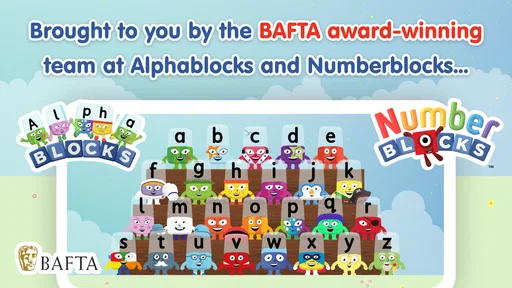
From the moment you open Alphablocks, How to Write, it feels like you've stepped into a colorful world where letters come to life. The interface is incredibly user-friendly, which is crucial when designing apps for young children. The vibrant colors and playful animations immediately capture attention, making it a hit with the little ones.
More From Our News Desk

Weather by Xiaomi Review: Clear at a Glance, Less Clear Up Close

X Under Pressure: Can It Recover When Posting Goes Wrong?

Clash of Clans Is Won Between the Battles

Android Auto Makes the Case for Quieter Car Software

MobiOffice: Transforming Mobile Productivity with Seamless Integration

EA SPORTS FC™ Mobile Soccer: Redefining Mobile Sports Gaming
Interactive Learning Experience
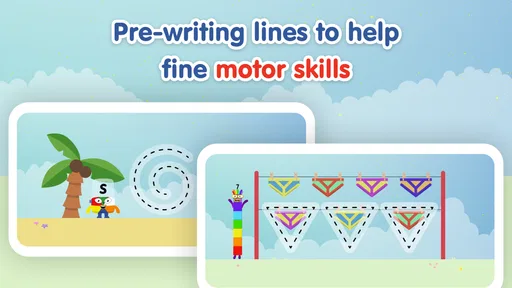
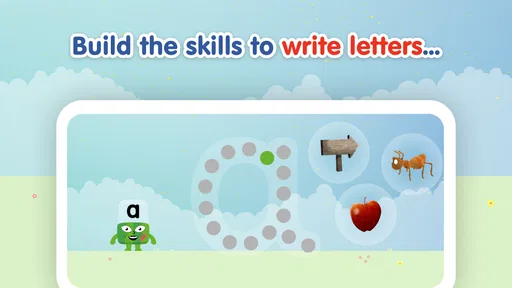
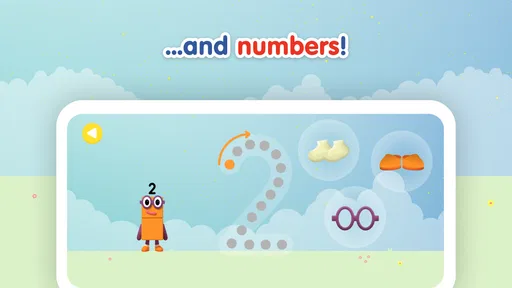
What sets this app apart from others is its interactive learning experience. Each letter of the alphabet is personified with unique characters and personalities, encouraging kids to engage and interact. As children tap on letters, they are guided through various exercises that involve tracing, recognizing, and even writing, helping them grasp the fundamentals of literacy.
One of the most appealing features is the way the app uses animation to illustrate how letters form words, creating a visual and auditory learning journey. This is a fantastic way to reinforce what children learn in school and to provide parents with an engaging tool to support their child's education at home.
Build practice around the child
For a more useful session, I’d let the child choose a letter they already recognize, then revisit a less familiar one while their attention is still fresh. That simple pattern combines a confidence-building success with a manageable challenge. It also gives a parent a chance to ask the child to name the letter or find it on a book cover, turning a screen activity into a small conversation rather than passive watching.
Compared with ordinary alphabet videos, the hands-on letter activities offer a reason for a child to participate instead of only viewing. Compared with paper worksheets, the animated presentation may feel more inviting, though paper remains better for practising the physical feel of a pencil and seeing a child’s own handwriting. I’d use each for what it does well rather than expecting one format to cover every part of learning to write.
Make the learning carry over
A small, practical extension is to look for the chosen letter in something already part of the day: a cereal box, a street sign seen on a walk, or the child’s name on a drawing. This makes the letter feel useful beyond the game without adding a separate lesson. I’d keep the prompt simple—“Can you spot the same shape?”—and let the child answer by pointing or saying the letter if writing it feels tiring.
That kind of follow-through also helps an adult see what the child is taking from the activity. Recognizing a letter on screen is not quite the same as remembering it in a different setting, and forming it with a finger or other on-screen action is not identical to controlling a pencil. A quick real-world example offers a more grounded sense of progress than assuming that a completed activity automatically means the skill has transferred.
Engagement and Rewards
We all know that children love rewards, and this app doesn’t disappoint. As kids progress through the levels, they're rewarded with stars and badges, which keeps their motivation high and their interest piqued. The sense of achievement that comes with each reward encourages them to keep learning and exploring.
Additionally, the app includes a variety of games and challenges that adapt to the child's learning pace, ensuring that they remain challenged but not overwhelmed. This personalized approach to learning is one of the app's standout features, catering to the unique needs of each child.
Use rewards without letting them take over
For a parent, the useful question is not simply whether a child likes earning rewards, but what they do when a reward is not the main attraction. I’d notice whether the child is interested in the character, the letter itself, or just reaching the next achievement. If the reward becomes the whole point, I’d redirect attention toward a specific effort: tracing carefully, naming a letter, or trying again after a mistake.
I would not turn stars or badges into a comparison between siblings or a measure of a child’s ability. The same child may be enthusiastic one day and reluctant the next, and a reward should not make normal variation feel like failure. Keeping praise tied to trying and noticing shapes makes the game a little more useful as a learning aid and a little less like a demand to perform.
Settings, pacing, and practical limits
Before handing over the device, I’d check the sound level and make sure the child can comfortably reach the controls. Those small setup choices can prevent a session from becoming frustrating, especially in a shared room or during a quiet part of the day. I’d also agree on a stopping point in advance: a clear finish helps keep a promising learning activity from turning into a demand for unlimited screen time.
The game is rated Everyone, costs $3.99, and its current version is 1.2.0; it requires Android 5.1 or later. Its average rating is 3.8 from 42 ratings, and it has 5K+ installs. That gives a useful snapshot of its place in the educational-game space, but I wouldn’t treat popularity as proof that it suits every learner. The paid price also makes it sensible to consider whether a child enjoys guided letter practice before choosing it over free alphabet activities.
It may be a weaker fit for a child who already writes letters confidently and wants broader reading practice, or for a family looking for a full curriculum rather than a focused activity. In those cases, a workbook, a teacher’s guidance, or a broader literacy resource may be more useful. I’d also avoid using rewards as the only reason to practise; praise the child’s effort and careful attempts, not just progress through a game.
What I’d check before relying on it
The listed minimum Android requirement is 5.1, so I’d check the device’s software version before buying rather than assuming an older tablet will run the game. I’d also consider who will be using the device and whether the child can comfortably tap the controls. A screen that is awkward to hold or reach can make a simple tracing task feel harder than it needs to, particularly for a beginner still learning controlled movements.
The $3.99 price changes the decision slightly compared with a free video or printable alphabet sheet: I’d first ask whether the child enjoys this character-led approach and whether an adult can help connect it to writing on paper. The game is a focused activity, not a complete literacy plan, so the value is strongest when it fills a clear role in a family’s routine. If a child would rather draw, handle letter cards, or practise with an adult, paying for a screen-based option may not be the best fit.
Final Thoughts
In a world where technology is becoming an integral part of education, Alphablocks, How to Write is a shining example of how digital tools can be used to enhance learning. It’s not just about teaching kids how to write; it’s about making the learning process fun and memorable.
Whether you’re a parent looking to supplement your child's education or a teacher seeking innovative classroom tools, this app is a fantastic choice. It's educational, entertaining, and most importantly, it helps kids develop a love for writing and learning. So, if you’re on the hunt for an app that will engage and educate your little learners, give this one a try!
Who I’d recommend it to
Blue Zoo released the game on December 16, 2021, and the listed age guidance is Everyone. I’d recommend it most to families with a young beginner who responds to characters and animation, and to adults who can occasionally sit nearby and turn a letter activity into a quick follow-up on paper. The short, repeatable approach is more convincing than expecting a child to stay focused through a long session.
There are four written reviews, so I’d read the overall rating as a modest signal rather than a detailed picture of every family’s experience. My practical test would be whether the child returns willingly to a letter and can carry some of that interest into a pencil activity. If not, a simpler hands-on routine or a different learning style may be a better match. For the right beginner, though, this is a friendly way to make early letter practice feel less like a task and more like play.
Choosing it over familiar alternatives
Against a basic alphabet video, the main trade-off is participation: a video can be easier to leave on while an adult does something else, but it asks less of the child than an activity that invites tapping and tracing. Against a workbook, the game has a livelier presentation, while the workbook gives direct practice with pencil pressure, posture, and the child’s own written marks. I’d choose based on the skill the child needs at that moment, not on which format looks more modern.
For a child who enjoys familiar characters, the game may be a good doorway into a brief practice session. For one who learns best by moving physical objects, drawing freely, or talking through a letter with an adult, letter cards and shared paper time may be more engaging. These alternatives are not lesser substitutes; they offer different kinds of attention and feedback. Using the game alongside one of them can make sense, but there is no need to insist on a screen if the child is already eager to practise another way.
A realistic way to fit it into family life
Imagine a child has a quiet stretch after breakfast before getting dressed. An adult can invite them to pick one letter, stay close while they try the activity, then hand over a pencil and ask them to make that shape on scrap paper. If the child is keen, they might look for the same letter on a nearby package. If they are ready to move on, the adult can stop there without stretching the session into a lesson. That routine is practical because it has a clear beginning and end and does not depend on finishing a long sequence.
On a different day, the same activity might be a poor choice: if the child is tired, upset, or already struggling with the device, even appealing characters may not make practice productive. I’d switch to a story, drawing, or a quick spoken game instead. Being willing to choose another activity is part of using an educational game well; a tool is helpful only when it suits the child’s mood and the moment.
My mastery verdict
I see this as a narrow but potentially useful tool: strongest when an adult uses it to spark a short, repeatable encounter with letters, and less convincing as a stand-alone route to confident handwriting or reading. Its character-led approach gives a beginner a reason to engage, while the paper follow-up supplies the physical practice a screen cannot replace. The most useful habit is to keep the session small, let the child show what caught their attention, and carry one letter into an ordinary object or a pencil mark.
Ultimately, I’d choose it for a young learner who responds to playful presentation and benefits from guided repetition, while keeping expectations realistic. A child ready for more advanced reading, a family seeking a broad structured course, or a learner who strongly prefers hands-on materials may be better served elsewhere. If the fit is right, the game can make early letter practice feel inviting; if it is not, a book, workbook, or shared drawing time can be the better next step.
Alphablocks, How to Write Frequently Asked Questions
What devices can run Alphablocks, How to Write?
Alphablocks, How to Write is an educational game for Android devices running Android 5.1 or later. Before downloading, check your device’s operating system and make sure the game is compatible. It is developed by Blue Zoo and is intended to bring letter-focused play to young learners, so it may suit families looking for an early literacy activity on a supported device.
What is Alphablocks, and how does it work?
Alphablocks is an educational app designed to help young children learn the basics of reading and writing through interactive gameplay. It utilizes animated characters, each representing a letter, to form words and sounds. The app combines visual and auditory learning techniques to engage children effectively, making it a fun tool for early literacy development.
Is Alphablocks suitable for all age groups?
Alphablocks is primarily designed for preschoolers and early elementary school children, typically aged between 3 to 7 years. Its content focuses on foundational literacy skills, making it less suitable for older children who have mastered basic reading and writing. Parents should assess the app's suitability based on their child's individual learning level. Its Everyone content rating is also a helpful indication when considering whether it fits your household.
Does Alphablocks require an internet connection to function?
While initial download and updates may require an internet connection, Alphablocks can be used offline once installed. This makes it convenient for children to use the app in environments without internet access, such as during travel or in areas with limited connectivity, ensuring uninterrupted learning opportunities.
Are there any in-app purchases or advertisements in Alphablocks?
Alphablocks offers a variety of free content, but it may include optional in-app purchases to unlock additional features or levels. The app is designed to be child-friendly, minimizing advertisements to ensure a safe and uninterrupted experience for young users. Parents can manage purchases through device settings to prevent accidental spending. The game costs $3.99, so check the price displayed for your region before downloading.
Pros
- Educational and fun for kids.
- Engaging animations and graphics.
- Easy to navigate for children.
- Encourages phonetic learning.
- No in-app purchases or ads.
Cons
- Limited content for older kids.
- Requires constant internet connection.
- Repetitive after frequent use.
- Limited language options.
- Not challenging for advanced learners.













