Math Kids: Math Games For Kids
- 1.07K
- 4.5
- Installs
- 50.00M
- Price
- Free
Screenshots
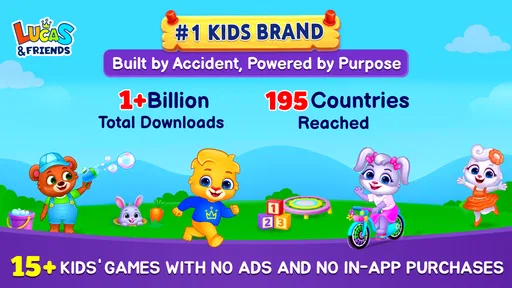
Analysis by Reviewed
When I’m choosing a first math game for a young child, I look for something they can start using without a long explanation and that gives them a reason to return to basic number practice. Math Kids: Math Games For Kids is an educational game from RV AppStudios, aimed at early skills such as counting, addition, and subtraction. It’s free and rated for Everyone, so it can be an easy first step for families who want math practice to feel more like play than a worksheet.
A gentle place to start with numbers
The game suits children who are beginning to recognize numbers or are getting comfortable with simple sums. Its broad appeal is reflected in a 4.6 average from around 58,000 ratings, and it has passed 50 million installs. Those figures suggest that many families have tried it, but they don’t tell me whether it fits every child: the useful test is whether the activities match the learner’s current level and hold their attention.
In an everyday routine, I’d use it for a short turn while dinner is being prepared or as a change of pace after a paper-based activity. A child can focus on one small skill, then put the device away and try a few similar sums aloud or with household objects. That follow-up matters: a correct tap in a game is encouraging, but asking a child to explain how they counted gives you a better sense of what they understand.
What to expect from the play
The activities center on early arithmetic and counting rather than the wider range of topics found in a full school course. That focus is useful when a child needs repetition without a formal lesson, though it also sets a limit. If your child is already comfortable with basic sums and wants word problems, geometry, or a structured path through a school syllabus, a broader learning app or teacher-guided practice will be a better fit.
I’d also treat the game as a practice companion, not a substitute for teaching. Young children may need an adult nearby to connect on-screen answers with real quantities, especially when they are still learning what addition or subtraction means. Try asking them to count toys before choosing an answer, or to make up a small take-away problem with snacks. That makes the screen time more meaningful without turning every round into a test.
Why Math Kids is a Game Changer
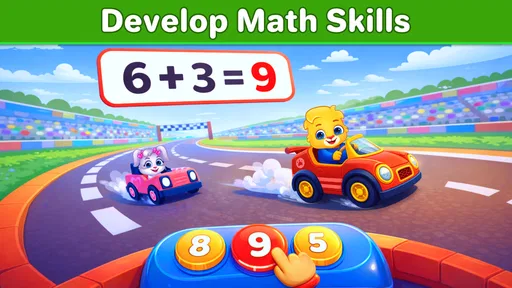
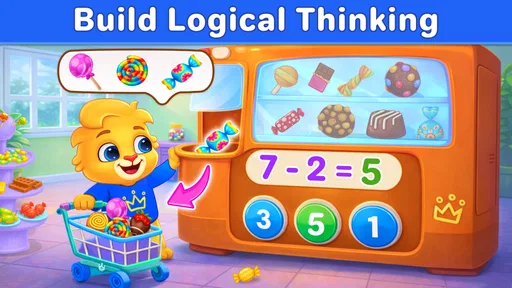
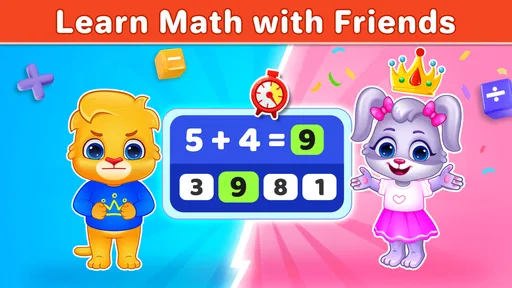
First off, the design is super kid-friendly. It's like the developers knew exactly how to capture the attention of young minds. Bright colors, fun characters, and easy navigation make it a breeze for kids to jump right in and start learning. You can almost hear the gears turning in their brains as they solve each problem.
Engaging Learning Modules
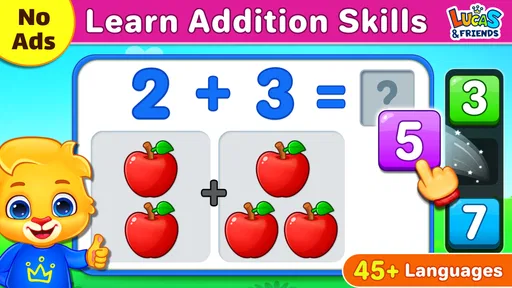
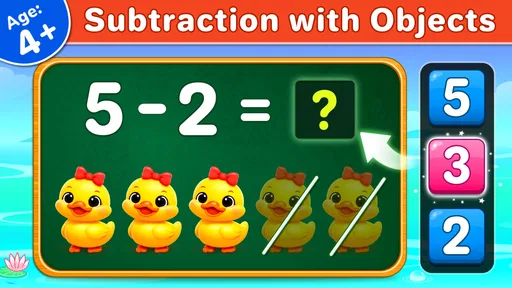
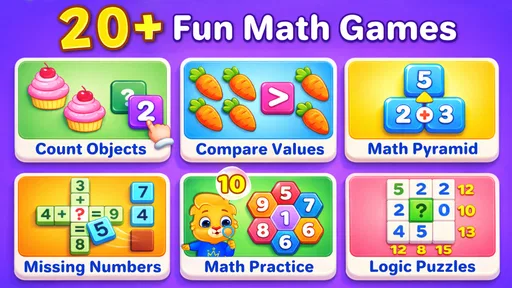
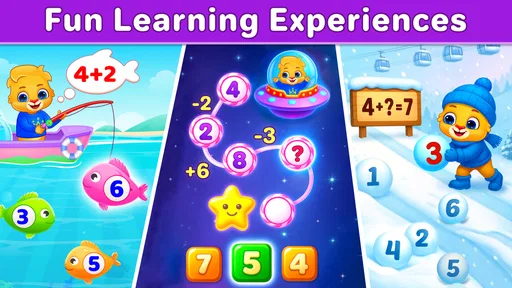
The app is packed with a variety of games that teach basic math skills like addition, subtraction, and counting. What I love is how these games are designed to adapt to the child’s learning pace. If your kid is breezing through addition, the app gently nudges them towards more challenging problems. Conversely, if they’re struggling a bit, it offers simpler puzzles to build their confidence.
More From Our News Desk

Weather by Xiaomi Review: Clear at a Glance, Less Clear Up Close

X Under Pressure: Can It Recover When Posting Goes Wrong?

Clash of Clans Is Won Between the Battles

Android Auto Makes the Case for Quieter Car Software

MobiOffice: Transforming Mobile Productivity with Seamless Integration

EA SPORTS FC™ Mobile Soccer: Redefining Mobile Sports Gaming
Each game comes with a splash of fun to keep things interesting. For instance, in the "Number Tracing" game, kids can practice writing numbers by tracing them on the screen. It’s a simple yet effective way to reinforce what they're learning.
Parental Controls and Progress Tracking
Math Kids also offers superb tools for parents. The app includes a section where you can monitor your child’s progress. You can see which areas they excel in and which ones might need a little more attention. Plus, you can set limits on how long the app can be used each day, ensuring a healthy balance between screen time and other activities.
What’s more, the app is ad-free. I mean, how often can you say that about a free app? It's a safe space for your kids to learn without the constant barrage of ads interrupting their focus.
The Magic of Interactive Learning
The real magic happens when kids start to enjoy learning math. The interactive nature of the app turns what would be a daunting task into something they look forward to. It's like sneaking vegetables into their favorite dish—they won't even realize they're doing something good for them!
While the app is primarily targeted at younger kids, older children might also find it useful for brushing up on basic skills. It’s like having a little math tutor in your pocket, ready to help whenever you need it.
How it fits into a child’s routine
One practical way to use the activities is to match a game session to a specific need instead of handing over the phone with no goal. If counting is still shaky, ask your child to count a small group of blocks first, then play. If they are practicing subtraction, let them remove a few objects and describe what changed. These quick bridges between screen and everyday life help you spot whether a child is reasoning or simply guessing.
For a busy caregiver, the appeal is that basic practice can happen in a brief window without preparing a worksheet. Still, I would keep a nearby adult involved for younger learners: encouragement can help a child recover from a wrong answer, and a conversation afterward turns a game result into a learning moment. The app is best as one part of a routine, alongside books, toys, and ordinary counting during the day.
Where the limits matter
The simple focus that makes the game approachable can also make it feel repetitive to a child who has mastered its core skills. It is not the right choice for someone seeking advanced arithmetic, detailed lessons, or a complete curriculum with a clear progression across school subjects. In those cases, a structured course, a teacher’s materials, or a broader educational game can offer more depth than repeated practice with early numbers.
I also wouldn’t assume that a child’s progress in a game automatically transfers to written work. Screen interactions can reward quick recognition, while school tasks may ask children to show their steps or explain a method. To check for understanding, occasionally ask your child to solve one of the same kinds of problems on paper or with objects. If they can do that without the game’s prompts, the practice is carrying over.
Choosing it over other learning options
Compared with worksheets, this game gives children an interactive way to repeat simple skills and may feel less like a lesson. Compared with broad educational apps, it is more tightly focused on early math, which makes it easier to pick when the goal is counting or basic sums but less suitable when a child wants varied subjects or a full sequence of lessons. I’d choose it for low-pressure practice, not as the only learning resource.
A useful trade-off is to alternate rather than choose one format exclusively: a short game turn can build willingness to practice, while a follow-up question or hands-on activity checks whether the idea makes sense away from the screen. If the child starts tapping quickly just to finish, pause and switch to counting real objects. That is a sign to change the activity, not necessarily to push for another round.
What parents can watch for
As a game from 2017, Math Kids has had time to reach a large audience, but I would judge its present usefulness by how your child responds now rather than by its age or popularity. The developer is RV AppStudios, and its current appeal rests on the elementary skills the game covers. When deciding whether to keep it in the routine, notice whether your child returns willingly, can explain an answer, and stays interested without needing a long session.
My recommendation is to try it with a clear, modest aim: practice one basic skill, then see whether that practice carries into counting or sums away from the device. If it does, the game can earn a place as a convenient supplement. If your child needs more challenge, stronger explanations, or learning beyond early arithmetic, moving to a more comprehensive option is the sensible next step.
A practical way to introduce it
When I introduce a learning game to a young child, I prefer to explore it together before treating it as independent screen time. Sit beside them for the first turn and let them show you what they notice: which number they recognize, how they decide on an answer, or whether they understand what a task is asking. This also helps you see whether the instructions and pace make sense to that particular child. A game can be labeled for everyone and still feel too quick or too easy for an individual learner.
Rather than aiming for a long session, I’d set a simple purpose in advance. For example, “Let’s practice counting, then count the apples in the bowl,” gives the child a clear endpoint and links the activity to something concrete. If they lose interest after a few problems, that is useful information. It may mean they are ready to stop, need a different kind of practice, or would benefit from doing the same skill with physical objects instead.
Making progress easier to judge
Progress screens can help a parent notice patterns, but I would read them as a prompt for conversation rather than a final measure of ability. A child might answer quickly because they recognize a familiar layout, or slow down because they are thinking carefully. Ask them to explain one answer in their own words, and occasionally change the objects or numbers in a similar real-world example. This gives you a more rounded picture than a score alone.
Number tracing is especially worth pairing with something away from the screen. A child can trace a shape with a finger, then try making that numeral on paper, in sand, or with a finger on the table. The point is not to turn a playful activity into extra homework; it is to help the motion and the number become familiar in more than one setting. If the child resists writing, keep the game as a low-pressure introduction and return to pencil practice another time.
When a different tool may work better
For a child who enjoys moving pieces and talking through a problem, physical counters or blocks may teach quantity more clearly than selecting an answer on a screen. For a child who needs consistent adult explanation, a workbook or teacher-led activity can make it easier to slow down and show each step. Broad learning apps may be preferable when the goal is to move between reading, science, and math rather than spend a session on early numbers alone. I see Math Kids as a convenient option among these approaches, not a replacement for all of them.
It may also be the wrong choice if the child is frustrated by touchscreens, has difficulty staying with a simple task, or is already asking for harder challenges. In those cases, insisting on more play can make practice feel like a chore. Follow the child’s response: if they want to explain their thinking and return to the activity, it is serving a purpose; if they are guessing, rushing, or repeatedly asking for help with the basic interaction, switch methods and revisit the game later.
Keeping the experience age-appropriate
The Everyone age rating makes it suitable for a broad audience, but supervision still matters because young children vary widely in reading ability, attention, and comfort using a device. I would keep the device in a shared space, agree on when the game is available, and treat any daily-use limit as part of a wider screen-time routine rather than the whole plan. A parent’s calm presence can also prevent a wrong answer from becoming a source of embarrassment.
Because the game is free, it is an approachable choice to try without making it a major purchase decision. Free does not, by itself, tell me everything about how an app handles a device or what settings it offers, so I would still check the current app information and family device settings before handing it to a child. That small bit of setup is sensible for any children’s app, even one used only for short practice.
A sensible expectation for a long-running game
Math Kids was released on August 22, 2017, and its long presence gives families a familiar starting point, but an older release date should not be mistaken for proof that every aspect suits today’s devices or a child’s current schoolwork. I would focus on what the child can do with it now. The game’s established emphasis on early number skills is its clearest reason to consider it; it is not a promise of a complete or continually changing math course.
With around 974 written reviews among its audience, there is plenty of public feedback for a parent who wants to compare impressions, though individual experiences will differ. I would give more weight to a brief supervised trial than to popularity: watch how your child handles the activities, whether they can transfer an idea to a real object, and whether they remain comfortable. Those observations are more useful for deciding whether it belongs in your household routine.
Looking ahead, I would want any learning game to keep its basic tasks clear, remain comfortable for young users, and give parents a practical way to judge whether practice is helping. For this one, the most important thing to watch is not a promise of new content but whether its current activities continue to match your child’s needs. If your learner outgrows counting and simple sums, treat that as a natural point to move on rather than a reason to keep repeating familiar exercises.
In conclusion, Math Kids: Math Games For Kids is a fantastic tool for any parent wanting to give their child a head start in math. It's engaging, educational, and best of all, it's fun. So go ahead, give it a try, and watch your child's math skills blossom.
Math Kids: Math Games For Kids Frequently Asked Questions
Who developed Math Kids: Math Games for Kids?
Math Kids: Math Games for Kids is an educational game developed by RV AppStudios. Its focus is early math practice presented in a playful format, including counting, addition, and subtraction. Parents comparing learning apps can consider whether those foundational topics fit what their child is ready to practice, and whether a game-based approach is likely to keep them engaged.
What does Math Kids: Math Games for Kids offer young learners?
The game is built around playful early-math activities, with a focus on counting, addition, and subtraction. Its store summary describes it as a fun way for preschoolers to learn these topics. That makes it most relevant for families seeking introductory math practice rather than a broad collection of subjects or advanced lessons.
Is Math Kids: Math Games for Kids free to download?
Yes. Math Kids: Math Games for Kids is a free educational game from RV AppStudios, so families can try its early-math activities without paying to download it. Its focus is on playful practice with counting, addition, and subtraction, making it an option for parents looking for a straightforward way to introduce math concepts through a game.
What age group is Math Kids: Math Games for Kids suitable for?
Math Kids: Math Games for Kids is designed primarily for children aged 3 to 8 years old. The app focuses on introducing fundamental math concepts in a fun and engaging way, making it suitable for preschoolers and early elementary students. The games are tailored to different skill levels, ensuring that they can grow with your child as their math abilities develop.
Can Math Kids: Math Games for Kids be used offline?
Yes, Math Kids: Math Games for Kids can be used offline, making it a great option for parents looking to limit screen time and internet usage. Once downloaded, the app does not require an internet connection to function, allowing children to enjoy the educational content anytime and anywhere, whether at home or on the go.
Pros
- Engaging interface for young learners
- Variety of math games available
- Encourages independent learning
- No ads to interrupt gameplay
- Adjustable difficulty levels
Cons
- Limited advanced concepts
- Graphics may seem too childish
- Some games require parental guidance
- Occasional app crashes
- Requires regular updates













