Kids Toddler & Preschool Games
- 81.00
- 4.7
- Installs
- 10.00M
- Price
- Free
Screenshots
Analysis by Reviewed
When it comes to finding the right app for your little ones, the choices can be a tad overwhelming. But hey, let me introduce you to Kids Toddler & Preschool Games, an app that promises to keep your toddlers entertained while teaching them a thing or two. I’ve taken a deep dive into this app and here’s what I found.
A shared screen during a busy day
I can see this educational game being handy when a preschooler needs a short, purposeful activity while an adult is making dinner or waiting for an appointment to begin. Rather than handing over a device with a broad video feed, I’d choose one activity together, let the child try it, and ask them to explain what they are matching or sorting. That small bit of conversation makes the screen time feel more like a shared game than a way to fill an hour.
It is also a practical option for a tablet used by several people, provided an adult sets the device up for the child first. I would keep the device within reach, begin a session together, and avoid assuming that a child-focused game automatically changes the tablet’s other settings. The app can be part of a household routine, but it does not replace the device owner’s responsibility for what else is available on a shared screen.
A realistic routine might be to bring the tablet to the kitchen table before dinner, sit with the child while they choose an activity, and keep the session short enough that it ends before the meal is ready. The useful part is not simply occupying the child; it is having a natural prompt for conversation. If a sorting task catches their eye, I might ask what belongs together, then invite them to find a similar object in the room. That makes the game a starting point for hands-on play rather than a separate screen-only event.
For siblings sharing one device, I would avoid leaving turn-taking to chance. A grown-up can decide who chooses first and when the other child gets a turn, especially if one child is more confident with touchscreens. This is a small but meaningful trade-off: a shared game can create a pleasant moment together, but it can also turn into an argument if the device is handed over without a plan. The app does not need to manage that; a clear household routine can.
A Fun Learning Experience
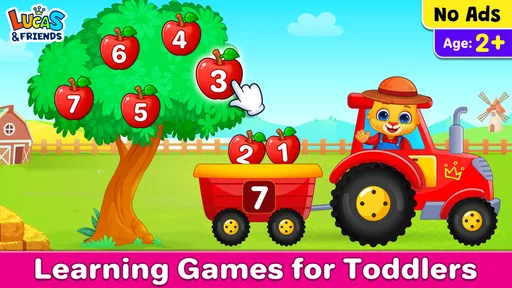
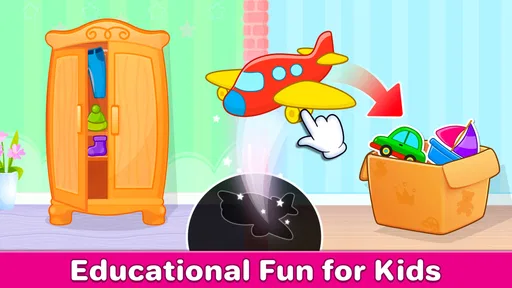
Kids Toddler & Preschool Games is designed with the little ones in mind. It offers a wide variety of games that are not only fun but also educational. From puzzles to color matching, the app covers several key learning areas that are crucial for early childhood development. It’s like having a preschool right on your phone!
Engaging and Intuitive Interface
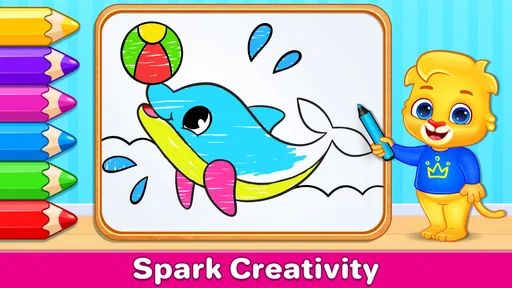
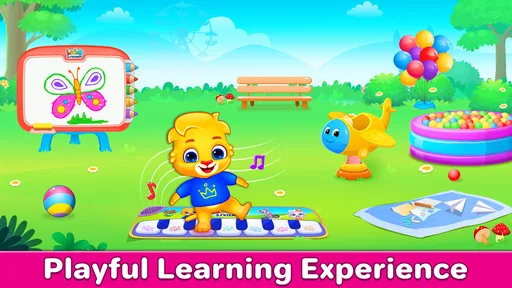
The interface is colorful and engaging, which is exactly what you want for an app aimed at kids. The developers have done a fantastic job of making navigation simple, so even the youngest users can find their way around. The graphics are bright and cheerful, keeping the children captivated and eager to explore more.
More From Our News Desk

Weather by Xiaomi Review: Clear at a Glance, Less Clear Up Close

X Under Pressure: Can It Recover When Posting Goes Wrong?

Clash of Clans Is Won Between the Battles

Android Auto Makes the Case for Quieter Car Software

MobiOffice: Transforming Mobile Productivity with Seamless Integration

EA SPORTS FC™ Mobile Soccer: Redefining Mobile Sports Gaming
For a child who is still learning to use a touchscreen, I’d sit nearby for the first few tries. A child may tap quickly, move between activities, or lose interest before finishing; that is not necessarily a problem, but it can make an activity feel less focused. One useful approach is to invite them to finish one small task before choosing another, then stop while they are still enjoying it. This works better than treating the game as a test or expecting a toddler to stay with one activity for a long stretch.
I would also treat the first session as a chance to see how the child handles the choices, rather than as a test of whether they can use the app independently. If they keep changing activities, I’d offer two options aloud and let them choose between those. That gives a young child some control without making the screen feel like an endless menu. If they need help with a tap or lose track of what they were doing, a calm prompt is more useful than taking over the device.
Diverse Range of Activities
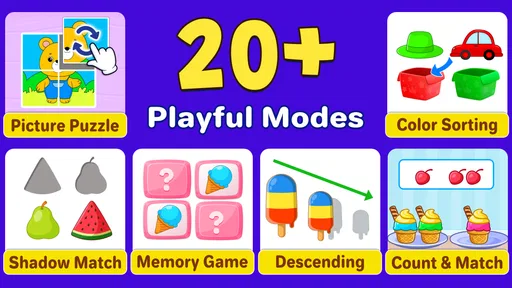
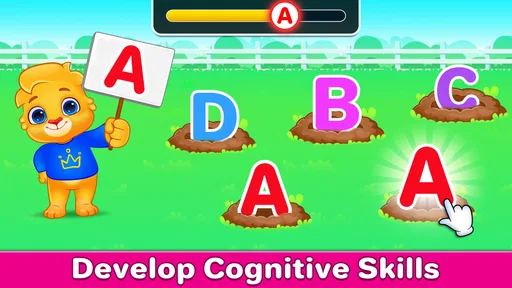
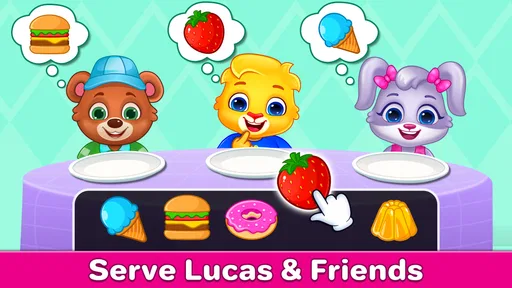
One thing I really appreciate about this app is the variety of activities it offers. Whether your child is into music, art, or problem-solving, there’s something here for everyone. The games are well-crafted to enhance cognitive skills, hand-eye coordination, and memory. Plus, there’s plenty to keep them busy, which is a win-win for both kids and parents!
RV AppStudios describes it as a collection of more than 15 toddler activities, aimed at children ages 3 to 5. In everyday use, I would treat that breadth as a menu, not a reason to keep a child playing longer. A child who enjoys sorting may want to repeat that kind of task, while another may prefer trying different activities. Let the child’s interest guide the choice, and use a break or a conversation away from the screen when attention starts to wander.
Compared with a single-purpose alphabet or coloring app, the range here makes it easier to switch to another kind of activity without opening a different game. The trade-off is that a child looking for a deep, structured lesson in one subject may be better served by a focused learning tool. This is best as a playful sampler for early learners, not something I’d rely on as a complete preschool curriculum or as a substitute for drawing, toys, books, and play with other people.
That distinction helps answer a common practical question: is it better to open this game or set out a physical activity? I would choose the app when the child is interested in the screen and I want a quick, guided starting point; I’d choose blocks, picture books, crayons, or real objects when I want more movement, shared imaginative play, or a break from devices. A simple follow-up is to copy the game’s idea away from the screen—for instance, sort a few safe household objects by color or shape. That turns the digital activity into a prompt without claiming that the app itself teaches a complete lesson.
It can also be helpful to notice which type of activity a child returns to, rather than trying to cover everything in one sitting. Repeating a favorite task can be more comfortable for a child who likes predictability, while a child who enjoys novelty may be happy to sample several options. I would not push a child through activities just to make use of the full collection. The variety is most useful when it gives the adult a few different ways to meet the child’s mood and attention on a particular day.
Age, trust, and adult oversight
The game is rated for Everyone, and its intended preschool age range makes it a natural fit for younger children with an adult close by. It is free, has a 4.8 average from around 3,700 ratings, and has been installed over 5 million times. Those figures may help a parent judge its general reach, but they do not tell you whether a particular child will enjoy the activities or how long they will stay engaged.
It was released on November 22, 2023, and the developer is RV AppStudios. I see those details as useful context rather than a reason to assume the game will suit every household. A child’s comfort with touchscreens, interests, and tolerance for switching activities matter more than popularity. I would try it with the child before deciding whether it works as a regular part of your routine.
I would not rely on the earlier claim that it offers robust parental controls: that is not a feature I can confidently recommend based on what is known about the game. For a shared family device, check the device’s own child-safety and account settings, and stay nearby when a young child uses it. That distinction matters: a child-friendly game and a child-restricted device are not the same thing. If you need individual child profiles, tightly managed screen-time limits, or a highly structured learning path, look for an option that clearly provides those tools.
For household setup, I would think about the device before the game: which account is open, what else a child could reach from the home screen, and whether an adult can stay close. This is particularly important on a tablet shared with an older sibling or parent. I would not assume a preschool game creates a separate child space or protects other apps. The safer workflow is to prepare the device using its own settings, open the activity together, and close it when the child’s turn is over.
That boundary matters even when the child is calm and the activity is going well. A preschooler may tap out of a game, press a home control, or hand the device to someone else without understanding the account context. I would keep the device in view and avoid treating an uninterrupted session as proof that every setting is appropriate. Families who need the child to use a device independently for long periods should prioritize clearly documented device-level restrictions and supervision arrangements, rather than expecting this game to provide them.
One simple household routine is to choose the game together, agree on when the device goes away, and have the adult close the app afterward. That reduces the chance of a preschooler moving from a learning activity into something intended for another household member. It also keeps expectations clear when siblings share one screen: the adult, rather than the game, coordinates whose turn it is and what comes next.
When another option may fit better
This game is most appealing if you want a free, approachable collection of preschool activities that a child can explore with occasional help. It may be less suitable for a child who becomes upset when switching tasks, a family that wants a lesson plan with clear progression, or anyone looking for a screen-free activity. In those situations, a short book, a physical sorting game, or a more focused educational app may be a better match. I would also preview the experience with the child rather than assume that every activity will suit their interests or skill level.
It is not my first choice for a family whose main goal is systematic practice in one area, such as following a deliberate sequence of letter lessons. A narrowly focused learning app or an adult-led book activity can make that goal clearer. Likewise, if the child is tired, frustrated, or already struggling to stop using screens, adding a colorful menu of activities may make the transition harder rather than easier. In that moment, a quiet non-screen choice and a clear end to device time are likely more useful.
The free price makes it easy to consider as a low-commitment option, but I would still judge it by the child’s response, not by the fact that it costs nothing. A parent should watch for whether the child can engage with an activity without becoming overwhelmed by choices and whether ending the session goes smoothly. If those parts are difficult, the app may work better only during adult-guided play—or not be the right fit at all. It is reasonable to uninstall or set it aside if it does not suit the household routine.
As an educational game from RV AppStudios, it aims to make early learning feel playful instead of formal. Its value at home depends less on how many activities a child can tap through and more on whether a grown-up helps turn a moment of play into a little conversation. That is a realistic way to use it during a quiet stretch of the day, without expecting an app to do the work of an adult.
Parental Controls and Safety
As a parent, I always worry about what my kids might accidentally stumble upon online. Thankfully, Kids Toddler & Preschool Games has robust parental controls. You can easily manage what your child can access and ensure they’re playing in a safe environment. It’s peace of mind packed into an app.
Overall, Kids Toddler & Preschool Games is a solid choice if you’re looking for an app that combines fun with learning. It’s user-friendly, packed with educational content, and most importantly, it’s safe for the kiddos. So, if you’re on the hunt for an app that will make your child’s screen time worthwhile, this might just be the one!
I would be careful with the safety claim in that paragraph: I cannot recommend relying on robust parental controls in the game. A child-friendly focus is not the same as a guarantee about every route out of an activity or every account setting on a shared device. My practical advice is to supervise, use the device’s own boundaries, and decide whether the game belongs in your household after trying it together.
My household verdict is a qualified yes: I’d keep it in mind for brief, accompanied play, especially when a preschooler enjoys trying different kinds of activities. I would not treat its educational label as a guarantee of a lesson sequence or its child-friendly focus as a replacement for supervision. Try it alongside your child, notice which activities hold their attention, and decide from there whether it earns a place in your family’s routine.
Kids Toddler & Preschool Games Frequently Asked Questions
Is Kids Toddler & Preschool Games free to download?
Kids Toddler & Preschool Games is free to download. It is an educational game by RV AppStudios, with a store short description of “Kids Games.” That makes it easy for families to try its preschool activities without paying upfront. Keep in mind that the app may include in-app purchases, which are covered in a later question.
What age group is Kids Toddler & Preschool Games suitable for?
Kids Toddler & Preschool Games is designed for young children, specifically targeting the age group of 2 to 5 years old. The app provides educational content that is age-appropriate, engaging, and safe, helping toddlers and preschoolers learn basic skills while having fun. Parents can be assured that the content is curated to support early childhood development.
What types of learning activities are included in the app?
The app includes a variety of learning activities such as puzzles, matching games, and color recognition exercises. These activities are designed to enhance cognitive skills, improve hand-eye coordination, and promote problem-solving abilities in young children. By engaging with these interactive games, children can develop essential skills in a playful and enjoyable way.
Is Kids Toddler & Preschool Games safe for my child to use without supervision?
Yes, Kids Toddler & Preschool Games is designed with safety in mind, providing a child-friendly interface and no inappropriate content. The app also includes parental controls, which allow parents to monitor and manage the content their child accesses. However, it is always recommended for parents to periodically check in and engage with their child's learning experience.
Does the app require an internet connection to function?
Kids Toddler & Preschool Games can be used offline, making it accessible without an internet connection once downloaded. This feature is particularly useful for keeping children engaged during travel or in areas with limited internet connectivity. Some features may require updates or additional downloads, which will need a connection.
Pros
- Engaging educational content
- Colorful and intuitive interface
- Wide variety of mini-games
- Parental controls available
- Offline access supported
Cons
- Contains in-app purchases
- Some games require internet
- Interface can be overwhelming
- Limited language options
- Frequent ads in free version













